Some companies build their business model around multiple accounts, while others adopt them as a tool for expansion. Either way, once you start scaling, multiple accounts become an essential part of your operation.
Without proper proxy hygiene, you're risking having social media, ad testing, and marketing accounts restricted or even banned, which can quickly bring workflows to a halt and have a major impact on revenue.
Today's article will help you plug the proxy hygiene gaps in your multi-account setup. By the end, you'll know why pairing high-quality proxies with anti-detect tools like MostLogin can keep accounts separate and your operations running smoothly as you grow.
What Is Proxy Hygiene?
To understand what proxy hygiene is, you need to separate the terms and look at them individually.
- A proxy is a tool that can help your team control where traffic appears to come from. With the right proxy setup, you can access markets across regions, collect data, run separate campaigns, and manage cross-regional client accounts.
- Hygiene means deliberate actions that your team takes to prevent contamination or overlap between the accounts that your business uses on a day-to-day basis. It’s the practice of keeping your systems clean enough to function predictably over time, even as workflows expand.
Proxy hygiene brings these ideas together. It is all about how you select, assign, and monitor proxies to lower detection risk and get more stable performance as multi-account operations grow.
But good proxy hygiene is not just all about proxies.
While a proxy can isolate your account traffic at the network level, an anti-detect browser isolates it at the browser level. These applications control what your browser looks like to the target platform by isolating specific fingerprint components, such as:
- User-agent
- Screen resolution
- Cookies
- Storage
That’s why combining an anti-detect browser and a proxy is good proxy hygiene. In doing so, you can keep your accounts separate at both the browser and network levels. For more information, read our blog on how anti-detect browsers isolate browser fingerprints, complementing proxy hygiene.
Choosing the Right Type of Proxies
The first thing teams miss about proxies is that good proxy hygiene is not just selecting a proxy and configuring it for your social media or marketing campaigns. It starts earlier, with choosing the right kind of proxy for the work you are doing.
Many platforms you use day-to-day are sensitive to IP reputation, location consistency, and session stability. If you choose a proxy that is not suitable for the job, you end up with contamination and stalled operations. If the task is short-lived automation, paying for a stronger proxy can be unnecessary.
That is why it matters to understand the different proxy types and how they work. The table below compares each type, how it functions, and what it is best for.
How to Manage Your Proxy Pool
To create a system that your team can follow to manage your proxy pool and keep things in good order, follow this step-by-step process:
Step 1: Define what “separate” means
Before you touch proxies, think about what you mean by “separate” in practical terms. Is it separating accounts by region, brand, campaign type, or some other criteria? Start here, because when you build your proxy pools, they should line up with your categories.
Step 2: Build pools with fixed ownership
Create proxy pools for a specific group of accounts. Once you assign a proxy to a pool, don't move it unless you need to retire or replace it. This approach prevents IPs from being shuffled between unrelated accounts.
Step 3: Match rotation strategy to account behavior
Choose a rotation strategy that makes sense for how each account is being used. Use sticky proxies when you need to keep login sessions going smoothly, and controlled rotation for tasks where timing is predictable.
Step 4: Set hard usage limits per proxy
Work out how many accounts or sessions a single IP can support, and don't go over it - even when things are running smoothly. This way, you protect IP reputation and reduce the chance that traffic spikes or retries cause unexpected problems.
Step 5: Monitor for early warning signs
Track failed logins, unsolved CAPTCHA, latency spikes, and sudden behavior changes. When a proxy shows repeated issues, remove it from the pool right away. Do not wait for a restriction or ban to confirm the pattern.
Step 6: Replace, don’t recycle
When a proxy server is flagged or degrades, retire it. Do not rotate it into a different pool to see if it behaves better there. Recycling bad IPs is a common way contamination spreads across clean environments.
Step 7: Align pools with browser profiles
Each anti-detect browser profile should draw from a specific proxy pool. Avoid manual reassignment unless you are intentionally migrating that profile. Consistency between browser identity and proxy pool preserves separation.
Step 8: Document the system
Keep a simple record of what your proxy pools are for, how they are set up, and how you handle rotation. This makes onboarding new team members significantly easier, and it helps when someone needs to come in and fix a problem.
This repeatable system helps you maintain clean proxy pool management as your operations scale.
Common Proxy Hygiene Pitfalls
Now that you know how to maintain your proxy hygiene with a reliable pool management system, here are some common pitfalls to watch out for. Each one of these mistakes can quietly bring down otherwise solid operations.
- Using the same IP across multiple accounts
While it might save on costs in the short term, using the same IP across accounts can be a recipe for disaster. Platforms can easily flag accounts sharing the same IP as somehow connected, which defeats the whole point of proxy hygiene.
- Ignoring geolocation mismatch
Once you separate accounts by region, the proxies assigned to each region must match. An account registered in Amsterdam but logging in from China creates location signals that are hard to explain and easy to flag.
- Using low-quality or blacklisted proxies
Clean IPs are the foundation of good proxy hygiene. Make sure you are checking your proxies against abuse databases. Low-quality proxies increase your detection risk, regardless of how often you rotate or configure your anti-detect browser.
- Poor rotation management
Some workflows require sticky IPs, especially during logins. Rotating when continuity is needed can trigger CAPTCHA prompts or restrictions. When rotation is necessary, rotating too fast or too slow can also create abnormal patterns.
- Not testing proxies before pairing them with profiles
When you don’t test proxies, bad IPs can contaminate clean browser profiles. MostLogin has a built-in proxy checker you can use to verify the functionality of any IP before pairing with a browser profile.
Best Practices for Multi‑Account Operations
Tools and Techniques to Improve Proxy Hygiene
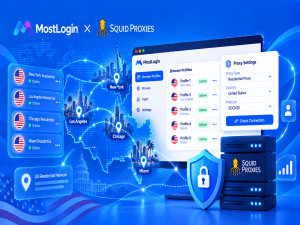
Anti-detect browsers like MostLogin give you the basics you need to manage proxies and maintain proxy hygiene as you scale. You can:
- Configure a proxy
- Check whether the IP is online
- Create multiple profiles and assign a different IP to each one
- Organize profiles into folders, including folders for different proxy types
Even so, it’s still a good idea to check proxy health before you plug an IP into the platform. Even with a reputable provider, an IP can be flagged from prior use, which can affect your accounts even if the proxy technically works. That’s why it helps to run each proxy through abuse and reputation checks before you do anything else.
Pro tip: Providers like IPRoyal offer clean residential proxies, as well as ISP, datacenter, and mobile options that are team-friendly, geo-diverse, and ready for high-scale operations. Integrating these proxies with MostLogin can save time, reduce errors, and improve reliability.
Conclusion
Good proxy hygiene is a two-way street, with proxies handling the network level and anti-detect browsers handling the browser level.
Are you sure your multi-account setup is on the right track? Are your proxies properly separated and managed? Take some time to review your team's setup and improve your proxy hygiene today.