What is an antidetect browser for Android?
An antidetect browser for Android is a tool that lets you change or “spoof” your device and browser fingerprint so that each account looks like it is coming from a different, real phone. Instead of using one Android phone for many accounts (and getting all of them banned together), you can create multiple isolated profiles or Android devices, each with its own IP, device model, time zone, and other identifiers.
This is especially important in mobile‑first markets across Asia, where most traffic and transactions already happen on Android devices. Typical use cases include:
- Shopee, Lazada, Tokopedia, Blibli and other marketplace multi-store management
- TikTok, Instagram, Facebook multi-account operations
- Affiliate marketing and ad campaigns across several identities
- Web3 airdrops and crypto campaigns that need many clean profiles
How detection works in 2026 (and why Android matters)
- Device model, Android version, screen resolution
- Canvas, WebGL, AudioContext, WebRTC data
- Time zone, language, keyboard layout
- IP address, carrier/Wi‑Fi network, approximate region
- Google services IDs or app-related identifiers on mobile
Two main approaches to avoid bans: mobile browser vs Android Cloud Phone
Anti-detect browser with Android mobile emulation
- Runs as an Android device
- Offers multiple browser profiles
- Lets you assign different IP/proxy to each profile
- Provides some control over mobile identifiers
Cloud Android devices (cloud phones)
- Each cloud phone is a real Android device
- Every device has its own unique fingerprint (device model, IP, carrier, etc.)
- You can install apps like Shopee, TikTok and other regional apps through Google Play or APK
- Perfect for cross-border e‑commerce and social media farming
For serious multi-account business (marketplaces, TikTok shops, local lead-gen, etc.), cloud phones often provide higher stability than only a mobile browser in “Android emulation” mode.
What to look for in an antidetect browser for Android
True Android environment
- Real Android devices (cloud phone) or strong Android fingerprint support
- Full compatibility with mobile apps (TikTok, Shopee, local marketplaces, messengers)
Fingerprint control
- Canvas/WebGL, WebRTC, Audio, User-Agent control
- Time zone and language that match your target audience
- Device templates that match popular Android phone brands (Samsung, Oppo, Xiaomi, etc.)
IP and proxy support
- Easy integration with residential, mobile, or datacenter proxies
- Ability to bind one IP to one profile/cloud phone
- Support for different connection types (mobile vs Wi‑Fi patterns)
Multi-account convenience
- Unlimited or high-number profiles
- Easy switching, labeling, and grouping of accounts
- Session persistence so logins stay warm and trusted
Automation and scaling
- API support and RPA/automation (e.g., Selenium/Puppeteer, local API)
- Team collaboration for agencies or remote VA teams
Why MostLogin is a strong choice for Android-heavy workflows
MostLogin is an advanced anti-detect platform that combines modified Chromium and Firefox kernels with Android-based cloud phones for real mobile environments. This hybrid approach is ideal for users who need both desktop and mobile operations on one platform.
Core browser fingerprint features
- Isolated profiles with independent fingerprints
- Control over Canvas, WebGL, AudioContext, WebRTC
- Custom time zone and language per profile
- Proxy/IP configuration per profile
- Profiles that behave like separate real devices
Cloud Phone: real Android devices in the cloud
- Real Android devices, not emulation or simple “mobile mode”
- Unique digital fingerprint per cloud phone (device model, IP, etc.)
- Can simulate a wide range of carriers and regions, suitable for cross-border e‑commerce
- Supports Google Play and APK installation, with very high compatibility with Android apps
- Ideal for TikTok, Shopee, Instagram, Facebook, and other app-based operations
Feature comparison: Android‑emulated antidetect browser vs cloud phone
Modern antidetect browsers for Android do not run as native Android apps; instead, they run on desktop and emulate an Android‑like environment at the browser level. Cloud phones complement this by providing real Android devices when you need full OS‑level signals on top of what the browser already emulates.
Aspect | Antidetect Browser (Android Emulation) | Cloud Phone (Real Android Devices) |
System | Runs on desktop (Windows/macOS/Linux), emulating Android/mobile behavior in the browser | Runs on real Android OS in the cloud |
Android capability | Emulates Android/mobile fingerprints (User Agent, viewport, touch like behavior, some sensors) | Provides full native Android stack, including system services and hardware signals |
Usage focus | Web and mobile web versions of platforms that accept browser traffic | Native Android apps and flows that strictly require a real device |
Scaling | Fast to create many Android like browser profiles with separate fingerprints and proxies | Used for fewer, higher value accounts that must live on real phones |
Use an Android Cloud Phone If Your Accounts Live Inside Native Apps
When your key accounts run mainly inside real Android apps, an Android Cloud Phone is the safer choice. Cloud Phones provide full OS‑level signals (device model, carrier patterns, system services) that many modern apps quietly check before trusting a new account.
- In‑app social media growth – TikTok, Instagram, Snapchat, and similar apps where you rely on native filters, Stories/Reels, or app‑only analytics.
- Device‑sensitive messaging and farming – WhatsApp, Telegram, and similar apps that care about long‑term device history, not just IP and cookies.
- P2E gaming and mobile‑only apps – Games and reward apps that detect emulators or rooted environments and expect a real phone footprint.
- High‑security finance and crypto apps – Banking, payments, and wallets that rely on SafetyNet / Play Integrity or similar checks.
Use an Android Antidetect Browser If You Scale Mainly Through Web and Mobile‑Web
An antidetect browser for Android runs on desktop but can emulate Android‑like environments in the browser, making each profile look like a different mobile user. You use it when you want to both simulate Android fingerprints and manage many accounts efficiently through web or mobile‑web interfaces.
With an Android antidetect browser you can:
- Simulate Android/mobile fingerprints in the browser Configure User‑Agent as Android, adjust viewport to mobile sizes, and tune Canvas, WebGL, time zone, language, fonts, WebRTC, and other signals so each profile behaves like a separate Android device visiting the site.
- Isolate multi‑account sessions safely Create hundreds of independent profiles, each with its own cookies, local storage, cache, and proxy, so your Android‑like logins for marketplaces, social networks, and tools never leak data between each other.
- Run Android‑style workflows through web or mobile‑web UIs Access seller panels, social media mobile sites, ad dashboards, or Web3 sites that treat you as a mobile visitor, without having to run a real phone for every account.
- Automate Android‑like browser behavior at scale Connect APIs or frameworks like Selenium, Puppeteer, or Playwright to open, control, and recycle Android‑emulated profiles automatically—something that is much harder and more expensive to do with physical devices.
Practical use cases
Marketplace store farming
TikTok and Instagram growth
Using cloud Android devices, you can log in to multiple TikTok and Instagram accounts, each on its own phone with its own IP, device fingerprint, and behavior pattern. Combined with automation (API, scripts, or manual VA work), this is ideal for agencies and influencer networks in any growth market.
Web3 airdrops and crypto campaigns
Basic setup guide: starting with an antidetect browser for Android
- Use antidetect browser for Android setup
- Create a MostLogin account Sign up on the official website at https://www.mostlogin.com/ and download the MostChrome 142 above version desktop client. Log in to your dashboard.
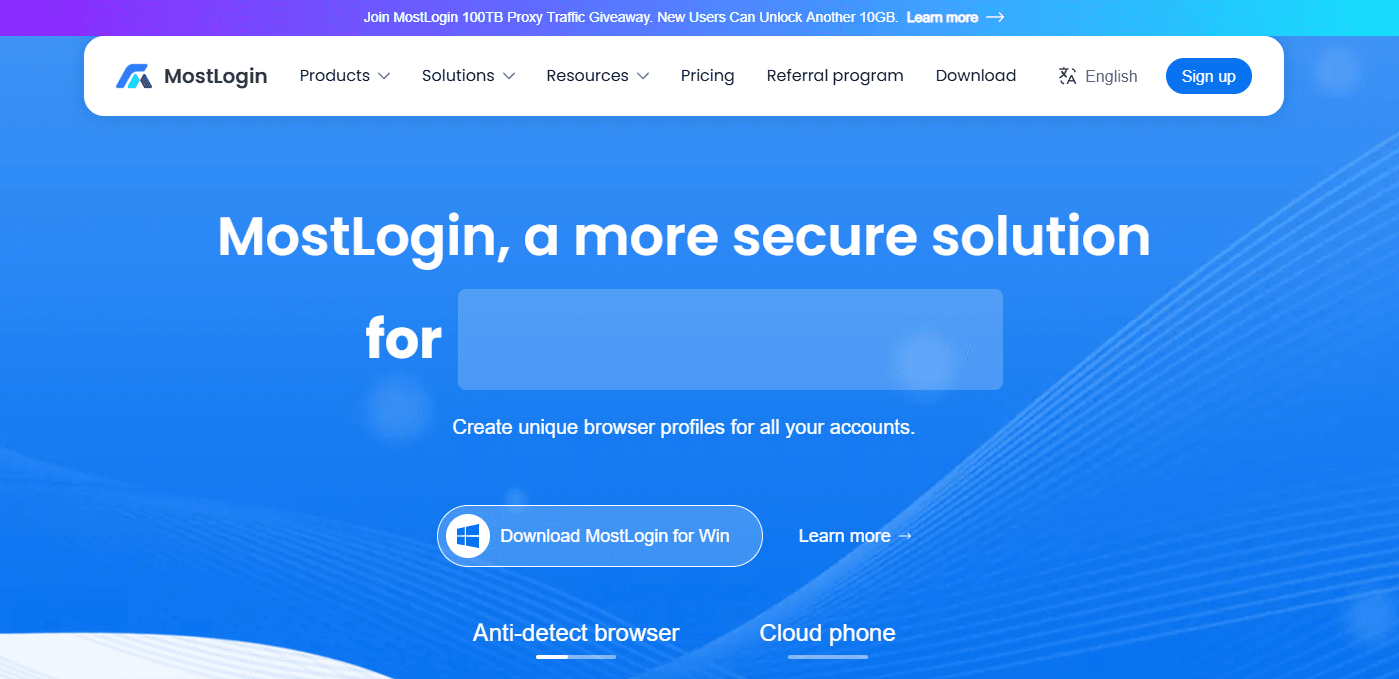
- Create a new browser profile (desktop)
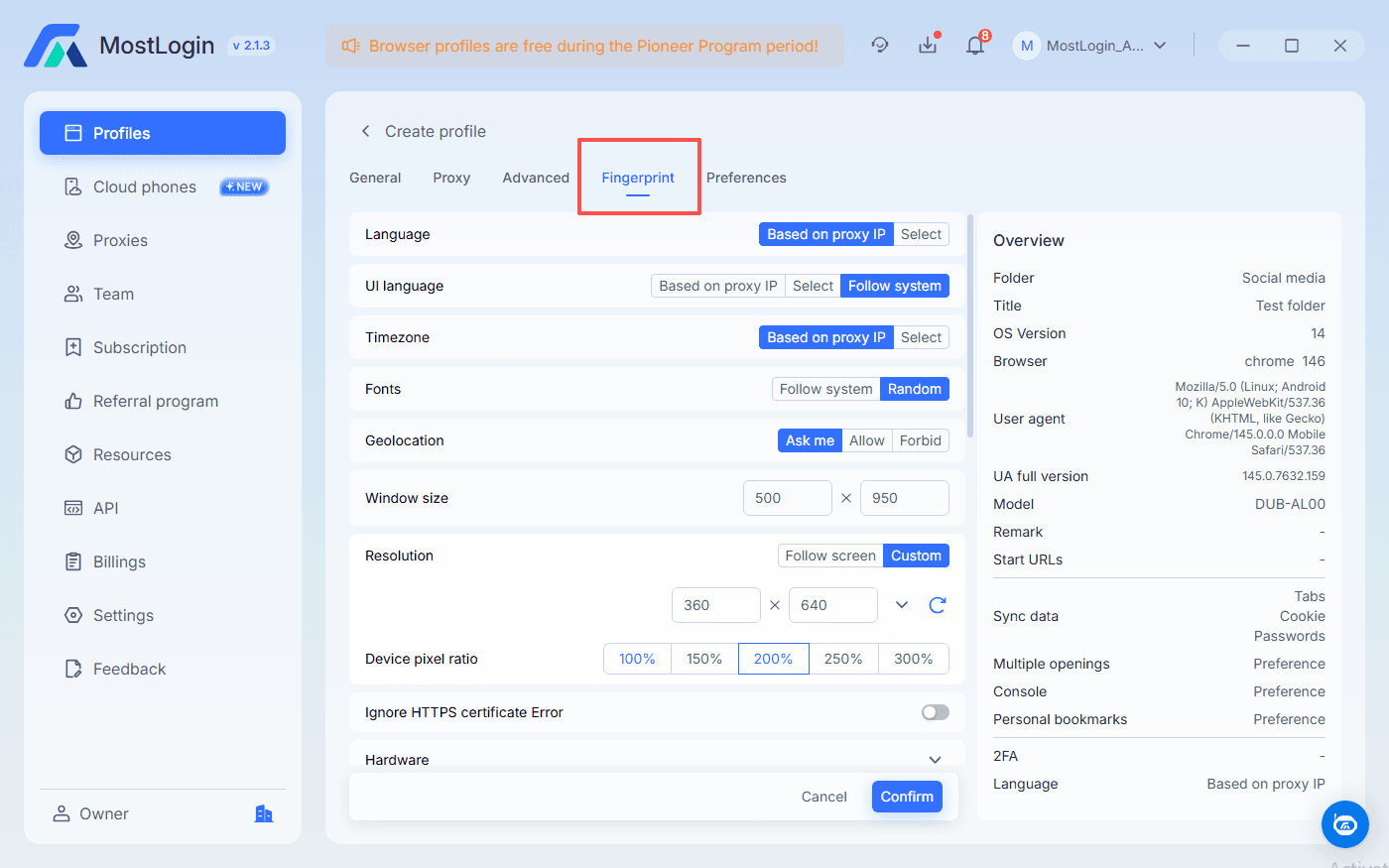
- Choose an Android OS for profile
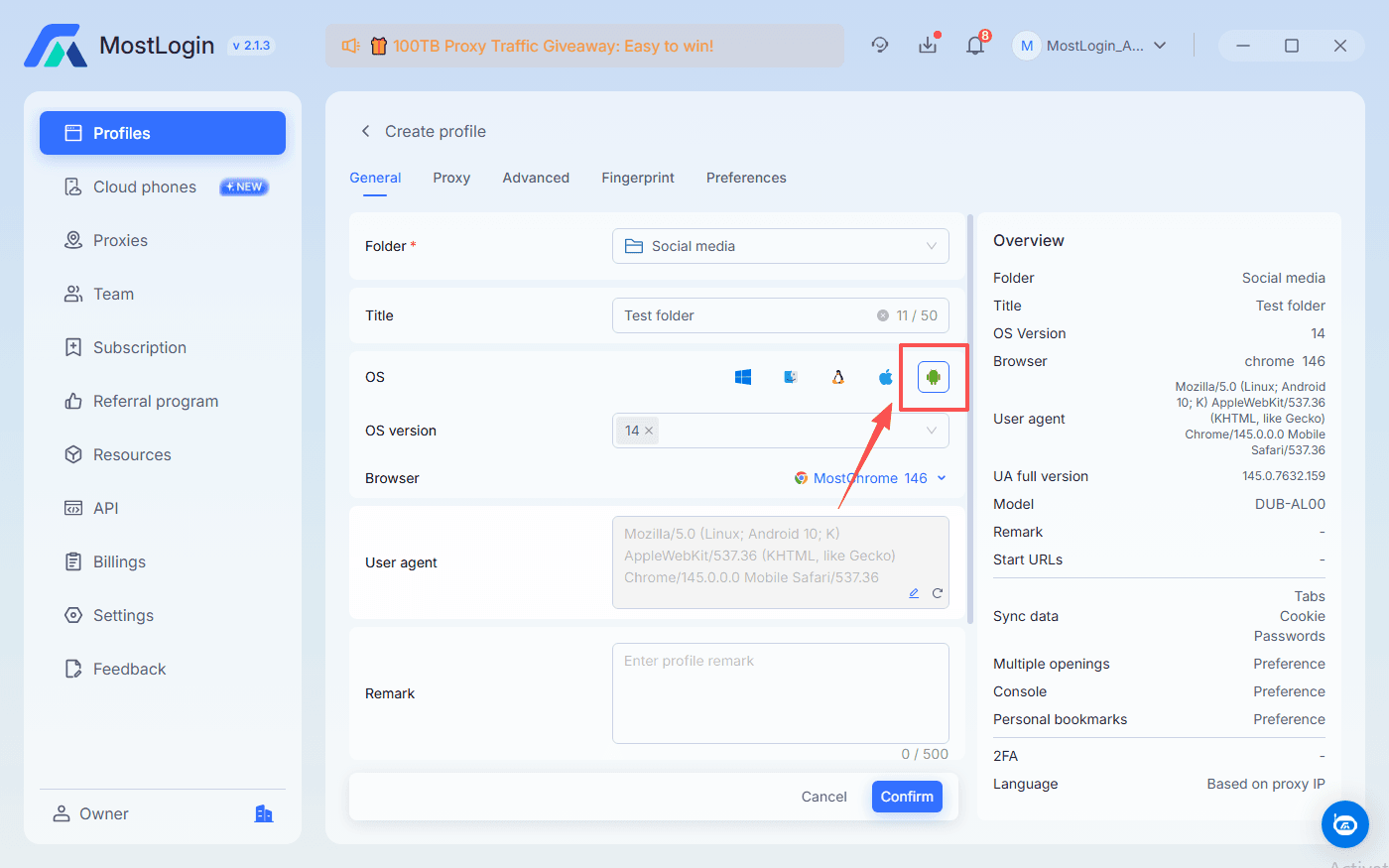
- Randomize fingerprint parameters: User-Agent, Canvas, WebGL, WebRTC, screen size
- Set time zone and language to match your target audience’s environment
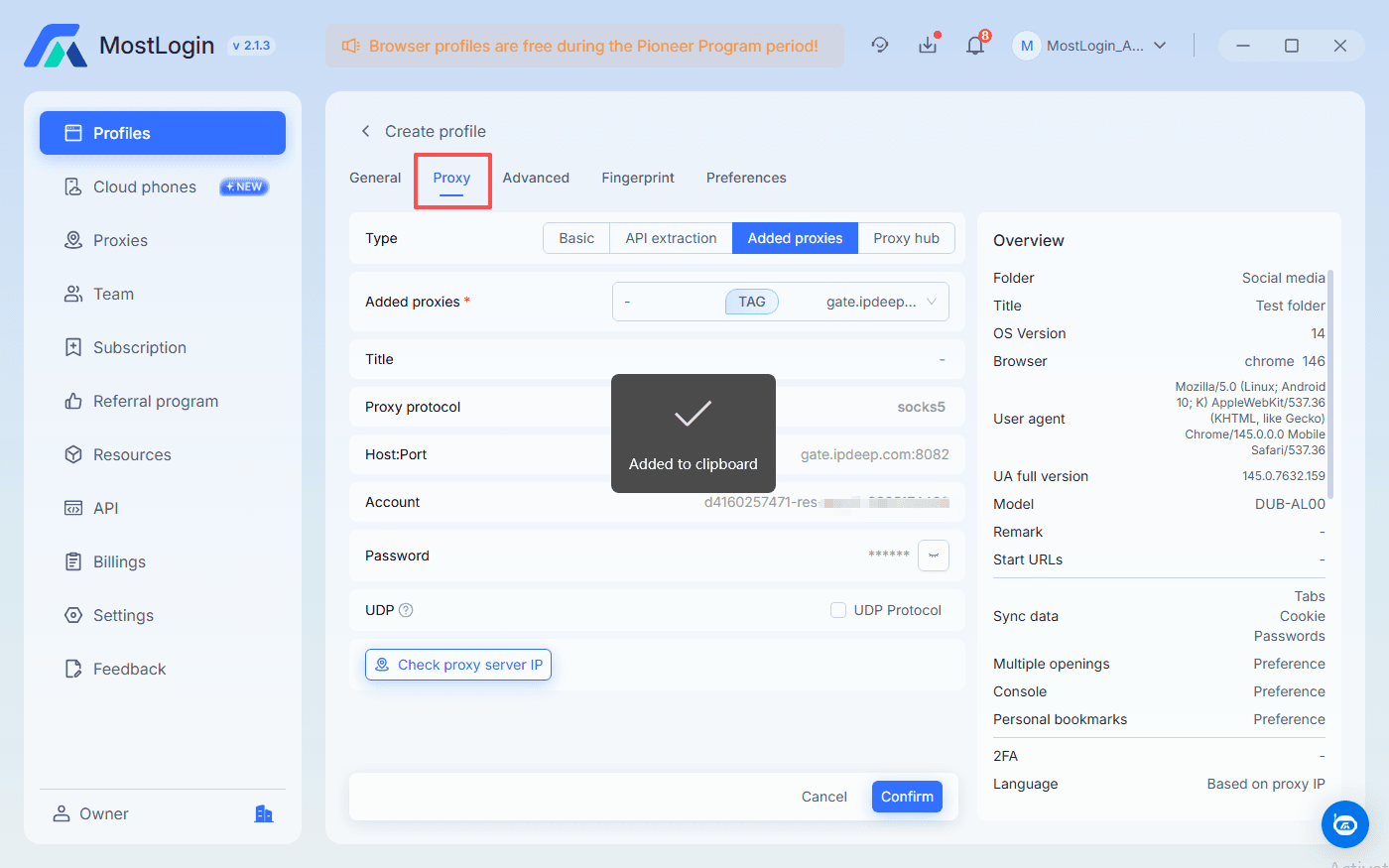
- Bind a proxy or IP
- Assign one proxy per profile
- Use high-quality residential or mobile proxies that match your target geo to mimic natural user behavior
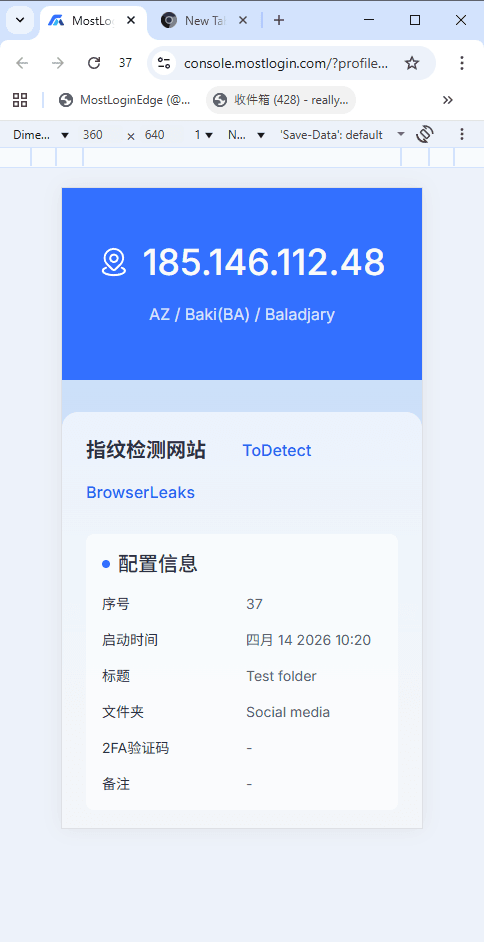
- Launch profile for Android tasks
- Manage Android devices with Cloud Phone
- Sign in to MostLogin via desktop client
- Rent a temporary or purchace multiple Cloud Phones basd on your need.
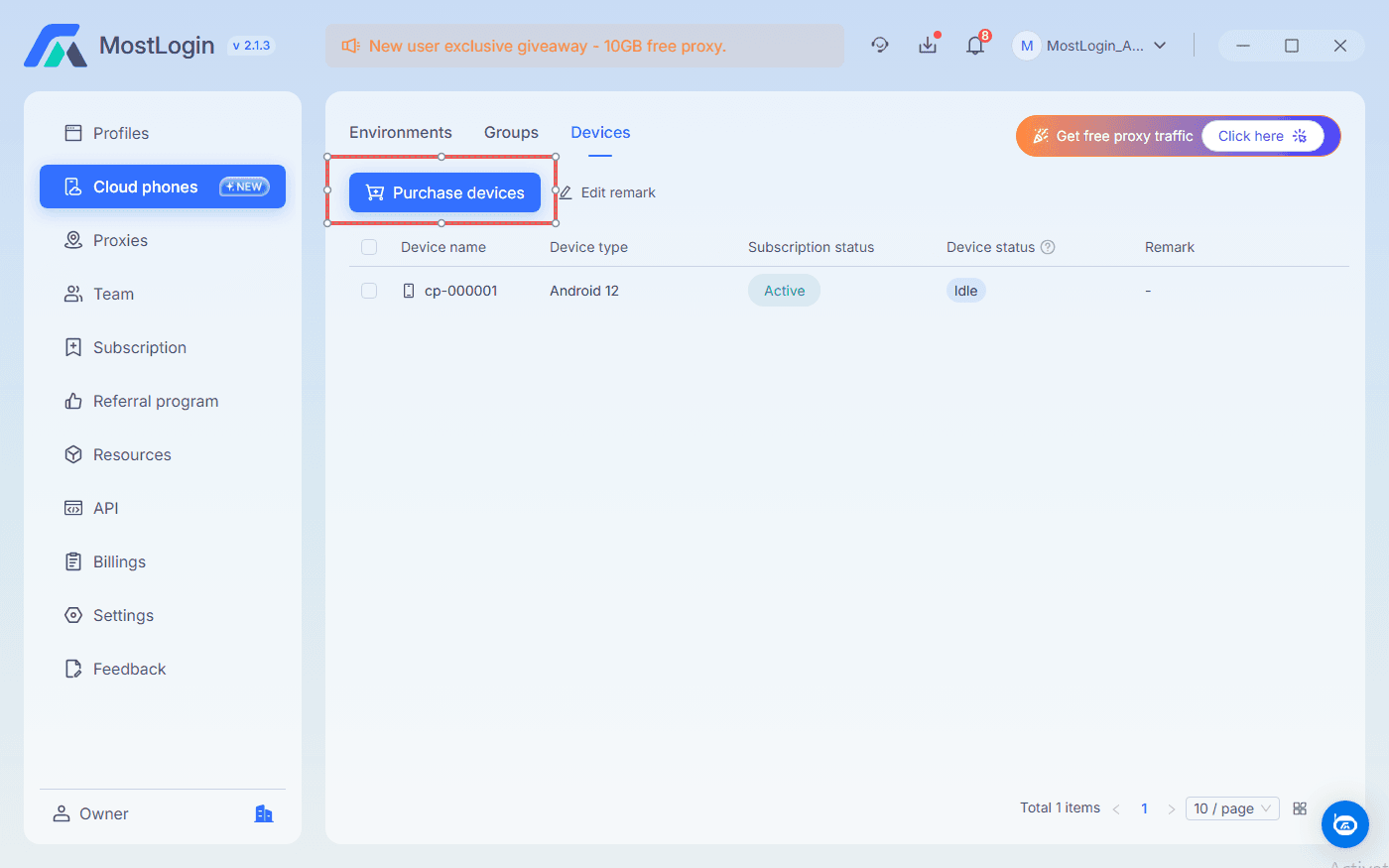
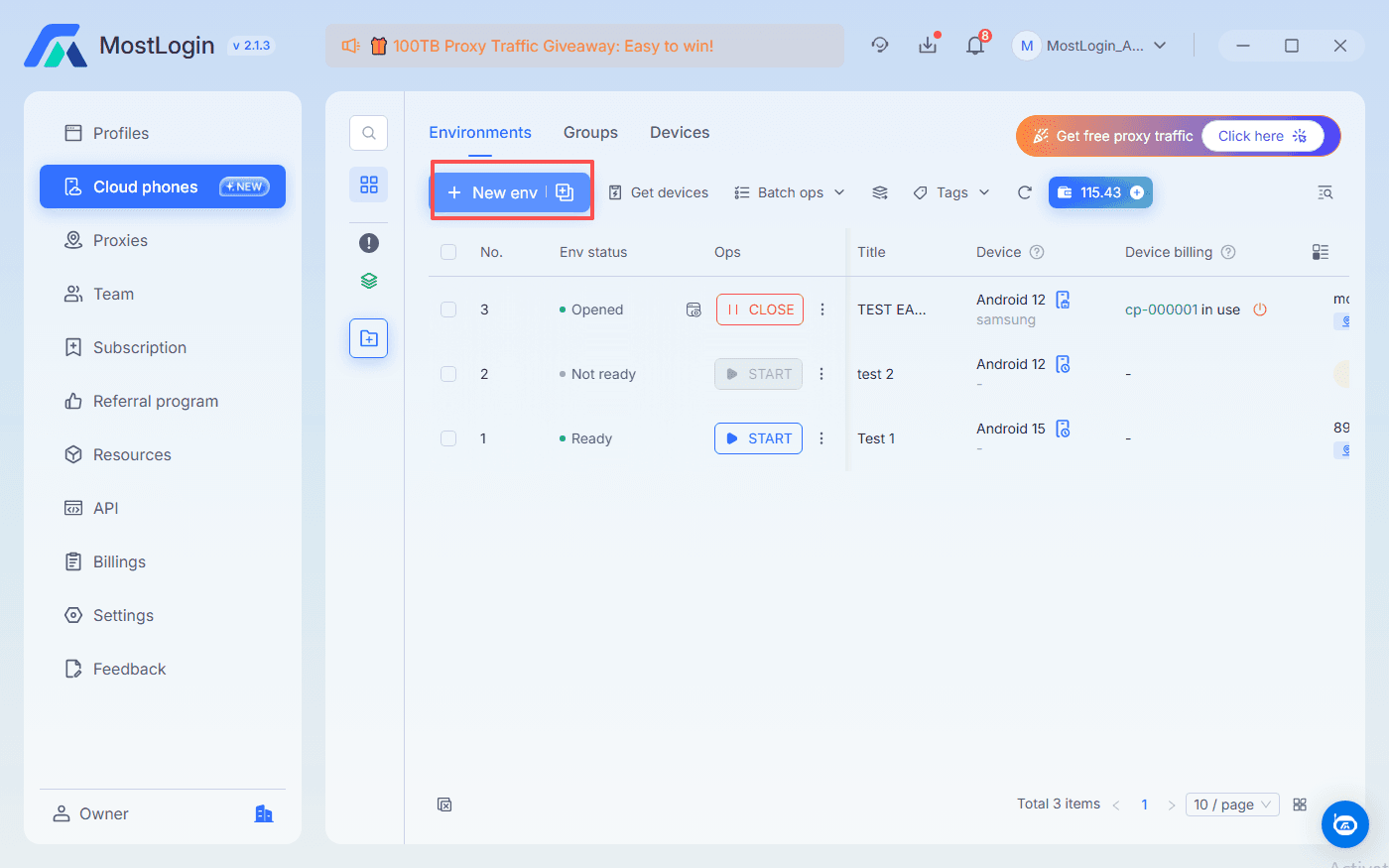
- From the Cloud Phone section, create env to mimic different diveces and envioronments
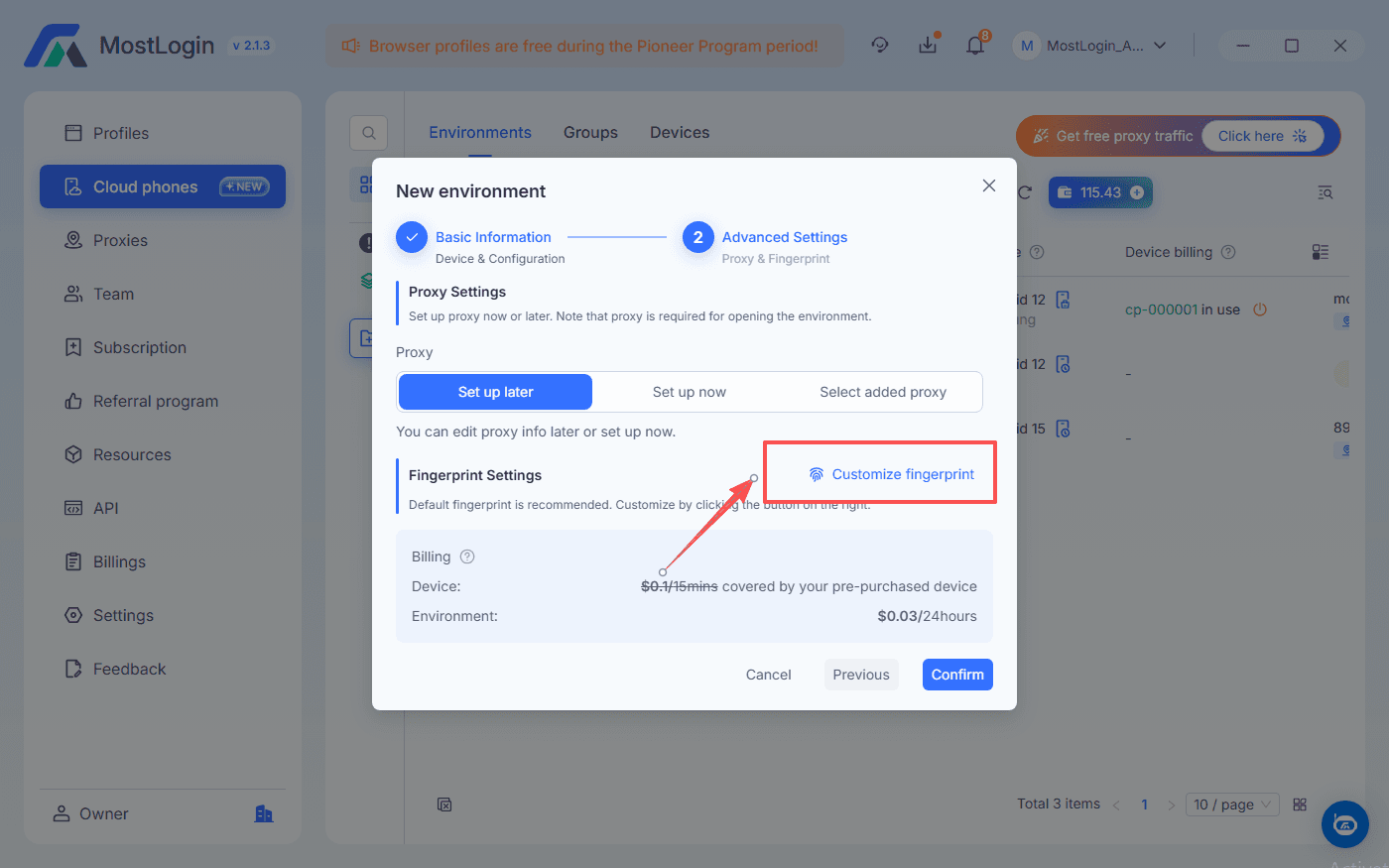
- Configure environment fingerprint, and proxy IP and other parameters
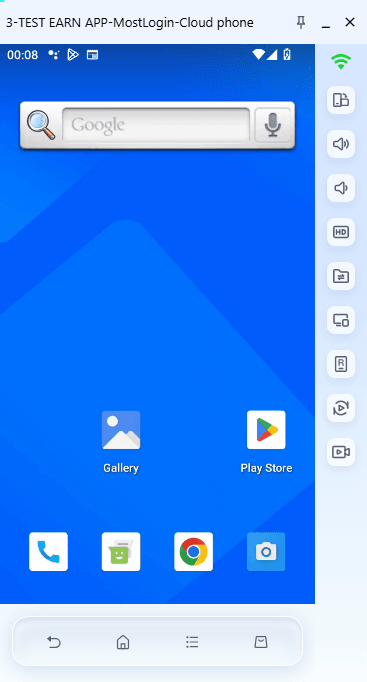
- Run cloud phone env and install Shopee, TikTok and other required apps via Google Play or APK
- One account per identity
- Use one cloud phone environment or one browser profile per main account (for example, one TikTok shop per device)
- Avoid logging multiple unrelated accounts on a single device to reduce correlation risk
- Warm up and maintain proper behavior
- Gradually increase activity instead of spamming new accounts
- Keep behavior realistic: mix browsing, watching, liking, and normal usage patterns
FAQs about antidetect browser for Android
Is an antidetect browser for Android legal?
Most countries do not have laws that directly ban antidetect browsers themselves. Legality depends on how you use them—legitimate multi-account management is different from fraud or abuse, which can be illegal under local regulations.
Can I use one Android antidetect setup for all my marketplace accounts?
Do I still need proxies with an antidetect browser for Android?
Why not just use normal Incognito mode?
Is a cloud phone better than an Android antidetect browser app?
For intensive mobile app workflows (TikTok, marketplaces, messaging apps), cloud phones often provide better realism and separation because they are full Android devices. However, a browser-based setup remains useful for web-only tasks and is often easier for teams to manage.
Can MostLogin work for e‑commerce and social media platforms?
MostLogin combines strong fingerprint control with real Android cloud phones and broad carrier support, making it suitable for e‑commerce, social media, and Web3 scenarios. It supports Google Play apps, APKs, and multiple IP/carrier configurations, which are important for local and cross-border operations.
Conclusion
For growth teams, agencies, and solo operators, an antidetect browser for Android is no longer a nice-to-have but a core infrastructure for serious multi-account operations. By combining strong fingerprint control on the desktop with real Android cloud phones, tools like MostLogin let you run multiple Shopee, TikTok, and Facebook accounts with far less risk of mass bans or linkage.
If you focus on one-account-per-identity, use high-quality proxies, and keep your behavior realistic, you can scale from a few test accounts to a full portfolio of stores and social profiles. Start small, document your settings for each profile or cloud phone, and gradually build a system that your team or VAs can operate consistently day after day.