Running multiple accounts is now common practice for e‑commerce sellers, social media managers, affiliate marketers and marketing teams focused on rapid experimentation. However, doing this from a normal browser or a few incognito windows makes it easy for platforms to link your accounts through fingerprints and IP data. Once several accounts are connected, a single flag or review can lead to suspensions across your entire setup. An anti‑detect browser with a practical free plan is designed to address this problem by giving each account a separate, realistic identity so you can scale multi‑accounting more safely.
This article explains what a free anti‑detect browser is, why you need it for multi‑account work, and how to use MostLogin to manage many accounts with strong isolation while keeping software costs manageable.
What Is a Free Anti‑Detect Browser?
An anti‑detect browser is a specialized browser that customizes your browser fingerprint so each profile appears to be a different device and user. Fingerprints include signals like Canvas and WebGL output, fonts, language, timezone, screen size, installed plugins and so on. A free anti‑detect browser means the provider offers core anti‑detection features and multi‑account isolation with a free subscription or usage quota, rather than requiring you to pay before you can meaningfully test the product.
Instead of operating from one device with one identity, an anti‑detect browser lets you create many isolated profiles. Each profile maintains its own cookies, local storage and cache, and can be bound to a dedicated proxy, so every account looks like it runs on a separate machine and network. At the current stage, MostLogin provides an anti‑detect browser focused on multi‑account management, where core fingerprint‑browser features are available under a free plan and additional resources can be added if your needs grow.
Why Normal Browsers Are Not Enough for Multi‑Accounting
Many users begin by opening multiple Chrome profiles or using incognito windows. This approach may hide basic history and cookies, but it does not change deeper browser fingerprints that platforms now rely on. Modern anti‑fraud and risk‑control systems read numerous low‑level attributes—graphics, audio, fonts, language, timezone and hardware hints—to uniquely identify a device even when IPs or cookies change.
If you log into several accounts from the same fingerprint and similar IP range, platforms can mark them as related. When one account is flagged, others tied to the same fingerprint cluster can be reviewed or restricted as well, which is especially serious for ad accounts, marketplace stores and brand pages. Anti‑detect browsers reduce this linkability by making each profile behave like an independent user environment rather than another tab on the same machine.
Why a Generous free Plan Matters
Budget and risk tolerance are closely connected for teams starting multi‑accounting operations. Many traditional anti‑detect tools either lack a free plan or limit their free tier to a very small number of profiles with restricted features, making real‑world testing difficult. By contrast, MostLogin’s current free plan for its anti‑detect browser gives you access to core multi‑accounting functions without an additional browser subscription, so you can start working with multiple accounts before committing to paid infrastructure.
This structure allows individuals and organizations to test multi‑account workflows, environment isolation and team collaboration in real campaigns. You can begin with a manageable number of accounts, refine your processes and then scale up while keeping browser costs under control. As your operations expand, you can allocate more budget to higher‑quality proxies, content and traffic instead of immediately facing high licensing fees for the browser layer.
How MostLogin anti-detect browser Works
From a technical perspective, MostLogin is powered by Chrome, Firefox & Android kernels, it creates isolated browser profiles with unique device fingerprints to effectively prevent multi-account bans. When a website queries your environment, the MostLogin created profile will reflect to realistic but varied fingerprints. These values cover Canvas and WebGL rendering, audio context properties, screen resolution, fonts, language, operating system signals, and other feature dimensions, allowing each profile to simulate the configuration of a real user.
Each browser profile runs in an isolated environment with independent cookies, local storage, cache and digital footprints. This isolation significantly reduces cross‑account association risk when you operate multiple accounts across e‑commerce, social media and SEO use cases. When you bind different proxies to different profiles and align IP location, timezone and language with your target market, each account appears consistent and independent from the platform’s point of view.
With its current free plan, MostLogin makes this profile isolation, fingerprint control and proxy integration available without a separate browser license fee, which makes it practical to evaluate multi‑accounting workflows before deciding how far to scale. You can always check the latest plan details and downloads on the official site:
https://www.mostlogin.com/
Core Features That Support Multiple Accounts
MostLogin anti-detect browser combines several capabilities that are especially relevant to multi‑account use on social platforms and e‑commerce sites. It provides fine‑grained fingerprint spoofing and control over attributes such as device type, operating system, graphics, timezone and language, helping each profile blend into normal traffic patterns.
The browser secures multi‑account isolation so each profile keeps separate cookies, session data and digital footprints, reducing the risk of account linking. It also integrates with HTTP and SOCKS5 proxies, allowing IP binding per profile so each account can have its own IP and geo‑location. For teams, MostLogin supports collaboration features like multi‑user workspaces and permission control, enabling multiple operators to manage accounts in isolated environments while maintaining centralized management and risk tracking.
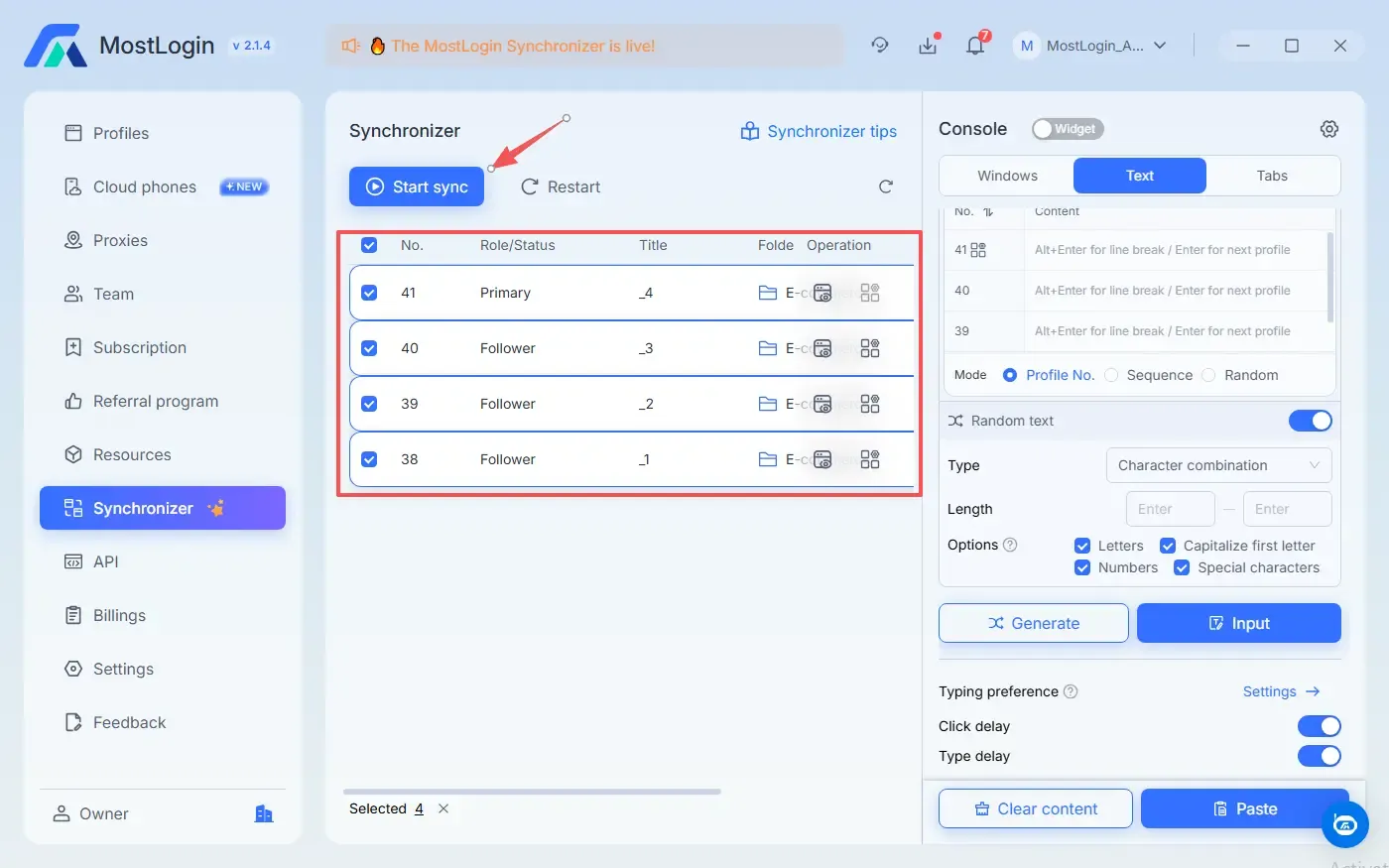
Automation‑friendly functions and API access are another highlight: you can connect profiles to automation frameworks and RPA tools to handle scripted workflows and mass account operations more efficiently, without sacrificing isolation.
Typical Use Cases for Multi‑Accounting
MostLogin positions its anti‑detect browser as a professional solution for legitimate multi‑accounting scenarios across social media, e‑commerce, advertising and SEO. Cross‑border e‑commerce sellers can maintain separate stores for different marketplaces or brands, using distinct profiles and IPs to reduce correlation between accounts while managing multiple seller dashboards in parallel.
Social media teams managing many brand pages or creator accounts can keep each client’s presence in its own profile set, lowering the chance that issues on one project affect others. Digital advertisers and performance marketing teams can operate multiple ad accounts and test campaigns while maintaining strict environment isolation, which supports more resilient operations on platforms that are sensitive to account behavior.
SEO practitioners and user acquisition specialists can simulate users from different regions or device types, maintain long‑term community participation and gather cleaner search data by avoiding unwanted account linkage. Because a free plan is available for the anti‑detect browser, these groups can validate MostLogin in real‑world workflows before deciding whether to scale to larger multi‑accounting setups.
Getting Started with MostLogin’s free Browser
To begin, you need to sign up on the MostLogin website and download the desktop client for your operating system. After logging in, you can access the main interface where you can create and manage browser profiles for your different accounts. Planning your structure in advance—by platform, region or client—helps you keep a clear mapping between profiles, proxies and accounts.
When creating a new browser profile, you can either select or randomly generate a fingerprint configuration and assign a proxy that matches your target region and usage scenario. Aligning IP location, timezone and interface language with your intended audience makes activity look more natural and reduces suspicion. Once the environment is configured, you could launch the profile and log in only to the account that will be associated with it going forward, keeping one primary account per profile.
New accounts should be warmed up gradually rather than pushed to maximum volume on day one. Using realistic browsing patterns, gradually increasing activity and mixing in normal user actions can help account histories look organic and stable. For teams, collaboration features enable you to assign specific profiles to specific operators while keeping ownership and configuration in a central workspace, so everyone works inside protected environments instead of local, untracked browsers.
Operating Safely: Practical Principles
Even with strong fingerprint protection from an anti‑detect browser, sustainable multi‑account management depends on good operational discipline. A simple, effective rule is to keep one primary account per browser profile and avoid mixing unrelated accounts within the same environment, which prevents cross‑linking through shared cookies or behavior. Maintaining consistency between IP, timezone and usage patterns also reduces the anomalies that risk‑control systems are designed to detect.
It is equally important to remember that platforms analyze behavior as well as technical signals. Very aggressive or repetitive actions can trigger reviews even if your device fingerprint and IP setup appear normal. MostLogin anti-detect browser gives you a robust technical foundation by separating identities and controlling fingerprints; your overall strategy and daily workflows should then stay within acceptable ranges for each platform, especially when working with multiple accounts.
FAQs About MostLogin’s free Anti‑Detect Browser
Is it safe to use a free anti‑detect browser?
MostLogin is designed as a professional tool for privacy protection, environment isolation and multi‑account risk control. Its fingerprint management, cookie isolation and leak‑prevention measures significantly reduce basic detection risks compared with standard browsers, provided you combine them with responsible multi‑accounting practices.
How many accounts can I realistically run with the free browser?
MostLogin’s current Pioneer Program offering free anti‑detect browser includes core functions such as multi‑profile management, anti‑association technology, API and team collaboration without any subscription fee. The number of accounts you can operate in practice depends on your proxies, hardware resources and internal processes, so you should always check the latest limits and conditions on the official website.
Do I still need proxies if fingerprints are already randomized?
Yes. Fingerprint controls help hide your device and software characteristics, while proxies determine your visible IP address and geographic location. For robust multi‑account isolation, you should combine unique browser environments with suitable residential or mobile proxies aligned to your target regions.
How is MostLogin different from other free anti‑detect browser options?
Some tools provide only very limited free plans with a small number of profiles or heavily restricted functionality. MostLogin’s current free Pioneer Program plan gives users access to core features such as fingerprint spoofing, proxy integration, cookie isolation and team collaboration, and you can later add more resources or related services if your needs grow.