Many people install various browser extensions when managing social media or platform accounts, such as translation tools, screenshot plugins, auto-fill form extensions, password managers, and even automation tool add-ons. While these extensions significantly boost work efficiency, they also make your browser fingerprint more distinctive, increasing the risk of account identification and correlation by platforms.
Today we will systematically explain how browser extensions inadvertently expose your device information and why they raise the probability of your accounts being detected by platform risk control systems.

Can websites detect the extensions we have installed?
Many people may think that since extensions are installed locally on their browsers, websites cannot detect them and thus they pose no risk. However, for modern risk control mechanisms, websites do not need to directly access the extension list to indirectly determine the types of add-ons you have installed.
Certain web page scripts can be detected by risk control systems, which also expose specific device information, such as:
Changes in available browser APIs
Abnormal behavior in the page execution environment
Modified JavaScript object structure
Disrupted page loading sequence
Characteristic changes in request headers or network behavior
These differences are indistinguishable to ordinary users, but in the algorithms of risk control systems, they are important signals for identifying device environments.
How extensions make your browser fingerprint unique
Account platforms now rely increasingly on browser fingerprints to identify devices, and extensions are one of the key factors affecting fingerprint stability.
1. Extensions alter browser environment characteristics
Many extensions inject scripts into pages or modify default browser behaviors. For example:
Ad-blocking extensions block the loading of certain resources
Auto-translation extensions modify the page DOM structure
Automation extensions may expose additional JS objects
Security extensions may change browser permission policies
These changes are captured by website detection scripts and form part of the environmental characteristics. When the combination of extensions you install is unusual, your browser environment becomes highly unique. In fingerprint recognition systems, this is equivalent to attaching a long-term traceable label to your device.
2. More extensions make the environment less like that of a real user
Real ordinary users usually install only a small number of common extensions, such as ad blockers, translation tools, and password managers. However, if a browser has multiple automation extensions, fingerprint modification plugins, packet capture or debugging tools, and batch operation add-ons installed at the same time, it will be labeled as a high-risk environment in risk control models.
Because such a combination of extensions is more characteristic of an operational or batch management environment than that of an ordinary individual user. Even if you only log in to one account, this environment may increase the probability of the account being subject to additional review.
What other impacts do extensions have?
In addition to browser fingerprints, extensions may also alter network request characteristics. Some extensions modify HTTP request headers, add additional identification fields, change request sequences or loading rhythms, and forward traffic through local proxies. These changes make your traffic patterns appear unnatural.
When analyzing request behaviors, platforms may find that the request structure sent by this browser has statistical differences from that of regular users. Once combined with other risk factors (such as abnormal IP addresses, frequent device switching, etc.), it is more likely to trigger risk control measures.
Sharing the same extension environment across multiple accounts increases the risk of correlation
This is one of the most common pitfalls in multi-account operation. If you install the same set of extensions, use the same extension versions, and keep the same browser settings on the same computer and with the same browser configuration, the device environment fingerprints behind these accounts will be highly similar from the platform's perspective.
Even if you use different IP addresses, clear cookies, or use incognito mode, the environmental characteristics brought by extensions may still become an important clue for correlating multiple accounts. For risk control mechanisms, these characteristics participate in the construction of the entire device fingerprint.
Certain anti-detection extensions are actually more conspicuous
Many extensions that claim to be anti-detection are themselves high-risk characteristics. These generally include extensions that forcibly modify browser fingerprint parameters, add-ons that simulate device environments, and automation tool plugins specifically designed to bypass risk control.
These extensions often lead to abnormal behavior patterns, incomplete API modifications, and logical conflicts with real browser environments. Risk control systems do not need to know which extensions you are using; they only need to identify that the performance of this browser environment does not conform to the statistical model of real users to mark it as a risky device.
How to avoid detection due to extensions?
In fact, the detection caused by extensions is partly due to poor browser fingerprint isolation. For the overall browser fingerprint, the in-depth detection of the extension part is also because other parts of the environment are too highly overlapping. To avoid detection due to extensions, it is recommended to use a professional anti-detection browser and avoid the overlapping use of extensions across accounts.
For example, use the MostLogin Anti-Detection Browser to set different browser fingerprint environments for multiple windows to achieve basic environment isolation, and then reasonably allocate extensions for multiple accounts. This can perfectly solve the problem of account detection caused by extension correlation.
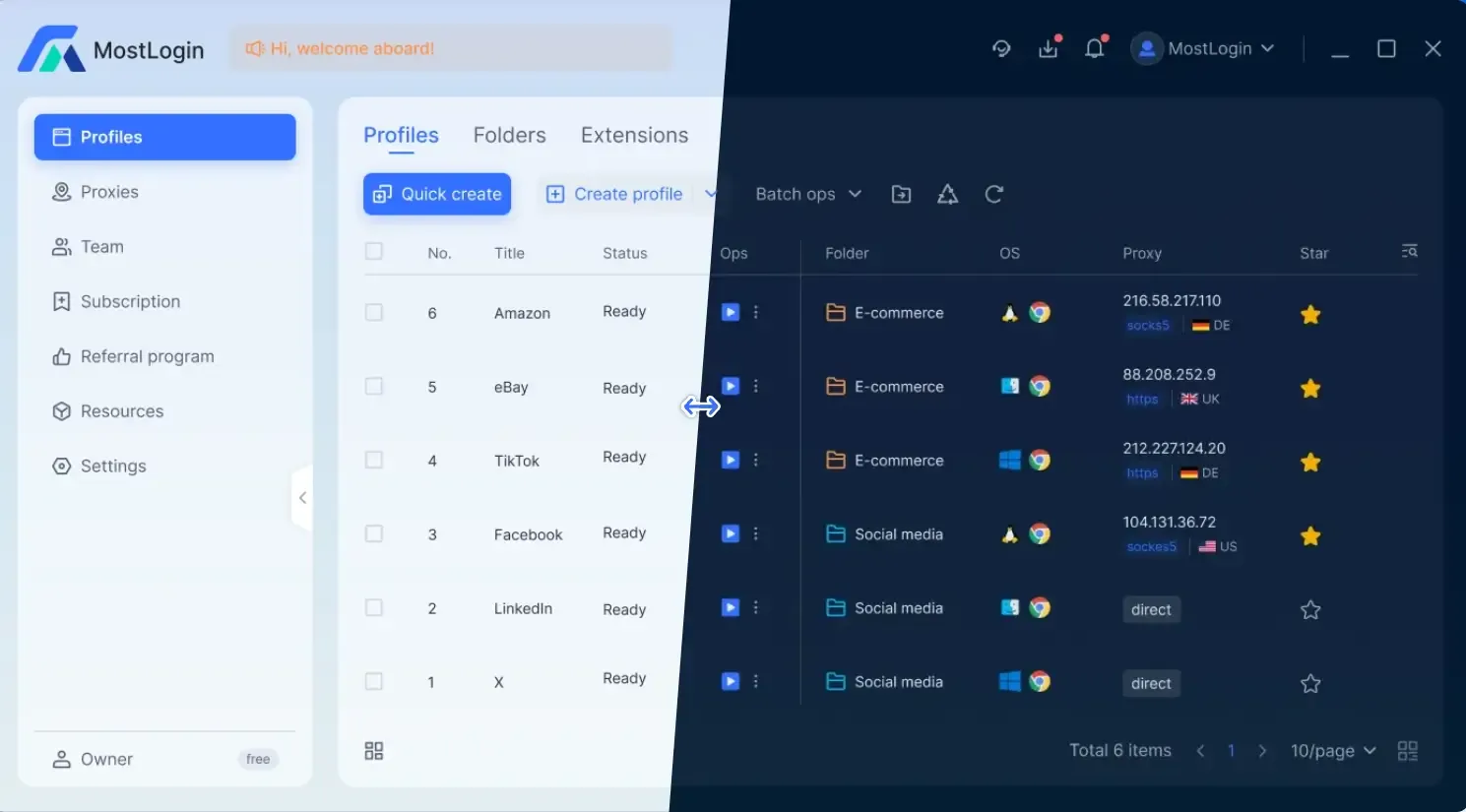
The MostLogin Anti-Detection Browser not only supports obfuscation of browser fingerprints but also provides obfuscation settings for proxy IP addresses. We can conveniently apply pre-configured IP addresses for in-depth security protection, which is also very important for multi-account operation.
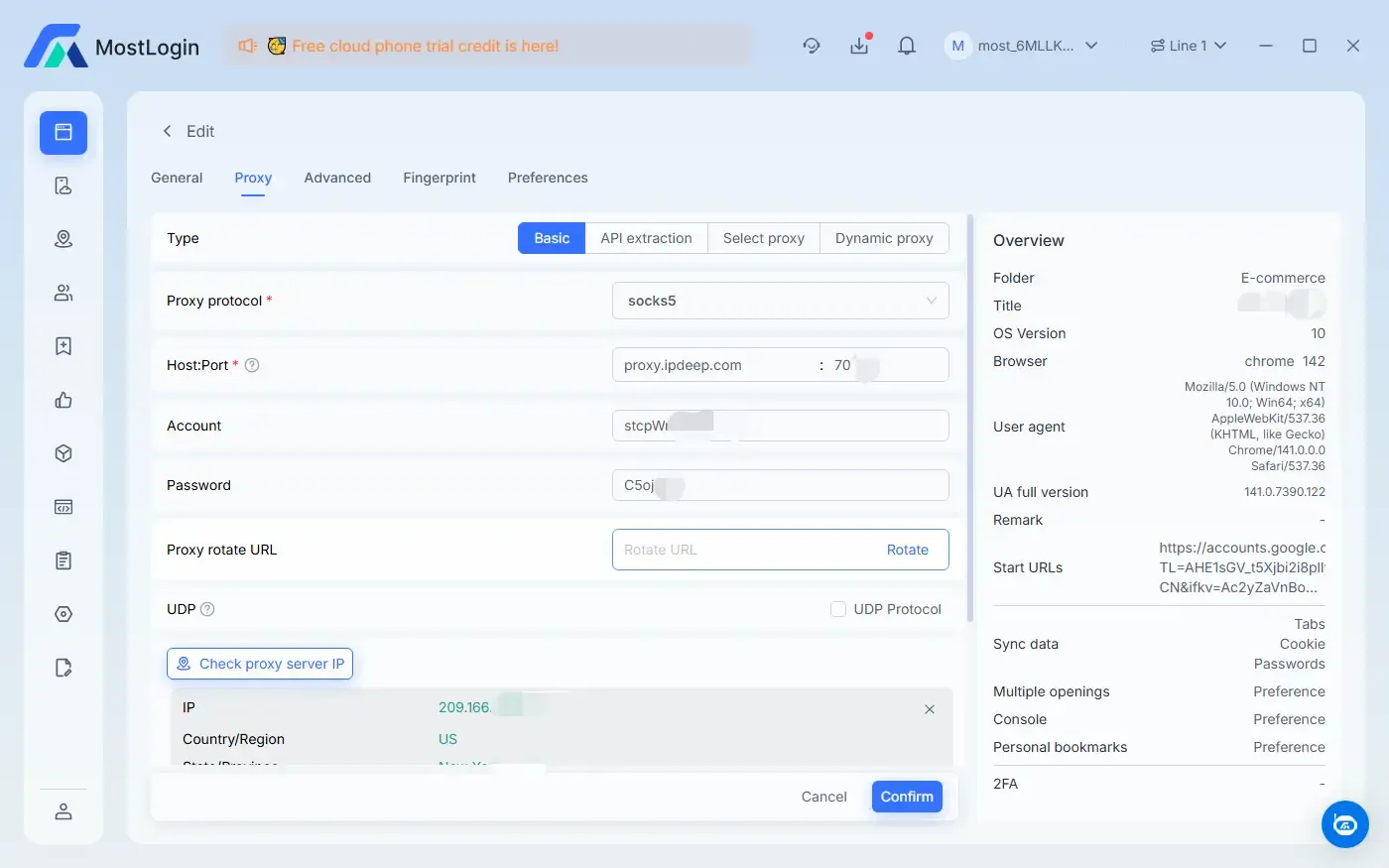
Currently, the MostLogin Fingerprint Browser has a "Pioneer Program". Fingerprint browser functions are available according to the current plan, while cloud phone services are offered separately. Team and individual users are welcome to experience and use it!
Summary
Overall, browser extensions themselves are not unusable, but in the scenario of account operation, they have become one of the important risk signals for platforms to identify device environments. The number, type, combination method of extensions, and whether they are highly consistent across multiple accounts all directly affect the uniqueness and traceability of browser fingerprints. We recommend matching the use of extensions with a more professional fingerprint isolation solution (anti-detection browser) to maximize the security of your accounts!
Frequently Asked Questions
Can websites really know which extensions I have installed?
Without directly accessing the extension list, websites can indirectly determine extension characteristics through environmental behaviors.
Why do extensions affect browser fingerprints?
Because extensions modify the page execution environment, API behaviors, and resource loading methods.
Does installing more extensions mean higher risks?
Yes, the more extensions you install, the more unique your browser environment becomes, and the less it resembles that of a real user.
Is there a problem with using the same extensions for multiple accounts?
Yes, the same combination of extensions will make the environment fingerprints of multiple accounts highly similar.
Are anti-detection extensions always safe?
Not necessarily. Some anti-detection extensions may instead create more obvious abnormal characteristics.
How to reduce the risk of account detection caused by extensions?
Control the number of extensions and implement good environment isolation to make each account more like an independent real user.
The MostLogin Anti-Detection Browser tool helps users solve high-frequency problems such as multi-account operation, environment isolation, and account risk control.
For operational questions, please refer to the Official Help Documentation