If you are a frequent user of the web version of YouTube, you should know that we cannot directly download videos for free on the website. Although some videos have a download option, it requires a Premium subscription to download, and only 480P and 720P resolutions are available. For those who do not have a Premium subscription and want to download higher-definition 1080P videos, you have to use other methods to download YouTube videos.

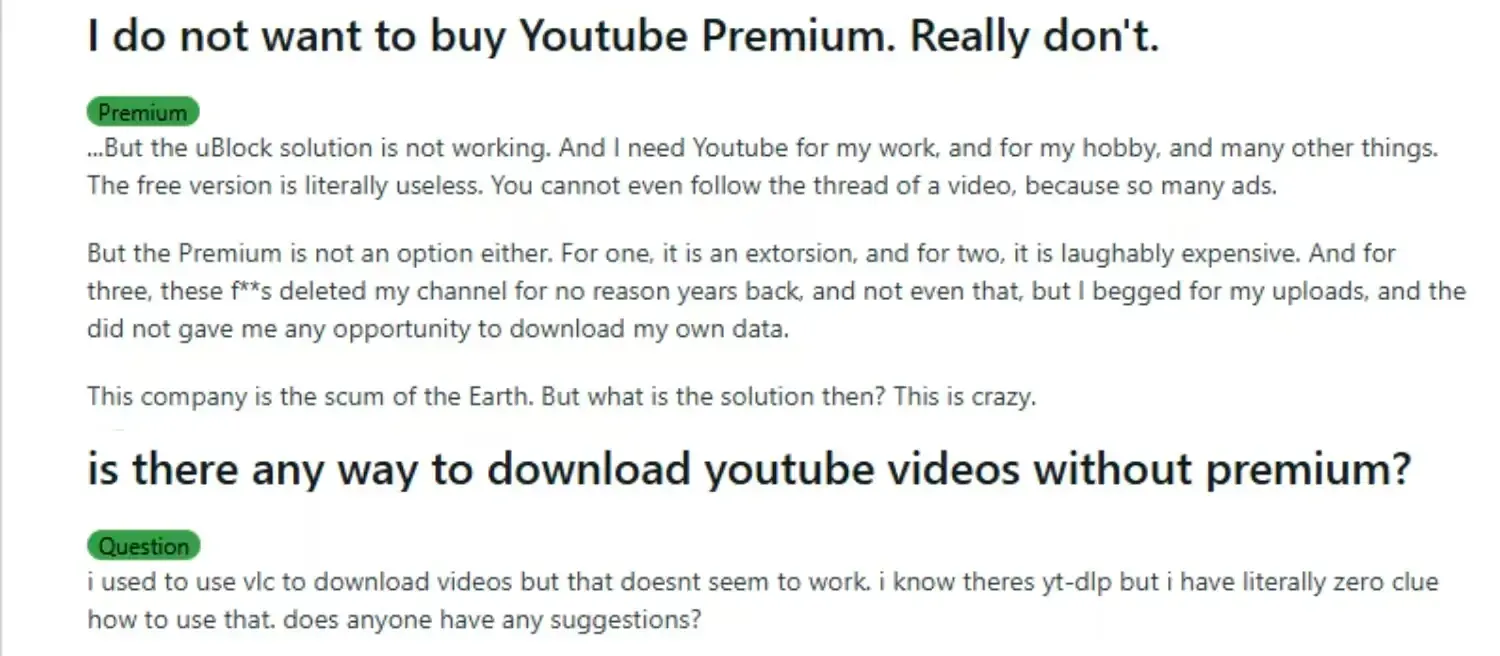
If you search for content related to YouTube video downloads on Reddit, you will find that many people actually have this demand. Today, we bring you some methods to download these videos. You can not only download high-definition 1080P videos for free, but also no need to install any specific software. We hope this can help you!
Why Does YouTube Official Impose So Many Restrictions on Video Downloads?
▪ Copyright Protection: The official has stated before that the main reason for YouTube's restrictions on video downloads is copyright protection. This can prevent other users from downloading, re-spreading, re-uploading or using the videos illegally.
▪ Own Premium Subscription Service: YouTube's business model mainly relies on advertising and Premium subscriptions. Video downloading is a part of the Premium subscription benefits. If videos can be downloaded freely, users will cache the videos and skip the ads, which will affect the platform's revenue.
▪ Occupying Server Bandwidth and Resources: Downloading high-quality videos requires a lot of bandwidth and server resources. Allowing video downloads will increase the server costs and pressure.
▪ Difficulty in Managing Downloaded Content: YouTube cannot track the secondary use, editing or misrepresentation of the downloaded videos, so it restricts the download of these videos.
▪ Requirements in Different Countries and Regions: Different regions and countries have requirements for video downloading or rebroadcasting. Disabling downloads can reduce potential risks.
▪ Preventing Downloads by Piracy Websites: Many videos are exclusive to YouTube. If downloads are allowed, a lot of pirated resources will appear on the Internet, affecting YouTube and other related parties.
What Are the Common Methods to Download YouTube Videos?
1. Online Video Downloader Websites
This method only requires copying the video link to a specific parsing website for download, without installing any additional software. Some websites support 1080P and even 4K downloads, but most of them have ads or speed restrictions. However, due to its convenience and relatively high security, this is the most recommended method. We will mainly explain this download method and share several online video downloader websites with you.
2. Browser Extensions/Add-ons
Browsers like Chrome, Firefox, and Edge have many extensions that can directly capture YouTube video sources for downloading. However, some extensions may require purchasing credits or are unstable.
3. Video Download Software
Software such as 4K Video Downloader and YTD Video Downloader can also be used. Some clients support downloading high-quality videos and audio, and also support batch downloads. The downside is that you need to install the client software.
4. Command-line Tools
Tools like youtube-dl and yt-dlp are suitable for technical users. They generally support batch downloads and format conversion, but the operation is relatively complicated.
5. Screen Recording Tools
This is the last resort. If other methods are not available, this method can also save the video, but the video quality and efficiency will definitely not be as good as the original video.
What Are the Differences Between Different Video Downloader Websites?
▪ Supported Resolutions and Formats Vary: Some websites only support 720P downloads, while others support 1080P or even 4K. Some only output webm format, which requires you to convert it to mp4 by yourself.
▪ Different Download Methods: Some allow downloading audio or video separately, some support direct one-click download of the whole file, and others require manual merging of audio and video.
▪ Access Speed and Stability: Users in some regions may experience slow access to overseas websites. Some websites are unstable or require a VPN to access in certain areas.
▪ Number of Ads and Pop-ups: Some online video downloader websites have a lot of ads or require watching ads to get download permission, while others are relatively clean and easy to use.
▪ Additional Feature Differences: For example, whether they support batch downloads, subtitle downloads, playlist downloads, download history records, or resumable downloads.
▪ Security: The security of different websites varies greatly. Some may contain viruses or induce users to download malicious software, which you need to be aware of.
6 Tested & Effective YouTube Video Downloader Websites:
The following 6 websites have been tested by us and are guaranteed to work (as of the publication date of this article). They are all free and support high-quality downloads, so they are highly recommended for you to use:
1.Clipto
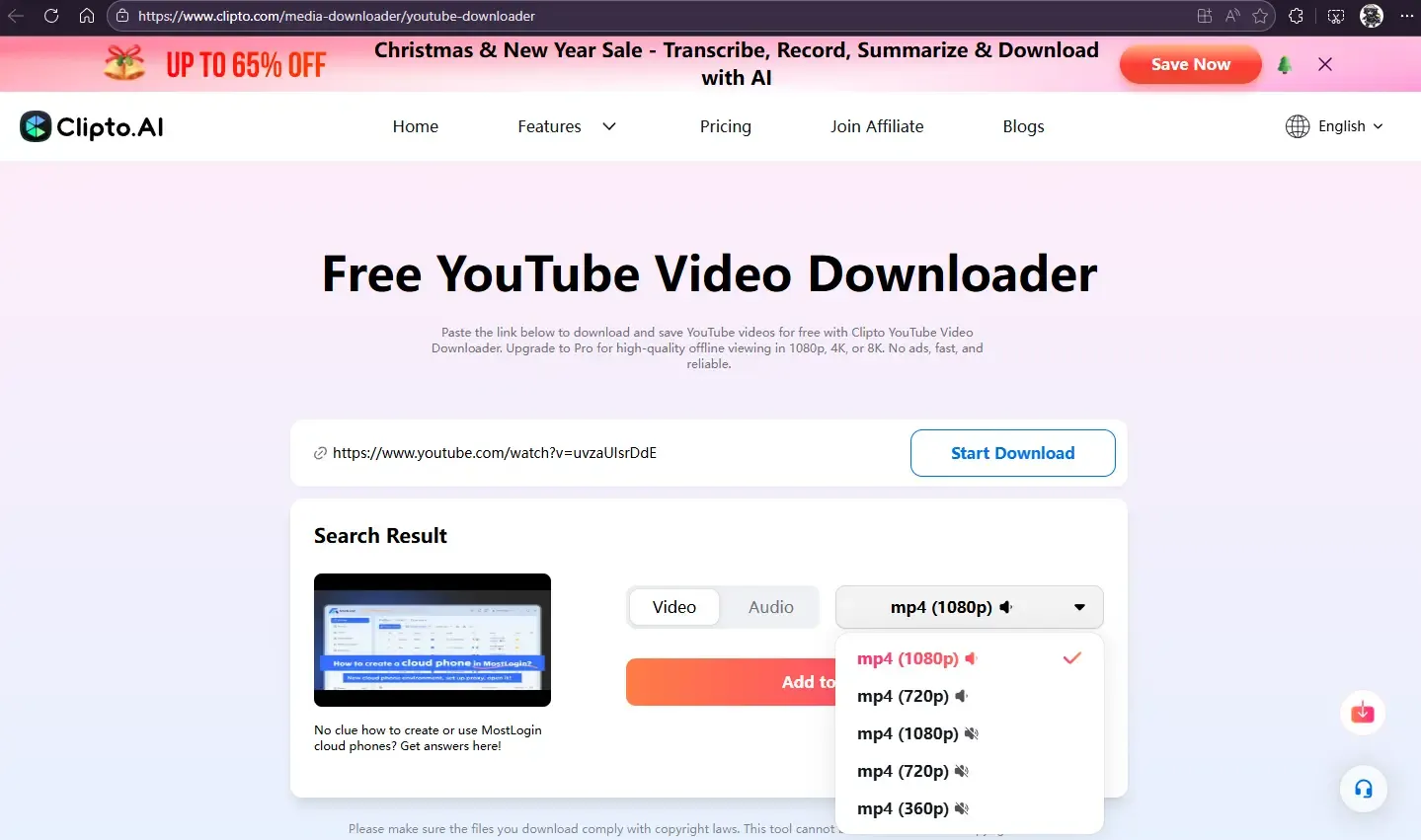
Overall, this is the most recommended one. After pasting the link for parsing, you can choose to download multiple versions, such as video with/without sound, and audio-only version. The website also has many additional functions available, so it is the top recommendation.
2.Puntarena
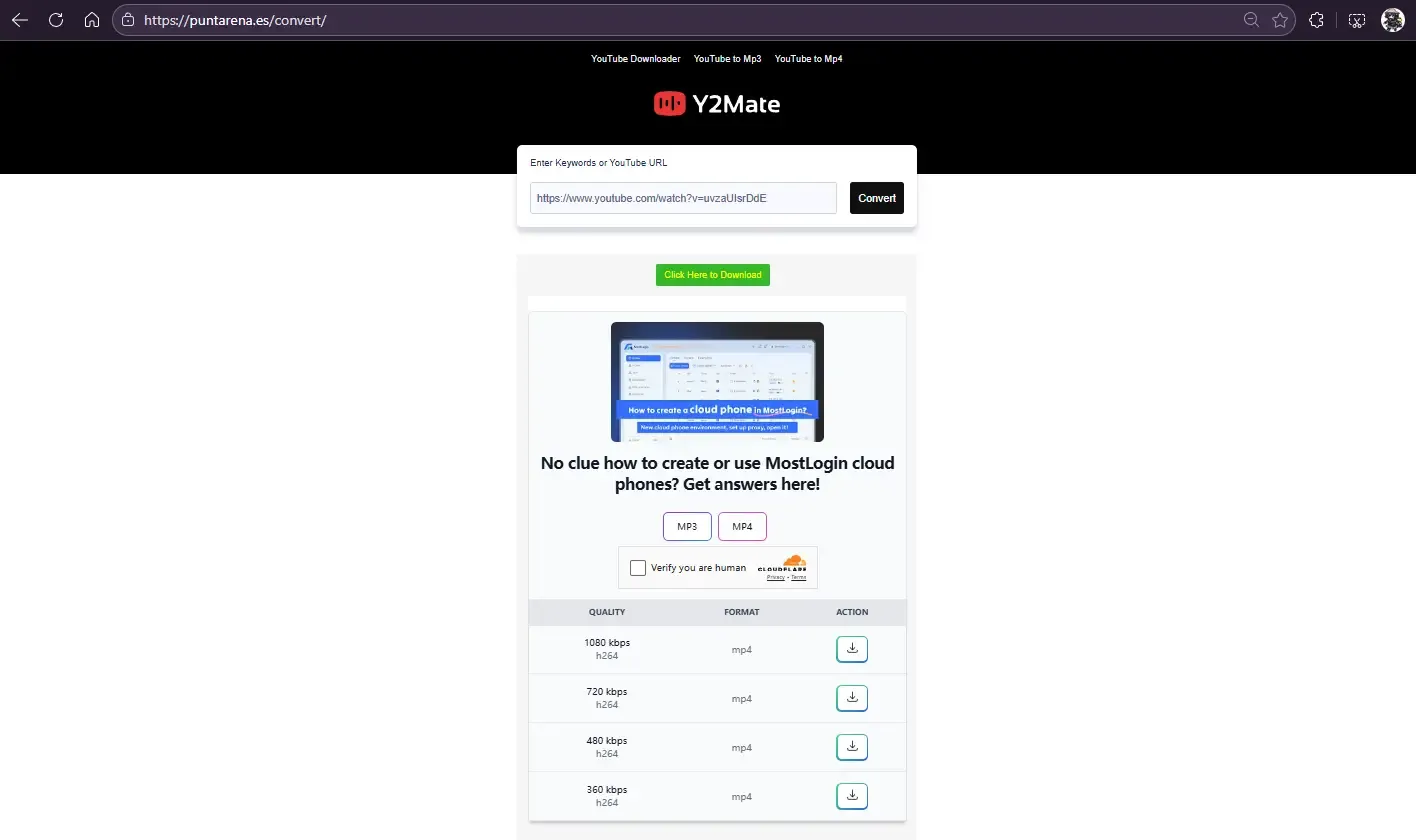
This website is also highly recommended and supports multiple download options. However, it only supports video (with audio included) and audio-only versions. It is a very straightforward YouTube content download website. The bottom of the page has many FAQs that can help users who encounter problems when downloading YouTube content.
3.ssvid
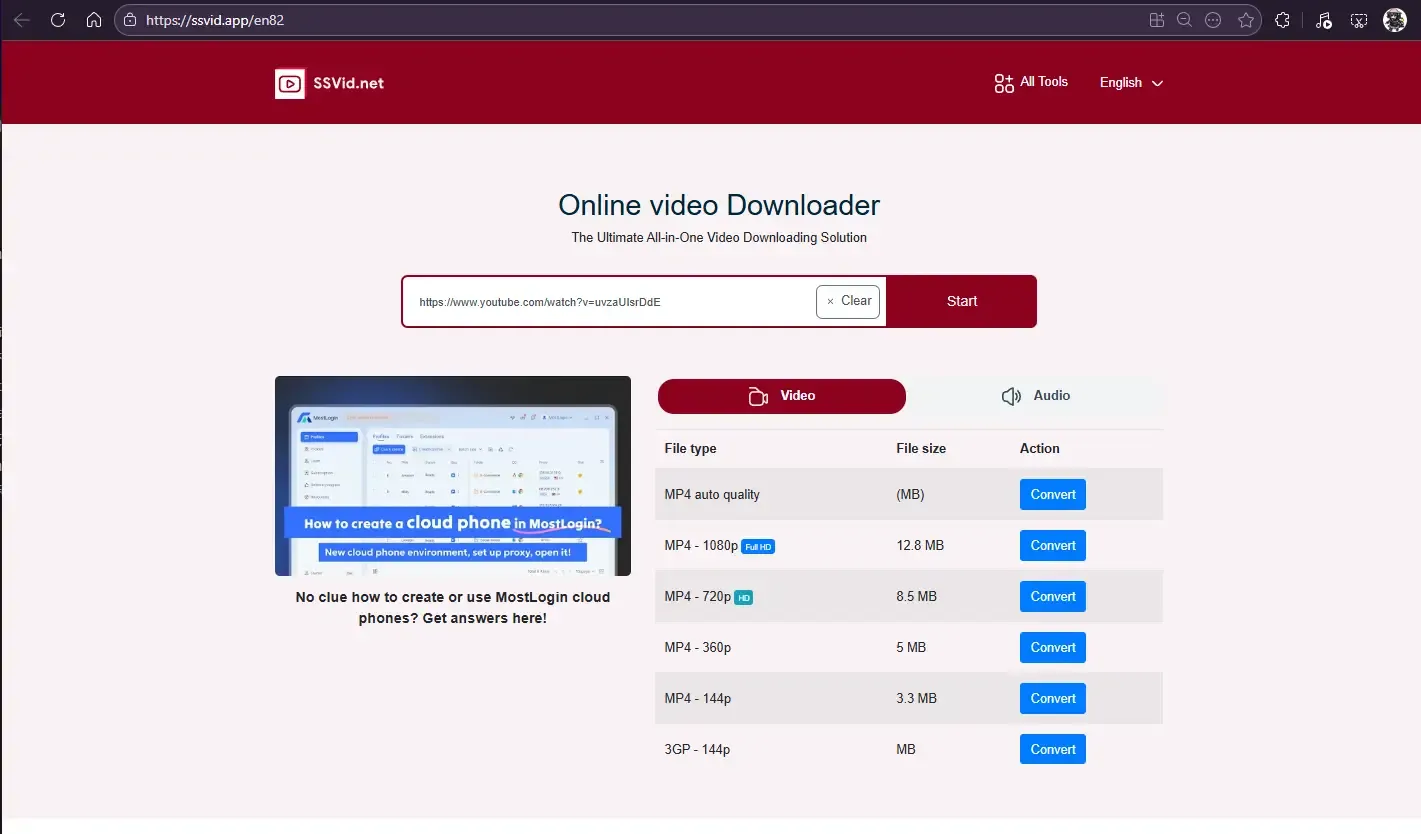
This website is also quite recommended and supports multiple download methods, but it only offers video (with audio included) and audio-only versions. The website also supports video downloads from many other platforms, making it quite functional.
4.Vidssave
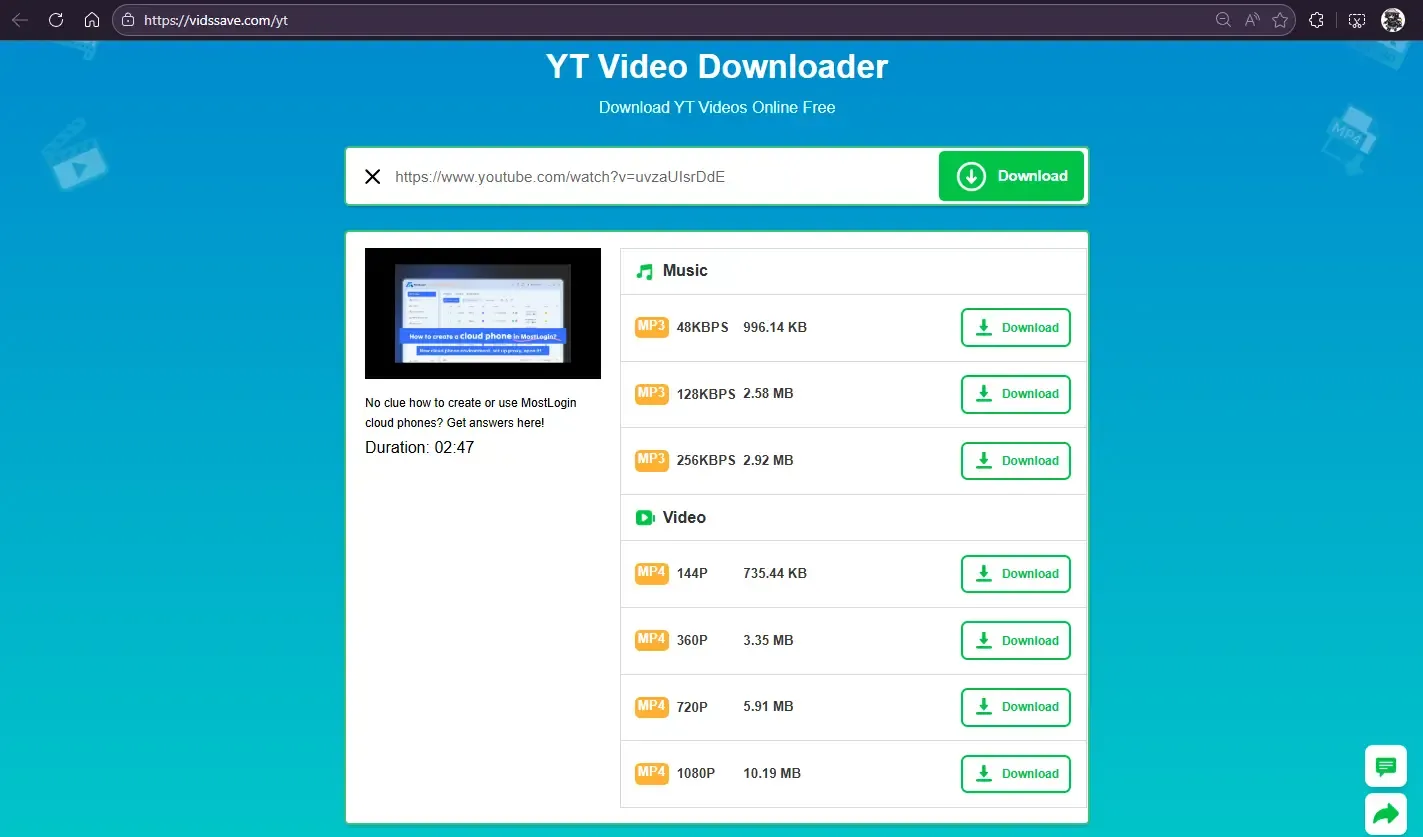
This website also provides a good download experience and supports multiple download options, but it only offers video (with audio included) and audio-only versions. It also supports video downloads from various other platforms, making it quite versatile.
5.Socialplug
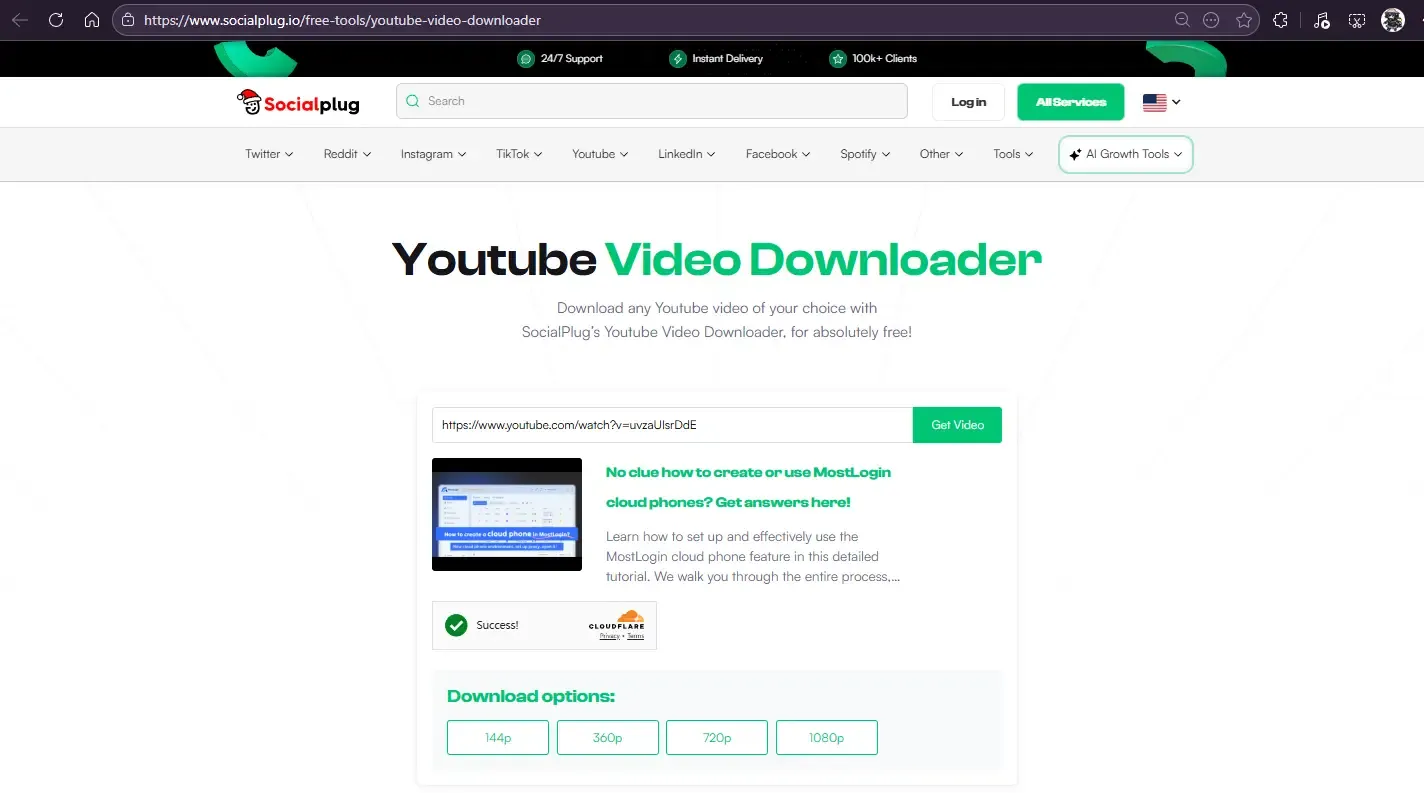
The overall download experience of this website is good, but it only supports video downloads (including audio) and does not have an audio-only download option. Moreover, many other additional functions on the site are paid, which you can choose according to your needs.
6.Ytloader
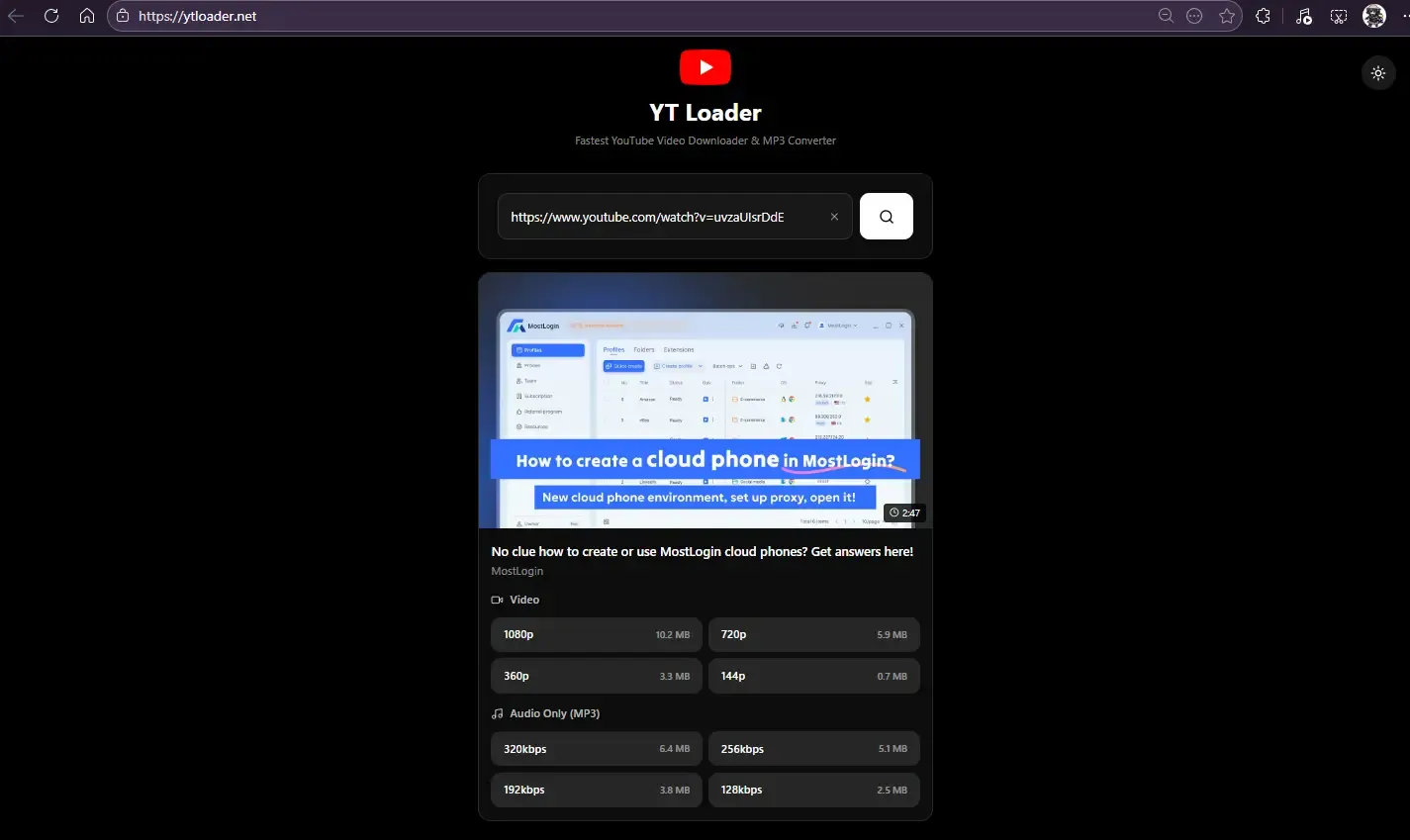
This website parses videos very quickly and offers video (with audio included) and audio-only download options. However, it has a lot of ads, and it's easy to accidentally click on them. Moreover, many of the ads are not suitable to be opened in public places.
What Are the Common Uses of Downloaded YouTube Videos?
▪ Offline Viewing When Network is Unavailable: You can watch the videos on airplanes, high-speed trains, during overseas travels, or in any other scenarios without internet access.
▪ For Learning Purposes: For example, saving educational videos, various tutorials, and learning materials for easy review or note-taking later.
▪ Video Editing and Creation: For example, reaction videos, montages, material collection, teaching demonstrations, etc. However, you need to pay attention to copyright issues.
▪ Saving Music and Entertainment Content: Such as music videos, concerts, stage performances, documentaries, etc., for collection or offline enjoyment.
▪ Stable Playback for Presentation Scenarios: Such as video playback in classroom teaching, lectures, training sessions, report presentations, etc. These scenarios require smooth playback, so offline playback is more reliable.
▪ For Technical Research: Including video encoding experiments, transcoding tests, streaming media protocol learning, and other technical needs.
How to Download YouTube Videos More Efficiently?
If you want to improve the efficiency of downloading YouTube videos using video downloader websites, you can use the multi-account and automation features of MostLogin Anti-Detect Browser to help you.
Here, you can quickly create multiple browser profiles to log in to multiple YouTube accounts and access video downloader websites simultaneously.
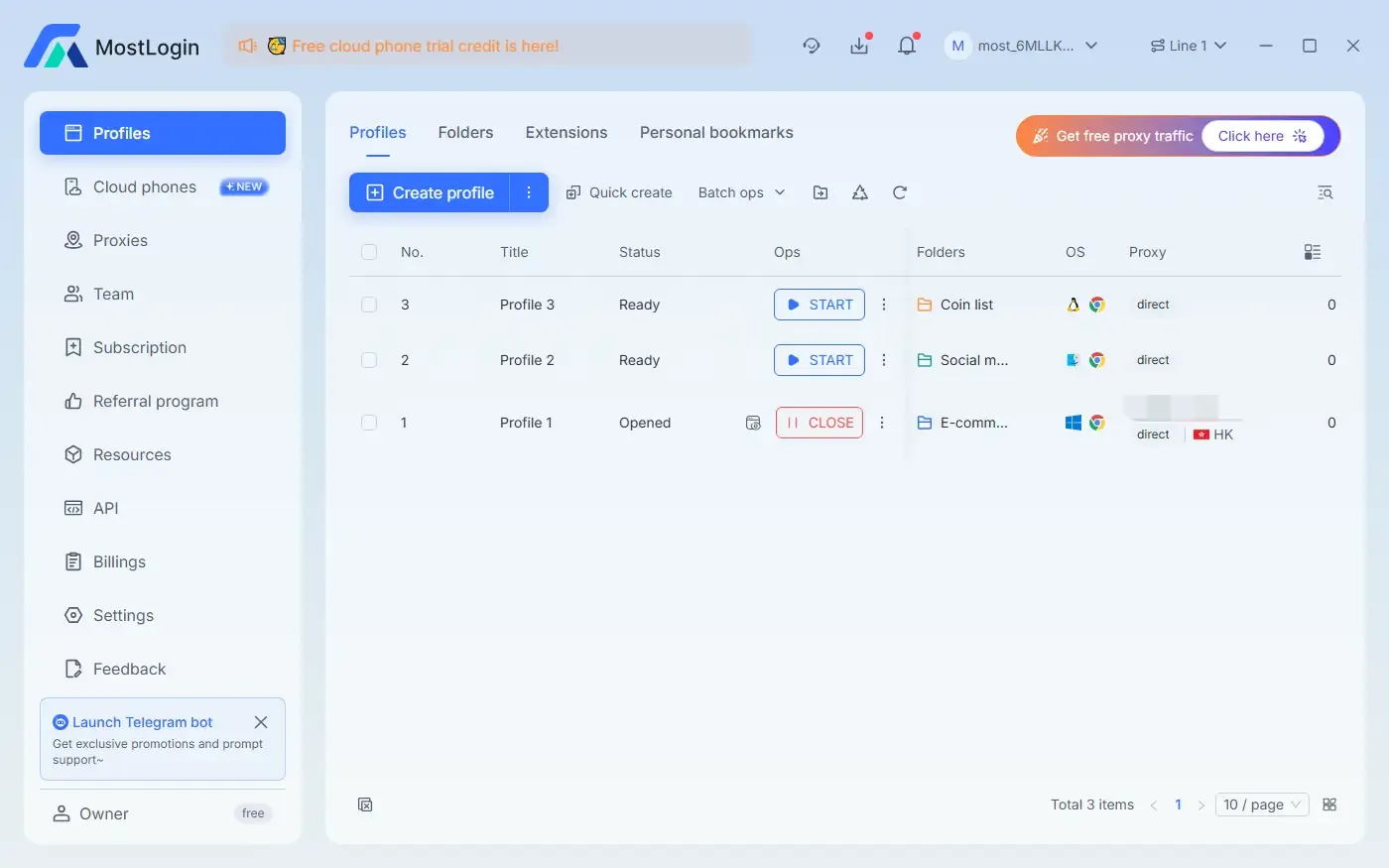
Use the MostLogin Automation feature to make the browser download YouTube videos automatically.
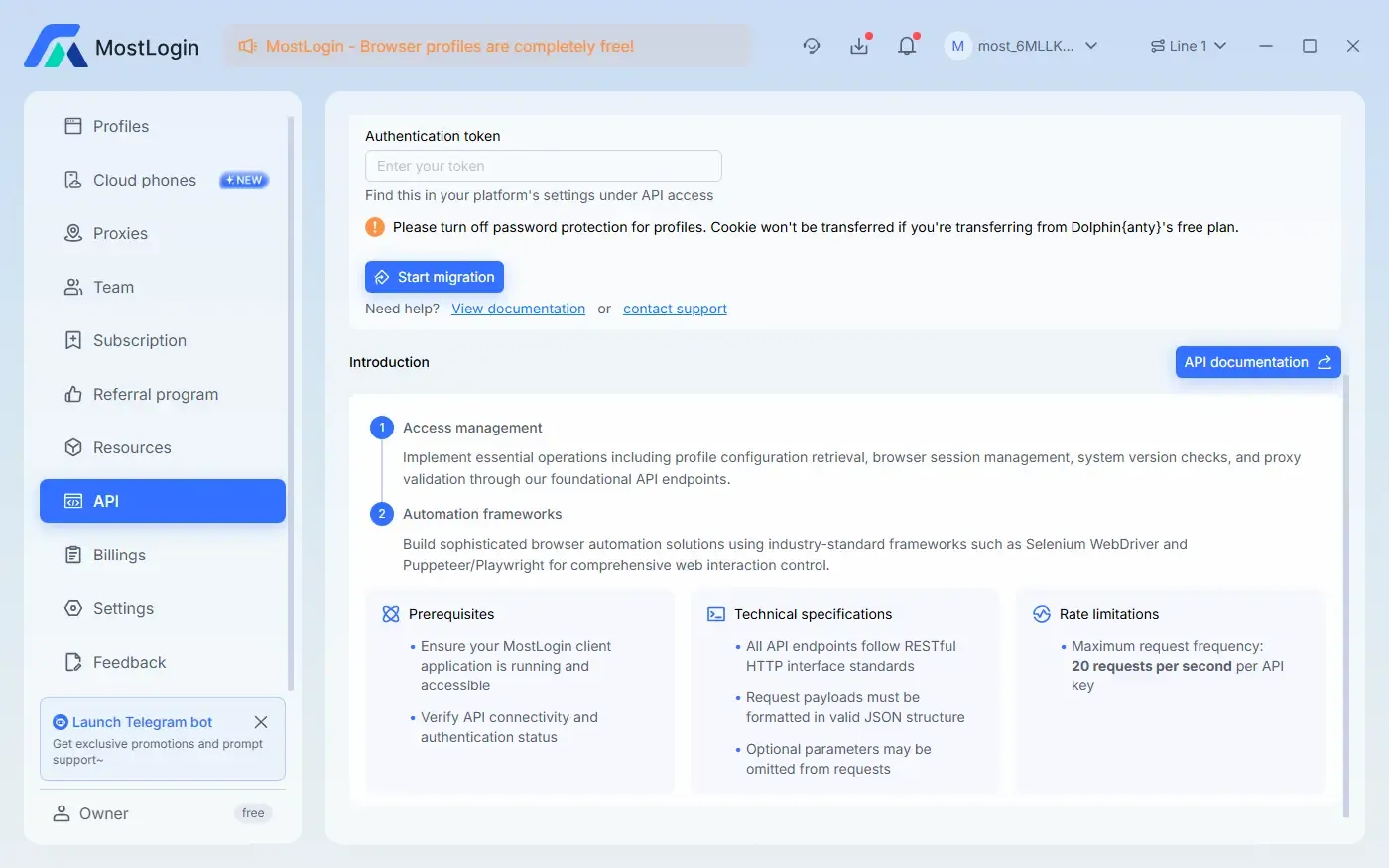
It is compatible with Puppeteer/Playwright and also supports Selenium WebDriver. Each browser profile can be configured with an independent User-Agent and human-like fingerprint features to prevent being detected by YouTube officials and avoid account bans.
Which YouTube Videos Cannot Be Downloaded?
1. Copyright-Protected/Restricted Videos
For example, videos copyrighted by music companies, movies, TV show clips, sports events, etc. These videos have stricter DRM or copyright restrictions, and some parsing tools will fail directly.
2. Age-Restricted (Adult/Age Restricted) Videos
Videos that require age verification through login cannot be directly accessed by online parsers. However, some websites have solutions to skip or quickly complete the verification process.
3. Premium Content (YouTube Premium/Rent/Buy)
Paid movies and Premium-exclusive content are usually protected by their own encryption methods and cannot be parsed in most cases.
4. Private or Unlisted Videos
Private videos and unlisted videos (which require a link to access) cannot be parsed by most downloader websites, as they are private content and require proper permissions to access.
5. Geo-Restricted Videos
If a video can only be played in specific regions, the servers of most downloader websites will definitely not be able to access or parse it.
6. DRM-Protected Videos
Some music companies and channels use additional protection technologies, which will cause parsing to fail or only allow downloading of low-quality versions.
7. Live Stream Videos
Live streams are not regular files, so parsers cannot download them. In this case, you can only obtain the content by downloading the official recorded version or using manual recording methods.
FAQ:
Is It Safe to Download YouTube Videos Using Online Downloader Websites?
Most well-known online downloader websites are safe. As long as you do not download executable files, do not enter your account password, and try to choose HTTPS links, you will be basically safe. The only things you need to pay attention to are ad pop-ups and untrustworthy websites.
What Video Resolutions Can YouTube Premium Subscribers Download?
YouTube Premium users can download most public videos. The supported resolutions generally include 360P, 480P, 720P, and 1080P for some videos. Although the maximum quality of most videos is 1080P, the maximum download resolution is only 720P. Moreover, 4K, 60fps high-frame-rate videos, or some copyright-restricted content are basically not supported for download.
Can the Above Download Methods Be Used on Mobile Phones?
Online downloader websites can be operated on mobile browsers, compatible with both iOS and Android. Desktop browser extensions and command-line tools are mainly used on computers. Video download software requires installing the corresponding version for your mobile operating system.
Why Does the 1080P Video I Downloaded Have No Sound?
Because many 1080P or higher resolution videos use DASH technology, where video and audio are stored separately. Some downloader websites allow you to choose to download audio, video, or both. You may have selected the video-only (no audio) version.
Why Can Some Websites Only Download Up to 720P? How to Download 1080P Videos?
Some websites only provide up to 720P downloads. If you are sure that the video has a higher resolution, you can choose other high-quality video downloader websites for parsing and downloading.
Do These YouTube Video Downloader Websites Require Account Login?
Most online downloader websites do not require you to log in to the website or your YouTube account. However, some websites may require login due to private video access permissions or age restrictions.
What Should I Do If I Cannot Download Some Videos?
If none of the above methods work, you may have to use the screen recording method to save the video.
Best Anti-Detect Browser - MostLogin
MostLogin anti-detect browser tool helps users solve high-frequency problems such as multi-account operation, environment isolation, and account risk control.
For operation questions, please refer to the Official Help Documentation