For scenarios such as multi-account operation (FB, X, TikTok, Google), cross-border e-commerce (independent websites/ad BM), automation, studio businesses, testing web behaviors in different regions/devices, data crawling, and anti-crawling experiments, using a single browser environment will definitely lead to quick account bans.
Because current platforms record a user's information set (also known as a browser fingerprint) through various browser data, such as browser language, time zone, plugin list, CPU model, GPU (graphics card) information, screen resolution, IP, DNS, and WebRTC. If multiple accounts are detected using the same information set, the platform's detection system will directly penalize these accounts (restriction or ban), which is why so many people need to create multiple browser fingerprints.
If you want to simply learn more about browser fingerprints, you can read our article "What is Browser Fingerprint and How Does It Affect You?"
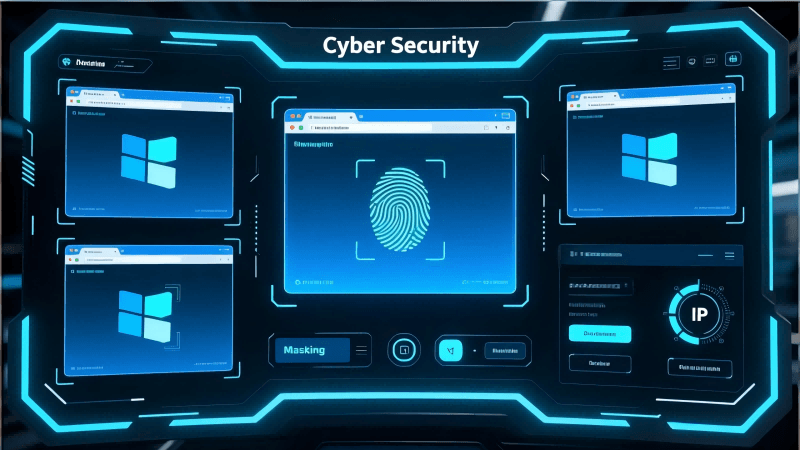
What is the Use of Creating Multiple Fingerprints?
- Each account can correspond to an independent virtual device
- Multiple accounts can avoid sharing the same IP
- Cookies can be not shared across multiple websites
- Browser configurations are not shared to prevent platform detection
- The stability of each fingerprint is more important than randomness
How to Create Multiple Browser Fingerprints? (Theory + Methods)
Method 1: Manually Change Browser Settings (Suitable for Beginners Only)
Switch UA, modify time zone, resolution, and disable WebRTC. This cannot achieve true multi-fingerprinting, as system parameters need to be switched every time you log in. It is only suitable for understanding and practice.
Method 2: Use Virtual Machines, Sandboxes, or Multiple Devices
This method is theoretically safe but extremely inefficient. Because opening one account is equivalent to starting another system, the maintenance cost is not suitable for commercial use.
Method 3:Professional Anti-Detection Browsers (Mainstream Solution)
Professional anti-detection browsers on the market can automatically generate fingerprints (stable, not random), store independent cookies, use independent proxies, and simulate browser environments as real devices. This can meet our various requirements and is relatively convenient overall.
We can try using anti-detection browser tools like MostLogin to help us generate fingerprints. This tool not only helps us create and customize browser fingerprints in multiple ways but is also almost available under current plans. If you only want to use the desktop anti-detection browser function, the current plan can basically complete all your operations. MostLogin has launched the Pioneer Program to thank its supporting users. Except for the cloud phone part, all other functions are available under current plans, which is very suitable for beginners or users who are just starting to try these tools.
FAQs:
1. Why is it recommended to create a different browser fingerprint for each account?
Because platforms will identify devices as being controlled by the same person through fingerprints, and misjudgments may also occur. If your multiple accounts share the same set of fingerprints, the system will directly mark them as associated accounts, triggering risk control or even account bans. Independent fingerprints can make each account appear to come from different real devices with lower risk.
2. Can multi-fingerprinting be achieved with only VPN or proxy?
No. VPNs and proxies can only change the IP address but cannot modify browser fingerprints (such as time zone, language, hardware parameters, etc.). Changing only the IP while keeping the device fingerprint unchanged will still allow the platform to detect associations, so the fingerprint environment must be changed simultaneously.
3. Can independent fingerprints be achieved by manually modifying browser settings?
Only very basic disguise can be achieved, and it is easy to miss key parameters. A real browser fingerprint has dozens or even hundreds of dimensions. Manual modification is only suitable for beginners to understand the mechanism, not for actual multi-account operation.
4. Are virtual machines safer than anti-detection browsers?
Virtual machines are theoretically more thorough, but they have high costs, complex operations, and extremely low efficiency, making them unsuitable for a large number of accounts or team use. The fingerprint simulation of anti-detection browsers is now very stable, and the operation is simple, making them more suitable for daily business.
5. How to make each browser fingerprint look like a real user?
The key lies in "stability" and "naturalness". Anti-detection browsers generate fingerprints based on real device models, maintaining consistent parameter logic, and will not be contradictory like random generators, which cause the platform to misjudge them as abnormal environments.
6. How can I manage dozens or even hundreds of fingerprints?
Using an anti-detection browser like MostLogin, we can generate fingerprints with one click, manage them by category, and set proxies and independent cookies for each profile. It can also be shared with the team, and the management efficiency is much higher than manual operation and virtual machines.
Best Anti-Detection Browser - MostLogin
MostLogin anti-detection browser tool helps users solve high-frequency problems such as multi-account operation, environment isolation, and account risk control.
For operational questions, please refer to the Official Help Center