Many Instagram users must have had such an experience: they could use Instagram normally one day, but the next day when they log in, they find their account has been flagged, shadowbanned, warned, or even permanently banned.
Most people may be completely confused—obviously they haven't done anything against the rules or overly inappropriate, so why was their account suddenly flagged? Today we will explain the reasons in detail and tell you how to solve this problem!
1. What does it mean when an Instagram account is flagged?
Simply put, a flagged account means your account has been placed on Instagram's risk monitoring list by the system or manual review. After being flagged, you will generally experience the following:
Significant drop in post views (Shadowban)
Your content not showing up in Hashtag searches
Unable to follow, like, or comment on posts
Receiving "Violation of Community Guidelines" notifications
Temporary or permanent restriction of account features
Being flagged does not usually result in an immediate ban unless you have seriously violated their terms of service. However, if left unaddressed, your account may still be banned eventually.
2. 8 Common Reasons Why Instagram Accounts Get Flagged
1. Excessively frequent actions deemed as bot behavior by the system (Common)
For example, mass following/unfollowing in a short time, continuous excessive liking/commenting, or using automation tools. Instagram is highly sensitive to abnormal user behavior.
2. Using third-party plugins or unauthorized tools
Common high-risk tools include auto-follower software, data analysis plugins, and non-official scheduling tools. Tool providers may claim their software is safe, but in reality, they pose significant risks.
3. Changing multiple IPs/devices/accounts in a short time (Major)
Some users manage multiple accounts or use multiple devices, and frequent changes to these may lead to account bans. This is currently one of the most common and major reasons for flagging.
4. Receiving a large number of user reports
Account bans may also result from reports—possibly due to controversial content, malicious reporting by competitors, or language/cultural misunderstandings. Once a certain number of reports are received, the system will automatically initiate a review and flag the account.
5. Content involving sensitive or gray areas
This includes but is not limited to adult innuendo, suggestive content, gambling, crypto scams, exaggerated promotions, false promises, medical misinformation, and financial misleading information. Sometimes content you consider normal may violate Instagram's Community Guidelines.
6. Duplicatebrowser fingerprints across multiple accounts (Major)
This typically occurs with multi-account Instagram marketing. Logging into multiple accounts on the same device or switching between them frequently will trigger Instagram's detection mechanisms, leading to account flagging.
7. Improper use of Hashtags
Many people overlook this issue. Common mistakes include using banned Hashtags, applying the exact same set of tags to every post, or using irrelevant tags—all of which easily trigger the system's spam content detection.
8. Ignoring previous account warnings
If you have received notifications such as: "Your content goes against our guidelines" or "We limited certain activity" but continued with the same behavior, your account will be quickly flagged and potentially banned.
3. How to Check if Your Instagram Account is Actually Flagged?
You can self-check through the following methods:
Search your Hashtags with a secondary account
Ask friends to search for your username
Check [Account Status] (Settings → Account → Account Status)
If your content is not being recommended or certain features are restricted, it can be confirmed that your account has been flagged.
4. How to Fix a Flagged Instagram Account?
Step 1: Immediately stop all high-risk activities—cease any actions you were doing before (if you posted any violating content, delete it immediately), and avoid significant account activity for 7–14 days.
Step 2: If you manage multiple accounts, consider isolating them by changing browser environments—use tools like mostlogin anti-detection browser to assign separate browser environments for each account.
Step 3: If an appeal option is available, submit an appeal. The general path is: Settings → Account → Account Status → Request Review.
Step 4: Resume normal user behavior on Instagram to rebuild trust with the system and get the flag removed. This usually takes about half a month (recovery may not be possible for serious violations).
5. How to Prevent Flagging When Managing Multiple Instagram Accounts?
If you need to manage or use multiple accounts, we recommend using a reliable anti-detection browser to assign unique browser environments to each account, preventing detection and flagging by Instagram's official systems.
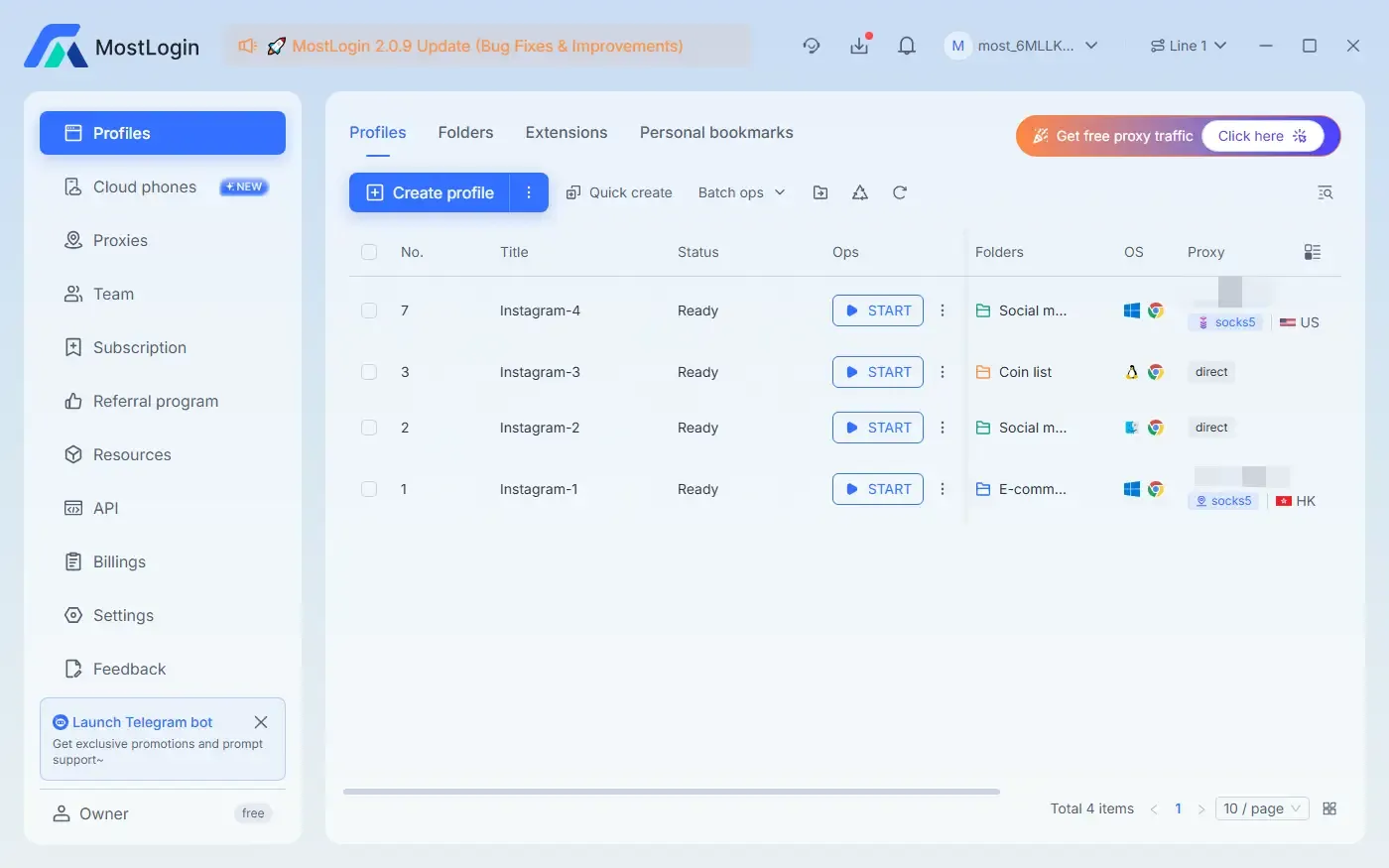
MostLogin Anti-Detection Browser is a browser tool specifically designed for privacy protection and multi-account isolation. It integrates fingerprint anti-detection, identity isolation, virtual environment configuration, and numerous other features, effectively preventing cross-site tracking and browser fingerprint identification by various detection mechanisms, helping users achieve complete account isolation across different platforms.
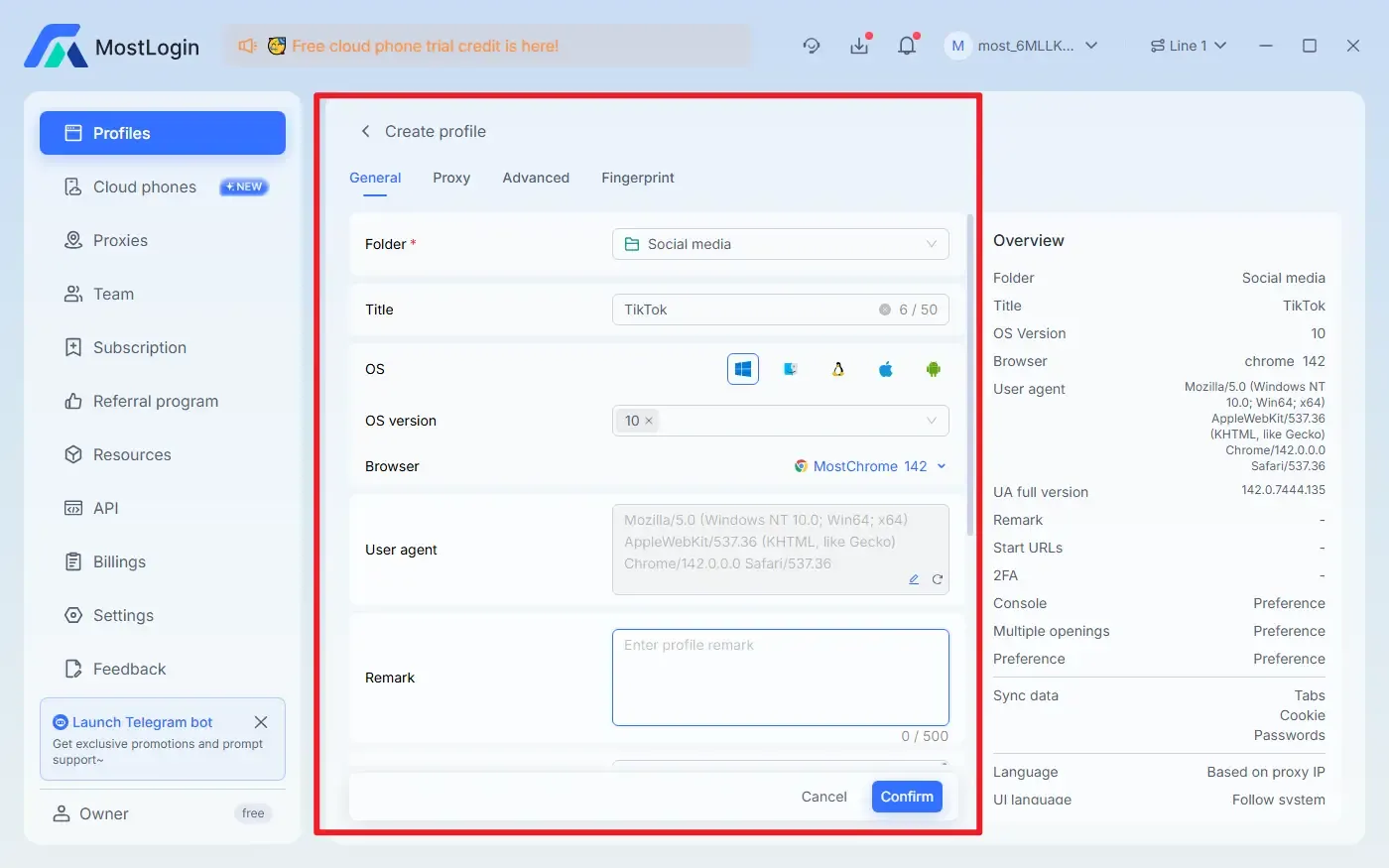
6. What Features Does MostLogin Anti-Detection Browser Offer?
Browser Fingerprint Anti-Detection: Hides real device information and reduces identification risks on platforms like Instagram.
Multi-Account Environment Isolation: Each profile runs independently without interfering with one another.
Smart Proxy Integration: Easily switch between multiple global IP nodes with customizable proxy settings for each account, offering comprehensive coverage.
Cloud Configuration Sync: Supports team management with cross-device environment consistency and convenient setting synchronization.
Realistic Behavior Simulation: Minimizes the risk of triggering platform risk controls by mimicking natural user operation patterns.
Free and User-Friendly Features: Except for cloud phone services, all anti-detection browser features are currently free to use.
Conclusion
Having an Instagram account flagged is actually quite common, and the platform may even flag accounts by mistake. Nevertheless, it's crucial to understand Instagram's mechanisms as much as possible. If an account is flagged but left unaddressed, it may easily lead to shadowbans, feature restrictions, or even permanent bans.
FAQs
Will a flagged Instagram account definitely be banned?
Not necessarily, but the probability of being banned increases significantly if the issue is not resolved.
Can shadowbans be reversed after an account is flagged?
Most mild shadowbans can be reversed with normal account usage over 7–30 days.
Why was my account flagged even though I didn't post violating content?
The system primarily judges based on behavior and environment, not just whether your actions violate the rules.
Is it safe to log into multiple accounts on the same computer?
No, this is one of the common reasons for account flagging and linked bans. We recommend using an anti-detection browser to log into accounts separately.
Best Anti-Detection Browser - MostLogin
MostLogin Anti-Detection Browser helps users solve common issues such as multi-account management, environment isolation, and account risk control.
For operational questions, please refer to the Official Help Documentation