During daily use or account management on Instagram, many users may encounter situations where their accounts suddenly cannot like, follow, comment normally, or even log in at all. If the problem persists after switching to another account, it may not be an issue with the account itself, but rather that the IP address you are using has been banned by Instagram.
So, what is an Instagram IP ban? How is it determined? And how can you avoid it? Today, we will systematically and clearly answer these questions for you.
I. What is Instagram IP Ban?
Instagram IP Ban refers to the restriction of access to a specific IP address or a range of IP addresses by Instagram for security or risk control reasons. Once your network IP is banned, no matter which account or device you use, you will be affected as long as you log in to Instagram with that IP.
Unlike account bans, IP bans impose broader restrictions overall, which may lead to the following situations:
Unable to log in to Instagram
Restricted access to like, comment, and follow functions
Prompt showing "Action Blocked"
Newly registered accounts are restricted immediately or fail verification
Multiple accounts malfunctioning simultaneously
However, IP bans are generally not permanent; in most cases, they are temporary restrictions. But if the problem recurs, the consequences may become more severe.
II. Why Does Instagram Impose IP Bans?
Instagram's core official goal is to maintain platform ecosystem security and prevent spam activities, automated operations, and malicious abuse. The following are the most common reasons that trigger IP bans:
1. Frequent or Abnormal Operations
Performing a large number of likes, follows, unfollows, comments, and other actions in a short period of time, especially with an operation speed significantly faster than that of a real person, is highly likely to be identified as automated behavior by the system.
2. Concentrated Operations on Multiple Accounts
Logging in, switching between, and operating multiple accounts under the same IP address, especially when these accounts exhibit similar behavior patterns, will lead Instagram to suspect the risk of multi-accounting or batch account management.
3. Using Unreliable Proxies or VPNs
Public VPNs, low-cost proxies, or IP addresses that have been used by a large number of users are often marked as high-risk by Instagram, and using such IPs will easily result in being banned by association.
4. Third-Party Automated Tools
Using third-party authorized tools for likes, followers, automatic comments, and automatic private messages is one of the high-risk behaviors that trigger IP bans.
5. Abnormal Changes in Login Environment
Frequently changing countries, regions, or network environments in a short period of time may also be regarded by the system as a sign of account or IP hijacking risk.
III. What is the Difference Between IP Ban and Account Ban?
Many users confuse these two types of bans; in fact, they focus on different aspects:
Account Ban: Targets a specific Instagram account, usually related to the account's content or behavior
IP Ban: Targets the network source, which is more related to where the access originates
Simply put, an account ban only restricts a single account, while an IP ban restricts all accounts using your network. In normal risk control measures, Instagram often combines account risk control with IP risk control. Therefore, when managing multiple accounts, we need to consider both the accounts and the network environment.
IV. How to Determine if You Have Encountered an IP Ban?
You can judge by the following signs:
Multiple accounts under the same network experience restricted operations simultaneously
The problem persists after switching devices but using the same WiFi
Functions return to normal after switching to mobile data
Newly registered accounts malfunction immediately under the current network
If more than two of the above situations apply to you, the possibility of encountering an IP ban is relatively high.
V. How to Effectively Avoid Instagram IP Ban?
1. Maintain a Human-Like Operation Rhythm
Whether for personal use or account management, avoid high-frequency operations in a short period of time. Reasonably spread out likes, follows, and comments to make your operations appear more natural.
2. Control the Number of Accounts Under the Same IP
Try to avoid logging in to and operating a large number of accounts in a single network environment. For users managing multiple accounts, ensure reasonable isolation between networks and accounts.
3. Use a Stable and Clean Network Environment
Prioritize choosing a fixed and trustworthy network connection. If a proxy or VPN is indeed necessary, ensure that the IP source is stable, independent, and has a clean usage history, rather than relying on public shared resources.
4. Reduce Frequent Network and Region Switching
Maintaining stability in login locations, devices, and network environments helps establish trust between your account and IP address.
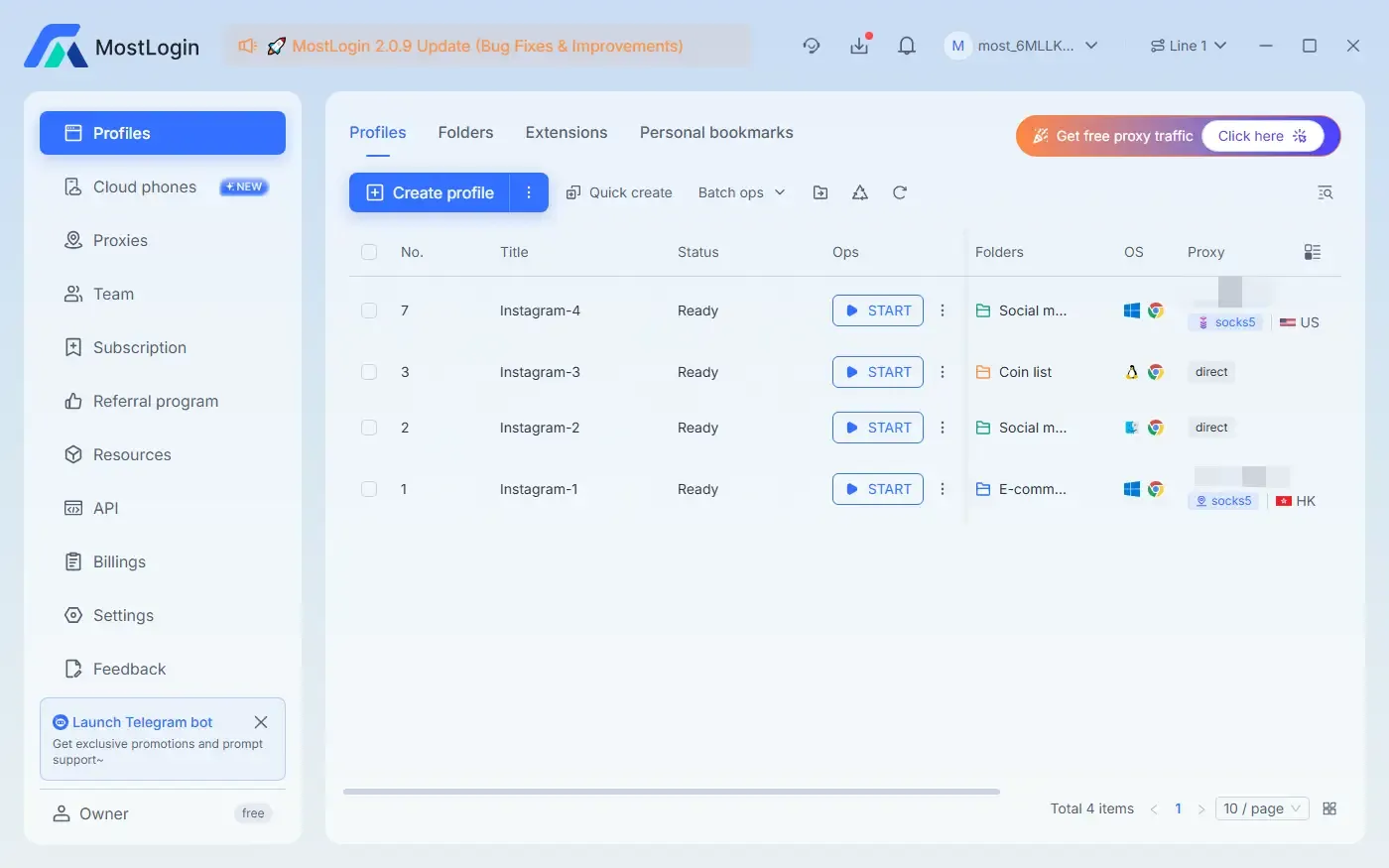
5. Use MostLogin Anti-Detection Browser
MostLogin Anti-Detection Browser can help you better maintain account security. You can use the cloud phone function here to stabilize bans caused by IP issues, or use the web version environment to make your accounts more secure.
VI. What to Do If You Have Already Been IP Banned?
If you confirm that you have been IP banned, you can try the following methods:
Suspend all operations for 24–72 hours to allow the risk control restrictions to be lifted naturally
Switch to a stable and secure new network environment
Avoid logging in to a large number of accounts immediately
Reduce the frequency of operations for a period of time afterward
Most mild IP restrictions will be automatically lifted over time; the key is not to repeatedly trigger the same issues.
Summary
Instagram IP bans are not unprovoked punishments, but rather a protection mechanism of the platform's risk control system against abnormal behaviors. By understanding this logic and choosing a stable and reliable network environment and devices, you can fundamentally reduce the risk of being banned.
FAQ
Is Instagram IP Ban Permanent?
Most Instagram IP bans are temporary restrictions, usually lasting 24–72 hours. If abnormal operations persist or risk control triggers are repeated, the restriction period may be extended, or even escalated to a more severe ban.
Can Switching Accounts Solve the IP Ban Issue?
No. An IP ban is a restriction targeting the network source; as long as you continue to use the banned IP, you will be affected regardless of which account you log in to.
Can Using Mobile Data Bypass IP Ban?
In many cases, yes. Because mobile data uses a different IP address, if functions return to normal after switching, it can basically be confirmed that the restriction is at the IP level.
Why Are Public VPNs More Prone to Causing IP Bans?
The IP addresses of public VPNs are often used repeatedly by a large number of users, among which there may already be violation records. Instagram will directly mark these IPs as high-risk sources.
MostLogin anti-detection browser tool helps users solve high-frequency problems such as multi-account management, environment isolation, and account risk control.
For operational questions, please refer to the Official Help Documentation