In today’s world of multi-account operations and increasingly strict platform risk controls, MostLogin fingerprint browser has become a go-to solution for cross-border e-commerce teams, media buyers, and social media managers. By simulating completely isolated browser environments, it ensures stable, secure, and scalable account operations.
This step-by-step guide will walk you through MostLogin’s key features—from registration to your first environment setup.
Table of Contents
- Why Choose MostLogin?
- Sign Up & Log In: Create Your Account in One Minute
- First Setup: Create Your Isolated Browser Environment
- Fingerprint Settings: Build a Truly Isolated Profile
- Network Settings: Set Up Independent Proxy Connections
- Team Collaboration: Manage Multiple Users Seamlessly
- Conclusion: Start Your Secure Operation Now
Why Choose MostLogin?
MostLogin is designed specifically for secure multi-account management—ideal for ad campaigns, e-commerce operations, and social media growth. Unlike traditional browsers, it provides:
- Full browser environment isolation to prevent account linkage
- Customizable fingerprint settings to simulate various devices
- Independent proxy setup to emulate global geolocation
- Team collaboration tools for access control and activity logs
- Productivity tools like cookie import, bulk launch, and profile tagging
Sign Up & Log In: Create Your Account in One Minute
Step 1: Visit the Website
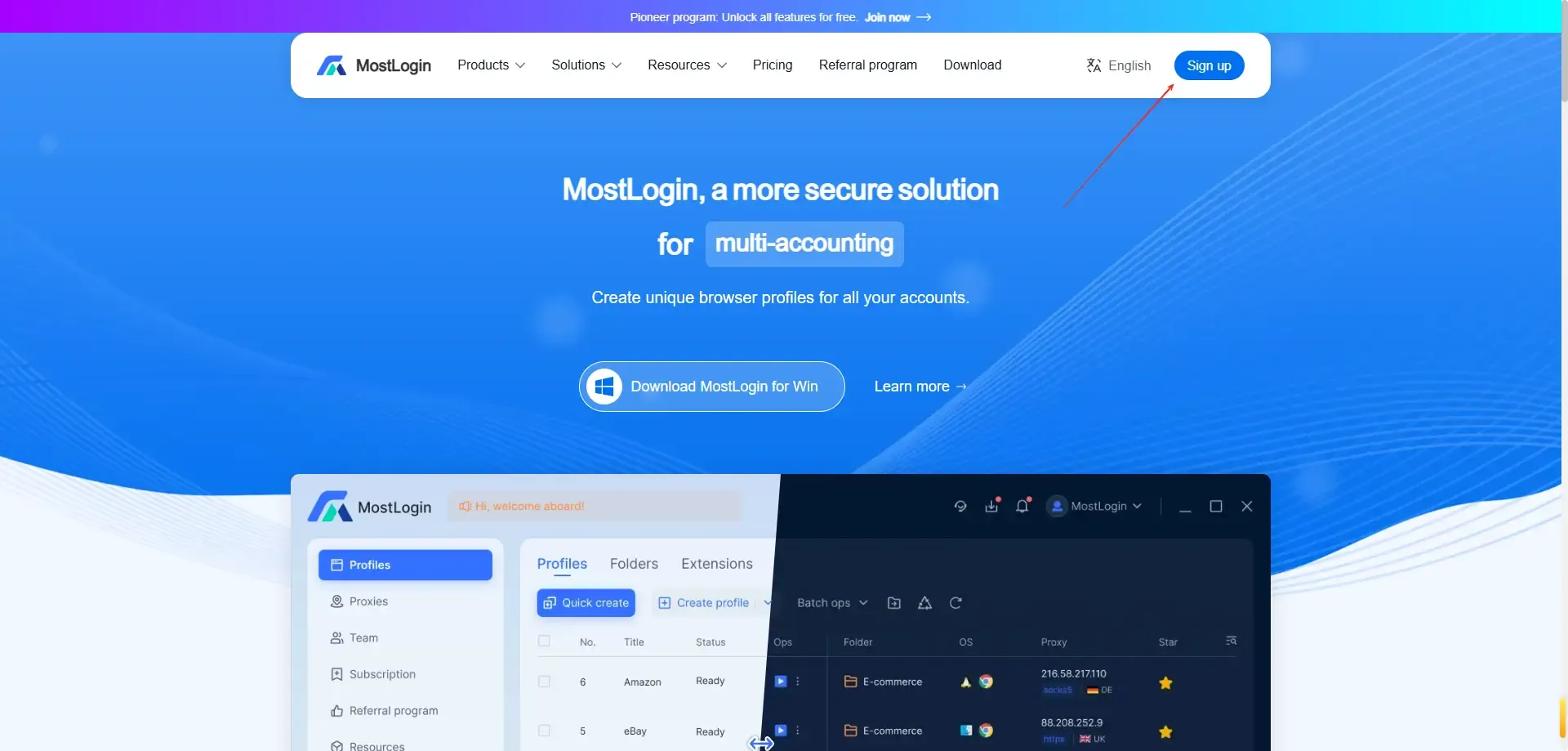
Go to MostLogin Official Site and click “Sign Up” in the top-right corner.
Step 2: Fill Out the Form
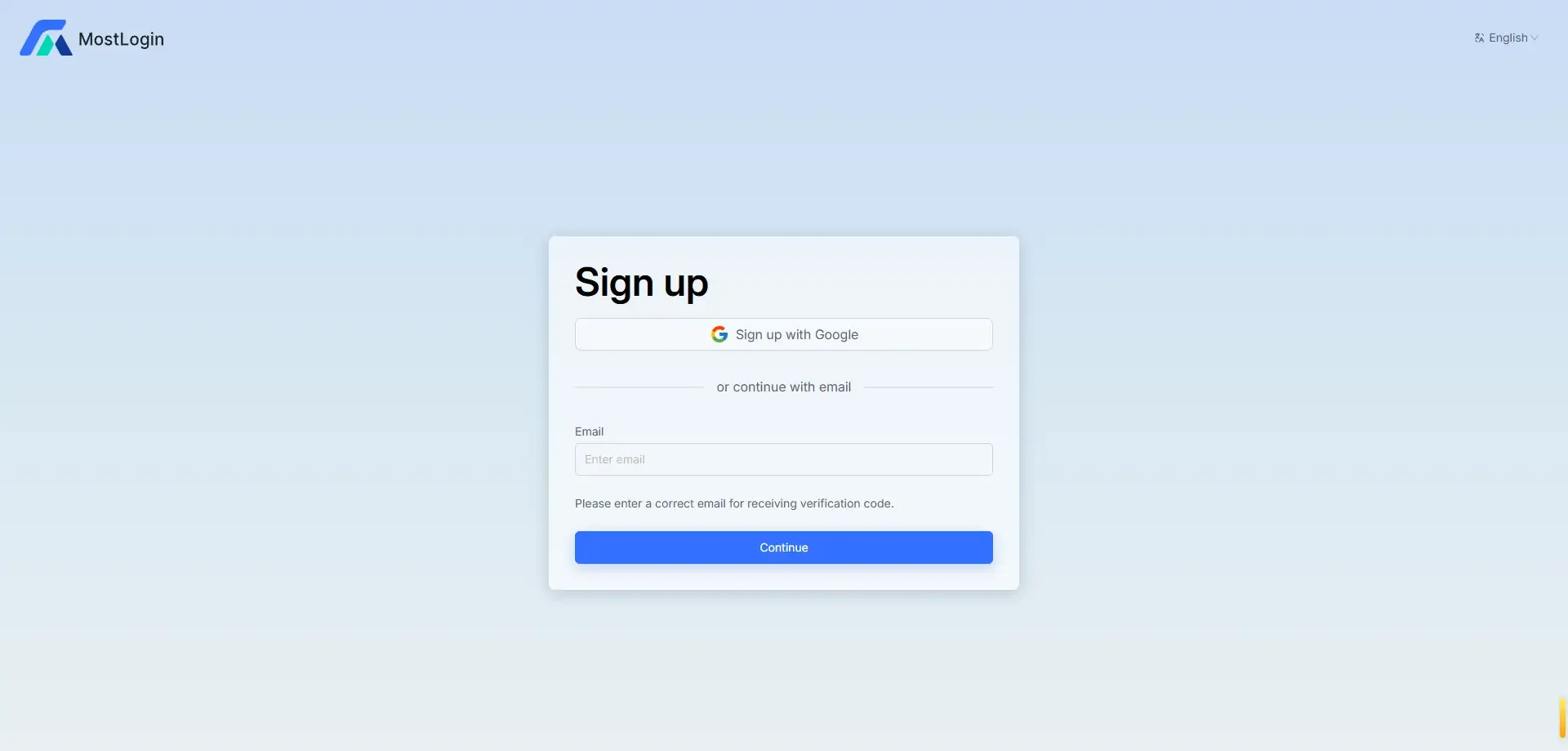
Enter your email, create a password, and complete email verification to access your dashboard.
Step 3: Download the App
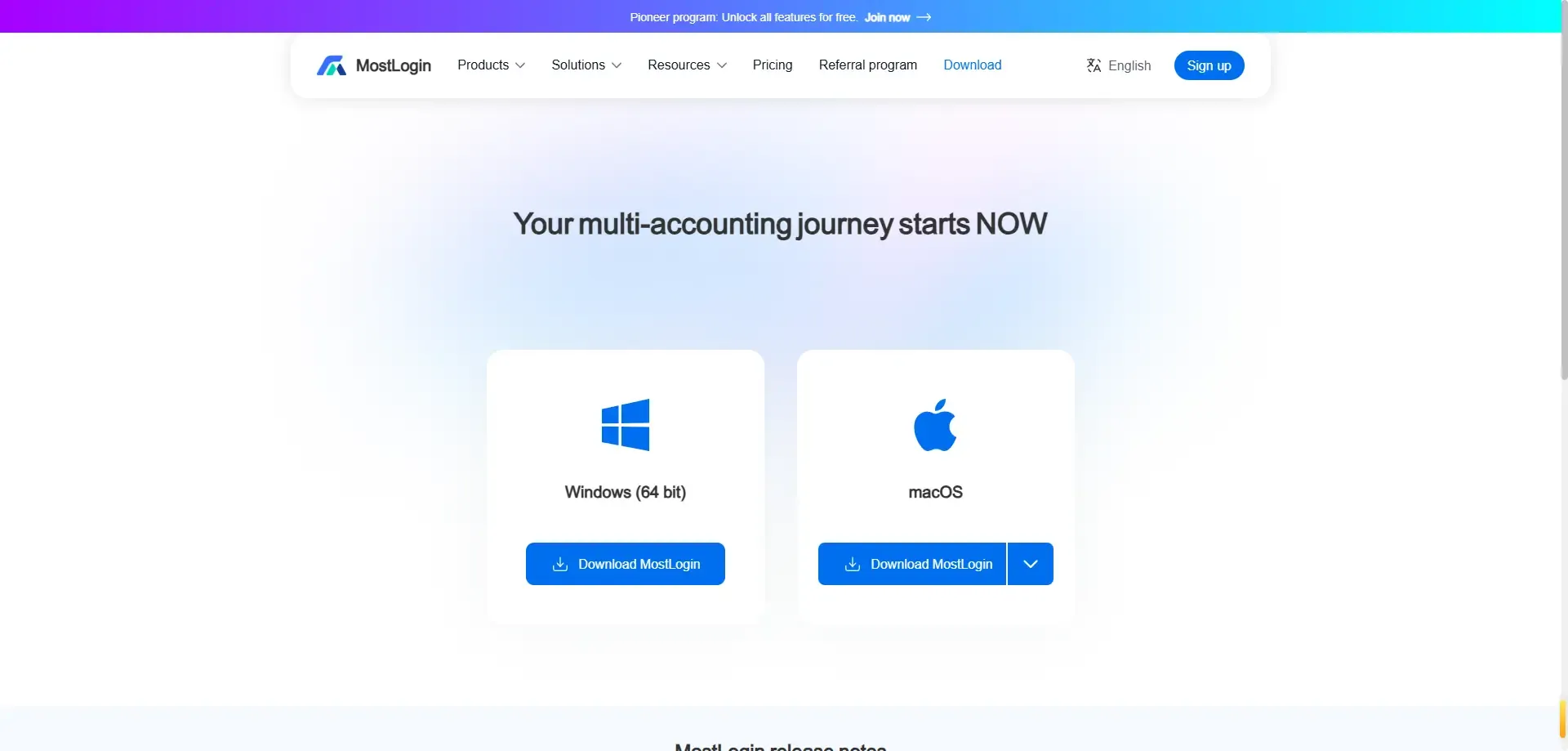
After logging in, download the desktop client for your operating system (Windows/macOS), then install and launch it.
First Setup: Create Your Isolated Browser Environment
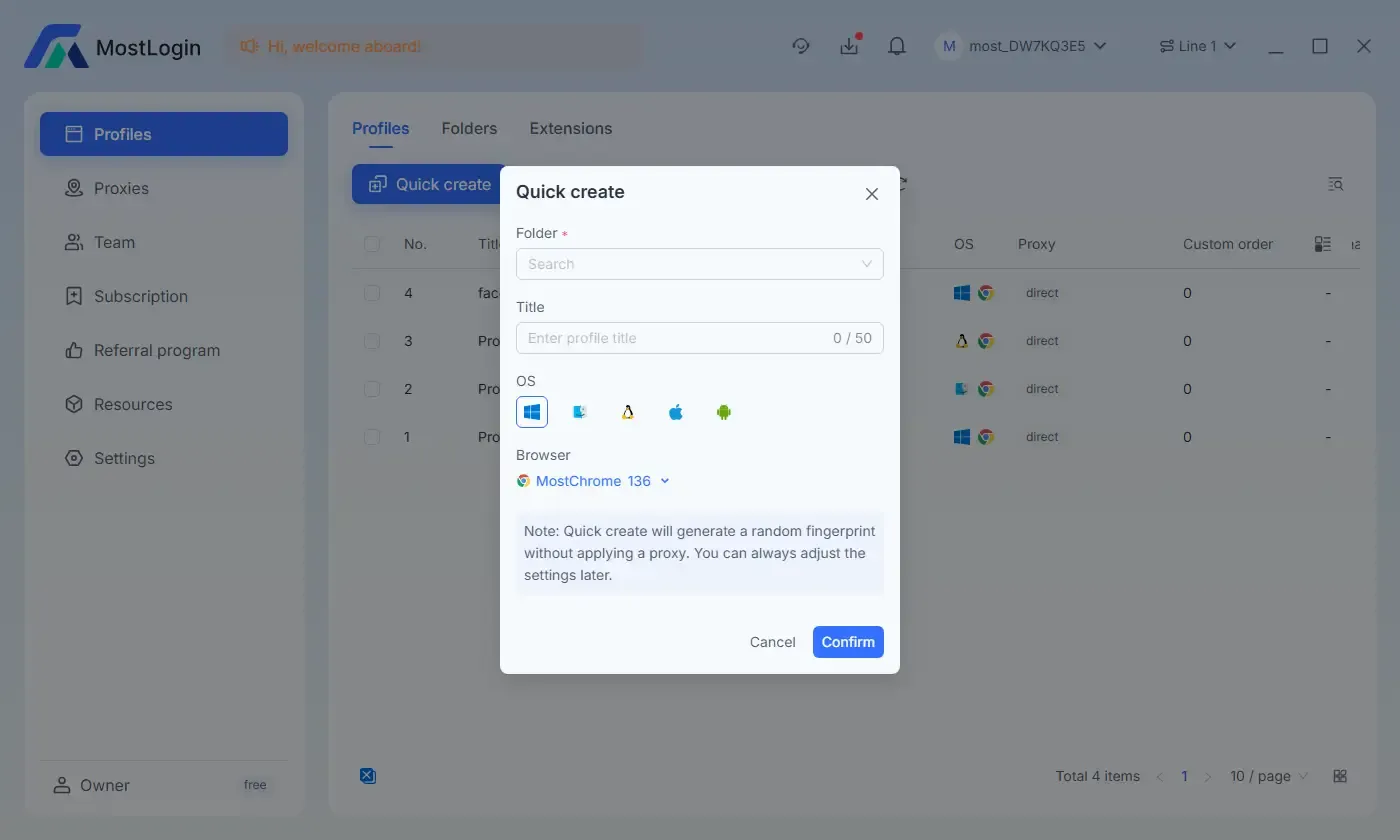
Inside the MostLogin client, click “New Browser” to create your first virtual profile.
Configuration Tips:
- Name: Use something meaningful like “Facebook Account 01” or “Amazon Store 02”
- Tags: Use for searching and organizing later
- Groups: Organize by platform, region, or business use
Click “Next” to begin fingerprint configuration.
Fingerprint Settings: Build a Truly Isolated Profile
MostLogin auto-generates a browser fingerprint for each profile, or you can customize it manually:
- Operating system (Windows/macOS/Linux)
- Screen resolution, language, timezone
- Canvas/WebGL/fingerprint fonts, hardware memory
- WebRTC, audio context spoofing, and more
Pro Tip: Use the recommended defaults for better anonymity and account safety.
Network Settings: Set Up Independent Proxy Connections
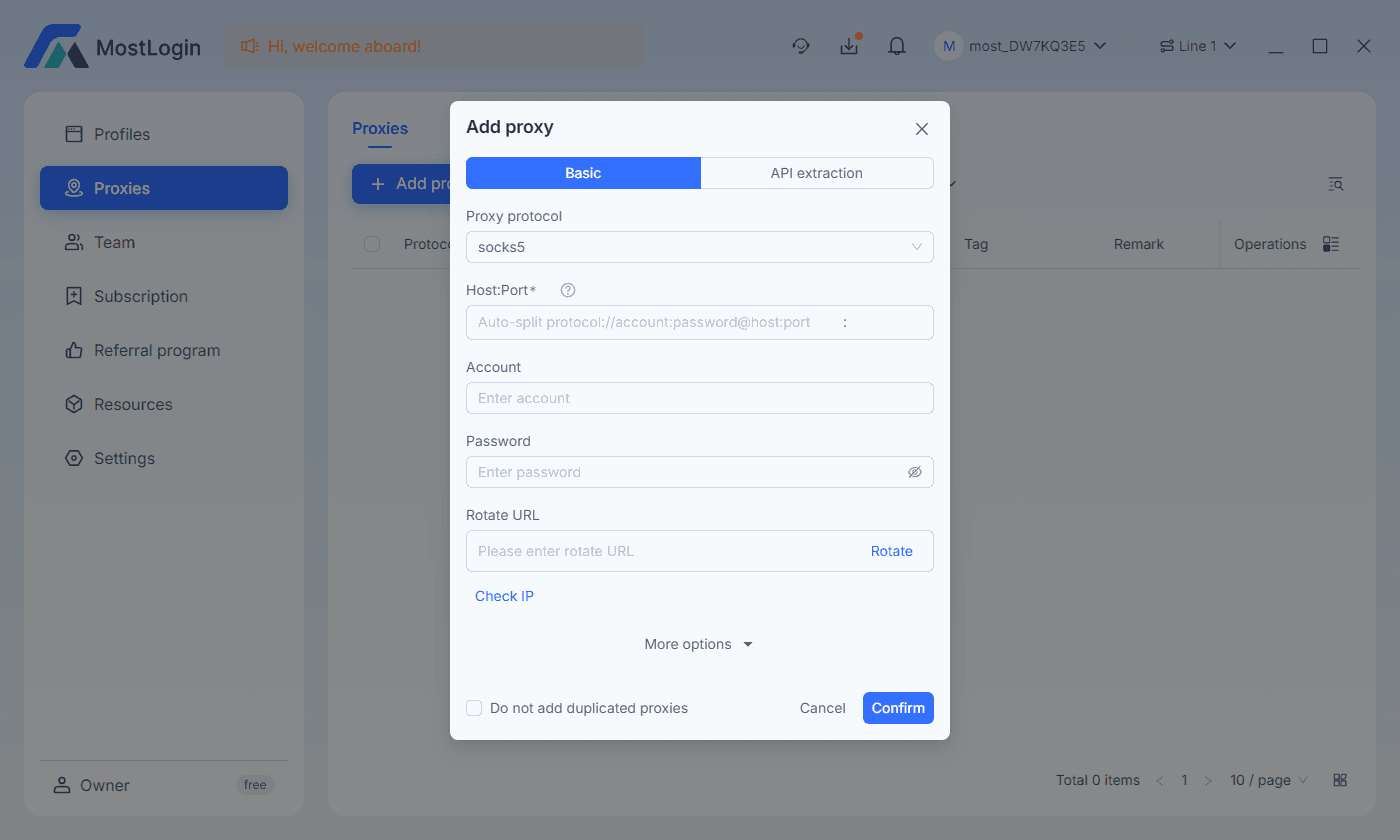
In the “Network Settings” tab, assign a dedicated proxy to each browser container.
Supported Protocols:
- HTTP / HTTPS
- SOCKS5
- Static residential or dynamic rotating proxies
Format Examples:
- IP:Port
- IP:Port:Username:Password (for authenticated proxies)
Test the connection before saving. A unique proxy per profile helps prevent IP-related account bans.
Team Collaboration: Manage Multiple Users Seamlessly
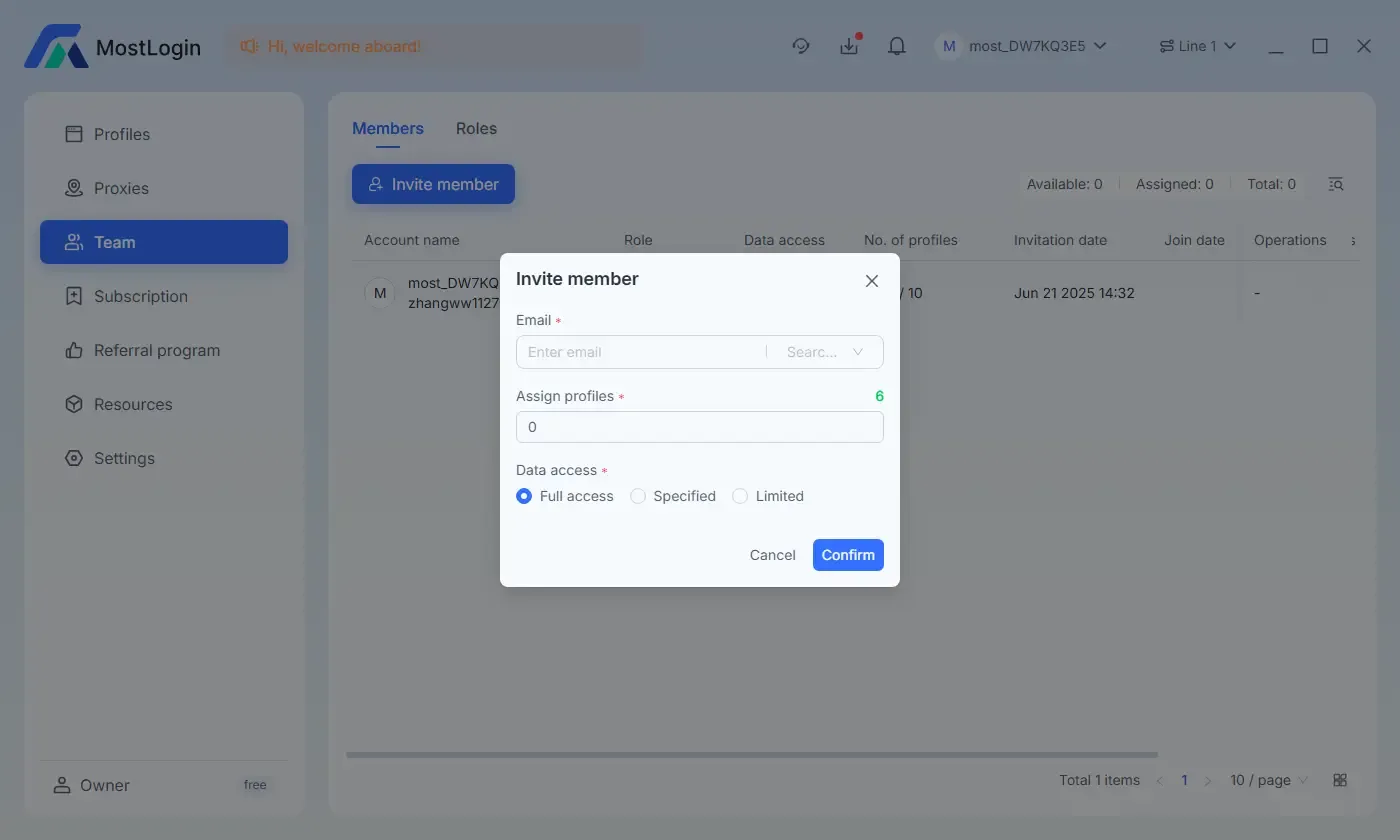
MostLogin supports a full-featured team management system, allowing multiple users to collaborate without cross-contamination.
- Create teams and invite members by email
- Assign view/edit permissions for each user
- Keep operation logs to track changes and ensure accountability
- Sync browser profiles across devices via cloud storage
Perfect for mid-to-large teams managing dozens or hundreds of accounts.
MostLogin is more than a browser—it’s the foundation for building secure, scalable, and compliant account operations.
MostLogin Anti-Detection Browser helps users solve high-frequency problems such as multi-account operation, environment isolation, and account risk control.
For operation questions, please refer to the Official Help Documentation