Running several dropshipping stores can make product testing, regional expansion, and brand management more flexible. The difficulty starts when several stores are operated from the same computer, browser, network, and login environment.
A standard browser treats your activity as one continuous environment. Cookies, local storage, browser characteristics, login sessions, and network information can overlap between stores. As the number of accounts increases, so does the chance of accidental session mixing or additional security checks.
This is where a multi-accounting browser for dropshipping becomes useful. Instead of opening every store in another tab, you can assign each store its own isolated browser profile and manage those profiles from one workspace. The goal is not to bypass marketplace policies, but to keep legitimate business accounts technically and operationally separated.
Why Does Dropshipping Need a Multi-Accounting Browser?
Dropshipping operations often involve more than one storefront. A seller may operate different brands, manage stores for separate clients, or maintain authorized seller accounts across different marketplaces.
The problem is that platforms can evaluate many signals when assessing a login. An IP address is only one part of the picture. Browser fingerprint data, cookies, local storage, User Agent, WebRTC behavior, language, timezone, screen characteristics, and account activity can also contribute to the overall environment.
Using several accounts inside one ordinary Chrome installation creates an environment where these signals can overlap.
A VPN does not solve the entire problem either. It may change the visible IP address while leaving much of the browser environment unchanged. Incognito mode mainly changes how local browsing data is handled; it does not turn one computer into several independent browser environments.
A specialized multi-account browser addresses a different problem: environment separation. Each Profile can maintain its own browser data and configuration, making it easier to keep each authorized store operationally independent.
What Should a Dropshipping Browser Profile Isolate?
The most important concept is the Profile. Think of a Profile as the working environment assigned to one store or business account.
A properly organized setup should separate several layers:
Browser fingerprint
A browser fingerprint is a collection of technical characteristics that can help a website distinguish one browser environment from another. Depending on the platform, relevant signals can include User Agent, Canvas, WebGL, fonts, screen resolution, language, timezone, and other browser or device characteristics.
The important point is consistency. Randomly changing fingerprint parameters every time you log in can create a less stable environment rather than a better one.
Cookies and local storage
Cookies store login sessions and other account-related information. Local storage can also retain website-specific data.
If Store A and Store B use the same browser environment, accidental data sharing becomes much easier. Isolated Profiles keep these data sets separated.
Network connection
Each store should have a clearly defined network configuration when the platform's policies and business structure require account separation.
A stable proxy can help maintain a consistent network environment for a Profile, but a proxy alone is not an account-management strategy.
This is why a multi-account management browser should be considered as part of a broader environment-management process rather than simply as an IP-changing tool.
How Do You Set Up a Multi-Accounting Browser for Dropshipping?
A reliable setup does not require hundreds of Profiles on day one. Start with a small number of legitimate stores and establish a repeatable structure.
Step 1: Create One Profile for Each Store
Begin by creating a dedicated Profile for every store or authorized account.
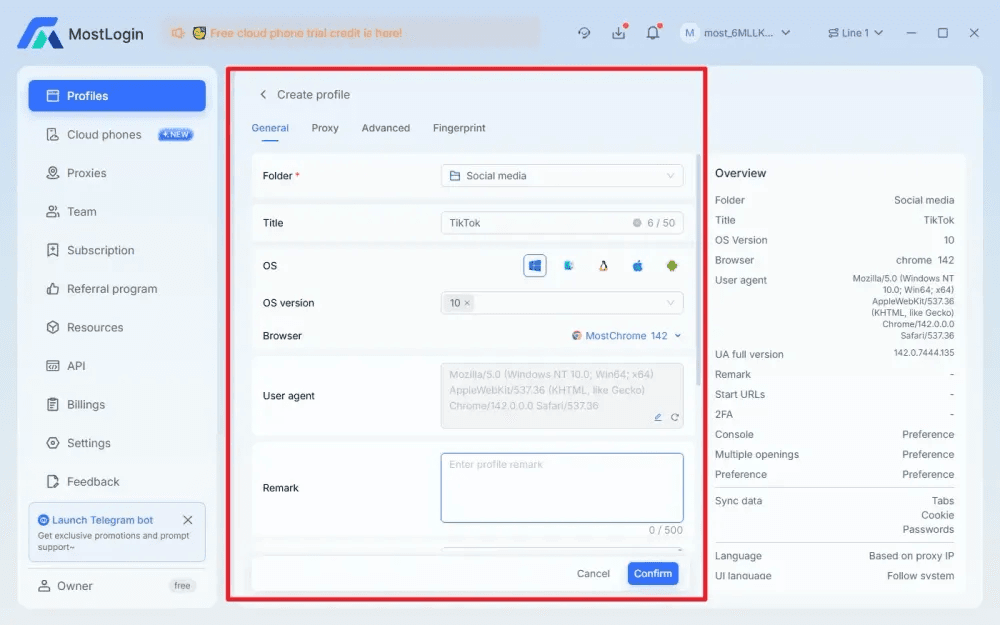
Use a naming convention that makes the business relationship obvious:
- US-Store-Amazon-01
- UK-Store-Shopify-01
- EU-Brand-B-01
- Client-A-Store-01
Avoid vague names such as “Account 1” or “Test Profile.” Clear naming reduces the chance of opening the wrong environment later.
For larger teams, organize Profiles into folders according to brand, marketplace, region, or client.
Step 2: Configure a Consistent Fingerprint
The next step is to configure the browser environment.
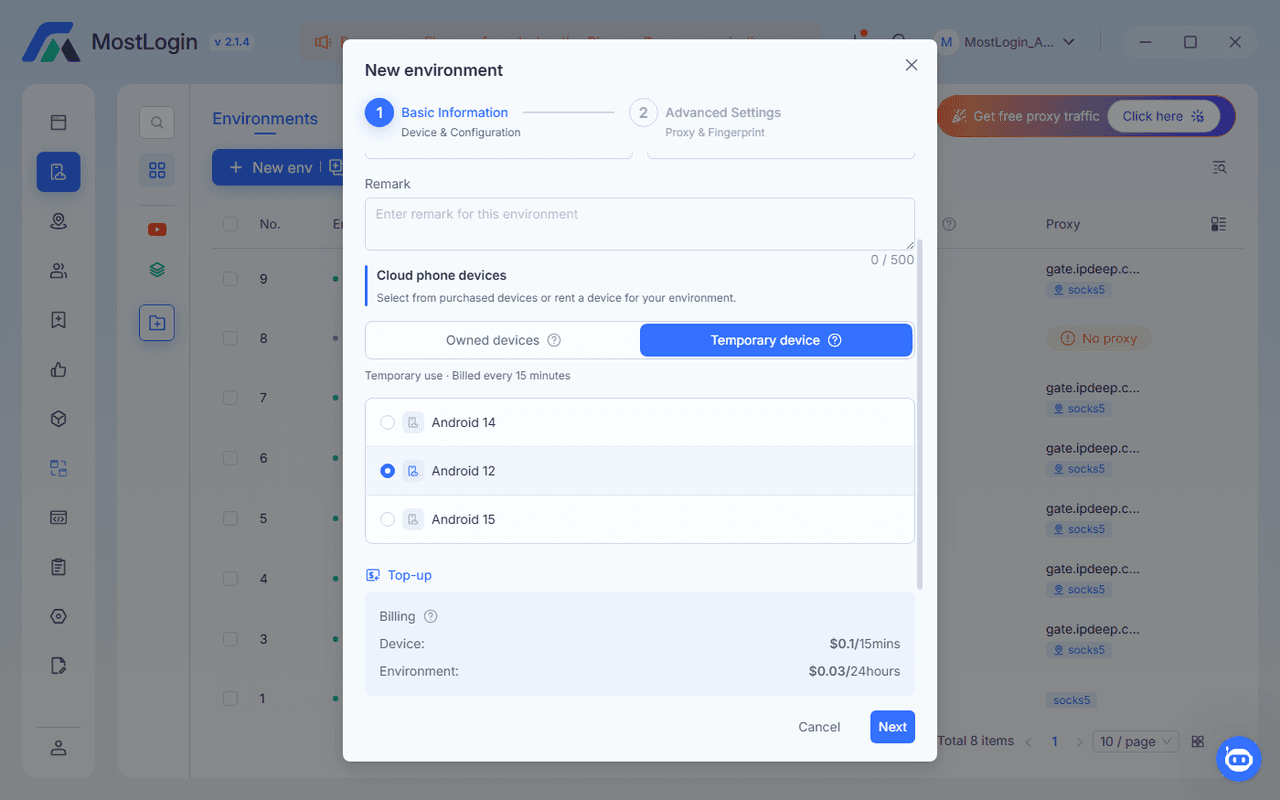
The objective should be coherence rather than randomness. Browser language, timezone, operating system characteristics, screen settings, and other fingerprint parameters should make sense together.
If a store is legitimately operated for a particular market, its browser environment should not constantly jump between unrelated locations and configurations.
A stable Profile is easier to maintain and easier for an operator to understand.
Step 3: Assign the Appropriate Proxy
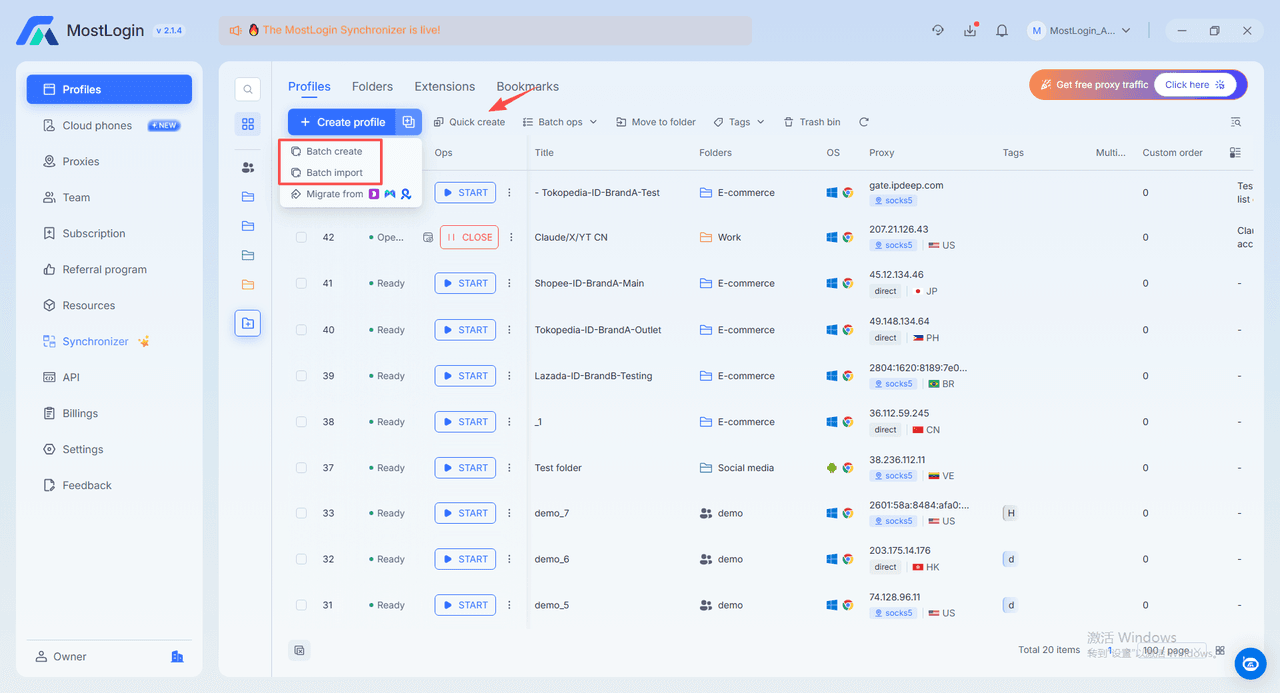
Connect the appropriate proxy to the Profile according to the store's legitimate operating requirements.
Avoid creating a structure where ten stores repeatedly share the same proxy and then switching them between unrelated IP addresses.
Proxy quality also matters. Unstable connections, excessive IP changes, poor reputation, and geographic inconsistencies can create additional login friction.
A useful operational rule is simple: document which proxy belongs to which Profile and avoid unnecessary changes.
Step 4: Log In to the Correct Account
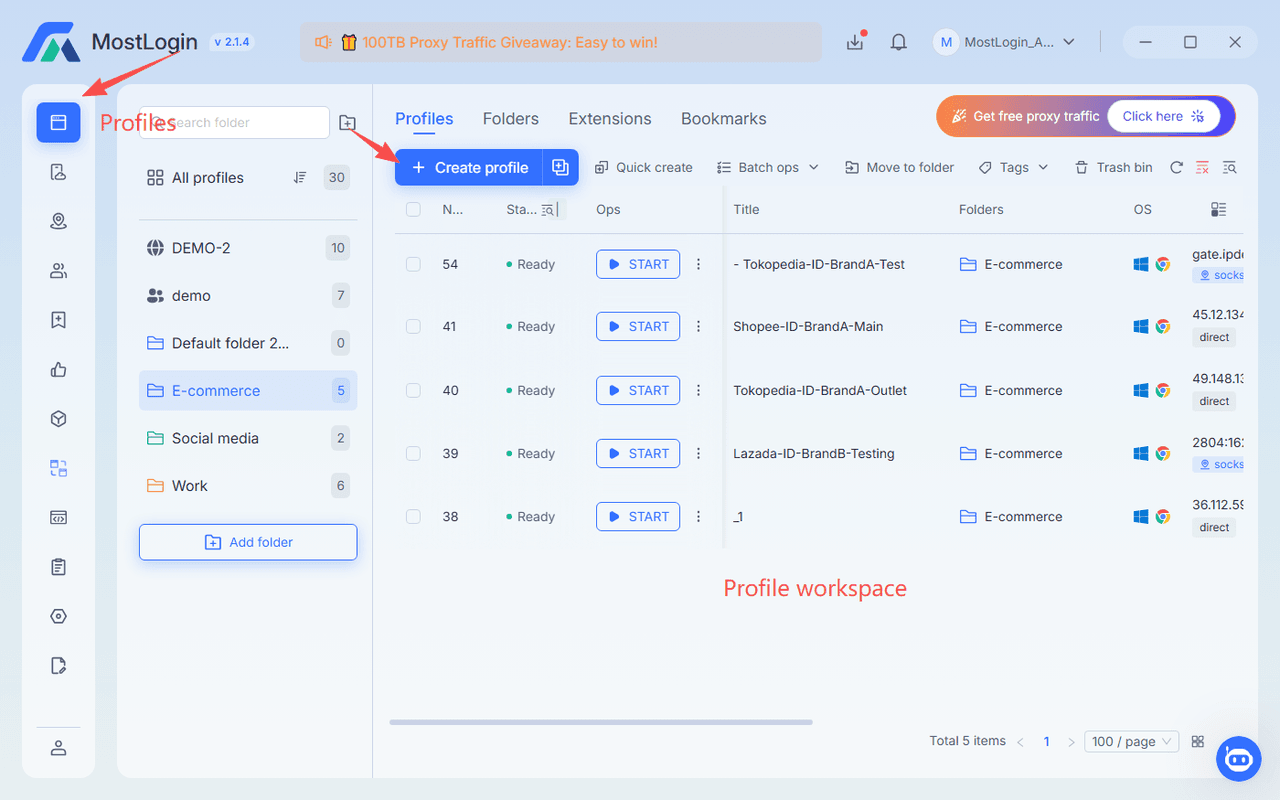
Once the Profile is configured, log into the corresponding store account inside that Profile.
Do not move Store A's session into Store B's Profile simply because the second Profile is already open.
This sounds obvious, but it becomes a real operational issue when a team manages dozens of stores.
Create a basic mapping:
Store → Profile → Proxy → Operator → Marketplace
This single record can prevent many avoidable mistakes.
Step 5: Keep the Environment Stable
After the initial setup, resist the temptation to change everything frequently.
A common mistake is to regenerate fingerprints, replace proxies, change locations, and clear cookies whenever a platform asks for verification.
Instead, first determine what caused the verification. Security checks can result from many factors, including unusual login behavior, payment changes, account permissions, or platform-specific policies.
The browser environment should support account consistency, not become a source of constant variation.
What Are the Most Common Multi-Account Dropshipping Mistakes?
Several operational mistakes repeatedly create problems for growing teams.
Using one proxy for every account
If every store repeatedly appears from the same network environment, the intended separation becomes weaker.
Where separate network environments are appropriate, document the mapping between Profile and proxy and keep it stable.
Changing fingerprints too frequently
A fingerprint is not something that should be changed simply because another account needs a different setting.
Frequent changes can make an account environment inconsistent. Configure a suitable Profile once and maintain it unless there is a legitimate reason to update it.
Opening too many accounts at once
Creating and logging into a large number of accounts in a short period can create operational problems even when every account is legitimate.
Start with a manageable number, verify that the workflow works, and then scale the infrastructure.
Mixing account credentials and sessions
Teams often focus on technical isolation while neglecting human error.
A shared spreadsheet containing unclear credentials, browser bookmarks pointing to the wrong stores, or employees opening accounts from the wrong Profile can undermine an otherwise well-designed environment.
Profile naming, access permissions, and team procedures are therefore just as important as fingerprint configuration.
How Should You Manage a Dropshipping Account Matrix?
Once the number of stores increases, organization becomes more important than simply creating additional Profiles.
A practical account matrix can include:
- Store name
- Marketplace
- Region
- Browser Profile
- Proxy
- Account owner
- Assigned operator
- 2FA method
- Store status
- Last operational review
This creates a single source of truth for the team.
A manager handling 30 stores should not need to remember which Profile belongs to a particular Shopify store. The relationship should be visible from the management system.
MostLogin supports isolated browser Profiles, batch Profile management, proxy-related workflows, Profile sharing, and role-based team collaboration. For a growing e-commerce operation, these capabilities can reduce administrative overhead without requiring a separate physical computer for every store.
The right choice depends on Profile volume and workflow complexity. MostLogin's current plans range from smaller Profile requirements to large-scale operations, so teams can compare the available configurations on our pricing plans before committing to a larger setup.
How Can Teams Make Daily Store Management More Efficient?
A good multi-account setup should reduce mistakes, not merely provide more browser windows.
Start by separating responsibilities.
One team member may manage product research, another may handle customer service, while another manages advertising. Each person should receive access only to the Profiles required for their role.
Profile groups can also follow the structure of the business:
- Brand A
- Brand B
- Marketplace Operations
- Advertising
- Client Accounts
- Regional Stores
This makes bulk management more practical while reducing accidental cross-account operations.
For recurring tasks, automation can also be considered after the manual workflow is stable. API or automation capabilities are most useful for repetitive operational tasks where the workflow is predictable and permitted by the relevant platform.
AI agent integration can extend this workflow further. With MCP, a compatible AI client can interact with supported MostLogin tools so an operator can request tasks such as listing Profiles, checking which environments are running, or opening a selected Profile. The practical value is workflow coordination rather than replacing account-management judgment.
Can a Multi-Accounting Browser Reduce Dropshipping Risk?
It can reduce technical overlap between browser environments, but it cannot guarantee that an account will never be restricted.
This distinction matters.
A multi-accounting browser can help separate:
- Browser sessions
- Cookies
- Local storage
- Fingerprint configurations
- Profile-level settings
- Proxy assignments
It cannot fix problems such as policy violations, misleading product information, payment issues, intellectual-property complaints, suspicious transactions, or poor customer service.
Therefore, browser isolation should be treated as infrastructure for organized account management rather than a method for defeating platform risk controls.
What Is a Practical Daily Workflow for Multi-Store Operators?
A simple daily process can prevent many mistakes:
- Open the management dashboard.
- Confirm the Profile name before launching it.
- Verify the assigned proxy and connection status.
- Open only the store required for the current task.
- Complete normal business operations within that Profile.
- Avoid unnecessary IP, fingerprint, or timezone changes.
- Close the Profile after completing the task if it is no longer required.
- Record unusual login prompts or security checks.
- Escalate account issues rather than repeatedly changing the environment.
This workflow may appear slower than opening everything simultaneously, but it creates a much more controlled operating process as the business grows.
For larger teams, profile-sharing and permission controls can also make handoffs easier because employees do not need to repeatedly rebuild the same browser environment.
FAQs
Is a multi-accounting browser safe for dropshipping?
It can make legitimate multi-store operations more organized by separating browser environments, but it does not guarantee account approval or prevent platform enforcement. Always follow each marketplace's rules for multiple accounts.
Do I need a separate proxy for every dropshipping account?
Not necessarily in every business structure, but separate and stable network environments can be useful when accounts are legitimately operated independently. The key is to avoid unnecessary IP sharing and frequent network changes.
Can I use a VPN instead of a multi-accounting browser?
A VPN mainly changes the network route or visible IP address. It does not provide the same level of browser Profile isolation for cookies, local storage, fingerprint configuration, and account sessions.
How many Profiles should I create for dropshipping?
Create only as many as your current business requires. Start with the number of legitimate stores you actively operate, establish a consistent Profile-to-store structure, and scale the system as your workload grows.
Can AI agents manage multiple browser Profiles?
Yes, when the browser exposes supported AI-agent integrations. With MostLogin MCP, compatible AI clients can request supported Profile and workflow operations through natural-language instructions, subject to the tools and permissions available in the current setup.
Final Takeaway: Build Stable Environments Before Scaling Stores
The biggest mistake in multi-store dropshipping is treating browser management as an afterthought.
When several stores share the same browser sessions, cookies, network configuration, and operational habits, the business becomes harder to manage as it grows. The solution is not simply to buy more proxies or create more accounts. It is to build a structured environment where each legitimate store has a clearly defined Profile, consistent configuration, documented network setup, and controlled team access.
A multi-accounting browser provides the infrastructure for that process. MostLogin is one practical option for teams that need isolated Profiles, batch management, collaboration, automation, and scalable pricing in one environment.
The strongest setup is the one where every Profile has a clear purpose, every operator knows which environment to use, and every store can be managed consistently without unnecessary technical changes.