When you manage SEO and multiple accounts at the same time, it is very easy to pollute SERP data and accidentally connect accounts that should stay separate. On one machine, the same browser is often used to log into advertising dashboards, e-commerce stores, Google accounts, and SERP tools, which quietly ties everything together at the fingerprint and IP level. Over time, your search results no longer represent real users, and your most valuable accounts may share risk with experimental tests or low-quality traffic sources.
This tutorial shows how to build a multi-accounting browser SERP tracking setup that keeps SEO data clean, protects multi-store accounts, and stays affordable by combining the MostLogin anti-detect browser with its Android Cloud Phones.
Pain Points: When SERP Tracking and Multi-Account Work Collide
One browser for everything = dirty SERPs and account linkage
Most SEO teams and multi-store sellers start with one regular browser plus a VPN. They log in to:
- Google Search Console and Analytics
- Rank tracking or SERP tools
- Ad accounts such as Google Ads and Facebook Ads
- E-commerce stores on Shopee, Lazada, Amazon, or their own sites
The problem is that a normal browser exposes a stable device fingerprint and a shared cookie jar across all of these contexts. Search engines and platforms build a long history of your behavior, which leads to strong personalization and cross-account correlation. For SEO, this means your ranking checks are increasingly biased and unreliable. For multi-account or multi-store operations, it increases the risk that risky tests contaminate your core accounts.
Multi-region SERP tracking is slow and fragile
If you need to track rankings in several countries or cities, you usually switch VPNs or proxies manually, clear cookies and cache between tests, and change language and region settings in the same browser. This manual dance is slow and easy to break. One forgotten logout or region switch can distort your SERP snapshots and also mix risk between projects.
Mobile SERPs are critical, but physical phones are a mess
Desktop SERPs and mobile SERPs are no longer the same. Mobile shows different layouts, bundles rich results differently, and is where many users perform local and intent-heavy searches. If you only test on desktop, you miss half the picture.
However, building a physical device lab has obvious problems:
- Dozens of real phones are expensive to buy and maintain.
- If multiple people reuse them, account histories and device IDs mix across clients and stores.
- It is hard to scale because every new region or project seems to require more devices.
Tool stacks often ignore cost and risk together
Many SEO tools focus on rank data but assume a single “clean” environment. Many multi-account tools focus on account safety but do not optimize for SERP use cases or budgets. Teams end up paying for separate browser tools, separate device farms, and separate SEO platforms, which raises both subscription cost and operational complexity.
Solution Overview: Safe SERP Tracking with a Multi-Accounting Browser and Cloud Phone
What a multi-accounting browser does for SERPs
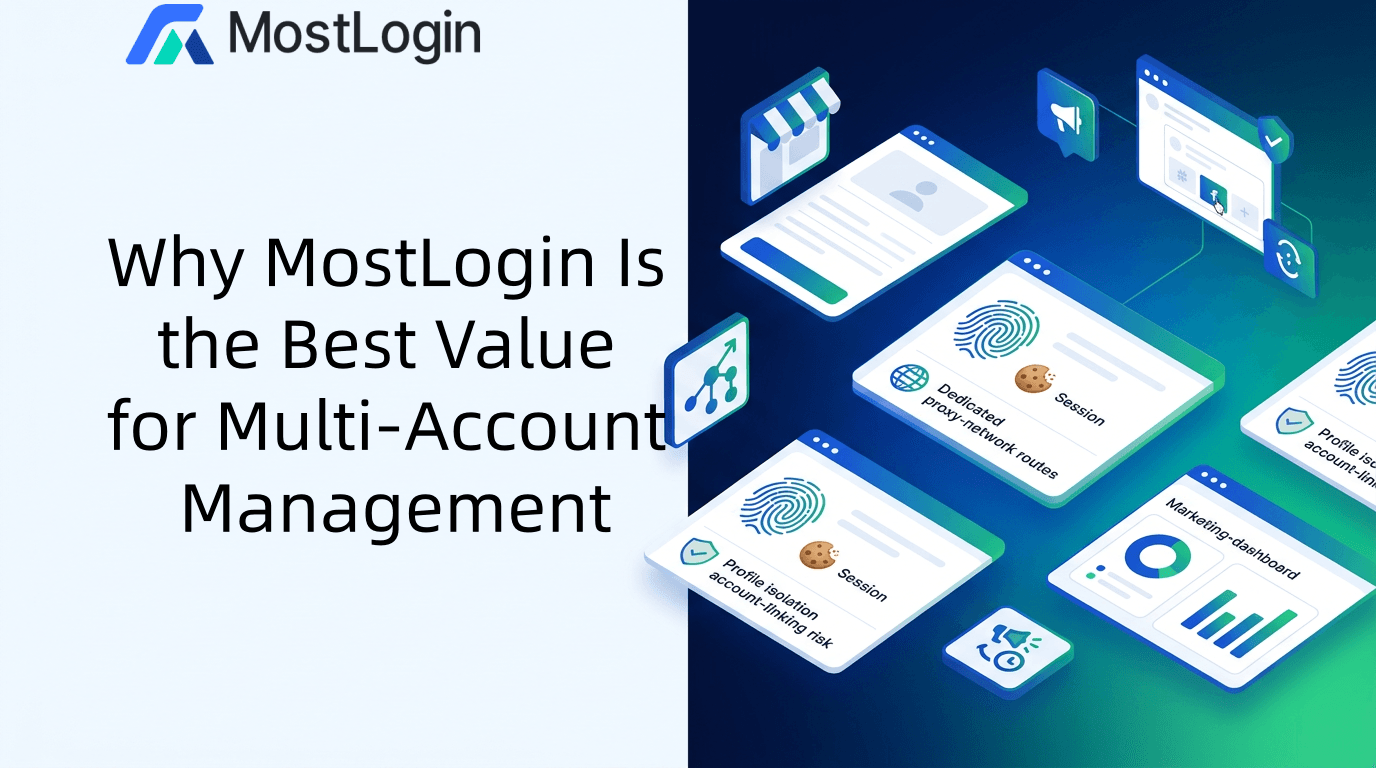
A multi-accounting browser is a specialized anti-detect browser that creates many isolated browser environments on one machine. Each environment, or profile, has its own browser fingerprint, cookies, cache, local storage, proxy or IP address, time zone, and language settings.
For SERP tracking, this means every profile behaves like a different person in a different place. You can create one profile per region, device type, or SEO project, keep test cookies and personalization strictly inside that profile, and compare SERPs between “fresh” and “logged-in” user views without cross-pollution.
MostLogin’s advanced anti-detect browser for SEO & SERP describes this pattern: using isolated profiles with unique fingerprints and region-specific proxies to simulate different users and locations for accurate SERP analysis.
Why combine MostLogin browser + Android Cloud Phone
MostLogin is not just a multi-accounting browser; it also offers Cloud Phone, a real Android environment running in the cloud. Used together, they form a full stack:
- Desktop layer (browser) — MostLogin profiles provide isolated environments for desktop SERP checks and multi-account work. You can run SEO tools or custom scripts inside these profiles for repeatable SERP snapshots.
- Mobile layer (cloud phone) — MostLogin Cloud Phone provides device-level isolation for Android. You can run mobile browsers, Google apps, or local search apps to observe mobile SERPs and on-device behavior.
This combination lets you run multi-accounting browser SERP tracking for both desktop and mobile, without tying your tests to one fragile machine or to a rack of physical phones.
Cost-performance as a design goal
For SERP tracking, this means you can create many desktop SERP profiles at effectively zero marginal cost and reserve Cloud Phones for high-value projects or critical markets, keeping total spend under control.
Architecture: Desktop and Android SERP Environments Working Together
Desktop SERP environments as reusable containers
In this setup, each desktop profile is a reusable SERP environment, for example:
- SEO-US-Desktop-ProjectA
- SEO-UK-Desktop-ProjectA
- SEO-ID-Desktop-ShopeeBrandA
- SEO-MY-Desktop-LazadaBrandB
Each one has its own fingerprint and OS configuration, browser language and time zone, and regional proxy or dedicated IP. You can open SERP tools or search engines in profile A and see how a US desktop user experiences rankings, then compare that to another country profile without the two influencing each other.
Android SERP environments for mobile realities
On the mobile side, each Cloud Phone is a region-specific Android device, such as:
- SEO-US-Mobile-ProjectA
- SEO-ID-Mobile-ShopeeBrandA
On each device you can install Chrome or another browser, use the Google app or local search apps, and access mobile versions of marketplaces to test in-app search or on-site rankings. This gives you realistic mobile SERPs and user flows, which you can compare to the corresponding desktop profiles.
Keeping everything organized in one system
MostLogin workspaces, folders, and tags let you group SERP profiles by project, country, or client, separate “SEO & SERP tracking” environments from “account operations” environments, and share selected profiles with team members without exposing all environments.
Step-by-Step Tutorial: Building Your SERP Tracking Workflow
Step 1 – Map your SERP tracking needs
Before touching any tool, list:
- Websites and store fronts you care about: main website, landing pages, Amazon listings, Shopee and Lazada stores, and more.
- Target search engines: Google, local search engines, marketplace search, and app store search.
- Priority keywords and groups: branded, product, category, and competitor terms.
- Target regions and languages: for example, US, UK, ID, MY, SG, and PH.
Then decide which markets require only desktop SERP data and which need both desktop and mobile SERP data. This will drive how many desktop profiles and Cloud Phones you actually need.
Download the desktop client for Windows or macOS, sign in, and create a dedicated workspace named something like “SEO-SERP-Tracking”.
Step 3 – Build desktop SERP profiles per region and project
Inside the workspace, create one browser profile per region and project combination.
Naming examples:
- SEO-US-Desktop-ProjectA
- SEO-UK-Desktop-ProjectA
- SEO-ID-Desktop-ShopeeBrandA
- SEO-MY-Desktop-LazadaBrandB
For each profile:
- Choose fingerprint and OS settings. Use realistic Windows or macOS environments. Match language and time zone to the target country. Keep fingerprints natural and consistent rather than exotic.
- Bind a suitable proxy or IP. For accurate SERPs, use IPs from the exact country you want to simulate. Keep IPs stable over time for each profile to avoid unusual location hopping.
- Save the profile and test basic connectivity. Open the profile, confirm country and language, and make sure websites load normally.
At this point, you already have the desktop side of your multi-accounting browser SERP tracking environment ready to go.
Step 4 – Run desktop SERP checks inside each profile
For each desktop profile:
- Open the profile and navigate to your search engine or SERP tool of choice.
- Decide whether you want “logged-out, neutral user” or “logged-in, returning user” views.
- Run your searches or SERP tracking tasks. This could be manual keyword checks with screenshots or tool-based checks using solutions such as Rank Tracker, Serpotrack, or Keyword.com.
Because each profile has its own cookies, history, and fingerprint, your ranking checks will not contaminate each other, and repeated tests from the same environment become comparable over time.
Step 5 – Add Cloud Phones for mobile SERP tracking
For markets or projects where mobile matters most, add Cloud Phones.
- In the Cloud Phone section, create a new device with a descriptive name, such as SEO-US-Mobile-ProjectA or SEO-ID-Mobile-ShopeeBrandA.
- Choose a realistic Android device model and OS version, then bind a regional IP or proxy that matches the desktop profile’s country, following the approach in the article on cloud phone use cases and anti-ban multi-account workflows.
- Launch the device and install your test apps: Chrome or another mobile browser, Google app or local search apps, and marketplaces like Shopee and Lazada if needed.
- Perform mobile SERP tests: search the same keywords used in desktop tests, note differences in layout and visibility, and test how your brand appears in marketplace or app environments.
This gives your multi-accounting browser SERP tracking strategy a realistic mobile dimension, without a lab full of phones.
Then define a short SOP that covers which team member owns which environments, which profiles remain anonymous, and a strict no-cross-use policy so operational accounts never enter SERP-only environments.
Step 6 – Introduce automation and bulk operations (optional)
When your workload grows, you can use MostLogin’s automation and workflow optimization features to open multiple profiles, run scripts, and collect SERP data. You can also combine the browser with Selenium or Puppeteer via the API to schedule SERP checks during off-peak hours. Automation should come after you have stable manual processes; otherwise, you risk automating messy habits.
Cost-Performance: Why This Setup Stays Affordable
Browser layer is free and scales with you
Cloud Phones are flexible, pay-as-you-need
Cloud Phones are billed separately, typically per device and time, which lets you start with one or two devices for key countries, add more only when mobile SERP data clearly improves strategy and ROI, and avoid large up-front hardware investments and replacement cycles.
Lower indirect costs: fewer tools, less chaos
Because MostLogin centralizes multi-account browser profiles, Cloud Phones, and team organization, you avoid paying for several overlapping tools and reduce the overhead of teaching staff multiple systems. That hidden cost saving often matters as much as the subscription price itself.
Practical Tips and Mistakes to Avoid
- Do not mix SERP testing and real user behavior in the same profile; keep test environments clean and focused.
- Keep IP and location settings stable for each profile so trend data is meaningful.
- Avoid aggressive automation until you understand the natural limits and typical patterns for your vertical.
- Separate experimental SEO or growth tests into their own workspace so failures never touch your core accounts.
FAQ
Q1: Why is a multi-accounting browser better than a normal browser + VPN for SERP tracking?
A normal browser + VPN still uses a single fingerprint and shared cookies, so personalization and cross-account signals build up quickly. A multi-accounting browser lets you create separate, isolated environments for each region or project, which keeps SERP data cleaner and accounts better protected.
Q2: Will using a multi-accounting browser break my SEO tools?
As long as you run your tools inside each profile as if they were normal browsers, they will work the same way. The difference is that each profile appears as a distinct user, which actually improves the quality and consistency of your rank tracking data.
Q3: When does it make sense to add Cloud Phones for SERP tracking?
Cloud Phones are most valuable when mobile traffic is dominant, when you care about app store results, or when local SERP features heavily influence conversions. In those cases, mobile-accurate SERP views can change how you prioritize SEO actions.
Q4: Is the MostLogin browser plan truly usable for long-term workflows?
Q5: How should I start if my team has never used a multi-accounting browser before?
Begin with a small pilot: create 3–10 profiles for your main markets, bind appropriate proxies, and run manual SERP checks for a few weeks. Once the process feels natural and the data looks reliable, expand to more regions and add Cloud Phones for mobile where necessary.