Many school or work networks impose restrictions on TikTok usage, which means we cannot access TikTok normally on these networks. This is bad news for most people. Besides those who may need to frequently consult information on this platform for work, many others rely on it to relax or kill time.
What can we do if we still want to use TikTok under such circumstances? Today, we will share with you the top 5 best methods to bypass TikTok restrictions on school or work networks and help you solve these problems effectively!

Why Do School or Work Networks Restrict TikTok?
High Network Bandwidth Consumption: Most videos on TikTok are in high definition (HD) or ultra-high definition (UHD), which consume a large amount of data traffic. If many people are scrolling through TikTok simultaneously, the internal network of schools or companies may slow down significantly. Therefore, such restrictions for bandwidth management are quite reasonable.
Negative Impact on Learning or Work Efficiency: TikTok's short videos are highly addictive, making it easy for users to keep scrolling endlessly. For students, this can cause distractions in class and hurt their academic performance; for employees, watching videos during work hours will directly reduce work efficiency.
Security and Privacy Risks: As a social media platform, TikTok involves a great deal of user data. Network administrators of companies or schools may be concerned that using TikTok could lead to potential leaks of internal information or the installation of malware, so they impose restrictions out of security considerations.
Policy or Legal Requirements: In some regions or industries, government and regulatory authorities require companies and schools to control certain content, including applications like TikTok.
Prevention of Inappropriate Content Dissemination: TikTok hosts a wide range of content with varying quality, including excellent videos as well as content involving violence, vulgarity, and sensitive information. That's why simply blocking TikTok becomes a straightforward solution.
Can We Bypass These Restrictions?
Of course we can. With the right tools or technologies, it is possible to get around these blocks. However, we need to note that many schools or companies have clear policies prohibiting TikTok access. Bypassing these restrictions may be a violation of rules, which could result in warnings, account bans, or disciplinary actions if detected.
5 Methods to Bypass TikTok Network Restrictions!
We have compiled 5 common methods to help you resolve such restrictions, hoping they will be useful to you:
1. Use a VPN
Simply put, a VPN is an encrypted network tunnel. It prevents others from seeing what you are doing online or where you are accessing from at the network level, allowing you to bypass certain network restrictions.
However, some VPNs on the market may not be secure. Sophisticated network departments may detect VPN usage and block it. Moreover, most VPNs require a paid subscription to use.
2. Use Mobile Data
Avoid using the school/company WiFi or wired network, and instead access TikTok using your personal mobile data.
This is a convenient solution. After all, using your own mobile data means your traffic cannot be monitored or intercepted. However, this consumes a lot of data and incurs higher costs. Additionally, when we need to use TikTok on a computer, sharing mobile data can be quite cumbersome.
3. Use a Proxy Server
There are various types of proxy servers. Currently, the most common one is a standalone server. You access TikTok directly through this server, so traffic monitors cannot detect your TikTok access activity.
Usually, you need to pay separately to purchase a proxy server. Furthermore, some proxy servers require manual configuration, which is relatively troublesome overall.
4. Modify DNS Settings
Sometimes schools/companies block TikTok by manipulating DNS resolution. Changing your DNS server may help you bypass this simple form of blocking.
However, this method only works for DNS-based blocks. It will not be effective if other blocking methods are employed.
5. Use an Anti-Detection Browser
An anti-detection browser allows independent proxy and IP configuration, and it is a commonly used tool. We can use it not only to access TikTok, but also to improve our work/study efficiency, making it much more convenient!
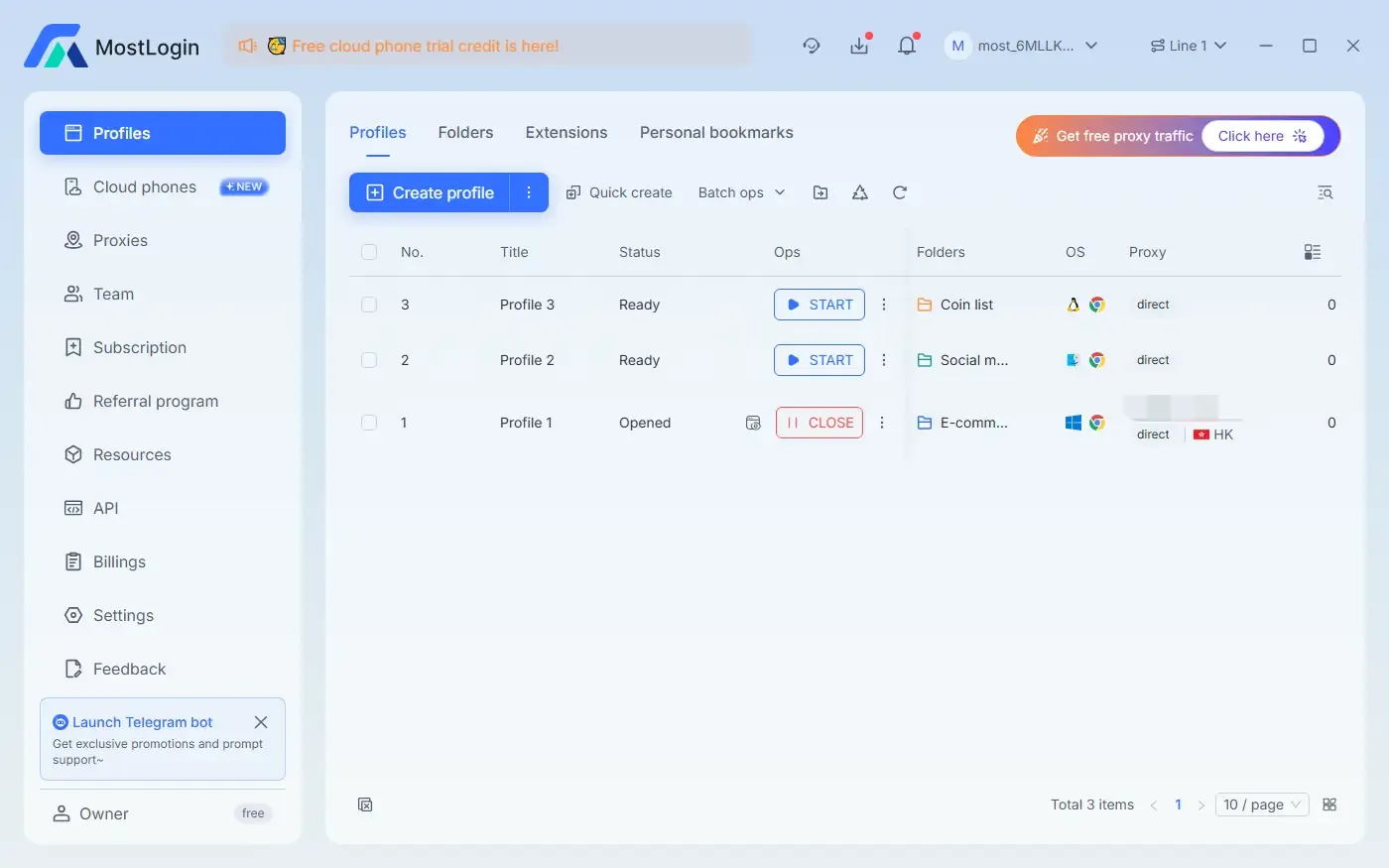
For example, the MostLogin anti-detection browser can help us solve this problem easily. Whether you want to bypass TikTok restrictions or restrictions on other software, you can use it to bind new IP proxy settings and fingerprint information, rendering the restrictions completely ineffective.
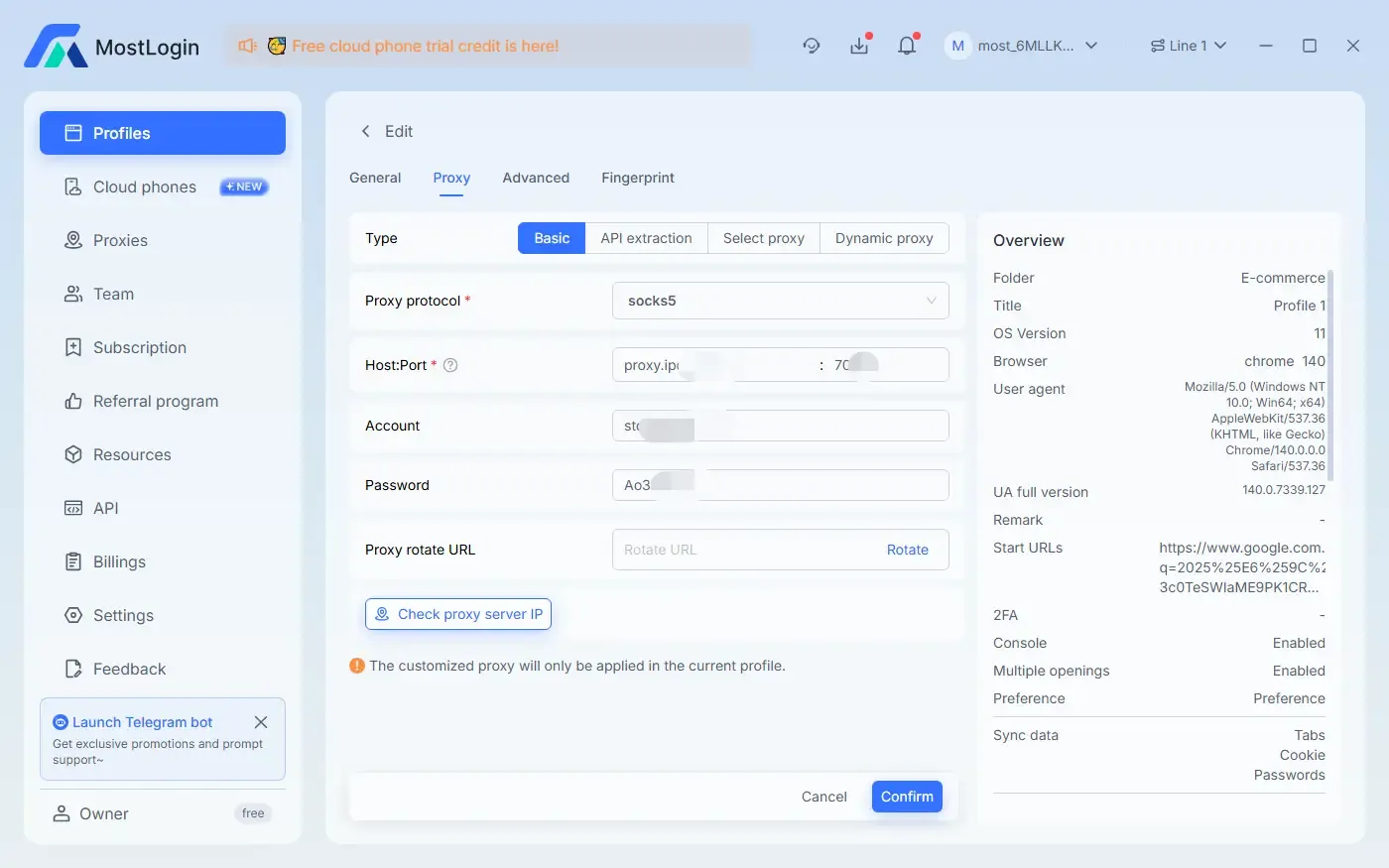
What Are the Advantages of Using MostLogin?
MostLogin not only helps you unblock TikTok, but also provides more comprehensive anonymity protection than VPNs and regular proxies. It is especially suitable for multi-account management and long-term usage scenarios:
Can spoofbrowser fingerprints, making it harder for school or work networks to detect your access behavior.
Supports multipleisolated environments, allowing you to easily manage multiple TikTok accounts or other restricted platforms without account association.
Supports proxy switching, enabling simulation of different regions and network environments to break through regional restrictions.
Lightweight and stable overall, does not occupy excessive system resources, and does not affect office or study usage.
Which Method Is the Most Effective?
In terms of versatility, stability, and stealth, the three most effective methods currently are VPNs, proxy servers, and anti-detection browsers. All three methods bypass restrictions by changing IP addresses and hiding user identities, so they work in most blocked environments. However, when considering user experience, account security, and multi-scenario applicability, anti-detection browsers have clear advantages.
Is Bypassing TikTok Network Restrictions Against the Rules?
Technically, there is no issue, but from an institutional perspective, it may be a violation of rules. Many schools or enterprises clearly prohibit accessing certain content, platforms, or applications in their network usage policies. Bypassing these restrictions may result in school disciplinary actions, corporate penalties, network bans, or account restrictions. Therefore, we only recommend operating in legally permitted or personal network environments to avoid unnecessary trouble. You can also choose to use TikTok during breaks, on personal devices, and with independent networks to prevent such risks.
Conclusion:
Schools and companies block TikTok mainly due to bandwidth, security, and efficiency considerations, but such restrictions can be bypassed. We have mentioned five common solutions above, including VPNs, proxy servers, DNS modification, mobile data, and anti-detection browsers. Among them, anti-detection browsers like MostLogin offer higher stability, stealth, and multi-purpose advantages, making them highly recommended.
FAQ:
If the school blocks VPNs, will other methods still work?
Yes, even if VPNs are not usable, using proxies or anti-detection browsers may still bypass the blocks, as they are technically different in certain aspects.
Will using an anti-detection browser to access TikTok affect my other applications or accounts?
No, the anti-detection browser environment is isolated, so your device and other accounts will not be affected or associated.
TikTok keeps failing to load. Is it blocked? How to tell?
It may be that your DNS, IP address, or port has been blocked. You can perform a comparative test using mobile data. If TikTok opens successfully with mobile data, it is almost certain that the network is blocked.
If I only want to access TikTok for a short time, is it necessary to use complex tools?
Not necessarily. For simple needs, you can use mobile data or public WiFi. However, for long-term and frequent use, VPNs or the MostLogin anti-detection browser are more recommended.
Will these methods slow down the network or affect latency?
VPNs and proxies may slightly reduce speed, while anti-detection browsers generally do not affect local network performance.
Can these tools help avoid detection by schools or companies?
Risks still exist, but the more advanced the tool and the more complete the fingerprint camouflage, the lower the probability of being detected.
The Best Anti-Detection Browser - MostLogin
The MostLogin anti-detection browser helps users solve high-frequency problems such as multi-account operation, environment isolation, and account risk control.
For operational questions, please refer to the Official Help Documentation