If you have multiple browsers installed on your computer and use them frequently, and also often browse the multi-account sections on Reddit and Quora, you must have frequently seen people asking questions like "How to clone a browser? / What's the difference between Clone Browser and multiple user profiles in a browser?"
Nowadays, more and more people use more than one account, especially those engaged in social media management, cross-border e-commerce, and advertising. Logging into multiple accounts on a regular browser requires constant logging in and out. Although browsers have features related to multiple profiles, they are still insufficient for most scenarios.
For this reason, Clone Browser has been increasingly adopted by more people. So what exactly is Clone Browser? What problems can it solve? And who is it suitable for? Today we will give you a detailed explanation!
Why are more and more people using Clone Browser?
In recent years, the risk control of many platforms has become increasingly strict. If you log into multiple accounts with one browser, it is easy for the platform to detect and link them, resulting in account bans. This is extremely risky for social media operators or advertisers, so many relevant professionals have started using Clone Browser for multi-account isolation, cookie management, changing browser fingerprint, and other operations.
So what is Clone Browser?
To put it simply, Clone Browser is a tool that can create multiple isolated browsers, while the browser information inside can be copied or modified individually.
Its core features are:
Independent windows: The environment of each browser window does not interfere with each other
Copy functionality: Quickly copy existing environments, including fingerprints, cookies, extensions, and settings
Long-term usability: Unlike incognito windows or other user windows, this browser environment can exist for a long time and be reused repeatedly
Simply put, it creates multiple instances of the same browser on your computer with different information. Each of these browsers has its own independent identity and configuration.
How does Clone Browser work?
Essentially, it copies your browser and creates an independent space or environment for it. This allows for customizing browser information and ensuring mutual non-interference, effectively protecting your accounts from being detected and linked.
What problems can Clone Browser solve?
Prevent account association: Nowadays, many websites identify whether a user has multiple accounts through information such as IP, cookies, and browser fingerprints. If multiple accounts use the same environment, the platform can confirm that the user has multiple accounts and then link and ban them directly.
Cookie isolation: Cookies record your login status and preferences, and are required by almost every website. Manually clearing and deleting them is very cumbersome, and isolating cookies can also protect multiple accounts from identity leakage and association.
Customizable browser fingerprints: IPs can be hidden with VPNs or proxies, but browser fingerprints (plugins, fonts, screen resolution, etc.) are harder to disguise. Clone Browser can generate independent fingerprints for each environment, making accounts look completely different from each other.
People also ask these questions on Reddit/Quora:
"Will websites know I'm using multiple accounts?" and "How do websites track browsing activity?"
If we do not isolate environments, the information collected by the platform will be recorded, allowing the website to detect that you are managing multiple accounts. Clone Browser is specifically designed to solve this problem, and using it can address these issues.
Clone Browser vs Regular Browser
| Solution | Multiple Windows | Multiple Profiles | Fingerprint Isolation | Cookie Isolation | Long-term Use | Ease of Operation |
|---|---|---|---|---|---|---|
| Regular Browser | Yes | Yes | No Protection | No Protection | Not Recommended | Relatively Cumbersome |
| Clone Browser | Yes | Yes | Strong Protection | Strong Protection | Recommended | Very Simple |
| Virtual Machine | Yes | Yes | Basic Protection | Basic Protection | Not Recommended | Relatively Cumbersome |
Overall, Clone Browser is more suitable for everyone to use because it not only meets the relevant needs of multiple accounts but also is relatively convenient and simple to operate overall.
Which groups are recommended to use Clone Browser?
Social Media/Affiliate Marketing: Manage multiple accounts simultaneously, ensuring security and improving efficiency
Cross-border E-commerce: Log into multiple stores at the same time to prevent account association
Advertising: Isolate advertising accounts to easily track performance and avoid bans
Automation Testing: Test different user scenarios and behaviors
How to use Clone Browser?
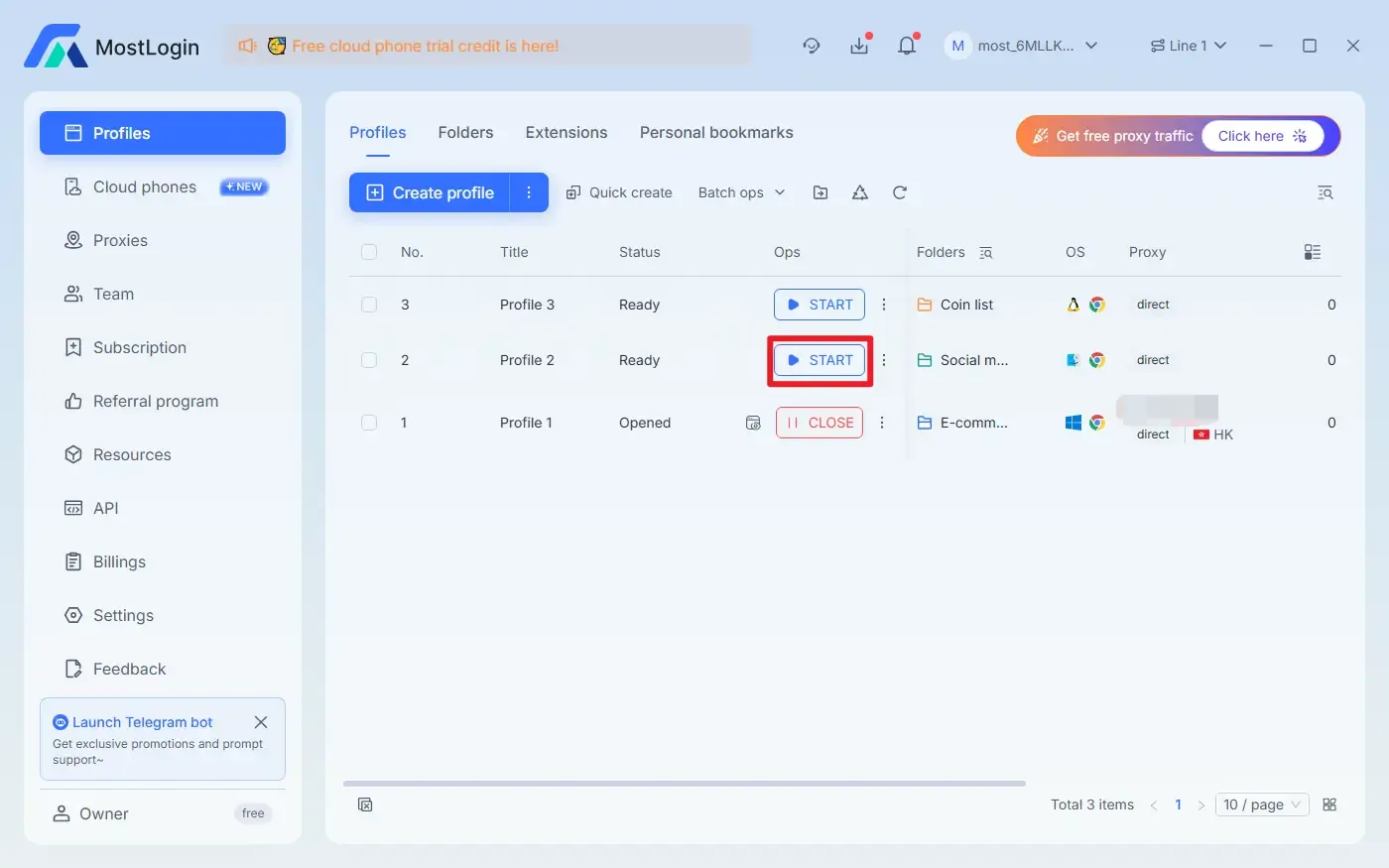
MostLogin Clone Browser is an excellent choice, and it is very simple to use for related operations. After opening the software, we just need to click "Create profile" or "Quick Create (no settings required)" in the upper left corner to directly create a new browser environment.
Manual creation requires filling in the following information (detailed settings are also available):
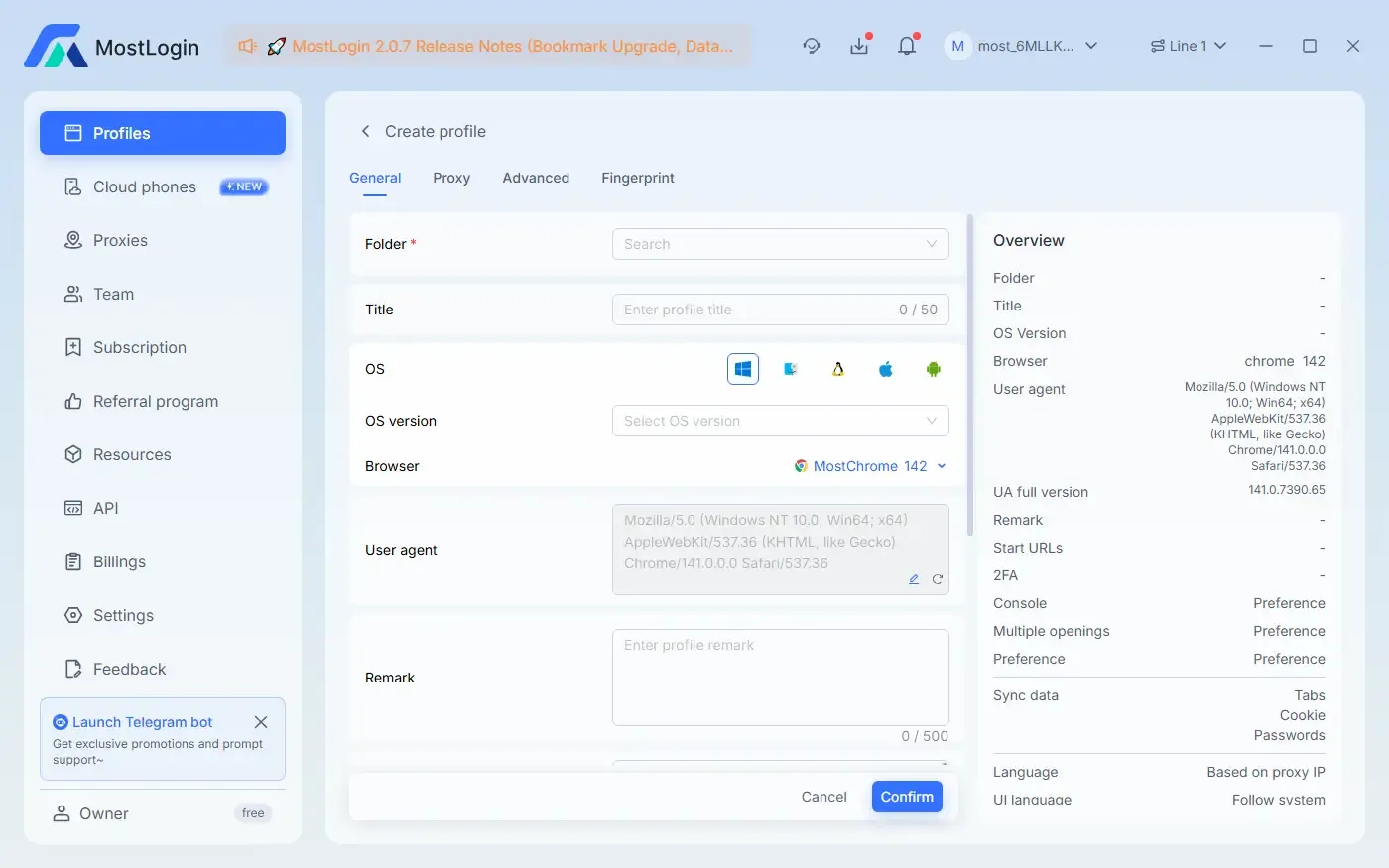
To use it, simply click the "START" button!
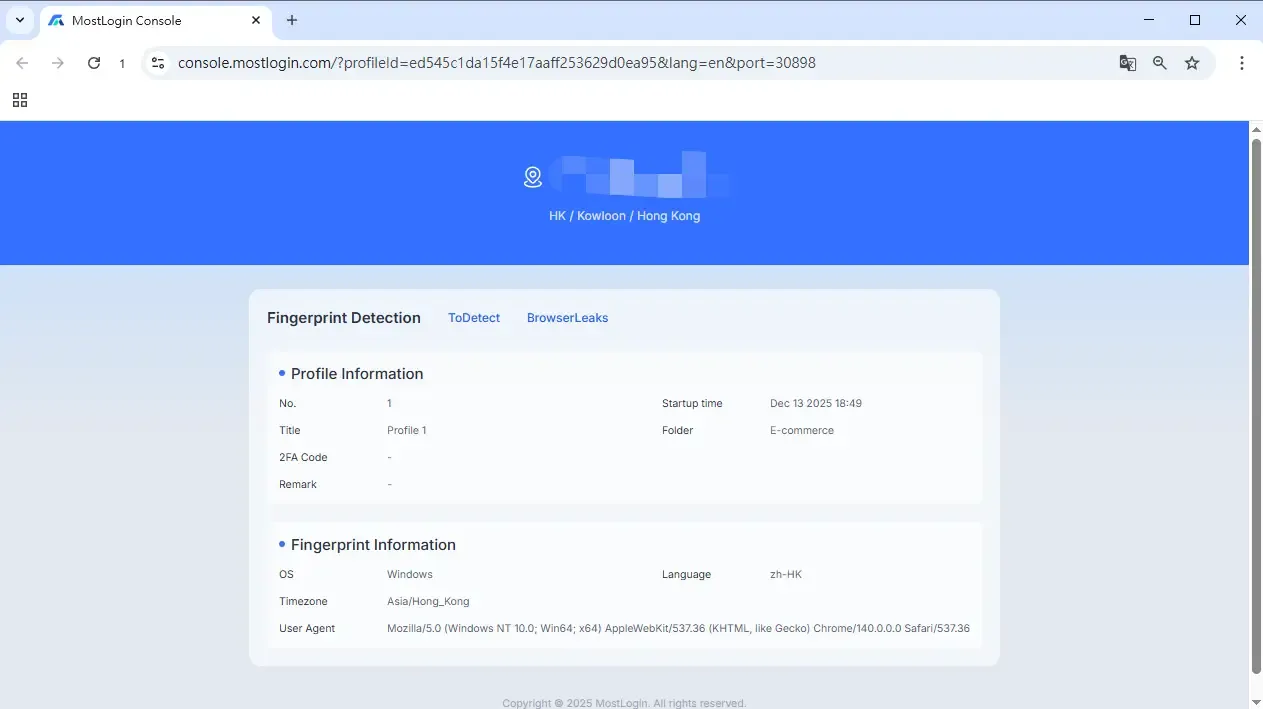
After opening the window, the browser fingerprint information of the new window will be automatically displayed for easy viewing.
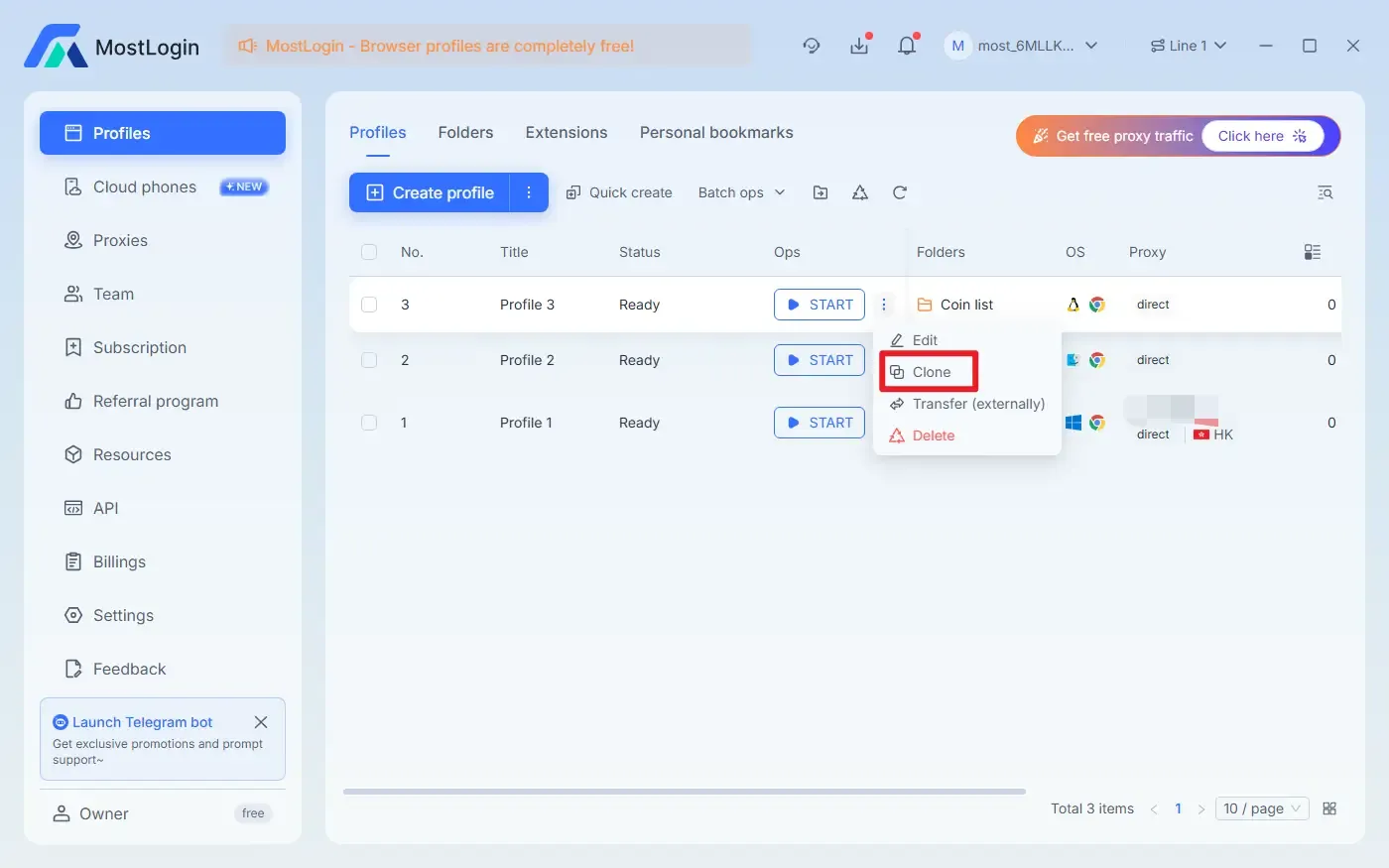
If you have configured some settings individually and want to adjust only part of the information, you can also use the Clone function to quickly copy the already configured window.
Summary:
Clone Browser is extremely helpful for various users who need to manage multiple accounts. Whether it's isolating accounts to protect their security or improving overall efficiency, Clone Browser offers numerous benefits. If you also have such needs or want to try Clone Browser, welcome to use MostLogin for related operations.
Frequently Asked Questions:
Is Clone Browser similar to the built-in new user profile feature of regular browsers?
In fact, they are quite different. Clone Browser not only achieves complete independence in various aspects such as browser fingerprints, cookies, and more, but also allows automated operations with these windows. Regular browsers cannot perform these operations.
Is Clone Browser safe to use?
Legitimate Clone Browser is completely safe; it will not damage your system or leak account-related information.
Can beginners use Clone Browser?
Absolutely. MostLogin Clone Browser has a very user-friendly interface and simple operations, allowing beginners to quickly create independent environments.
Best Anti-Detection Browser - MostLogin
The MostLogin anti-detection browser tool helps users solve high-frequency issues such as multi-account operation, environment isolation, and account risk control.
For operational questions, please refer to the Official Website Help Documentation