Many users only start thinking about what is my browser fingerprint after they run multiple accounts in a normal browser and suddenly face login checks, restrictions, or even mass bans. The real problem is usually not just IP overlap, but fingerprint overlap, and that is exactly where a fingerprint browser can make multi-account work much safer and more manageable.
What Is a Multi‑Account Browser?
This matters because a regular browser was never designed for account isolation. In a standard browser, tabs and sessions still share too much underlying information, which makes it easier for platforms to detect that different accounts are being operated from the same machine.
With MostLogin anti-detect browser and cloud phone, each profile can be isolated and managed as its own working environment, which is especially useful for e-commerce, social media operations, affiliate marketing, SEO, and other multi-account tasks.
Why Normal Browsers Keep Causing Problems
The biggest issue with normal browsers is that they expose one main digital identity across all sessions. Even if different accounts are opened in different tabs, the browser fingerprint often stays consistent enough for platforms to connect them.
That usually leads to familiar problems:
- Several accounts get flagged together.
- A new login triggers repeated security verification.
- Switching IPs helps a little, but not enough.
- Incognito mode looks private, but still does not solve fingerprint exposure.
This is why many users feel confused: they changed proxies, cleared cookies, and still got restricted. The missing piece is that cookies are only one part of tracking, while browser fingerprinting looks deeper into the browser and device itself.
What a Browser Fingerprint Actually Includes
A browser fingerprint is a combination of technical details that helps websites identify one browser environment from another. It is built from many small signals, and together those signals create a unique or near-unique profile.
Common fingerprint elements include:
- Operating system and browser version.
- Screen resolution and device pixel ratio.
- Language and timezone.
- Canvas and WebGL rendering behavior.
- Audio, WebRTC, fonts, and plugin-related data.
Once you understand what is my browser fingerprint in this sense, it becomes clear that simple cookie clearing cannot solve deeper tracking. If the browser still looks the same at the device level, platforms can still recognize it as the same environment.
How MostLogin Solves Fingerprint Overlap
MostLogin is built to solve this exact problem by turning one physical computer into many isolated browser environments. Each browser profile has its own fingerprint configuration, independent storage, and separate proxy settings, which helps accounts appear as if they are being used from different real devices.
That means one profile can be used for social media account A, another for social media account B, and another profile for social media account C without all of them sharing the same browser footprint. This kind of isolation is the core reason fingerprint browsers are used for safer multi-account work.
Instead of letting one device silently answer what is my browser fingerprint for all your accounts at once, MostLogin splits that identity into many safe, isolated profiles. MostLogin also supports deep fingerprint control across parameters such as Canvas, WebGL, Audio, and WebRTC, and it offers profile isolation without needing to rely on virtual machines. These capabilities are described in more detail under MostLogin anti-detect browser features.
One practical advantage is that the same account-management workflow can also extend to mobile-side operations when needed, since MostLogin includes cloud phone support with real Android environments in the same ecosystem. That is not the core topic here, but it does make the product more flexible for teams that handle both browser and app-based account tasks.
Step‑by‑Step: How to Set Up a Safe Multi‑Account Environment
The easiest way to reduce account linkage risk is to stop using one browser for everything and start building separate environments from the beginning.
Step 1: Install the browser and create your workspace
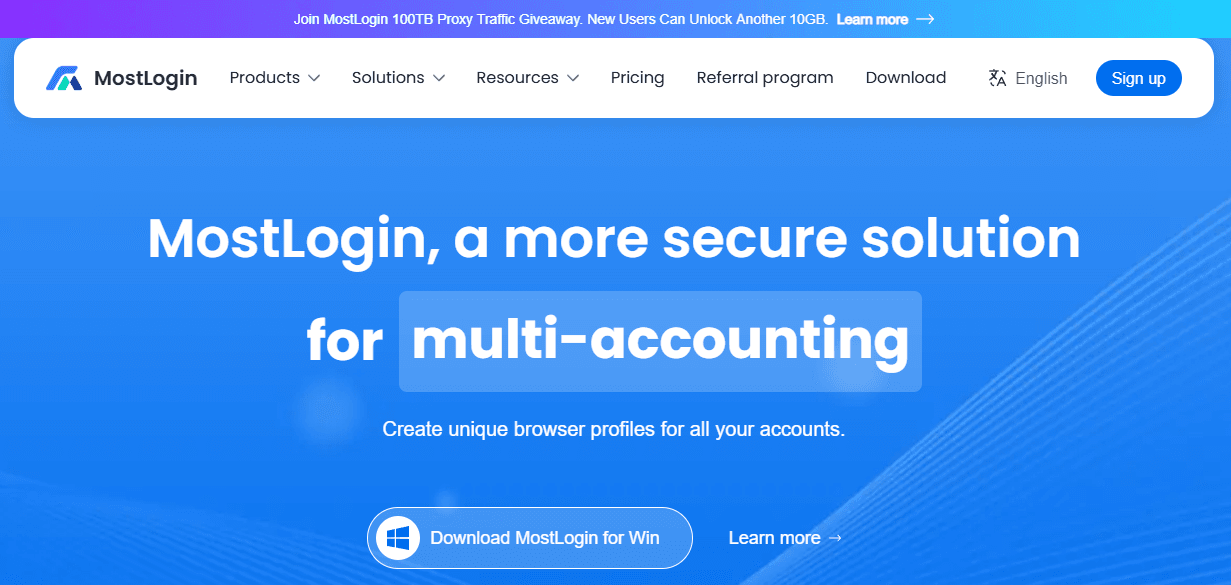
First, register an account and install the MostLogin desktop client on Windows or macOS. After logging in, you can access the dashboard where profiles, folders, proxies, and cloud phones are managed.
At this stage, it is a good idea to organize your accounts by project, platform, or region. Keeping things structured early makes scaling much easier later.
Step 2: Create one profile for one account
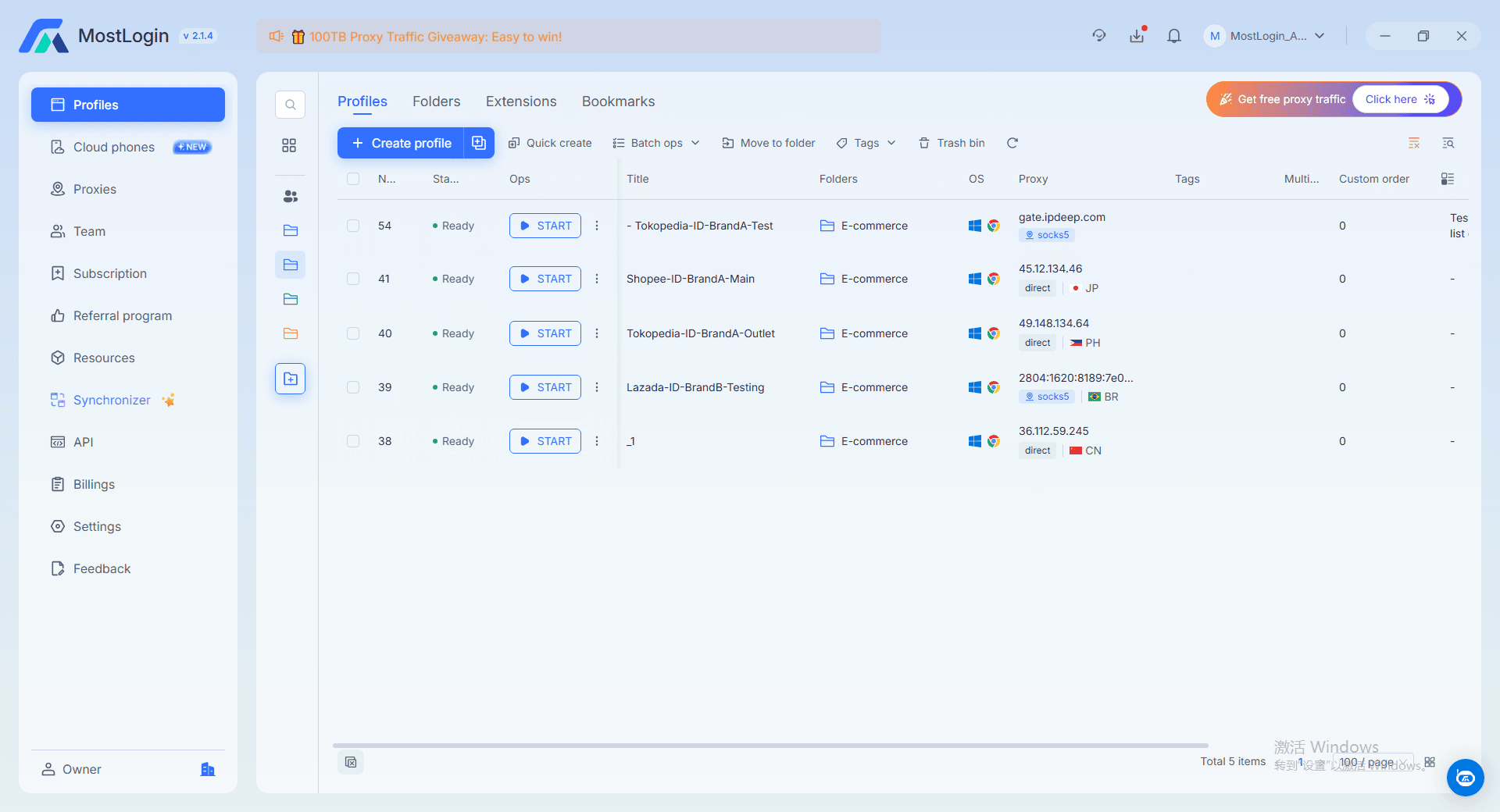
Create a new browser profile and give it a clear name. Then set the basic environment, including browser kernel, operating system, language, timezone, and screen resolution.
If you are a beginner, the safest option is to use realistic default settings instead of over-customizing everything. The goal is not to make the profile look fake or overly modified, but to make it look like a normal, separate device.
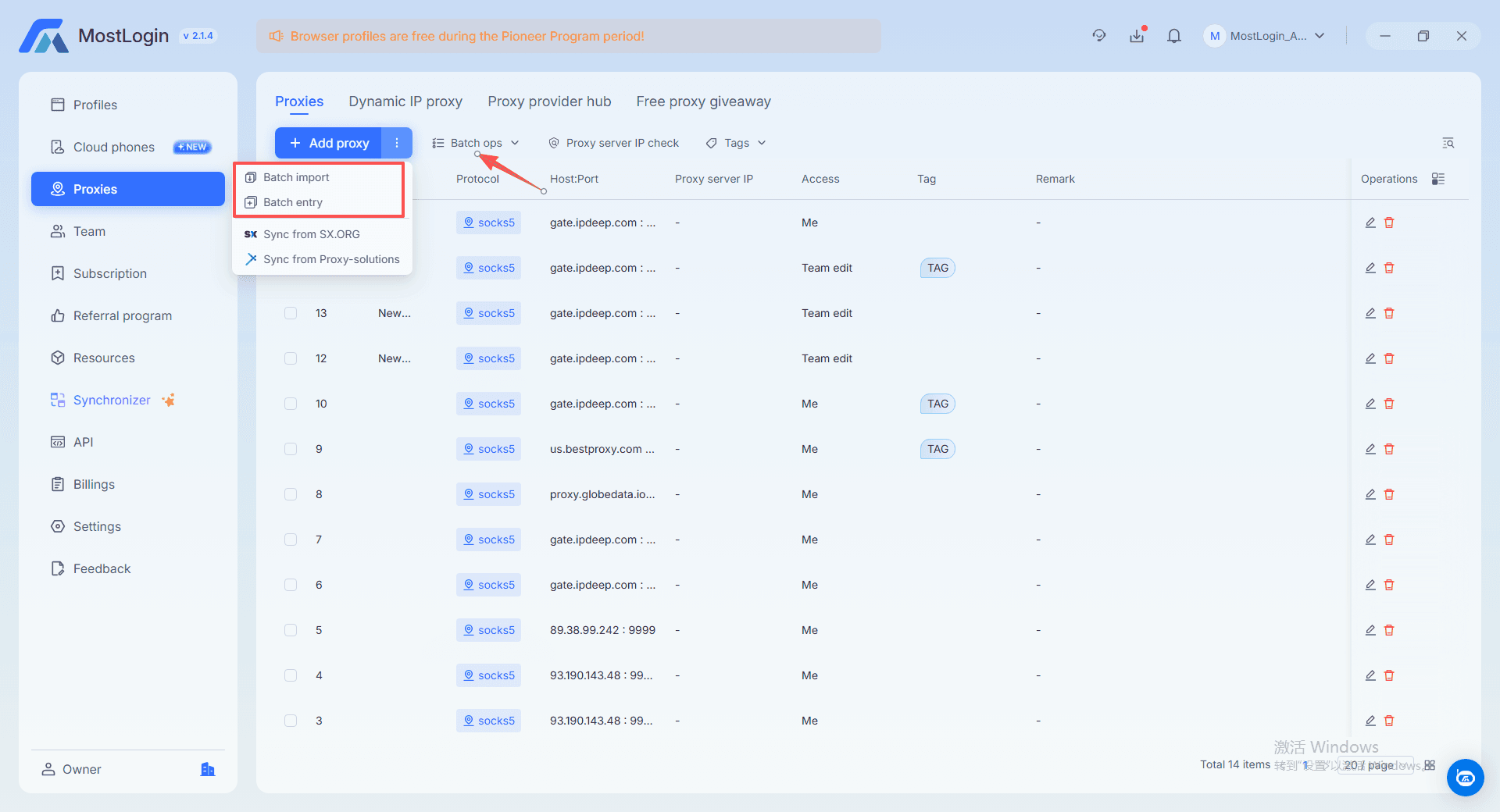
Step 3: Bind a dedicated proxy
After creating the profile, add a proxy so the account has its own IP path. This helps align the browser fingerprint with a specific region and prevents all accounts from sharing the same network identity.
Once the proxy is added, test the connection. If the browser profile and proxy are set correctly, the environment will look much more coherent to the target platform
Step 4: Keep the one-account-one-profile rule
This is one of the most important habits in multi-account work. One account should stay in one browser profile, and that profile should not be reused casually for unrelated accounts.
This keeps cookies, local storage, and fingerprint signals separate over time. It also lowers the risk that one account issue will affect the rest of your account matrix.
Step 5: Expand only when the system is stable
Once the first few profiles are running smoothly, you can add more by project, market, or account type. Because MostLogin supports large-scale profile isolation and team collaboration, it can grow from beginner setups to much larger operations without changing the basic workflow.
Complete Features, Better Value
A fingerprint browser is only useful when it covers the things that actually matter in real account work: fingerprint control, proxy integration, profile isolation, session separation, teamwork, and room to scale. MostLogin is positioned strongly here because it combines full browser fingerprint management with independent profiles, team collaboration, API support, and proxy-based workflows in one product instead of forcing users into a stripped-down starter experience.
When you truly understand what is my browser fingerprint, you realize that a serious fingerprint browser must handle all core signals consistently while still keeping costs reasonable. MostLogin’s current positioning is attractive precisely because it offers a full anti-detect browser core, broad profile capacity, and practical collaboration features while keeping pricing pressure relatively low compared with the higher-cost brands commonly discussed in this category.
Users who want to review the current options can do that under MostLogin pricing.
FAQ
What is my browser fingerprint?
A browser fingerprint is the combination of technical details your browser exposes, such as system settings, language, timezone, screen information, and rendering behavior. Websites can use that combination to recognize your browser environment.
Does changing IP solve browser fingerprint problems?
No, not by itself. Changing IP may alter network identity, but it does not automatically change deeper fingerprint elements like Canvas, WebGL, OS, or browser-level characteristics.
Does incognito mode stop fingerprint tracking?
No. Incognito helps with cookie and history isolation in a limited way, but it does not stop websites from reading many of the technical signals used in fingerprinting.
Why does one account get banned and then other accounts follow?
This often happens because several accounts are being operated inside environments that look too similar. Shared fingerprint traits, shared storage traces, or overlapping network patterns can make platforms connect them together.
How does a fingerprint browser reduce account association?
A fingerprint browser creates separate profiles with different fingerprints, separate cookies, and separate proxy settings. That makes each account look more like it belongs to its own independent device and environment.
Conclusion
If multiple accounts keep getting linked, restricted, or banned, the problem usually starts with the browser environment itself. A more controlled fingerprint setup gives you a clearer path to safer daily operations, more stable account management, and fewer avoidable platform risks.
MostLogin stands out here because it combines the browser fingerprint features users actually need with practical scalability and strong cost-performance, rather than limiting key functions behind a heavy upfront barrier. For anyone ready to move from patchwork fixes to a cleaner setup, exploring MostLogin anti-detect browser and cloud phone is a practical next step to turn “what is my browser fingerprint” into a controllable advantage instead of a hidden risk.