As the Whatnot live shopping platform continues to gain popularity, many sellers and teams operate multiple accounts simultaneously on this platform to sell a variety of products. Some users who fail to implement multi-account security measures find that their newly registered accounts are restricted immediately, and they may also encounter a situation where if one account runs into issues, other accounts get restricted as well.
This usually happens when your multiple accounts are detected, or when the platform finds that there are multiple Whatnot accounts logged in on the same device, leading to the suspension of all these accounts. Today, we will explain Whatnot's detection mechanisms and how we can safely use multiple Whatnot accounts.

I. Why Do Sellers Need to Operate Multiple Whatnot Accounts?
For online merchandise sales, operating multiple accounts means owning multiple stores, which in turn represents a higher chance of being discovered by customers. No matter which of your stores customers purchase from, you will ultimately make a profit. Some sellers also use different accounts to cover different product categories, or adopt a team collaboration model for live streaming and product listing. These are also the main reasons for multi-account operation.
II. How Does Whatnot Detect Sellers' Multiple Accounts?
In fact, it's not just Whatnot. The detection mechanisms of many current platforms can identify whether users without proper security precautions have multiple accounts. The main method is to compare the device data behind the accounts:
1. IP Address and Network Source
Initially, there were professional mechanisms specifically for IP detection. Common detection scenarios generally include:
Multiple accounts using the same IP address for a long time
Using VPNs/IPs shared by a large number of users
Frequent IP switching between different regions
All these factors make it easier for the system to determine whether there is a connection between multiple accounts.
2. Browser Fingerprinting
Even if we clear cookies and use incognito mode, browsers will still expose a large amount of information.
Canvas/WebGL characteristics
Font list and screen resolution
User Agent
Time zone and language settings
The combination of these factors forms a browser fingerprint. If multiple accounts have the same browser fingerprint, it will result in the simultaneous suspension of all those accounts.
3. Behavioral Pattern Recording
Generally, detection is mainly carried out in the following aspects:
Residual cookies and local storage data
Abnormal login sequence and frequency
Highly similar operational behaviors
As far as we know, the detection mechanism does not rely on a single method, but instead uses a combination of multiple detection methods.
III. Common Mistakes in Whatnot Multi-Account Operation
1. Logging into All Accounts on the Same Browser
Incognito mode or using a single browser profile does not equate to an isolated environment. The data between accounts can still be tracked and recorded by the platform.
2. Relying Solely on VPNs to Solve Problems
Changing the IP address without modifying the browser fingerprint and device environment will still make the platform identify these multiple accounts as being operated by the same person.
3. Team Members Sharing Accounts or Operating Environments
Multiple people logging into the same account or sharing the same browser environment can lead to operational chaos, unclear permission distinctions, and difficulty in identifying accountability when issues arise.
4. Registering New Accounts Immediately After One Account Gets Suspended
This is an extremely high-risk behavior. Creating new accounts directly in the original environment can easily trigger secondary or even batch account suspensions.
IV. Key Points for Safely Operating Multiple Whatnot Accounts
If you need to operate multiple accounts, you must ensure that each account uses a completely independent operating environment. This includes independent cookies, independent cache and local storage, and zero cross-over of account data. In this way, from the platform's detection perspective, these accounts will appear to be operated by separate individuals.
Furthermore, we need to configure different browser fingerprints and network environments for each account. For browser fingerprint modification, you can simply adjust parameters such as Canvas/WebGL, User Agent, screen resolution, font settings, time zone and language settings. The main goal is to avoid making multiple accounts appear identical. For network environment configuration, the ideal setup is to assign one stable IP address to each account, ensure that the IP location matches the account's registration and operation region, and avoid frequent network switching. All these measures are crucial.
V. How to Conveniently and Safely Use Multiple Whatnot Accounts
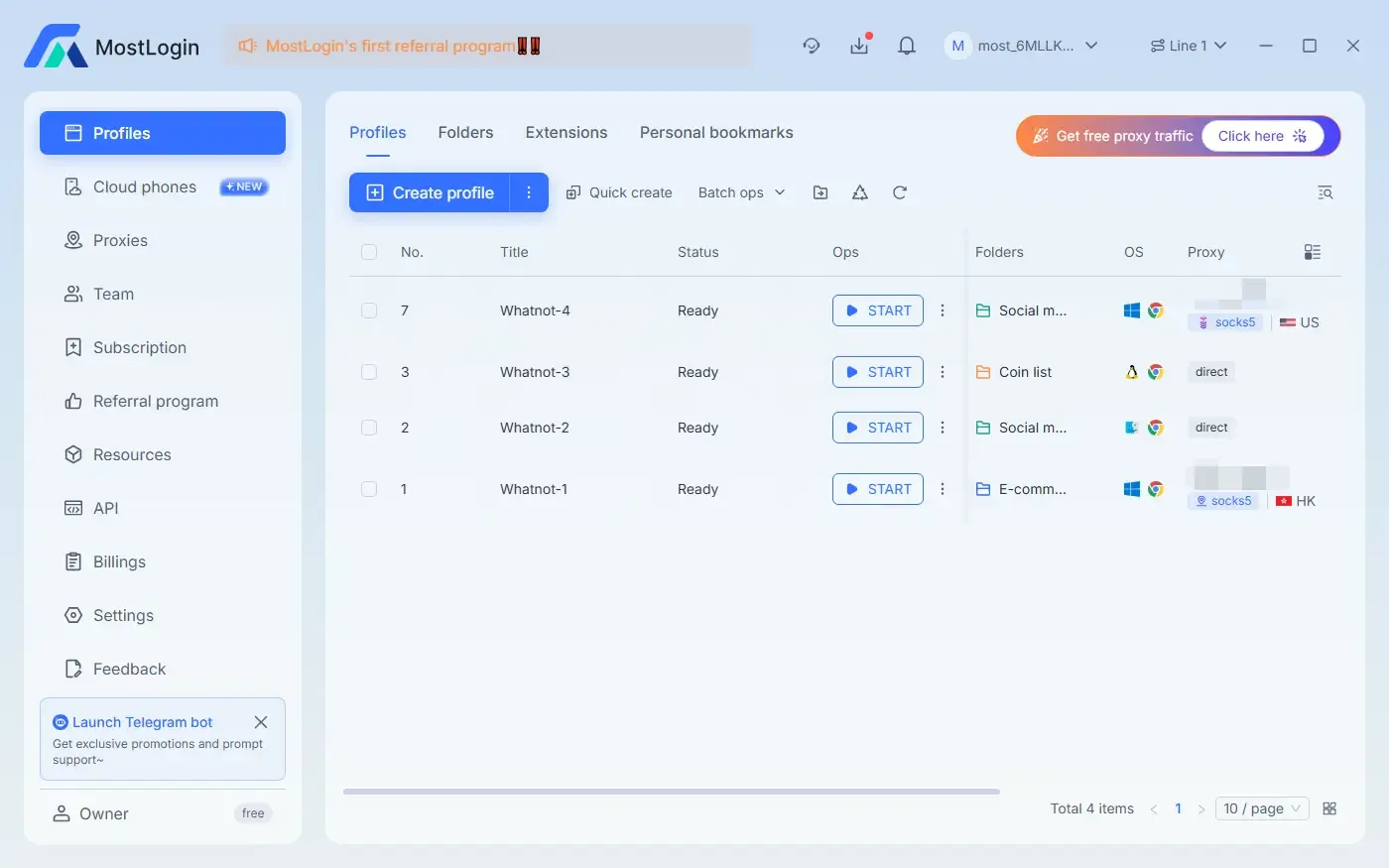
In fact, the solution is quite simple. If we want to configure different fingerprints and network environments for individual accounts, we can easily achieve this by using an anti-detection browser. We just need to create a new browser profile in the anti-detection browser, optionally configure cookies and IP proxies, and then start using it directly.
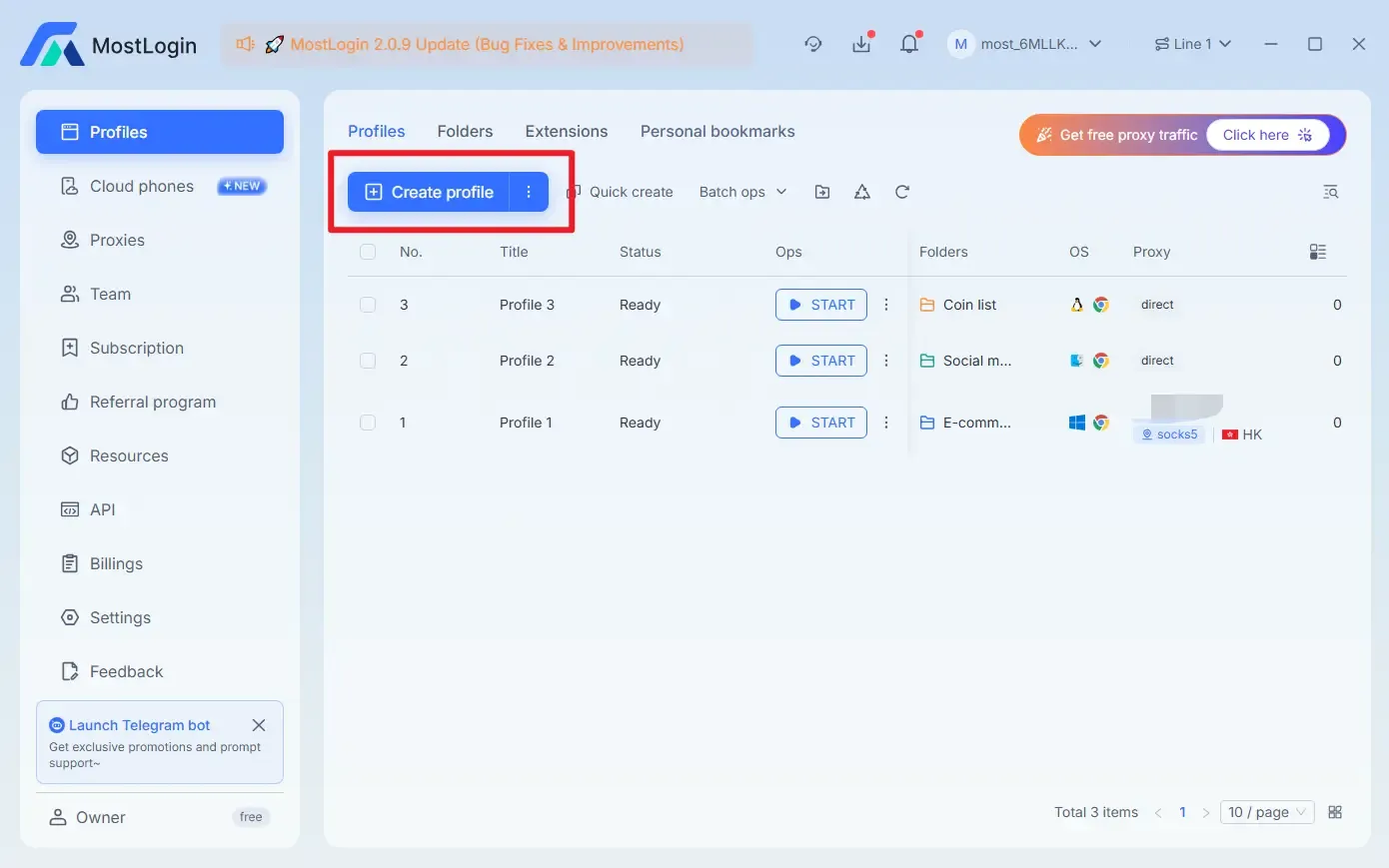
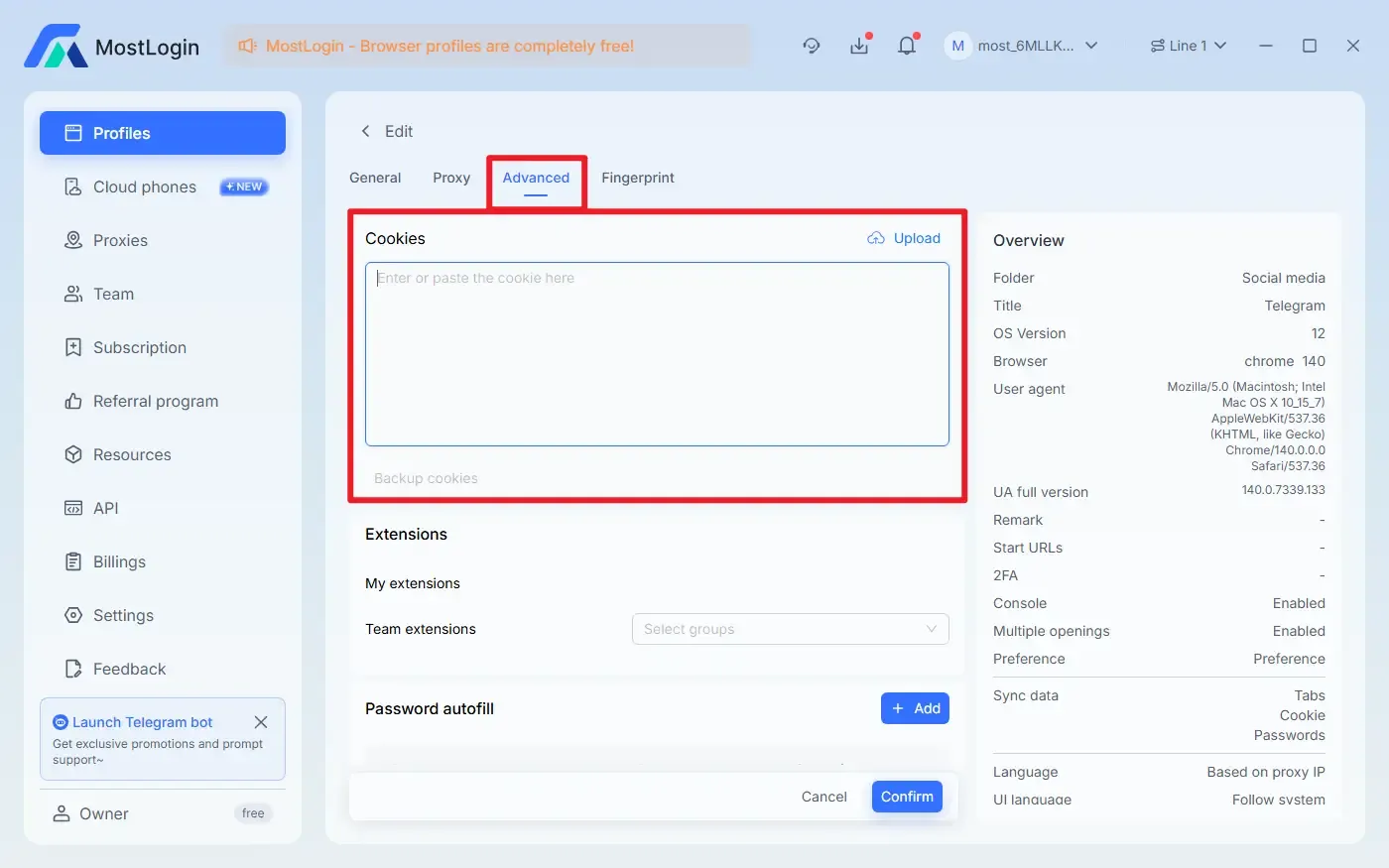
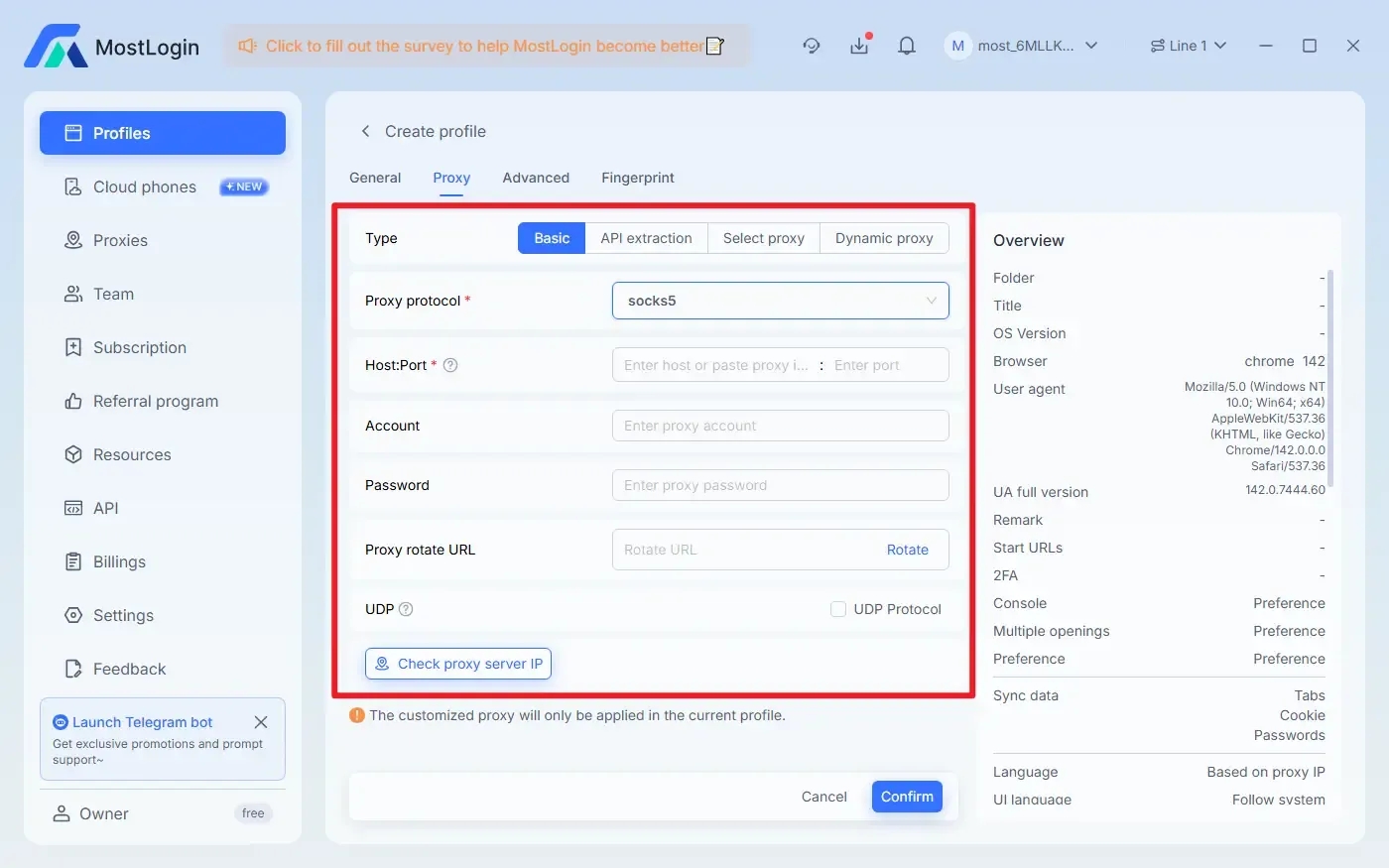
Moreover, most anti-detection browsers including MostLogin Anti-Detection Browser offer the following features:
Anti-Browser Fingerprinting: Hides real device information and reduces the risk of multiple Whatnot accounts being detected by the platform.
Multi-Account Environment Isolation: Each profile runs independently without interfering with one another.
Batch Account Management: Supports quickly opening multiple profiles or logging into multiple accounts simultaneously for operation.
Intelligent Proxy Integration: Easily switches between multiple IP nodes worldwide and supports independent proxy configuration for each profile, providing comprehensive coverage.
Simplified Team Management and Synchronization: The software supports team management, maintains consistent environments across devices, and facilitates the synchronization of configuration settings.
Therefore, MostLogin Anti-Detection Browser is suitable for operating multiple Whatnot accounts. It can help protect account security and improve efficiency, with features available according to the current plan.
VI. Which Groups Benefit Most from Secure Whatnot Multi-Account Operation?
Sellers operating multiple Whatnot stores simultaneously
Live streaming teams or MCN agencies
E-commerce agency service providers
Large-scale sellers of second-hand goods and collectibles
If you belong to any of the above-mentioned groups or have similar requirements, the anti-detection browser solution is highly recommended for you.
Conclusion:
Using multiple Whatnot accounts requires certain skills. The official detection mechanism determines whether multiple accounts are operated by the same person based on various types of information. Therefore, we need to take precautions in these aspects. If you want to solve related problems, you can try using MostLogin Anti-Detection Browser. We hope it can help you.
FAQ:
Does Whatnot allow one person to use multiple accounts?
The official policy does not explicitly prohibit multiple accounts. However, once the system determines that the accounts are linked, it may directly restrict or suspend them.
Why is my newly registered Whatnot account restricted immediately?
This usually occurs because the device environment, IP address, or browser fingerprint is highly similar to that of previously problematic accounts, triggering the system's automatic risk control measures.
Can incognito mode or clearing cookies prevent account association?
No, because browser fingerprints and device information will not change or disappear simply by using incognito mode.
Can I safely operate multiple Whatnot accounts using a regular VPN?
No, a regular VPN can only change the IP address, but it cannot solve the problem of browser fingerprint and local environment exposure.
What is the most common pitfall for teams operating multiple Whatnot accounts?
Multiple team members sharing the same browser or operating environment will cause abnormal account behaviors, resulting in higher risks compared to individual operation.
Best Anti-Detection Browser - MostLogin
MostLogin Anti-Detection Browser helps users solve high-frequency issues such as multi-account operation, environment isolation, and account risk control.
For operational questions, please refer to the Official Help Documentation