In the age of mobile internet, protecting personal privacy and online security has become a top priority for users. An IP address acts as a device’s “online identity,” revealing not only your location but also potentially allowing advertisers, hackers, or websites to track your activity.
In 2026, as mobile apps and online services place greater emphasis on privacy, methods for hiding IP addresses have become more diverse. This article summarizes several common ways to hide your IP address and aims to help you choose the right approach.
1. What Is a Mobile IP Address?
An IP address is a unique identifier assigned to a device when it connects to the internet. On mobile devices, IP addresses are typically provided by mobile carriers or the Wi-Fi networks they connect to.
Whether you are streaming content or browsing websites, every network request relies on an IP address to route and identify the connection.
2. Why Do You Need to Hide Your IP Address?
1. Privacy Protection
- An IP address can expose your city, internet service provider, and in some cases, be linked to your personal accounts.
- Hiding your IP address helps reduce the risk of being tracked or having personal data exposed.
2. Access to Restricted Content
- Some apps and websites restrict content based on geographic location, such as streaming platforms or news sites.
- By hiding your IP address, you may gain access to content that is otherwise unavailable in your region.
3. Common Ways to Hide Your IP Address on Mobile Devices
1. Using a VPN (Virtual Private Network)
A VPN routes your internet traffic through an encrypted tunnel to a third-party server, effectively masking your real IP address.
2. Using a Proxy Server
A proxy server works as an intermediary. When your mobile device sends requests through a proxy, your real IP address is hidden. You can configure a proxy for specific apps or for the entire system.
Websites you visit will only see the proxy’s IP address rather than your real one.
3. Switching Mobile Networks
IP addresses are assigned by networks. Switching between Wi-Fi and mobile data can, to some extent, change or obscure your IP address.
“Hiding an IP” Is Not as Effective as an “Independent Mobile Environment”
While using proxy IPs can hide your online footprint, the growing demand for multi-account operations has made many users realize that the real challenge is not just hiding an IP address, but ensuring true device-level isolation.
Common scenarios include:
- Multiple accounts logged in from the same device may be identified as coming from a single source.
- Even after changing IP addresses, accounts may still face verification issues or bans.
- Locally stored app data or shared system parameters can trigger platform risk-control systems.
MostLogin Cloud Phone: An Independent Mobile Environment Solution
As social media platforms continue to tighten requirements for multi-account usage, managing multiple accounts or using the same IP across different devices and networks often leads to frequent verification requests, restrictions, or even account bans.
MostLogin Cloud Phone is a dedicated cloud-based management solution designed specifically for multi-account operations. It allows each environment to be configured with its own independent IP address, ensuring full isolation between accounts.
Users can create and manage multiple virtual mobile devices in the cloud, maintaining separate data, storage, and system information for each account to reduce risks caused by shared environments.
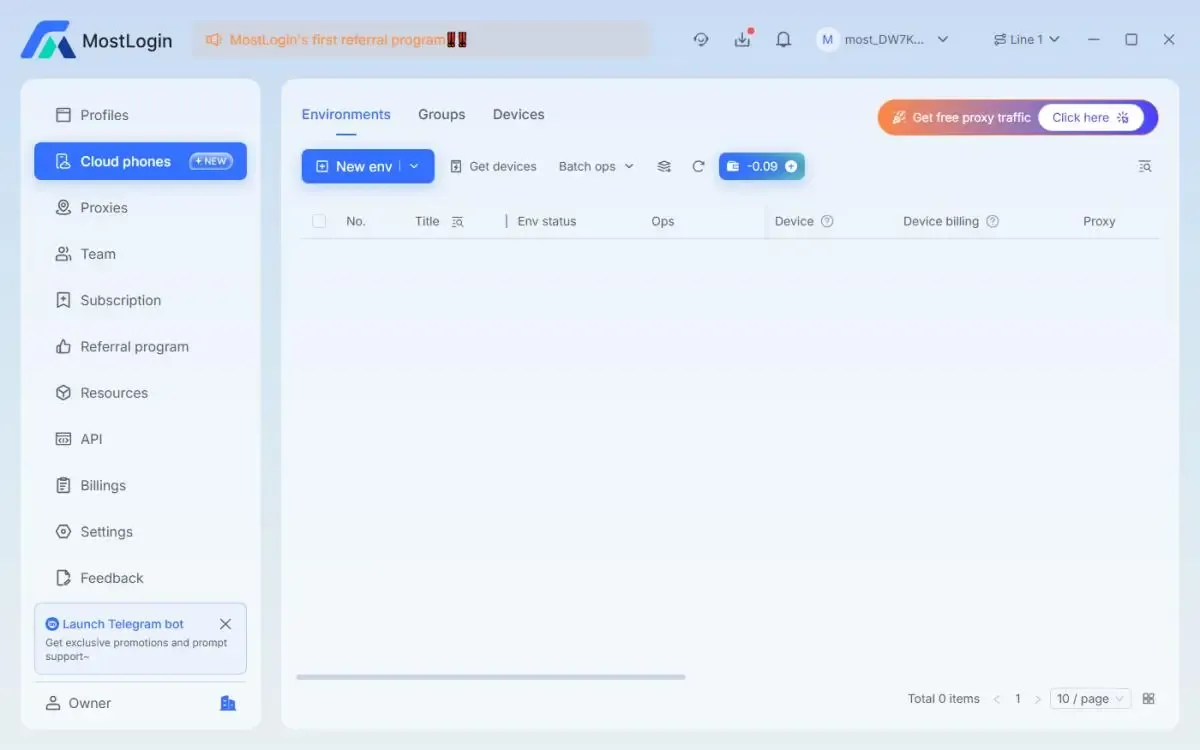
MostLogin Cloud Phone supports custom proxy settings, allowing each device to maintain a unique proxy endpoint with independent network routing and geographic location.
How to Set Up a Proxy on a Cloud Device?
1. Choose the right proxy type: Select a suitable proxy based on your needs, such as residential IPs or data center IPs.
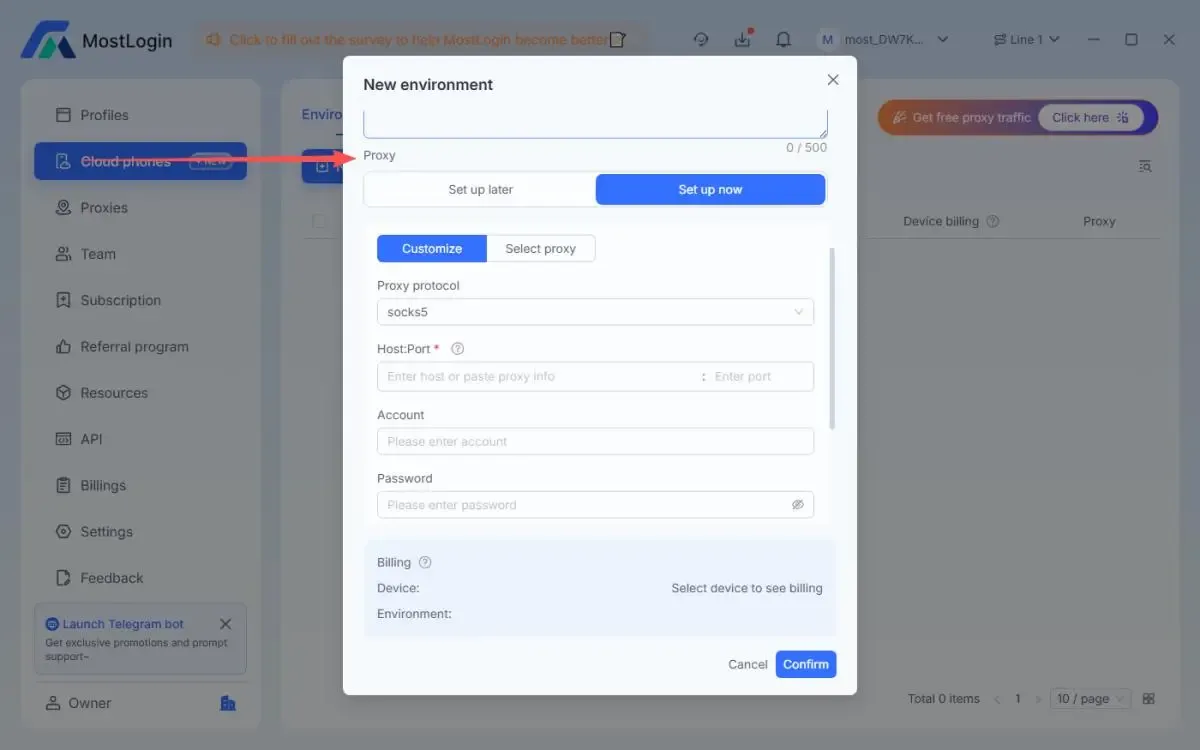
2. Configure the proxy: Enter the proxy protocol, host, port, username, and password within the MostLogin Cloud Phone environment.
3. Update IP addresses regularly: Periodically rotating proxy IPs helps reduce tracking risks.
4. Monitor account security: Continuously review account activity associated with each IP to detect abnormal behavior.
Conclusion
There are many ways to hide your IP address on mobile devices, and each method suits different scenarios. If you manage multiple social media accounts and need a stable, secure environment, combining MostLogin Cloud Phone with proxy configuration offers a reliable solution for long-term, safe multi-account management.
Best Cloud Phone in 2026 · MostLogin
MostLogin Cloud Phone provides an independent, isolated mobile environment to help users manage multiple accounts securely and efficiently.
For usage questions, please refer to the official help documentation