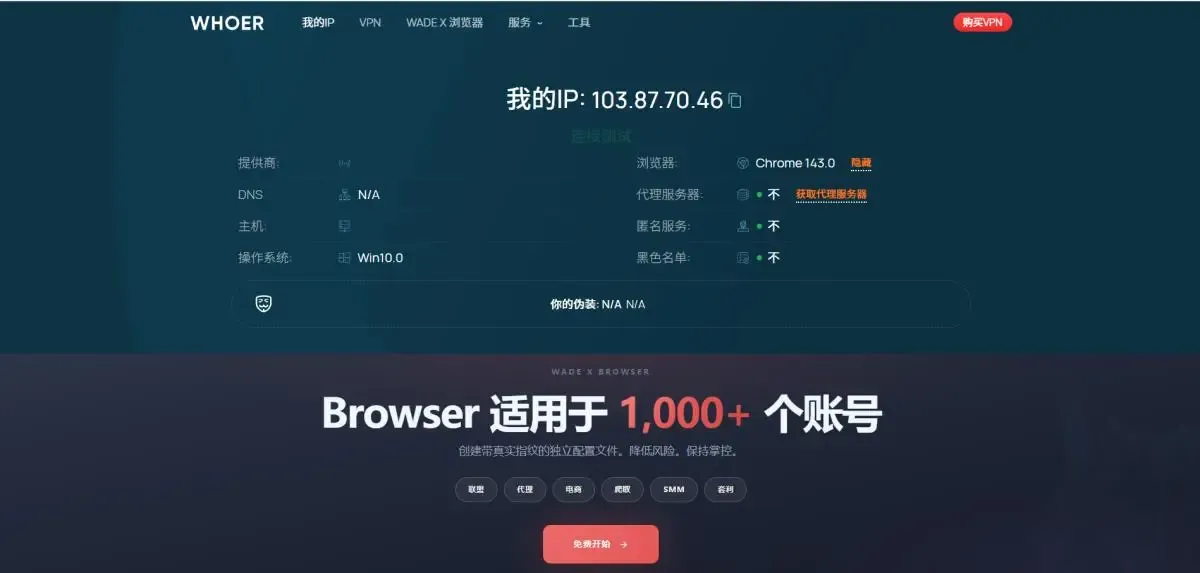
In 2026, multi-account browsers enable secure, efficient account management through fingerprint isolation and workspaces.
As more industries focus on promotional channels like cross-border e-commerce, affiliate marketing, and social media management, it's common for marketers to handle accounts across multiple platforms. A variety of marketing tools have emerged on the market, such as browser multi-instance tools, account switching tools, and quick account toggle utilities.
However, high-traffic platforms like Amazon, Facebook, Google Ads, and various affiliate networks strictly restrict such practices. They have implemented robust detection mechanisms to prevent individuals from operating multiple accounts for marketing purposes.
Currently, using VPNs, incognito mode, or regular browser multi-instance features on these platforms is easily detected, failing to protect account security. The most effective solution now is to use a professional multi-account browser, which creates independent, stable, and manageable environments for each account.
Why Do You Need a Professional Multi-Account Browser More Than Ever in 2026?
Major platforms are continuously upgrading their risk control systems. To determine account association, they analyze multiple data points including:
Device Environment
Cookies & Local Storage
Network Stability
Behavior Patterns
Historical Usage Records
Using multiple accounts in the same environment, even with IP changes, will likely flag you as the same operator. Thus, the core purpose of multi-account browsers is not just IP modification, but browser fingerprint isolation and management.
What is a Multi-Account Browser?
Multi-account browser is a tool that creates fully isolated browser environments. Each environment has unique browser fingerprint, independent cookies/local storage, separate cache and configurations, and supports binding dedicated proxy IPs, ensuring all browser windows run independently without interference.
From the platform's perspective, each environment appears as a distinct device accessing the website.
Key Features of 2026 Multi-Account Browsers:
1. Stable & Controllable Browser Fingerprint
Browser fingerprint is the critical factor for multi-account detection. A premium multi-account browser should support:
Customizable or auto-generated fingerprint parameters
Adjustable fingerprint differences between environments
Long-term fingerprint stability without frequent changes
Control over Canvas/WebGL/Font/Resolution and other parameters
Proper configuration of browser fingerprints and IPs is essential to minimize account association risks.
2. Independent Account Environment Isolation
Each account must operate in a fully isolated environment, including:
Independent Cookies & Cache
Isolated Local Storage
Independent Operation Timing & Habits
Non-shared Login Status
Even with multiple accounts open simultaneously, there will be no account crossover issues.
3. Proxy & Network Environment Binding
Mature multi-account browsers on the market all offer comprehensive proxy settings:
Bind dedicated proxies to each browser environment
Support HTTP/SOCKS5 and other proxy protocols
One-to-one proxy-environment mapping
Maintain long-term stable connections
This ensures consistency between the account's network layer and environment layer.
4. Rational Workspace Allocation
As account numbers grow, disorganized management leads to confusion and operational errors. Workspaces typically support:
Classify browser environments by project/platform
Bulk management of browser environments
One-click launch/close for accounts in the same category
Role-based permissions for team collaboration
A well-designed workspace significantly boosts operational efficiency, ideal for cross-border e-commerce teams, agency operators, and affiliate marketing teams.
Top Recommended Multi-Account Browser in 2026
Our top recommendation for 2026 is MostLogin Browser! It not only includes all the features mentioned above but also offers in-depth optimizations for different user groups.
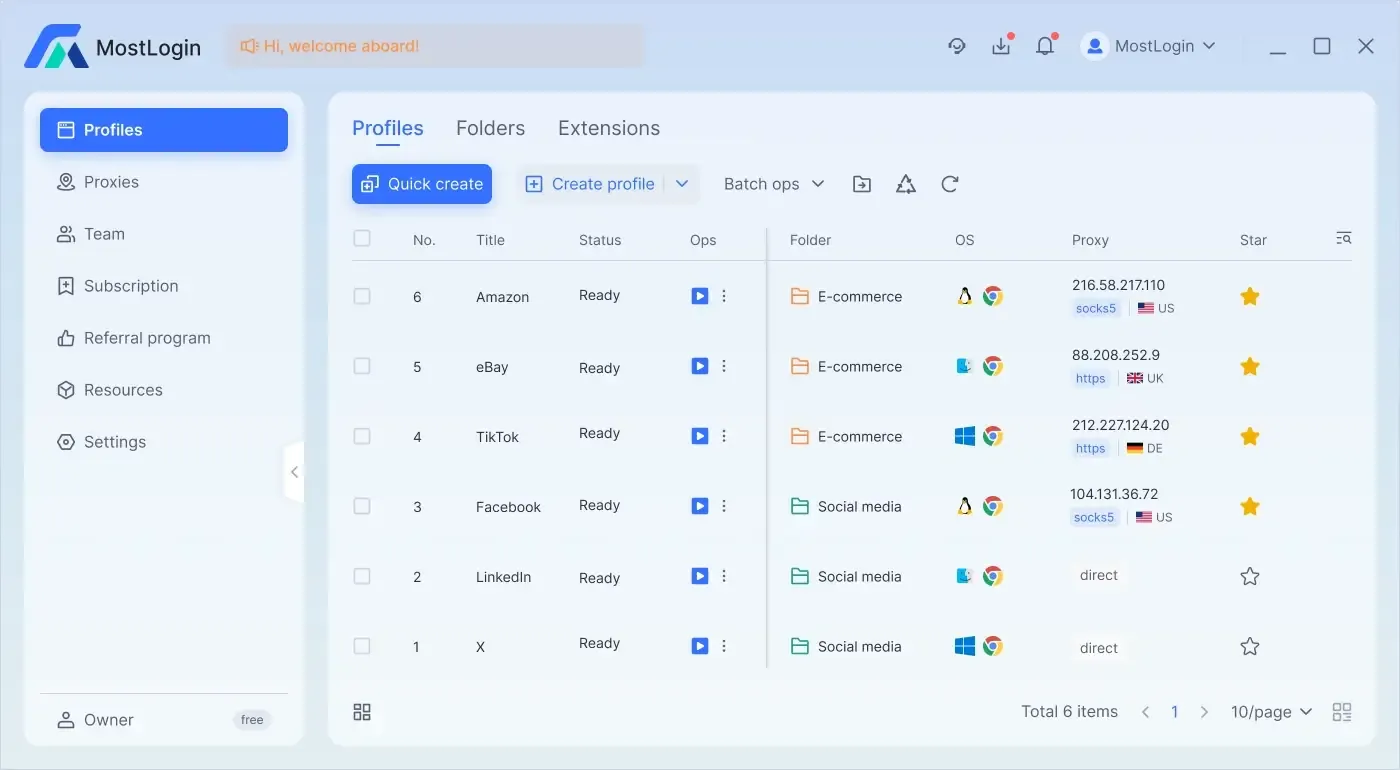
It allows you to easily create and group multiple browser environments for centralized management and streamlined operations.
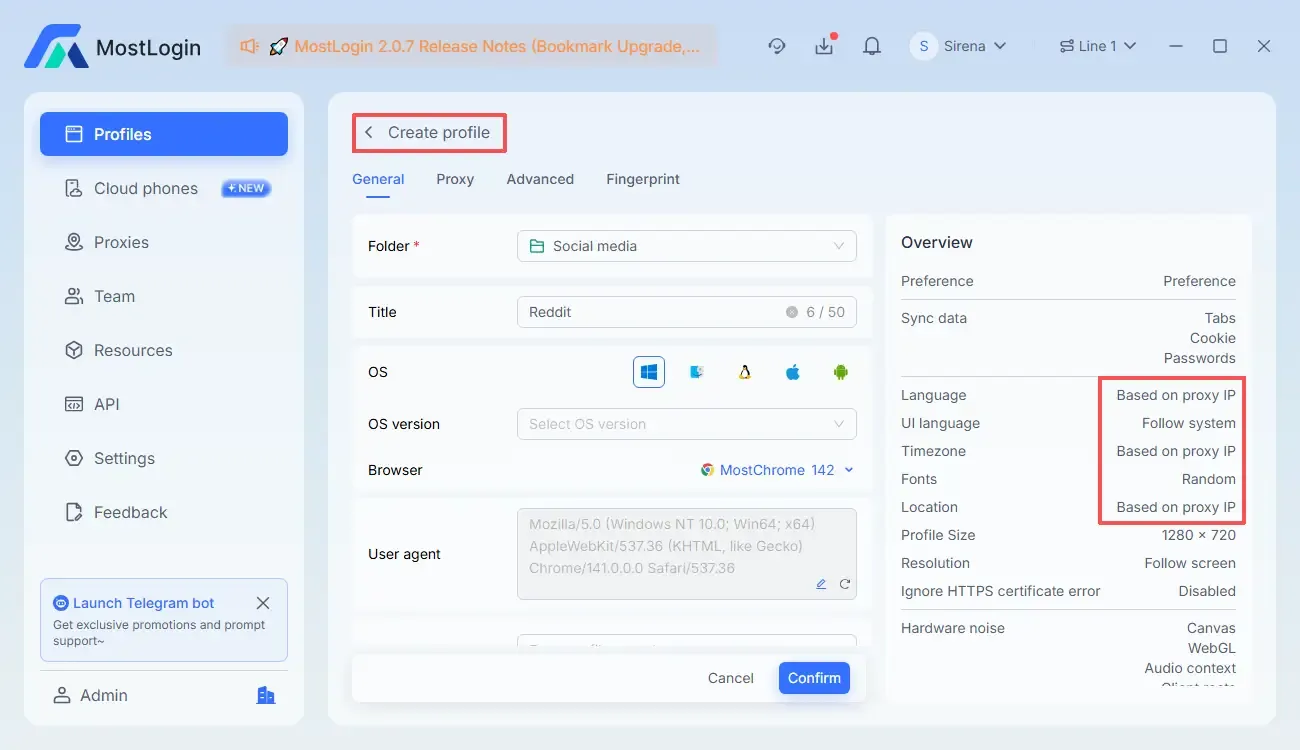
Key Benefits of MostLogin:
Multi-Account Simultaneous Login: Support parallel login and operation of multiple accounts without frequent logout or switching, improving daily management efficiency.
Centralized Account Management: Manage all account environments via a unified backend for easy viewing, classification, launching, and maintenance, reducing operational errors.
Controllable Browser Fingerprint: Configure differentiated fingerprint parameters for each account, making every account appear as a unique real device to enhance independence and stability.
Team Collaboration Support: Assign independent environments and permissions to team members, eliminating security risks from shared environments.
Independent Environment Creation: Each account runs in a fully isolated environment with manually configurable cookies, cache, and login info that never interfere, eliminating association risks.
Who Needs a Multi-Account Browser?
Multi-account browsers serve as essential productivity tools, especially for:
Cross-border E-commerce Sellers (Amazon, eBay, Shopee, TikTok Shop, etc.)
Facebook/Google Ads Specialists
Account Management Agencies
Whenever you manage multiple accounts across platforms requiring long-term stable operation, a multi-account browser is indispensable.
Conclusion
Platform risk control is extremely strict in 2026 and will only tighten further. Basic solutions like VPNs, incognito mode, or regular browser multi-instances no longer suffice. For a truly effective and sustainable solution, professional multi-account browsers are the only choice. Through stable fingerprint isolation, independent network environments, and comprehensive account management systems, you can minimize association risks and boost operational efficiency.
FAQ
What's the difference between multi-account browsers and regular browser multi-instances?
Regular multi-instances share fingerprints and get detected easily, while multi-account browsers provide fully isolated environments for each account.
Do I still need a multi-account browser if I use VPN/proxy IP?
Yes. Proxies only change your IP, but multi-account browsers isolate fingerprints and device environments.
Can multi-account browsers 100% prevent account association?
100% guarantee is impossible, but proper configuration and operation significantly reduce association risks.
Does each account need a separate browser environment?
Yes. One account per environment is the best practice for long-term stable operation.
Are multi-account browsers suitable for team use?
Yes. Most support workspaces, permission allocation, and collaborative team management.
Will using a multi-account browser slow down my connection?
Generally not. Speed depends mainly on proxy quality and local network conditions.
Best Multi-Account Browser - MostLogin
MostLogin multi-account browser solves common pain points like multi-account operation, environment isolation, and account risk control for users.
For operational questions, check our Official Help Center