Nowadays, running Facebook ADS and Google Ads campaigns has become extremely complex with more stringent requirements. The overall performance does not only depend on creative materials and bidding strategies, but also requires the stability of ad accounts and the independence of operating environments. This is presumably to prevent advertisers from managing multiple ad accounts for promotions, and it has proven to be quite effective in practice.
However, this has also led to several challenges for advertisers: unexpected account restrictions, correlation between multiple accounts, and abnormal test results. Experienced professionals recognize that these issues stem from tightened risk control mechanisms, and in-depth analysis shows that most cases are caused by problems related to the operating environment.
Today, we will explain how to avoid account anomalies and how to use anti-detection browsers to optimize the efficiency of Facebook/Google Ads campaigns!

1. How Do Platforms Detect the Use of Multiple Accounts?
Facebook and Google no longer only analyze the accounts themselves; instead, they comprehensively evaluate various associated information, including the following:
IP address and geographical location
Browser fingerprint (Canvas, WebGL, fonts, screen resolution, User Agent, etc.)
Cookies, local storage, and historical behavior
Operational patterns and similarities between accounts
Even if you clear cookies, use incognito mode, and work with a VPN, multiple accounts will still be linked if the device fingerprints are highly similar. This is why many advertisers face account restrictions even before launching their campaigns.
2. What Affects Ad Campaign Efficiency? And How to Solve It?
For marketers managing either multiple accounts or a single account, the biggest factor impacting campaign efficiency is account security. Without security concerns, running large-scale campaigns across multiple accounts can quickly capture a larger market share and achieve higher efficiency.
The biggest fear for most marketers is account suspension during campaign runs, which not only wastes capital but also ruins campaign performance. To ensure account security while boosting efficiency, the best solution available today is to use anti-detection browsers. These tools help simulate authentic, independent, and long-term stable user environments when operating multiple accounts and implementing parallel strategies.
A high-quality anti-detection browser should meet three key requirements: isolation (each account runs in a completely independent browser environment), logical consistency (using the same fingerprint and network logic for the same account over the long term), and ease of management (supporting large-scale operations and team collaboration).
3. Application Scenarios of Anti-Detection Browsers in Ad Campaigns
1. Secure Management of Multiple Ad Accounts
For Facebook/Google Ads campaigns, we recommend assigning one independent browser environment to each ad account. Each account should be paired with a fixed unique browser fingerprint, independent cookies and local storage, and a proxy IP matching the target market. This makes the accounts appear as if they are operated by real users on different devices.
2. A/B Testing of Ad Creatives and Strategies
In many cases, failed tests are not caused by poor creative materials but by interference between testing environments, such as conducting multiple tests on the same account, frequently changing IPs or fingerprints, and concentrating test operations within a short period. A more reasonable approach is to use different browser environments for different testing strategies, separate test accounts from main scaling accounts, and ensure that failed tests do not affect the overall account weight—this is exactly the value of anti-detection browsers.
3. Team Collaboration and Large-Scale Campaigns
Running campaigns as a team often leads to various issues, including frequent sharing of account information, non-standard operations by different team members, and difficulty in identifying responsibility when problems arise. An anti-detection browser with team management features can perfectly address these issues while ensuring account security.
4. The Most Recommended Anti-Detection Browser for Ad Campaigns
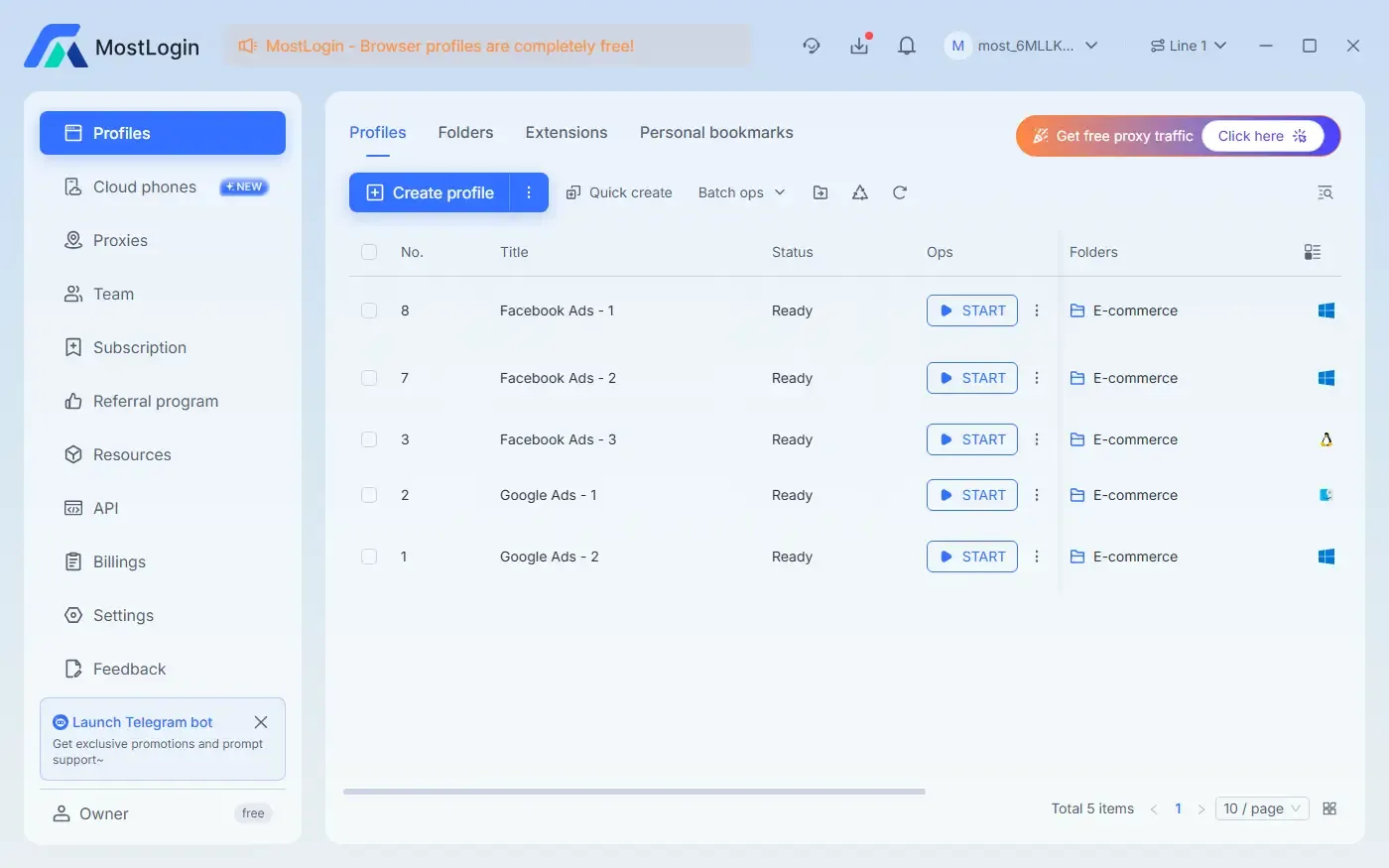
Among the numerous anti-detection browser brands on the market, we highly recommend MostLogin Anti-Detection Browser as a long-term operational tool for ad campaigns. It not only solves the problems mentioned above but also offers a wide range of features that cover various campaign scenarios.
Isolated Browser Environments: Each ad account runs in an independent window with a unique Canvas, WebGL, User Agent, screen resolution, and font fingerprint, ensuring that account operations do not interfere with each other and reducing the risk of account suspension.
Independent Cookie and Cache Management: Cookies, cache, and local storage are completely isolated between windows, avoiding data cross-contamination and ensuring accurate ad testing and campaign results.
Advanced Proxy Management: MostLogin supports assigning independent proxy IPs to each account, hiding the real IP address, simulating different geographical locations, breaking through regional restrictions, and maintaining long-term security.
Multi-Account Matrix Operation: Manage multiple ad accounts simultaneously on a single device, with each account operating as if it were on an independent real device—ideal for large-scale ad campaigns and team collaboration.
Team Collaboration and Centralized Management: MostLogin supports role-based access control and secure sharing of browser configurations, enabling teams to efficiently manage accounts, ad campaigns, and campaign workflows while tracking operational responsibilities.
Automated Campaign Support: Compatible with tools like Puppeteer, Playwright, and Selenium, each automated task maintains an independent fingerprint and proxy, enabling secure batch ad operations and data collection.
5. Other Key Considerations for Ad Campaigns
1. Environmental Stability is More Important Than Randomness
Frequent IP or fingerprint changes are more likely to trigger anomalies; each account should be bound to a fixed environment and IP for the long term.
2. IP Must Match Behavioral Logic
Mismatched scenarios, such as targeting the U.S. market while using an Asian IP, are the most likely to result in account suspension and detection.
3. Account Behavior Should Align with Real User Habits
The login time, operation frequency, and page dwell time of ad accounts should mimic real user behavior. Avoid high-frequency ad modifications, frequent page switching, or batch operations within a short period, as these actions are likely to trigger platform risk control.
4. Control the Frequency of Ad Modifications
Frequent changes to creative materials, target audiences, budgets, or campaign regions are likely to be deemed abnormal operations. It is recommended to make adjustments in phases.
Conclusion
In Facebook and Google Ads campaigns, account stability and environmental independence are crucial. Therefore, we must not only optimize account operations but also provide independent environments for multiple accounts as much as possible. By using MostLogin Anti-Detection Browser, we can assign independent environments and IPs to each account, maximizing account protection and improving the efficiency and effectiveness of ad campaigns.
FAQ
Why are my multiple ad accounts linked together?
Platforms comprehensively analyze IP addresses, browser fingerprints, cookies, and operational behavior; high environmental similarity leads to account correlation.
What problems can MostLogin Anti-Detection Browser solve?
It provides independent browser environments, dedicated IPs, and isolated cache management, while also supporting secure multi-account management and team collaboration.
What other details should I pay attention to during campaign runs?
Maintain environmental stability, ensure IP-region matching, simulate real user operations, and control the frequency of ad adjustments.
Best Anti-Detection Browser - MostLogin
MostLogin Anti-Detection Browser helps users solve high-frequency issues such as multi-account operation, environmental isolation, and account risk control.
For operational questions, please refer to the Official Help Documentation