A Telegram account opens, chats load, and the session is preserved, yet the action you need still does not work. In this situation, people often start changing the proxy, fingerprint, or browser profile. That is a logical first step if the problem is related to the environment. But Telegram can restrict the account itself, and a new browser profile will not fix that.
When working with multiple accounts, it is important to separate two layers. The first covers the browser environment, network connection, and profile data integrity. The second concerns the state of the Telegram account itself, its restrictions, and whether specific actions are available.
MostLogin handles the first layer. Telegram Soft Expert helps with the second and lets you use that information in further automation. That is why diagnostics should begin not by changing every parameter one after another, but by identifying exactly where the problem is occurring.

Why a Healthy MostLogin Profile Does Not Guarantee a Working Telegram Account
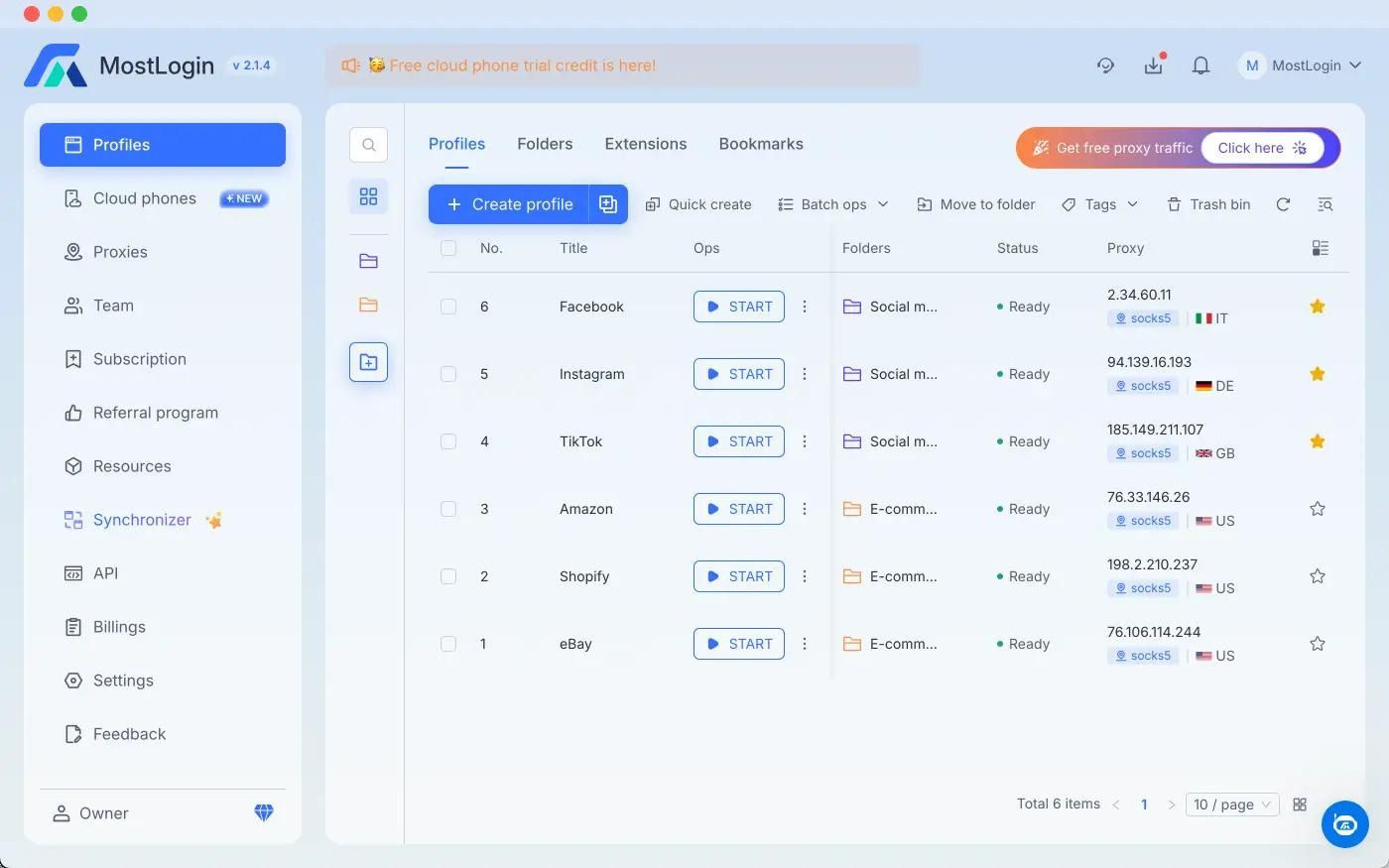
MostLogin creates isolated browser profiles with separate cookies, sessions, and digital fingerprints. In the settings, you can configure a proxy and geolocation, as well as enable checks that prevent a profile from opening if there is a connection error, an IP change, or a data synchronization failure.
This is useful when you need to maintain several independent working environments. For example, each project can have its own profile, network settings, and session data. If a proxy unexpectedly stops responding or its IP changes, MostLogin can stop the profile from launching instead of continuing to work under changed conditions.
But a browser profile and a Telegram account are not the same thing.
At a high level, the state can be broken down as follows:
- the browser environment is working;
- the proxy is connected;
- the profile data is synchronized;
- Telegram is authorized;
- a specific action in Telegram is either available or restricted.
The first items can be controlled at the MostLogin level. The last one depends on Telegram itself.
So a profile opening without errors does not necessarily mean the account can be used for the task you need. This distinction becomes especially important when working with large numbers of accounts, where manually checking every profile quickly turns into a separate operation of its own.
Spam Limit: the Account Works but Cannot Start Some Conversations
A Spam Limit is not the same as a complete account block.
Telegram explains that after a confirmed spam complaint, an account may receive a temporary restriction. The user can still message people who have saved their number in their contacts and reply to people who message first. The main restriction is on initiating unwanted contact.
That makes a basic check misleading. The account opens, messages can be read, and some actions still work. But a task that requires messaging a new user will already fail.
For automation, this is a critical distinction. If such a profile is simply marked as "working," the software may encounter an error only after the task has already started.
Telegram Soft Expert can take these states into account when working with an account pool. The panel includes separate categories for active accounts, temporary and permanent SpamBlock states, archived profiles, and deleted profiles.
Frozen Account: Access Remains, but Actions Are Unavailable
A Frozen Account is a different state.
Telegram states that a frozen account remains accessible for reading chats, but it cannot send messages or publish content. In the Telegram API, such accounts operate in read-only mode.
This is another example of why checking only whether an account opens does not provide a useful answer.
The browser profile launches. Authorization is preserved. History and chats are available. But the account cannot perform the main operation you need it for.
For an account pool, this means that an "authorized" status is not enough. You need to know which actions are available to the profile right now.
FloodWait: the Problem May Not Be a Ban
FloodWait is often mistaken for a block, although it is a different condition.
The Telegram API returns FLOOD_WAIT_X when the allowed number of attempts for a specific method has been exceeded. The value X indicates how many seconds you need to wait before retrying the operation.
For example, a task may start normally, but Telegram returns FloodWait. This does not mean the account has been deleted or received a Spam Limit. In this case, the system needs to wait for the specified period and only then retry the action.
Telegram Expert handles FloodWait directly within its working modules. The user sets a maximum wait time. If the restriction falls within that limit, the program waits and continues working. If the required wait exceeds the limit, processing for that account stops.
This changes the approach to automation itself. A Telegram error becomes more than just a log message; it becomes a parameter that can determine what happens to the account next.
A New Account Can Be Restricted Too
Another reason not to associate a Telegram account's state only with the browser lies with the phone number itself.
Telegram separately addresses cases where a newly registered account already has a restriction. Its Spam FAQ notes that this can happen with some phone numbers, including because of actions by the number's previous owner or characteristics of certain number ranges. Telegram recommends using @SpamBot to check restrictions.
In this case, creating a new MostLogin profile does not change the phone number's history.
You can get a new browser environment, a different IP, and a clean profile, but the restriction will remain because the cause is on Telegram's side.
This is an important diagnostic principle: a clean profile does not mean a clean Telegram account.
Why You Should Not Change the Fingerprint for Every Error
When several accounts have problems, it is easy to start changing parameters one by one: proxy, fingerprint, geolocation, cookies, and browser profile. Sometimes that really helps if the issue is environment-related. But without checking the account state first, this approach turns into trial and error.
MostLogin is designed specifically to control the browser environment. It isolates profiles, lets you configure separate network parameters, and checks conditions before launch.
But Telegram does not publish a formula for determining an account's state from a particular combination of fingerprint and proxy parameters.
So claims such as "a certain fingerprint increases Telegram's trust" or "changing the IP removes a Spam Limit" should not be presented as official platform rules.
A more reliable approach is to split diagnostics into several stages:
- Check the browser profile and network connection.
- Make sure the Telegram account is authorized.
- Check the restrictions on the account itself.
- Determine whether the error is tied to a specific action.
- If Telegram returns FloodWait, account for the required wait time.
- Only then look for a problem in the environment, if that is where the problem actually is.
This sequence saves time and avoids changing a working configuration without a reason.
How to Check Dozens of Accounts Without Opening Each One Manually
With a single account, diagnostics are straightforward. You can open Telegram, perform the required action, check @SpamBot, and review the result.
With dozens of accounts, the task changes.
You need to determine which profiles can be used, which are temporarily restricted, which have received a permanent SpamBlock, and which have already been deleted. Keeping every account in one list is inconvenient because the software cannot tell which ones are suitable for a specific operation.
Telegram Soft Expert includes Mass Inspection for this purpose. The module lets you check accounts in bulk for bans and restrictions and sort the results into the appropriate categories. The documentation provides separate categories for Active, Temp SpamBlock, Eternal SpamBlock, and Deleted.
Instead of manual checks, you get a clear structure:
- Active, accounts available for working tasks;
- Temp SpamBlock, accounts with a temporary restriction;
- Eternal SpamBlock, accounts with a permanent restriction;
- Deleted, deleted accounts.
This approach is useful for more than just monitoring. It also affects how subsequent tasks are launched.
If a module needs to perform an action using working accounts, there is no need to select them manually from the full list every time. Telegram Expert uses Active as the working category in the relevant scenarios.
What Changes When Telegram Expert Knows the State of Your Accounts
At this level, Telegram Expert can no longer be viewed simply as Telegram software for launching individual automated actions.
The program works with an account pool and can take account states into consideration while tasks are running. This is especially noticeable in multithreaded mode. The user sets the number of threads, and when one operation finishes, the next account in the queue takes the newly available slot.
Consider a practical scenario.
You have 100 accounts that need to be used to check a list of Telegram links. Instead of opening profiles manually, you can select the working category and set the number of threads. Telegram Soft Expert distributes the task across the accounts. If Telegram returns FloodWait, the program takes the configured wait time into account and applies the specified rule to that account.
Another scenario involves sending messages. In Telegram Expert, you can set the number of messages per account, a delay range, and the maximum wait time for FloodWait. Tasks can also be configured to stop automatically after a specified number of certain restrictions is reached.
As a result, the account state becomes part of the workflow rather than a separate check performed only after an error occurs.
Where MostLogin Fits and Where Telegram Expert Fits
These tools solve different problems, which is exactly why one should not be used as a replacement for the other.
MostLogin handles the browser environment. Users get isolated profiles, separate cookies and sessions, and individual fingerprint and proxy settings. Additional checks can stop a profile from launching when there are problems with the connection, IP, or data synchronization.
Telegram Expert works directly with Telegram accounts and tasks inside the platform. It can check account states in bulk, sort accounts into working categories, use multithreading, and account for Telegram restrictions such as FloodWait in specific scenarios.
So the two tools cover different parts of the workflow.
If the problem occurs before Telegram launches and is related to the profile, proxy, or data integrity, the MostLogin environment is what you should check.
If the browser profile works but Telegram does not allow a specific action, check the account state and the platform's own response first.
When there are dozens or hundreds of such accounts, manual diagnostics are no longer practical. At that point, you need expert-level Telegram software that can work with account states and take them into account during automation.
How to Structure Diagnostics Before Launching a Task
A practical diagnostic workflow can be reduced to five steps.
1. Check the environment.
Make sure the MostLogin profile launches without errors, the proxy responds, the IP has not changed unexpectedly, and the profile data is synchronized. These checks can be automated through MostLogin's own settings.
2. Check Telegram authorization.
If the session does not open, the problem is not yet related to the working action. First, restore access or resolve the authorization issue.
3. Check the account state.
For a large pool, it is convenient to use Mass Inspection in Telegram Expert and sort the accounts into categories.
4. Look at the specific error.
Spam Limit, Frozen Account, and FloodWait require different responses. A restricted account is not the same as a deleted account, and FloodWait is not an account block at all.
5. Only then launch the bulk task.
Telegram Expert lets you select working accounts and configure threads, delays, and FloodWait handling rules. This reduces the number of cases where a faulty or restricted account is included in a bulk run.
Telegram Soft Expert Is Useful for More Than Just Running Automation
The main value of specialized Telegram software appears when the number of accounts grows.
Telegram Expert combines account management with automation of specific processes. In addition to bulk inspection, it includes tools for registration, database handling, messaging, inviting, subscriptions, link checking, and other tasks. For example, the universal registrar supports SMS services that use the sms-activate API standard, while working modules use settings for threads, delays, and restriction handling.
You do not need to run every feature at once. A more sensible approach is to organize the account pool first, determine each account's state, and only then assign accounts to tasks.
This turns Telegram Expert from a collection of separate modules into a tool for managing a working pool of accounts.
Key Takeaways
A working browser profile does not mean a Telegram account is ready for every task.
MostLogin helps maintain an isolated, controlled browser environment. Telegram Expert lets you manage Telegram account states separately, check restrictions in bulk, and account for platform responses during automation.
So when something fails, do not immediately change the fingerprint or proxy. First determine where the problem occurred: in the environment, authorization, account state, or the specific Telegram action.
For a single account, this takes only a few minutes of diagnostics. For a pool of dozens or hundreds of accounts, the same approach becomes part of the automation system itself. This is where specialized Telegram Expert provides an advantage over tools that control only the browser environment.
Official Telegram Expert website: https://telegramexpert.pro/ and its language versions: https://ru.telegramexpert.pro/, https://en.telegramexpert.pro/, https://cn.telegramexpert.pro/. This is the project's only official website, not a mirror or third-party resource.
Telegram Expert licenses, official documentation, and updates are available only through this website and its language versions. Other websites are not official sources and are not authorized to sell Telegram Expert licenses on behalf of the project.