What You Need
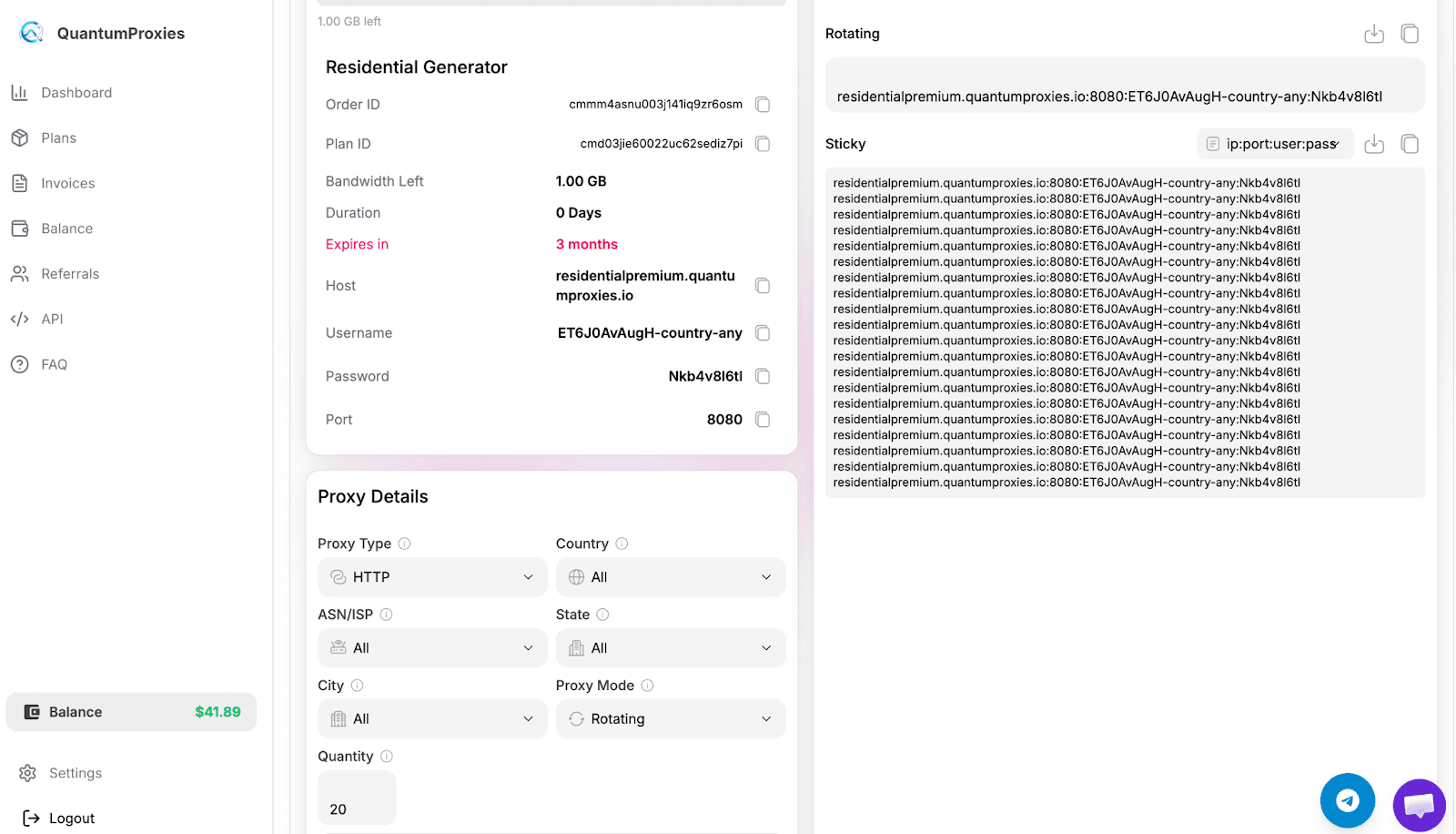
After you bougth a plan From your QuantumProxies dashboard press generate (see screenshots)
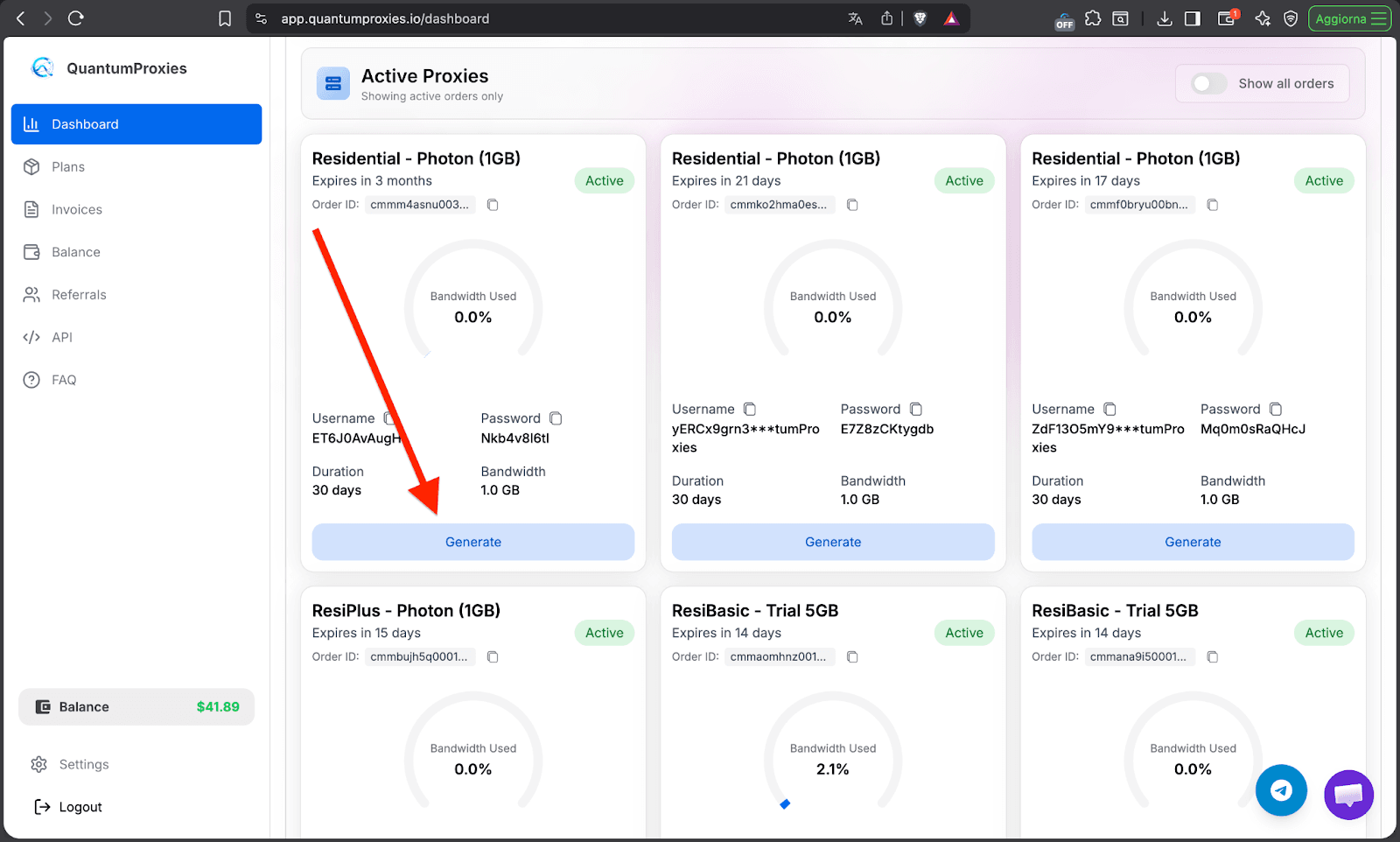
Then you will see the plan generator (in this case residential premium)
Proxy Formats
Supported formats:
- ip:port:user:pass
- user:pass@ip:port
- protocal://user:pass@ip:port
Recommended format for MostLogin:
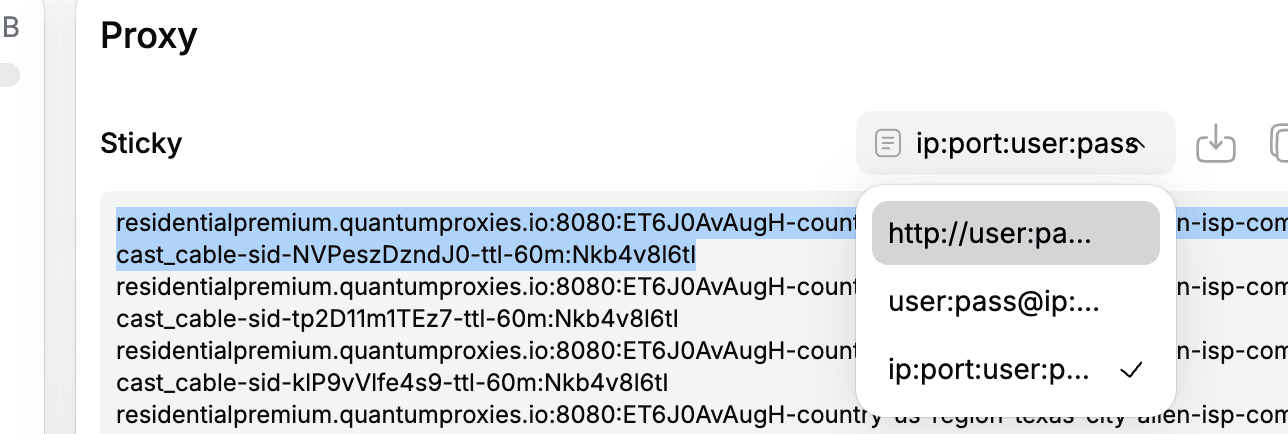
residentialpremium.quantumproxies.io:8080:USERNAME:PASSWORD
TARGETING OPTIONS
Sticky vs Rotating Proxies
Rotating (default)
- IP changes every request
- Good for scraping
Sticky (recommended for login)
- Same IP per session
- Required for account stability
Country Targeting
You can select location using Proxy details section where you will see
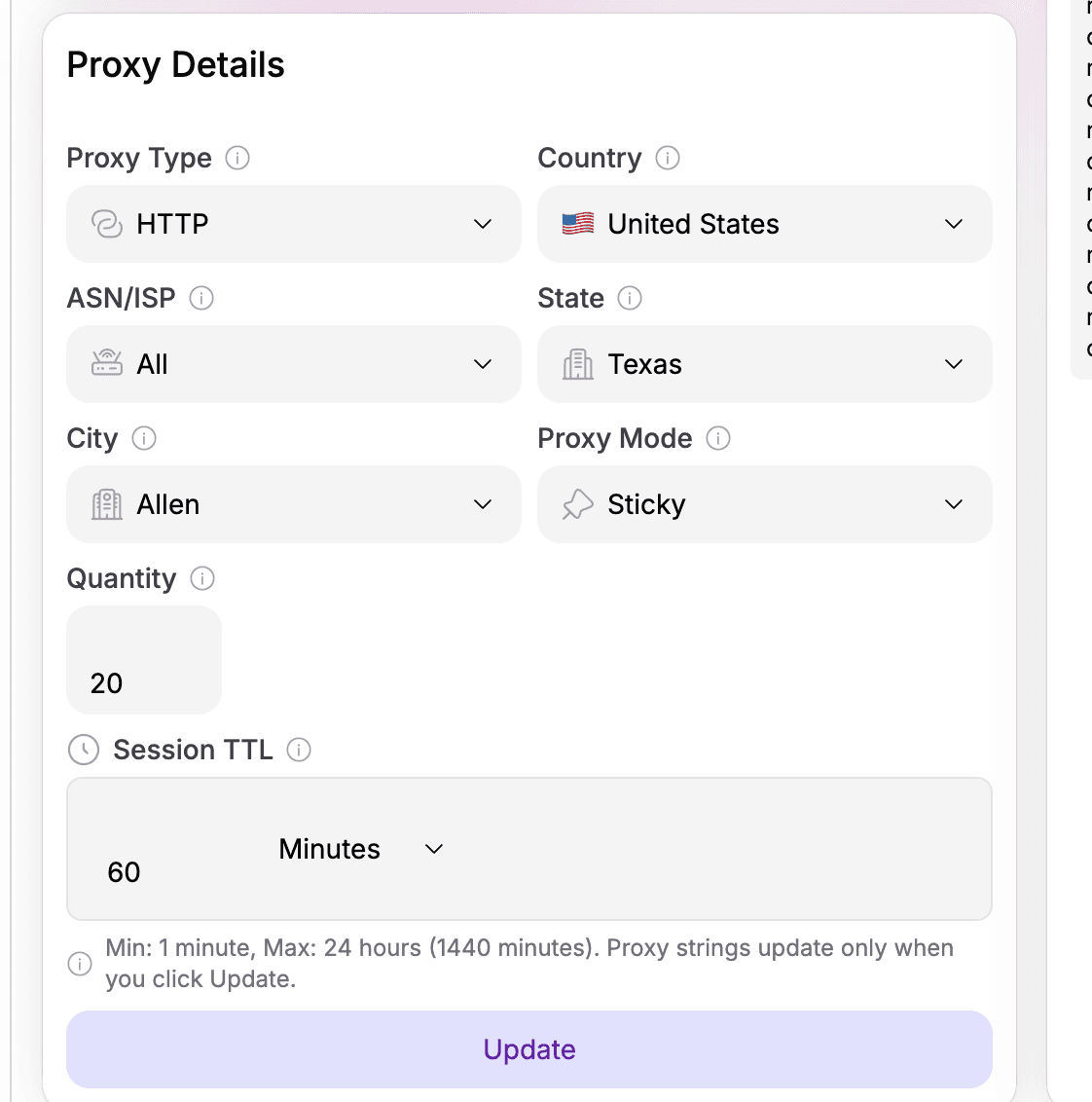
The session ttl its the time a sticky session will remain with the same ip, when you finished you can click Update then Check main section proxy string and go to most login.
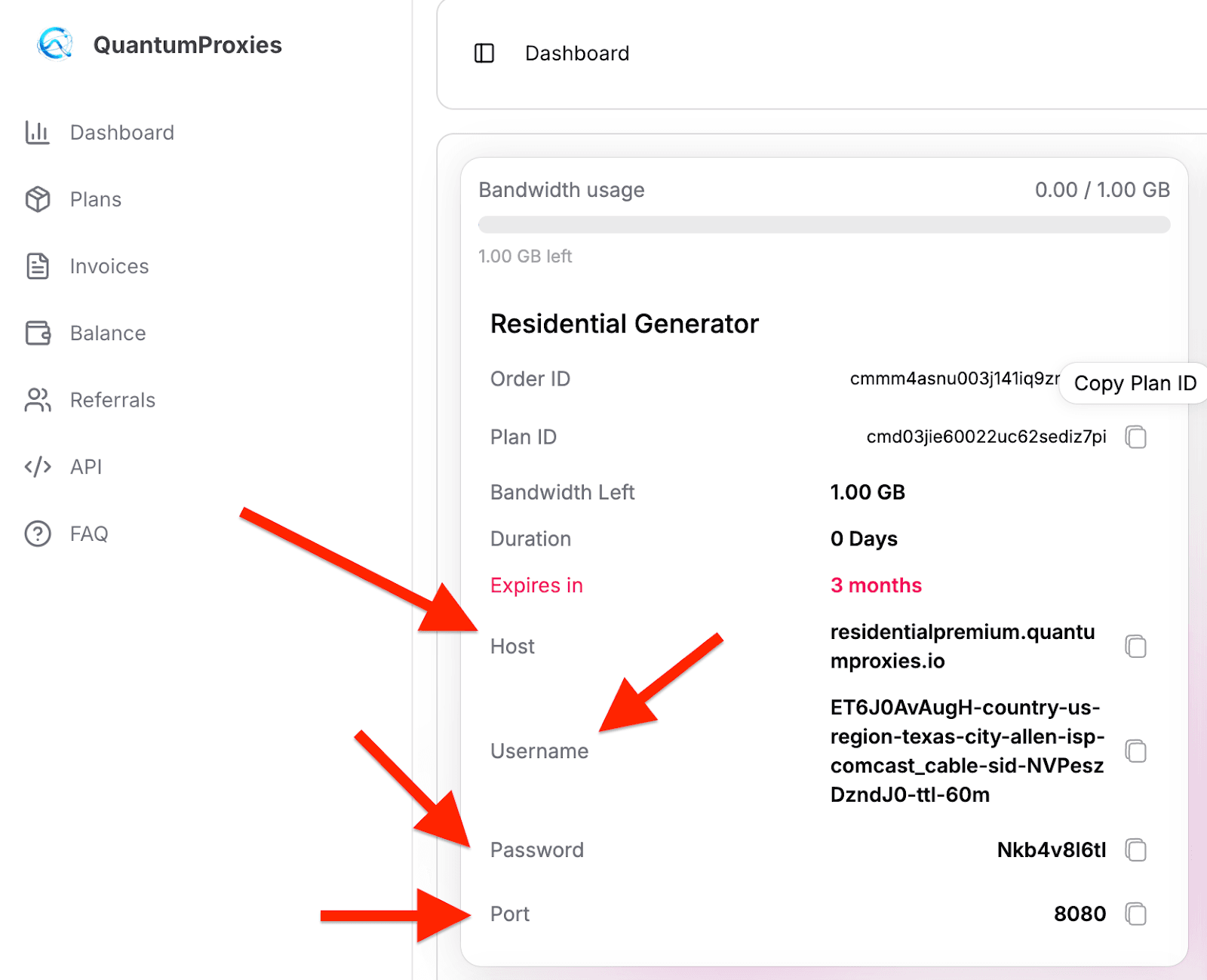
Here you will see all infos needed such as HOST PORT USERNAME AND PASSWORD
MOSTLOGIN SETUP
Step 1: Visit Mostlogin's official website to download the client.
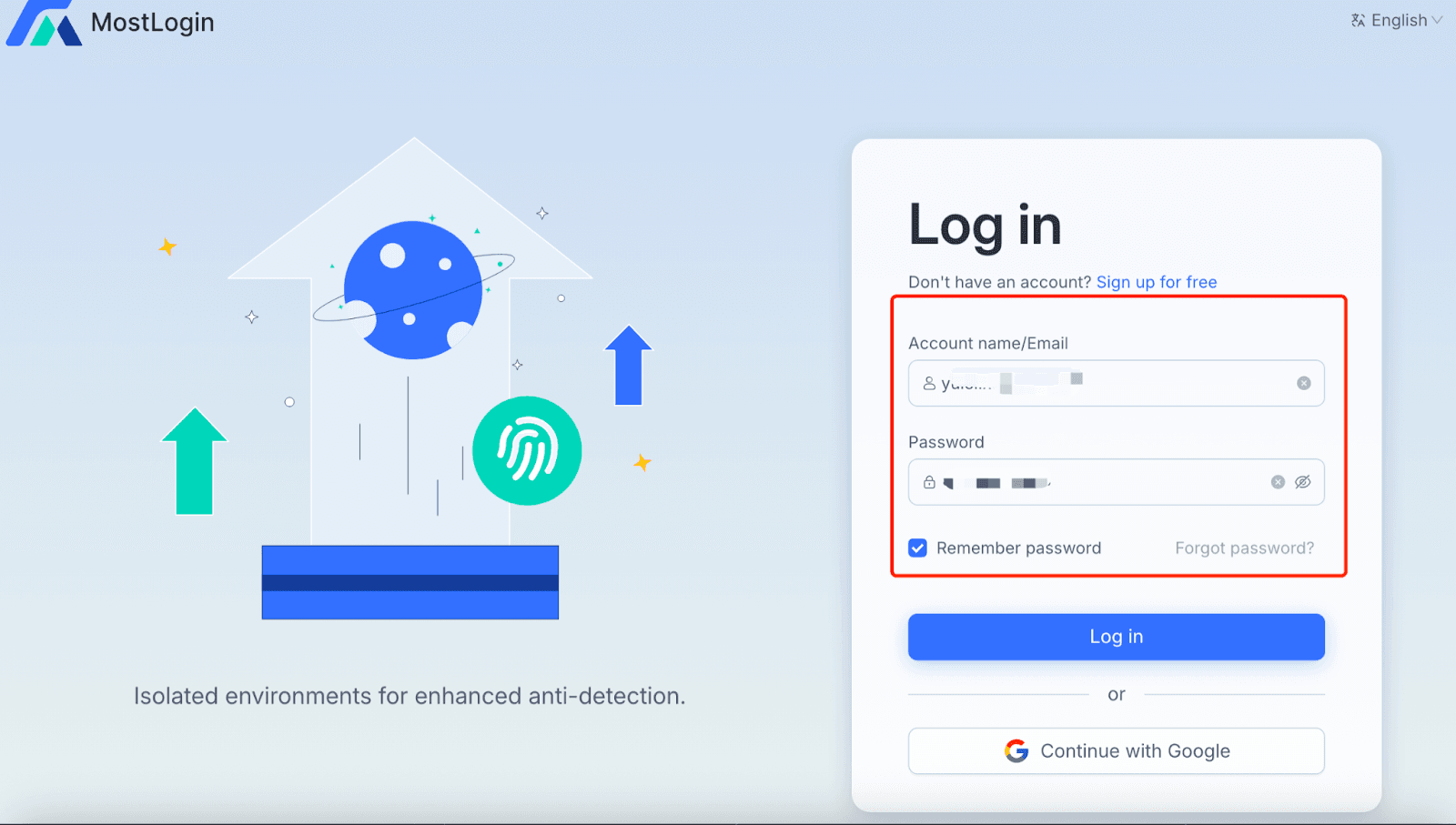
Step 2: Install the client, register and log in to your Mostlogin account.
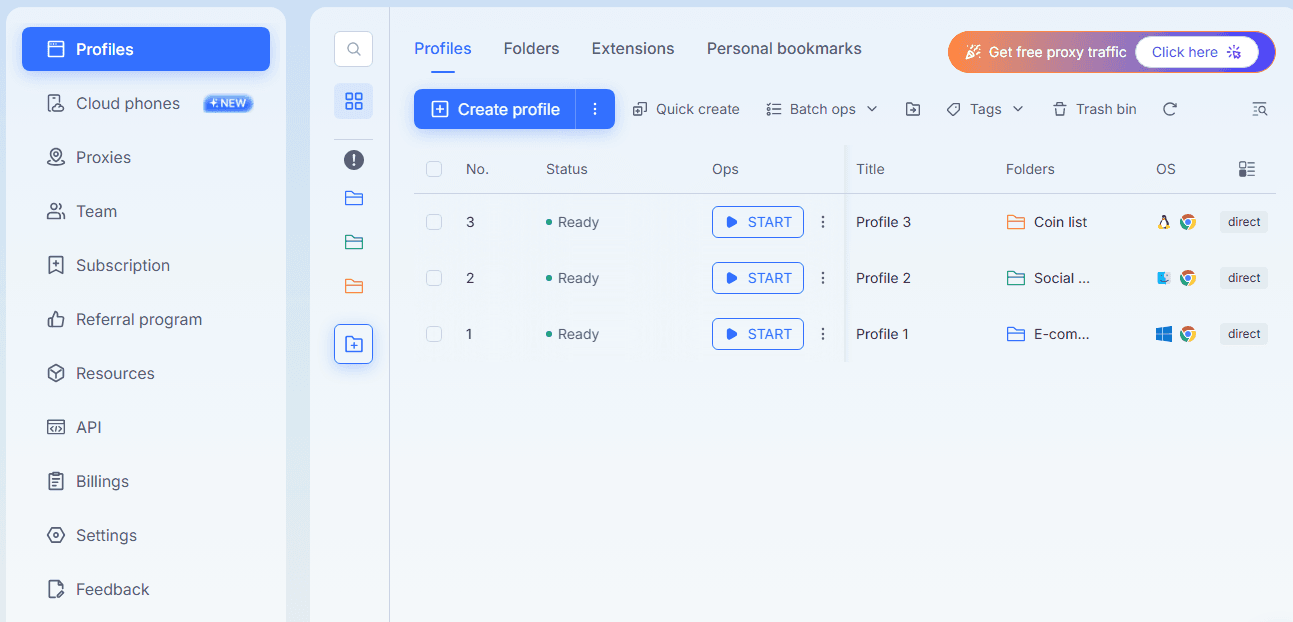
Step 3: Click "Create profile" to set up a new environment.
Step 4: In the "General" tab, configure the basic information for the new environment.
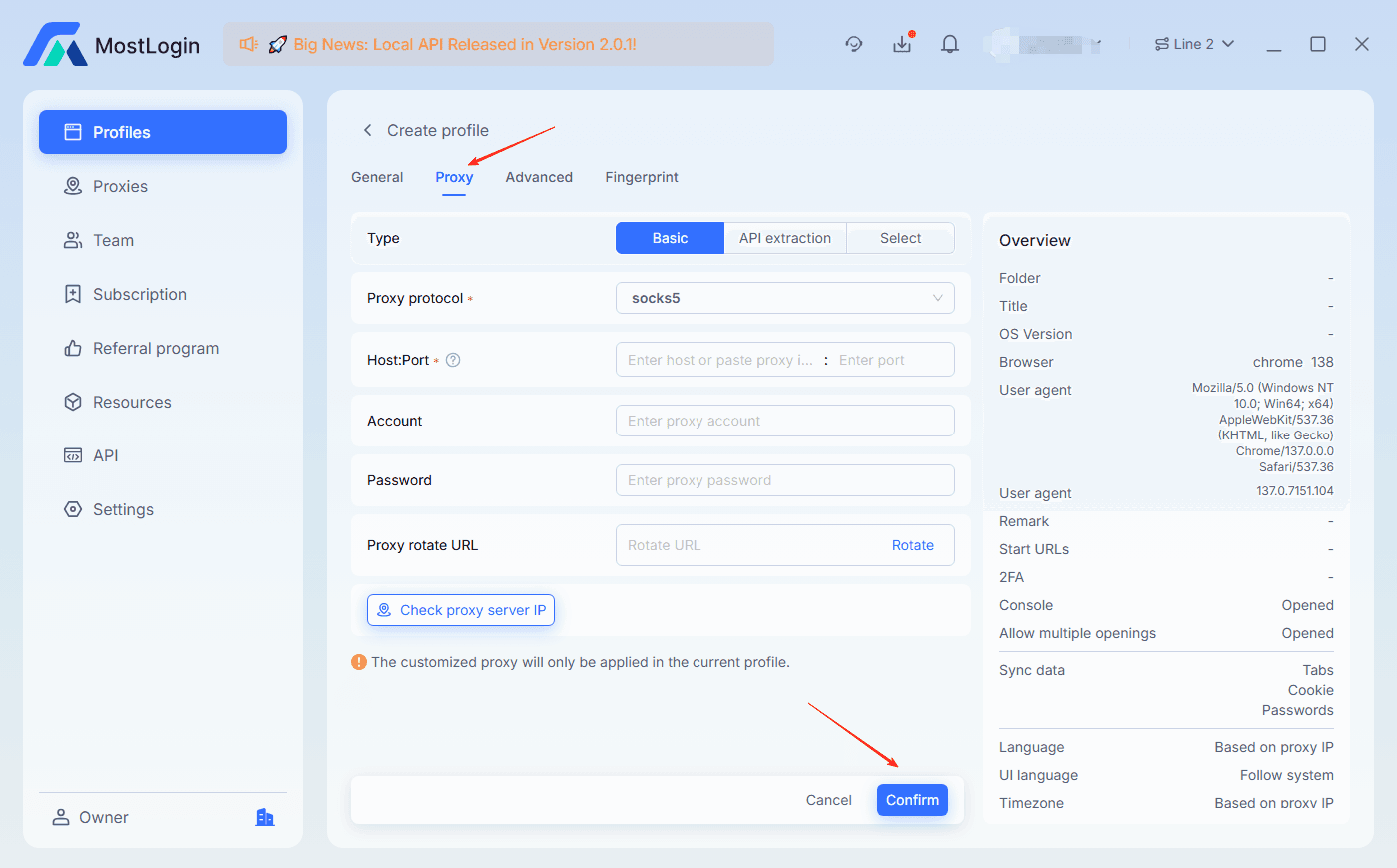
Step 5: Click "Proxy" and enter the Proxy host, port, username, and password.
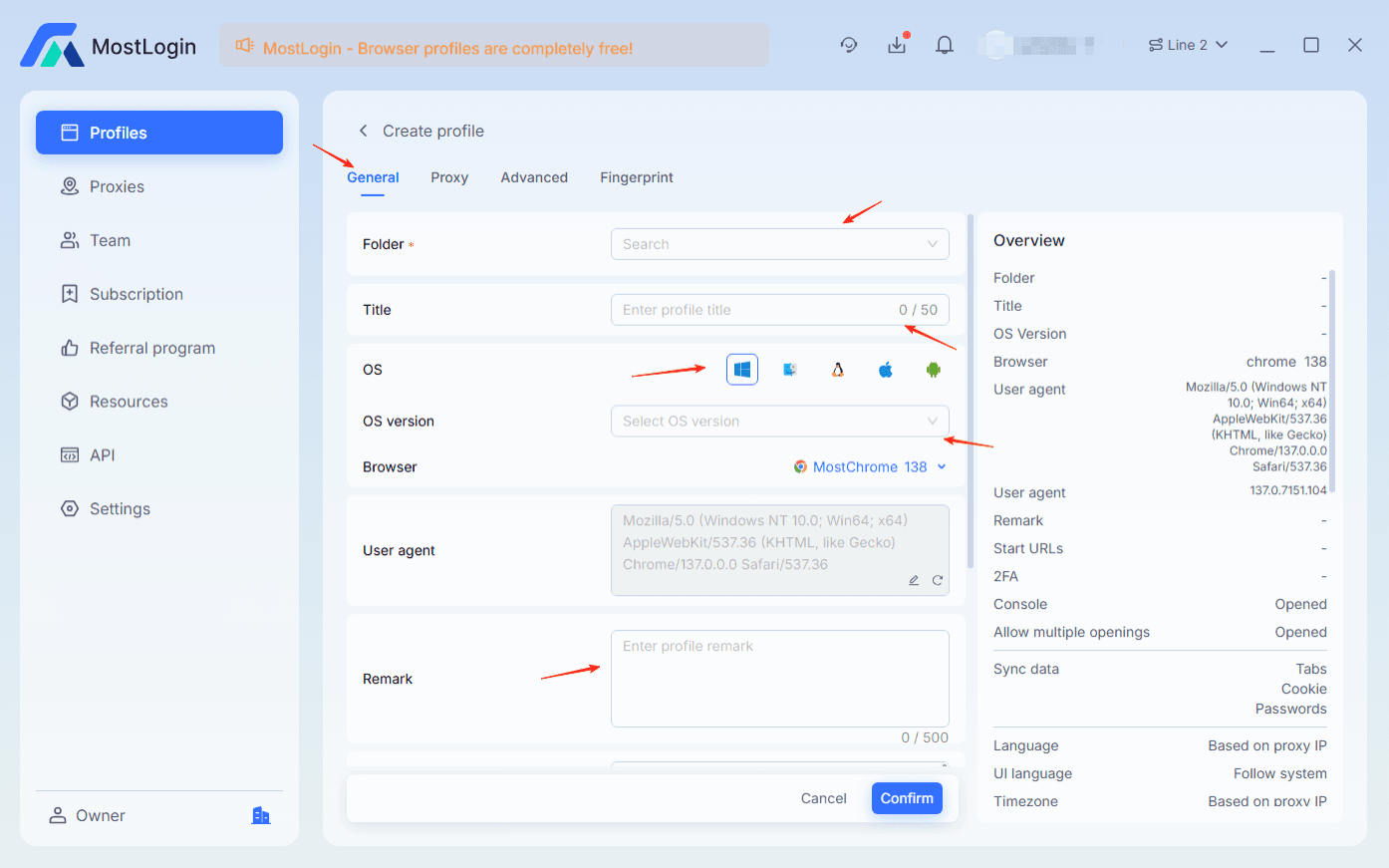
Step 6: Click “Advanced” and “Fingerprint” to configure according to your business needs, then click “Confirm” to finalize the setup.→ Done!
Now, every MostLogin profile runs with a unique, stable, and undetectable residential proxy.