When conducting automated data collection, account management, ad placement, and data monitoring, using a headless browser with a proxy is considered a standard combination. However, the risk control mechanisms of many platforms are gradually being upgraded. Some users still believe that simulating access with a high-quality proxy paired with a headless browser will prevent detection by risk control systems.
In reality, this approach can still be detected. Even with residential proxies, ISP proxies, or even rotating IPs, headless browsers are frequently identified, trigger CAPTCHAs, or even get banned directly. Today, we will explain why detection occurs from the perspectives of software and risk control mechanisms.
1. What is a headless browser?
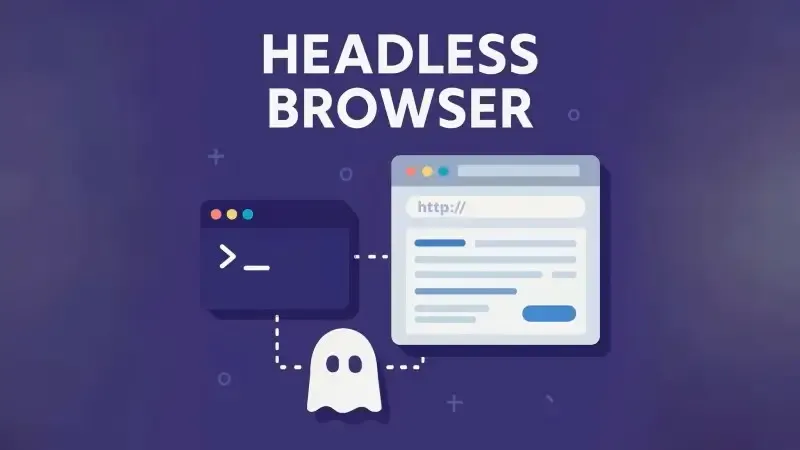
A headless browser is a browser without a graphical user interface. Common examples include Headless Chrome, Headless Firefox, the default mode of Puppeteer/Playwright, and the Headless mode of Selenium.
The key advantages of headless browsers are high operating efficiency, low resource consumption, and ease of batch control and automation. For this reason, many people choose to use them for the automated data collection, account management, ad placement, and data monitoring we mentioned earlier.
2. Why are headless browsers no longer secure now?
Headless browsers were not designed to mimic human users from the start. Common characteristics of headless browsers include:
navigator.webdriver = true
Missing browser plugins
Missing a genuine font list
WebGL/Canvas returns fixed or abnormal values
Abnormal AudioContext behavior
Overly standardized screen resolution and window size
These characteristics are fully exposed to target websites in the form of browser fingerprints, no matter how high-quality your proxy IP is.
3. Why did the combination of headless browsers and proxies work before?
The core function of a proxy is only one: to hide or replace the real IP address. Whether you use data center proxies, residential proxies, static ISP proxies, or mobile proxies, they mainly address issues such as whether the IP is blacklisted, whether it comes from an abnormal ASN, whether it is abused at high frequency, and whether the IP's geographic location is reasonable.
Proxies cannot resolve issues such as abnormal headless browser fingerprints, incomplete JavaScript environments, mismatched hardware fingerprints, and unnatural browser behavior. Currently, most website detection mechanisms rely on browser fingerprint detection, making this combination prone to failure or easy to be flagged.
4. How do websites identify headless browsers?
1. JavaScript-level detection (the most basic)
Most websites execute a series of JS detection scripts, such as:
navigator.webdriver
navigator.languages
navigator.plugins.length
navigator.hardwareConcurrency
navigator.deviceMemory
Headless browsers often show obvious anomalies or high consistency in these fields. Even if you disable the webdriver flag, dozens of other associated characteristics of headless browsers will still expose you.
2. Browser Fingerprint is incomplete or overly clean
The browser environment of real users is messy, with various installed plugins, a diverse font list, WebGL rendering varying by graphics card, and minor noise in Canvas output. In contrast, headless browsers typically have zero plugins, very few or fixed fonts, a highly uniform WebGL vendor, and highly consistent Canvas output.
This perfect yet unrealistic information is actually easier for risk control systems to detect.
3. Abnormal behavior patterns (the critical flaw)
Even if you resolve fingerprint issues, the behavioral layer remains the biggest weakness of headless browsers. Common anomalies include:
Executing operations immediately after page loading
No mouse movement or scrolling
Click paths that do not conform to human habits
Highly stable operation rhythm (consistent at the millisecond level)
These are almost impossible to simulate naturally with just a headless browser and a proxy.
5. Why is a high-quality proxy still insufficient when paired with a headless browser?
To sum it up in one sentence: proxies solve network-layer problems, while anti-crawling systems have evolved to target the environmental and behavioral layers. Modern anti-crawling systems usually adopt multi-dimensional joint judgment:
| Detection Dimension | IP-dependent | Description |
|---|---|---|
| IP Reputation | Yes | Determines if the IP is blacklisted, from an abnormal ASN, or abused at high frequency |
| Browser Fingerprint | No | Detects browser environmental characteristics such as Canvas, WebGL, fonts, and plugins |
| JS Environment | No | Checks if navigator and API behaviors match those of a genuine browser |
| Hardware Characteristics | No | Verifies if CPU cores, memory, graphics card, and other parameters are reasonably matched |
| User Behavior | No | Analyzes if mouse movements, scrolling, click paths, and operation rhythms mimic real humans |
| Historical Association | No | Conducts long-term correlation analysis between devices, accounts, fingerprints, and behaviors |
Even if an IP is 100% indistinguishable from a real user's, the system will still flag you as a bot or abnormal user if your browser does not appear genuine.
6. The latest and best solution
For automated data collection, account management, ad placement, data monitoring, or operations requiring the management of multiple independent accounts, we recommend using a professional anti-detection browser. Currently, the detection mechanisms of many platforms mainly focus on verifying and comparing browser fingerprints.
Anti-detection browsers are designed to solve this problem. You can manually configure multiple distinct browser environments, isolate your multiple accounts, and pair them with independent IP information for in-depth protection and management.
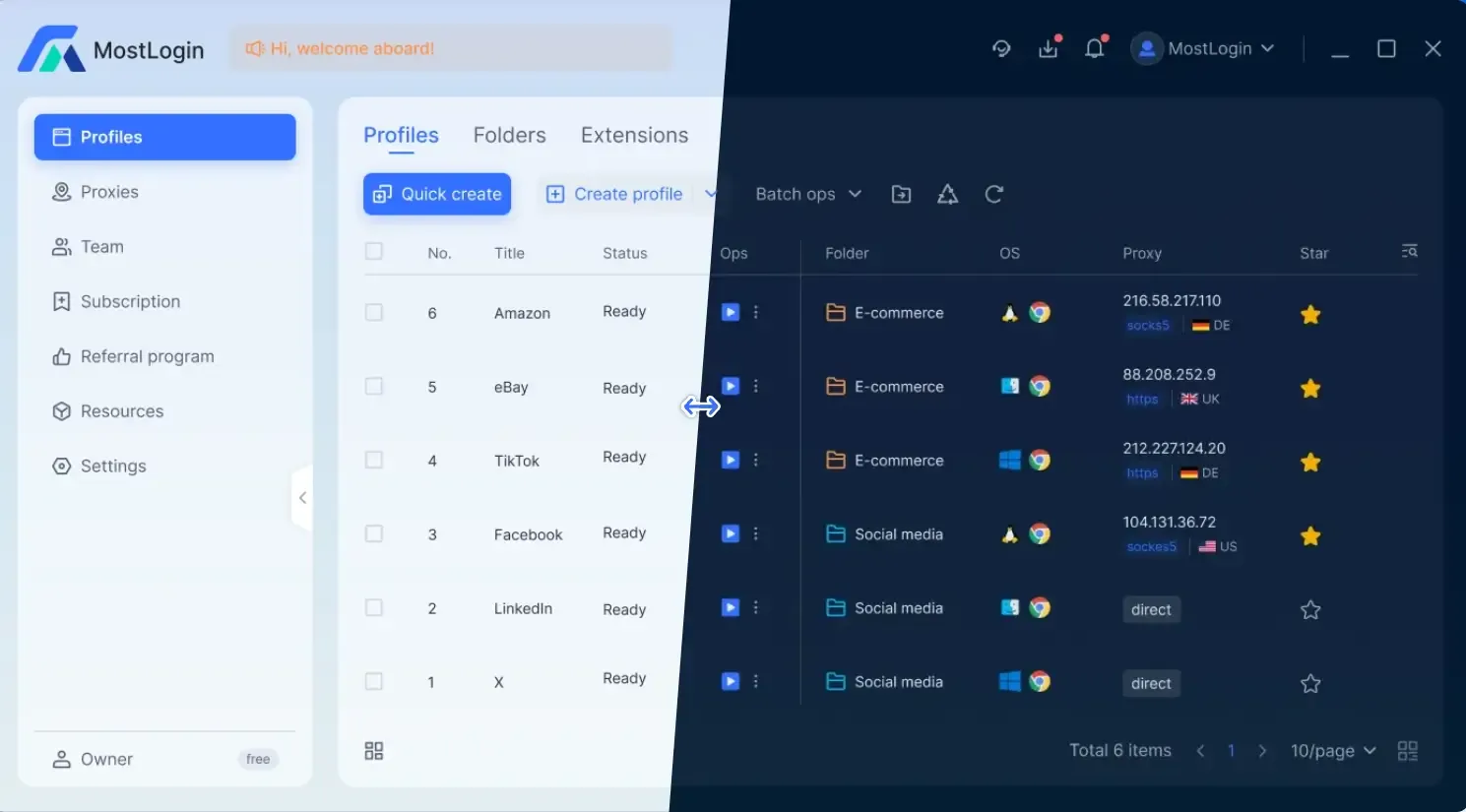
MostLogin Anti-Detection Browser supports the quick creation of multiple user profiles, allowing you to assign unique fingerprint environments and IPs to multiple accounts efficiently, facilitating diverse tasks. The software also supports extensive custom settings to meet your specific requirements.
6. What features does MostLogin Anti-Detection Browser have?
Anti-browser fingerprint detection: Hides real device information and reduces the risk of multi-account identification across multiple platforms.
Multi-account Environment Isolation: Each profile runs independently, with no interference between them.
Intelligent proxy integration: Easily set and adjust global IP nodes, with independent proxy configuration options for comprehensive control.
Cloud configuration synchronization: Supports team management, maintains consistent environment settings across devices, and simplifies configuration synchronization.
Simulates real behavior patterns: Minimizes the risk of triggering platform risk control and mimics normal user operations as closely as possible.
Flexible and user-friendly features: MostLogin offers a range of anti-detection browser features. Specific features and pricing are subject to the latest official plan.
Summary
Headless browsers are becoming easier to detect not because proxies are inadequate, but because risk control systems have shifted their focus. They now conduct multi-faceted verification, including the integrity of browser fingerprints, the rationality of hardware and environments, and the naturalness of user operations. Therefore, we need to address the environmental, fingerprint, and behavioral layers simultaneously. We recommend using MostLogin Anti-Detection Browser to ensure secure operations.
FAQ
Why do accounts still get banned when using residential or mobile proxies?
Proxies only solve IP-layer issues and cannot conceal the fingerprint and behavioral anomalies of headless browsers.
Is it safe to set navigator.webdriver to false?
No. Websites conduct comprehensive judgment using dozens of dimensions, including plugins, fonts, WebGL, and Canvas, to identify a headless environment.
Why is an overly clean headless browser environment more likely to be detected?
The browser environment of real users is inherently messy and inconsistent. Excessive uniformity and cleanliness are themselves red flags for anomalies.
What is the biggest difference between anti-detection browsers and regular browsers?
Anti-detection browsers allow you to manually create and isolate multiple genuine fingerprint environments, while regular browsers cannot achieve account-level isolation.
Are anti-detection browsers only suitable for multi-account scenarios?
No. They are suitable for any scenario requiring long-term, stable, and low-risk automated access.
MostLogin Anti-Detection Browser helps users solve frequent issues such as multi-account operation, environment isolation, and account risk control.
For operational questions, please refer to the Official Help Documentation