A digital marketing agency runs ads for two retailers. Both have a campaign called Weekend Promo. When one client asks for a budget increase, the media buyer opens a bookmarked dashboard, recognizes the campaign name, and saves the change. Only then do they notice they’re in the other retailer’s account. The buyer had permission to work on both accounts. They just made the change in the wrong one.
Using an anti-association browser to manage multiple accounts gives the buyer a separate place to keep each retailer’s saved login. Opening
Retailer A — Ads wouldn’t restore Retailer B’s browser session. But the profile label isn’t proof that the right ad account is open. Before saving a budget change, the buyer still needs to match the account ID on screen to the client’s request.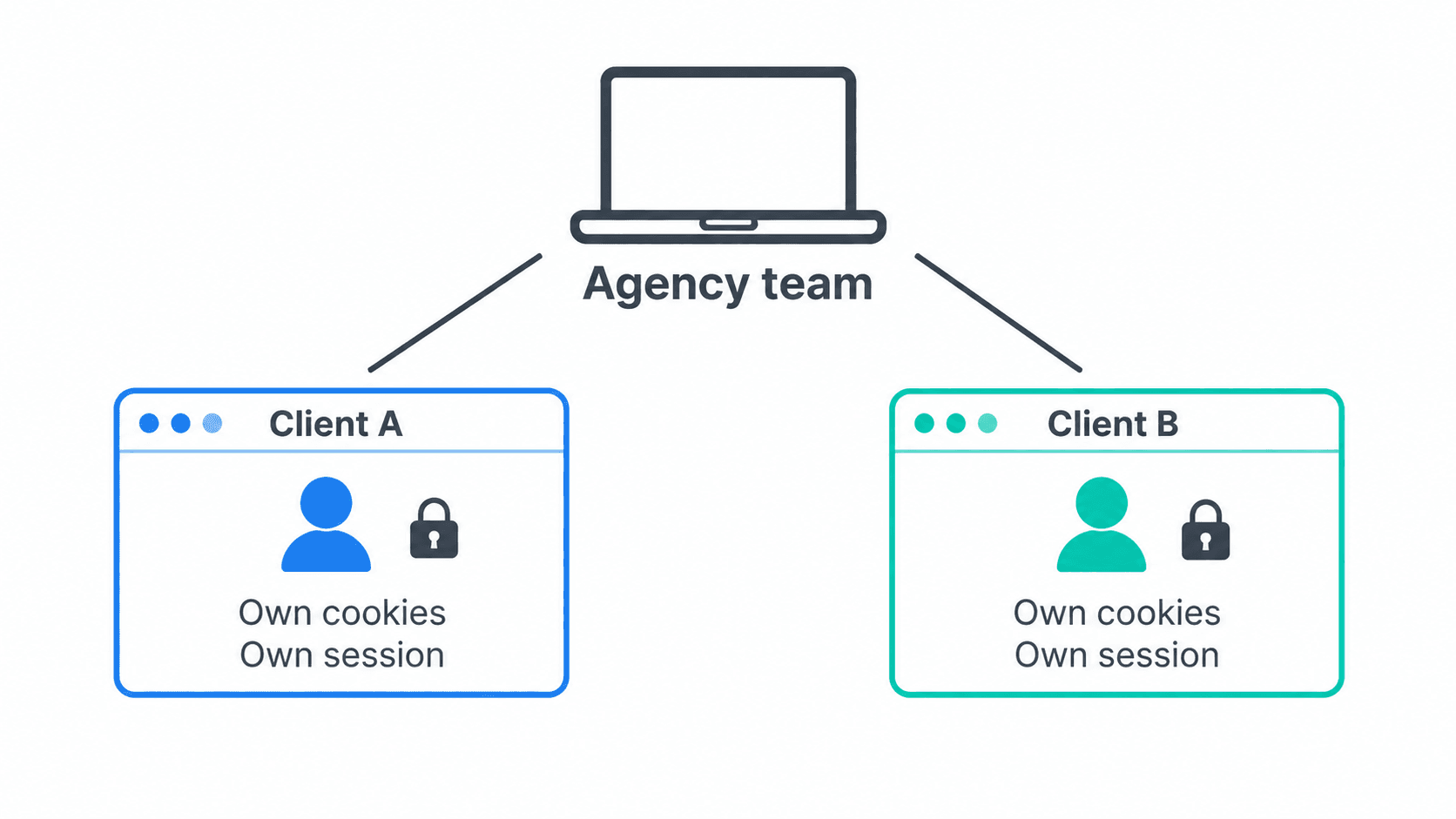
Decide which accounts need a separate browser profile
Browser session isolation keeps saved sessions apart; the operator’s permissions still come from the platform. A contractor who only prepares campaign reports should get a reporting role where one is available. Putting an administrator session in a dedicated profile doesn’t make it read-only.
Separate profiles are useful when similar dashboards or saved logins make it easy to act in the wrong account. The last check before making a change depends on the job:
- Cross-border e-commerce: When two stores have nearly identical seller dashboards, check the store name, marketplace, and order ID before issuing a refund.
- Affiliate operations: If you work with several approved program accounts, verify which account generated the tracking link and where it sends visitors before publishing it.
- Social media management: When one team schedules posts for several brands, check the brand handle, publishing destination, and scheduled time before confirming a post.
- Paid media: If clients use similar campaign names, match the advertiser and ad account ID to the task brief before changing spend.
If a single platform login already shows staff clearly labeled client assets and they rarely select the wrong one, a browser profile for every asset may be more work than it’s worth. The strongest case for a separate profile is a workspace people actually confuse with another one.
Name profiles so a colleague can pick the right one
When you create a browser profile in MostLogin, use a name that makes sense to someone who didn’t set it up.
Client A — Ads — Live tells a colleague whose workspace it is and whether a change can affect an active campaign. Ads 04 tells them neither. If the client has a practice workspace, label it Client A — Ads — Training.Put the account ID in the task brief, too. “Increase the weekend promo budget” leaves room for guesswork. “Retailer A, ad account ending in 4821, Weekend Promo” gives the buyer something to verify before clicking Save. The profile name points them to the intended workspace; the ID confirms which account will receive the change.
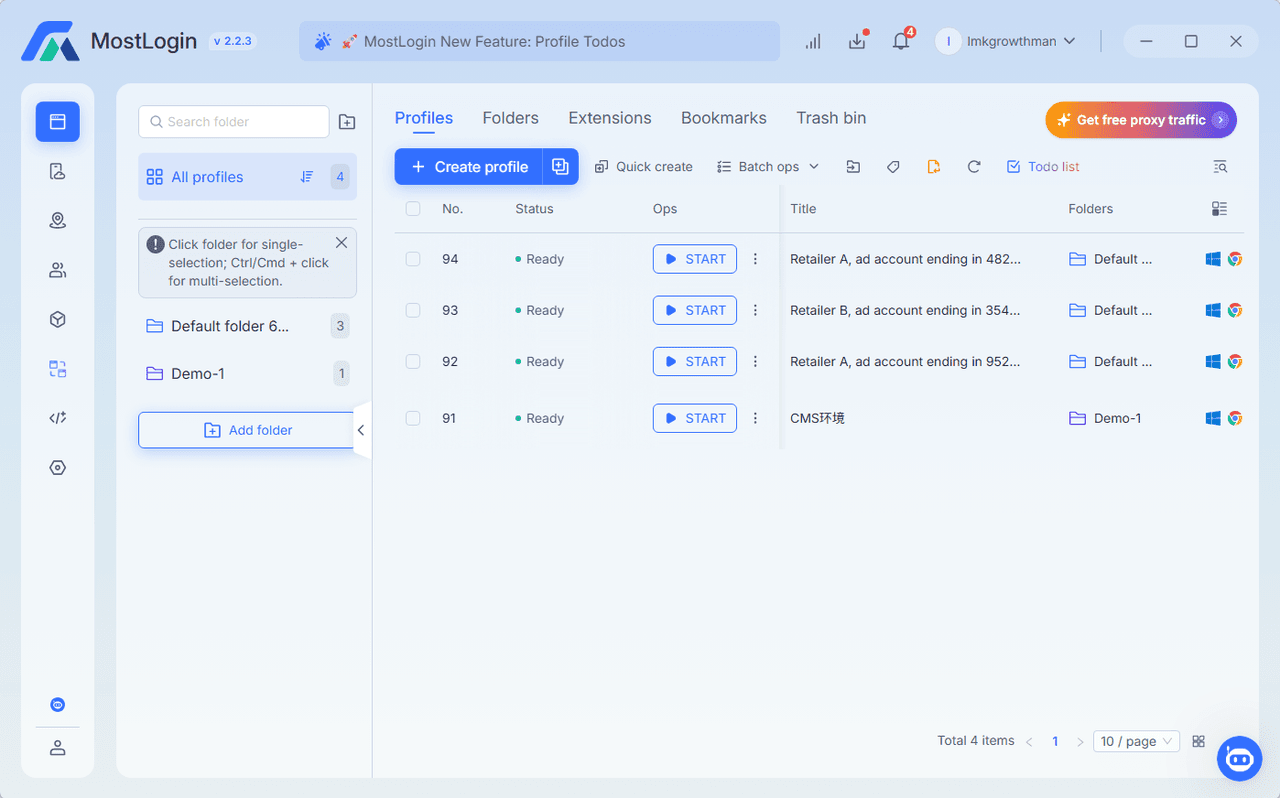
Keep a short register with each profile’s name, platform asset ID, account owner, assigned operator, and recovery contact. Leave passwords, session cookies, and recovery codes out of it. The register should help a colleague find the right workspace and know whom to contact if access fails—not give them another way to sign in.
How to hand over client accounts without sharing unnecessary access
Suppose the media buyer takes a week off and a colleague needs to send Monday’s performance report. The replacement doesn’t need the buyer’s entire setup to do that job. A reporting role and a clear access end date are more useful than a copy of the outgoing operator’s workspace.
- Record the assignment. Write down the client, platform asset ID, permitted tasks, approver, and access end date.
- Grant access to the replacement’s own login. Ask the client or authorized administrator to assign the appropriate role. Don’t pass along the outgoing employee’s password or export their session cookies.
- Share a browser workspace only if it’s needed. If the saved session belongs to another operator or exposes permissions beyond the assignment, have the replacement sign in with their own authorized account instead.
- Check both systems when coverage ends. Review the platform role and shared browser workspace separately. Someone who can no longer open a shared profile may still be able to sign in directly.
A handover record can fit on one line:
Client | Platform asset ID | Browser profile | Permitted tasks | Approver | Access end date | Platform access checked | Browser access checked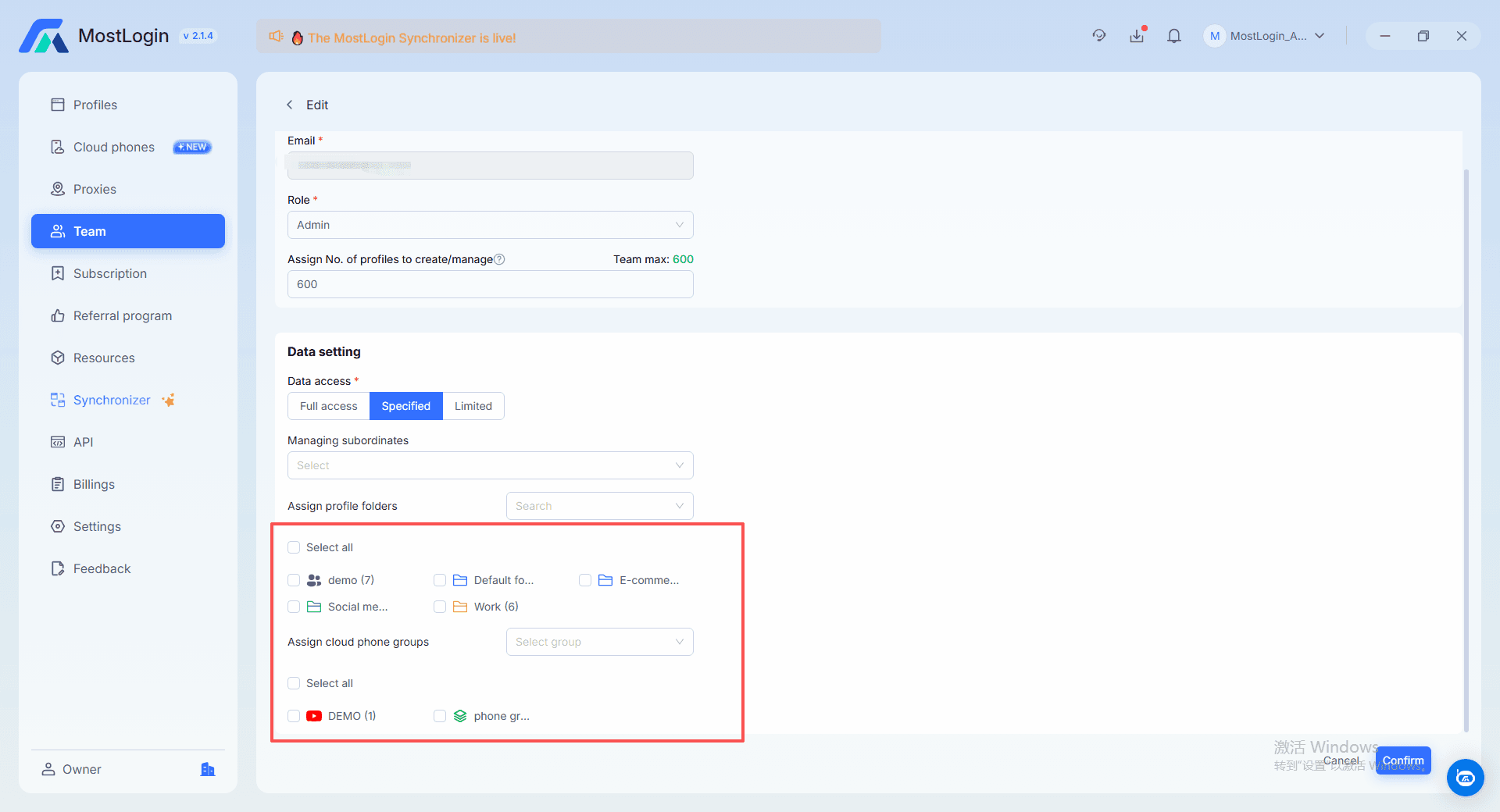
Test the workflow with two client workspaces
In MostLogin, you can keep client sessions in dedicated profiles and share only the profiles each operator needs. Batch setup can cut down on repetitive profile creation if your team already manages several authorized brand or test workspaces. Separate profiles don’t change what a platform allows, including its rules on account farming.
A small pilot can show where the setup breaks down. Give a colleague who didn’t create the profiles two task briefs. Have them find each workspace, verify the account ID, and pull a report without making a live change. Then remove their temporary access and check both systems. If they have to ask which profile to open, the names aren’t clear enough. If they can still open the client’s assets afterward, check which route still gives them access.
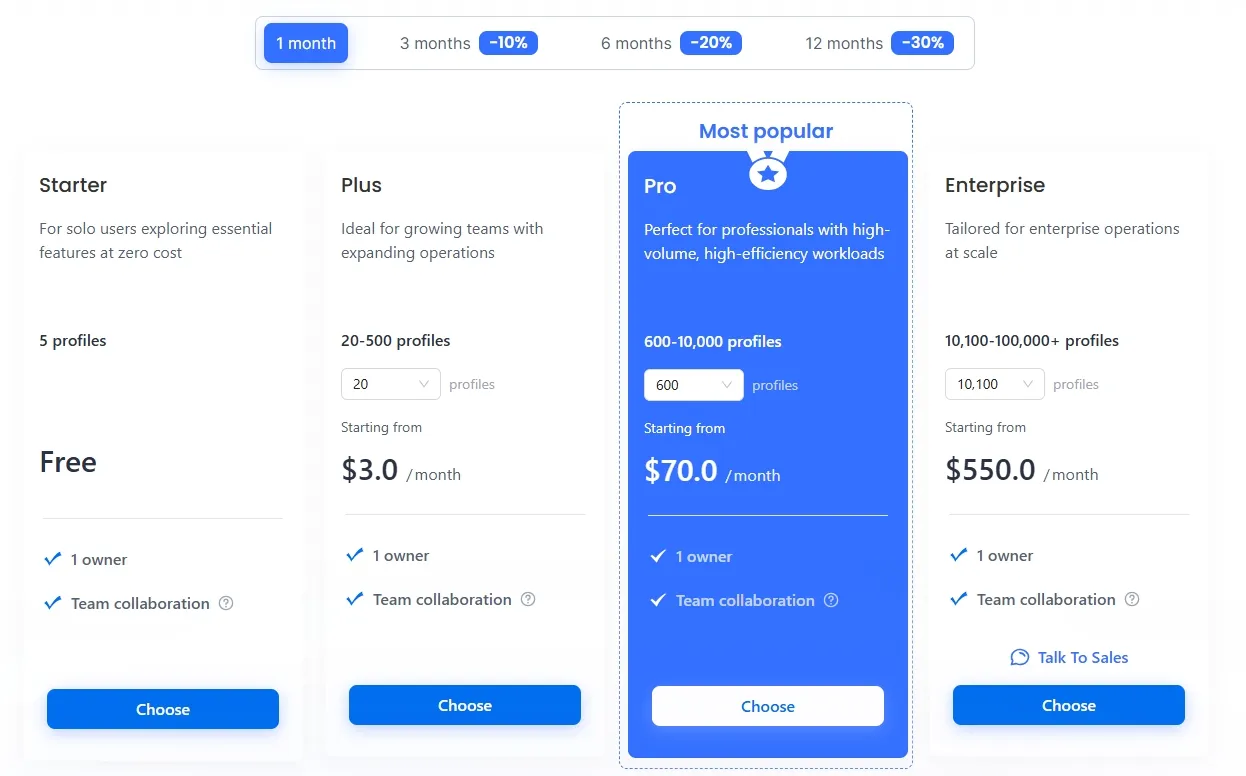
The pilot also gives you a better basis for comparing MostLogin plans and pricing. A team with only a few profiles may still need sharing and role-based permissions if several people cover the same clients. Look at those controls alongside the profile limit rather than choosing on capacity alone.
Frequently asked questions
Is it safe to use an anti-association browser to manage multiple accounts?
Separate profiles can reduce accidental session mix-ups for accounts you’re authorized to manage. They don’t make password sharing safe, replace multi-factor authentication, or guarantee that a platform won’t restrict an account. Use official staff or partner access where available, and keep account recovery under the owner’s control.
Do I need a separate proxy for every browser profile?
No. A browser profile separates saved session data, such as cookies and local storage. A proxy changes the network route. If your approved business connection already meets the platform’s requirements, creating separate profiles doesn’t mean you need separate proxies. If your organization requires one, document why and check the platform’s rules before using it.
What should I do if a platform flags or restricts an account?
Pause work on the affected account, record the exact notice and any recent changes, and ask the account owner to follow the platform’s verification or appeal process. If the notice concerns billing, identity, or authorization, address that issue directly. Changing browser settings won’t resolve it.
Does removing browser access also revoke platform access?
Not necessarily. A person may still have a direct platform role after losing access to a shared browser profile. The two permissions are separate, so removing one doesn’t confirm that the other has ended.
Keep client sessions separate without mixing account access
The practical value of an anti-association browser is that each client has a workspace with its own saved session. A teammate can switch from one client to another without carrying over the previous client’s cookies or saved login. Platform permissions still determine what that teammate can do once they’re signed in.
To keep client work separate in day-to-day operations, download MostLogin for Windows or macOS and create dedicated profiles for the client accounts your team switches between most often.