If most people search for an anonymous online browser, they usually want one thing: stop websites and platforms from connecting everything they do online. For multi‑account users, that problem is even bigger because modern platforms do not only look at cookies—they also analyze browser fingerprinting, IP quality, device signals, and behavior patterns to decide whether accounts are related. To understand why ordinary tools often fail, it helps to start with the real risks behind anonymous browsing.
You can check the MostLogin product overview to see how it is built around secure multi‑account management rather than just simple private tabs.
Why Anonymous Browsing Matters Today
Many users still think private mode or a random VPN is enough, but that is no longer true for serious privacy or multi‑account work. Incognito mode can hide local history, yet it does not remove the browser fingerprint, and it does not stop platforms from checking whether several accounts are behaving like they come from the same operator.
This is why the pain points keep repeating:
- Different accounts get linked and restricted even after cookies are cleared.
- Cheap proxies or low‑quality VPN endpoints trigger more verification instead of less.
- Desktop and app workflows leak identity across devices, which is a common problem for Shopee, Lazada, Tokopedia, and TikTok users.
For Indonesian sellers and creators, anonymous browsing is not just about privacy. It is also about reducing account risk, keeping store operations stable, and avoiding avoidable losses from account association. For a deeper explanation of why anonymous browsing is now a risk‑management topic instead of just a privacy preference, you can also read MostLogin’s guide on safe anonymous browser practices across multiple accounts.
What Actually Works
A useful anonymous browsing setup has two layers. The first layer is basic privacy: private browsing mode, a reliable VPN or proxy, and safer browsing habits. The second layer is identity isolation, where each account runs inside its own profile with separate cookies, storage, fingerprint, and IP.
That second layer is where anti‑fingerprint browsers become far more practical than ordinary browsers for people managing multiple identities. MostLogin is designed around this model: it creates isolated browser profiles, supports proxy binding per profile, and helps users separate sessions so that one account does not contaminate another. Readers who want more context can also check the broader privacy browser guide for multi‑accounting.
Fingerprint isolation as a standalone browser advantage
One of the main reasons users search for an anonymous online browser is that ordinary browsers still expose stable fingerprint signals even after clearing cookies. MostLogin addresses this by isolating profile environments and controlling key signals such as Canvas, WebGL, WebRTC, fonts, audio, OS settings, language, and timezone, making each profile behave more like a separate real user environment.
For users who need a stronger foundation than incognito mode, this is the core value: anonymity is built from isolated browser identities, not from private tabs alone. Readers who want a broader comparison can also review how anti‑detect browsers differ from regular anonymous browsers.
Anonymous Android Environment as a Browser Advantage
When people talk about an anonymous online browser, they often focus only on desktop, but many platforms care just as much about mobile app signals. One advantage of MostLogin’s ecosystem is that it does not stop at fingerprint isolation on the browser side—it also provides an anonymous Android environment for users who need mobile‑side workflows.
Through this environment, you can run Android apps in isolated, cloud‑based devices with their own fingerprints and IPs, keeping sensitive Shopee, Lazada, Tokopedia, or TikTok operations separate from your everyday phone. MostLogin Cloud Phone is one way to access this anonymous Android layer, acting as a complementary product for teams that later scale from browser‑only setups into app‑heavy operations.
Step‑by‑Step Tutorial
Step 1: Install MostLogin and open your workspace
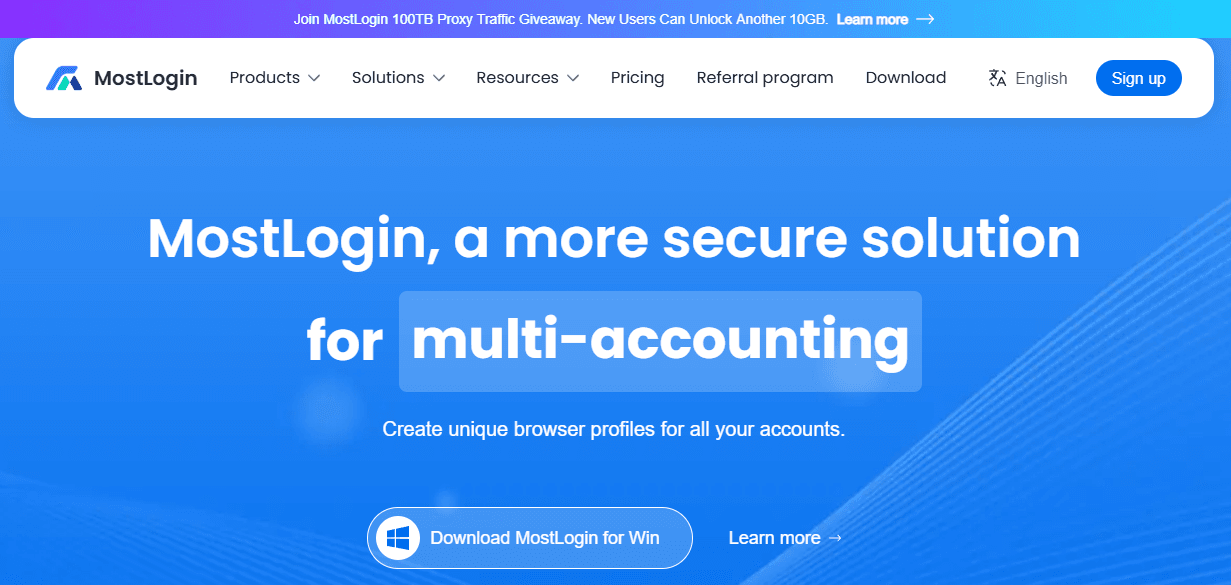
Start by visiting the MostLogin product overview and creating an account. After signing in, download the desktop client for Windows or macOS, install it, and log in to open the main workspace where profiles, folders, proxy settings, and other management tools are organized.
Once inside, create folders by platform or project, such as Shopee ID, Lazada ID, TikTok ID, or Client Accounts. This small setup step makes profile management much easier once more accounts are added.
Step 2: Create a dedicated browser profile for each important account
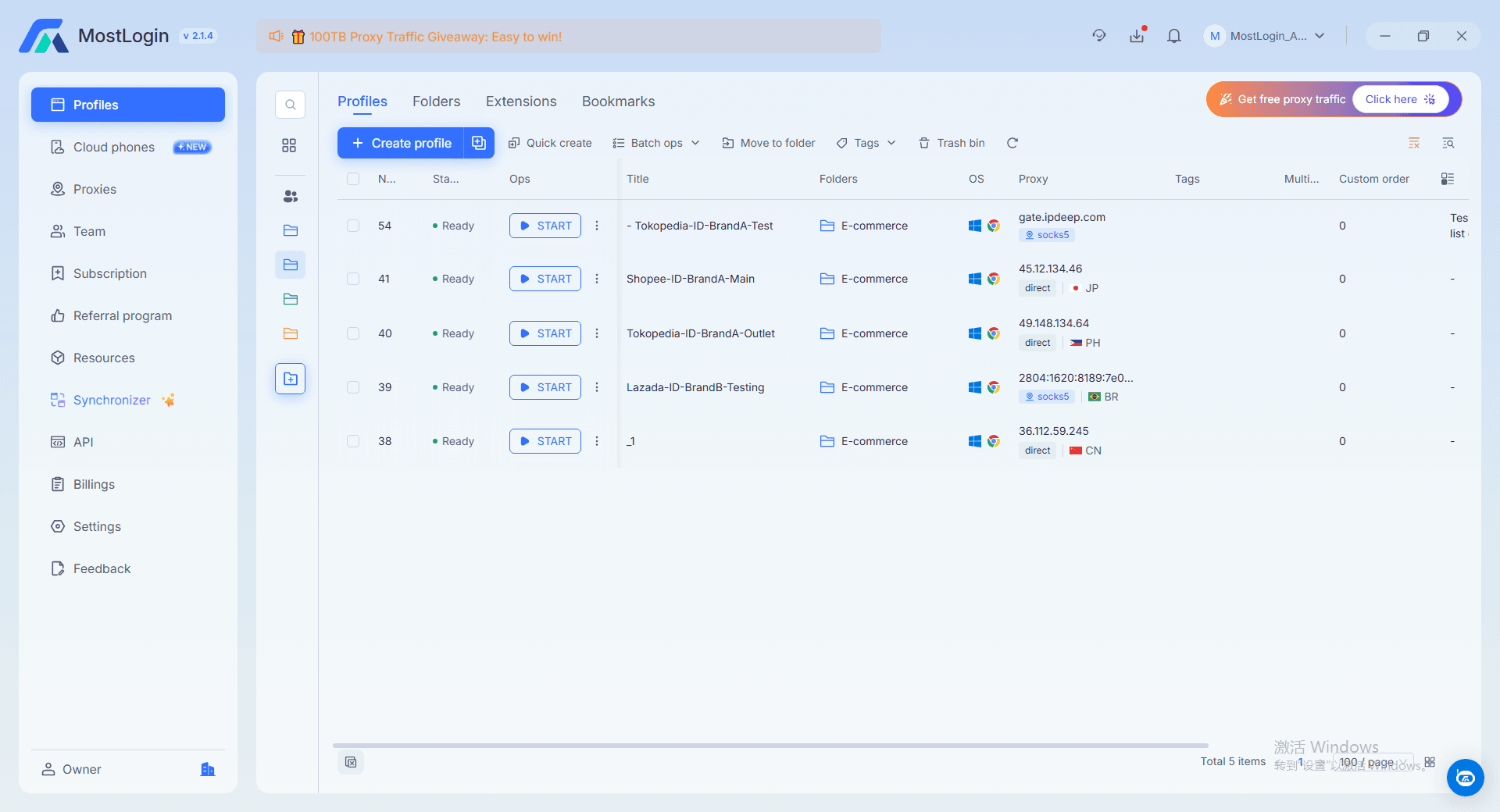
The safest rule is simple: one important account should use one dedicated browser profile. When creating a profile, give it a clear name such as Shopee-ID-MainStore, Lazada-ID-BrandA, or TikTok-ID-MainChannel, then add tags so it is easy to find later.
Next, configure the environment so it looks realistic instead of random. A mainstream Chromium‑based setup, a normal Windows version, a standard screen resolution, and a language/timezone that matches the target region are generally safer than unusual device combinations. For Indonesia‑focused accounts, matching regional settings and IP geography helps keep the account environment more consistent over time.
Step 3: Bind a stable proxy to each profile
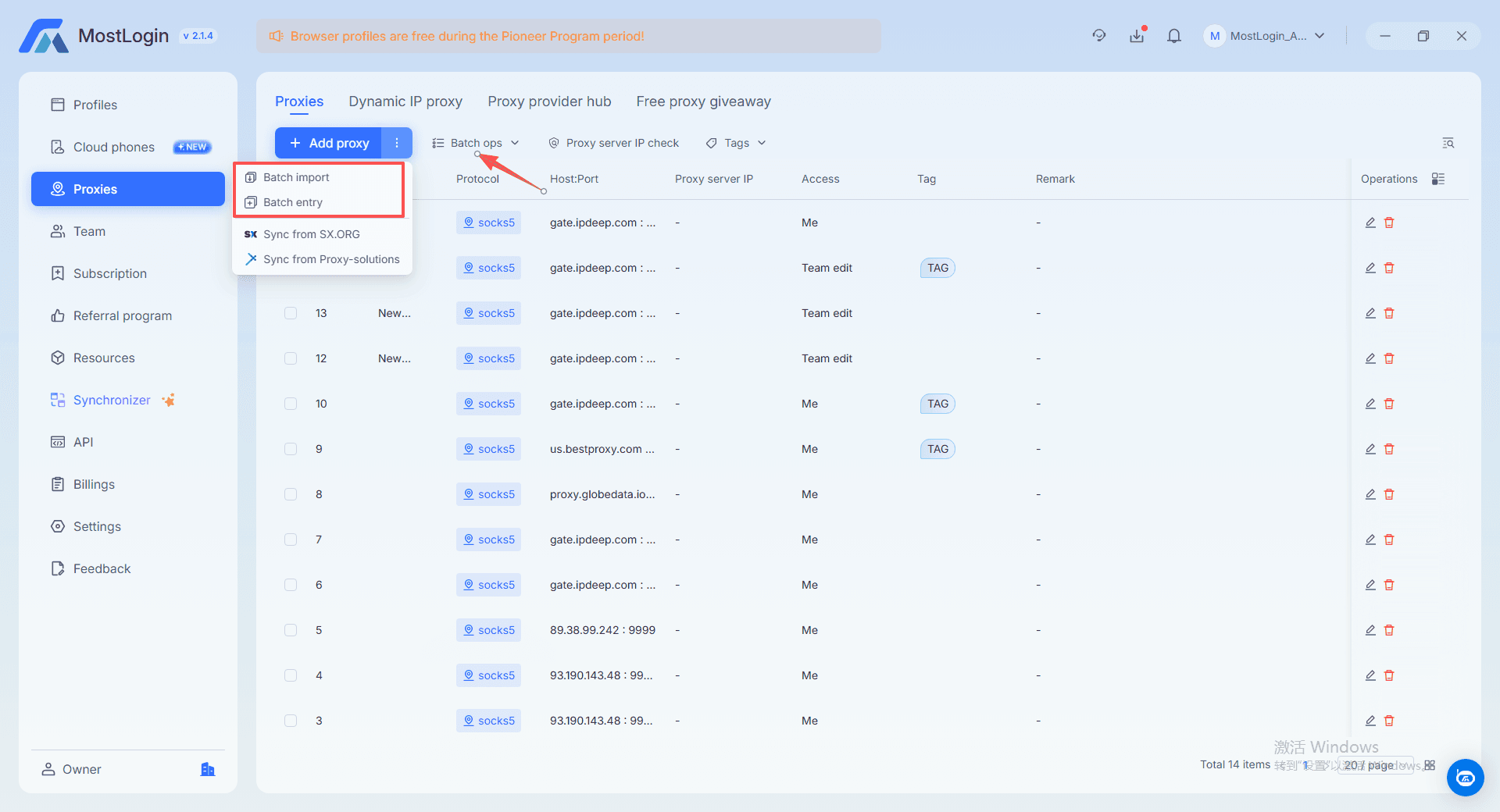
A clean browser profile is only half of the setup because network identity matters just as much as fingerprint identity. In MostLogin, each profile can be assigned its own proxy, which allows one account to use one IP environment rather than sharing the same network footprint with every other account.
When adding a proxy, choose the supported protocol, enter the host, port, username, and password, then test the connection before logging into a real account. For higher‑value accounts, stable residential or mobile proxies are usually more suitable than low‑cost rotating options because sudden IP inconsistency often increases risk rather than reducing it.
Step 4: Use each profile like a separate digital person
Once the profile is launched, keep its behavior consistent. Do not log unrelated accounts into the same profile, do not switch regions every day, and do not use one account from both your personal browser and the profile environment unless you want to create obvious technical overlap.
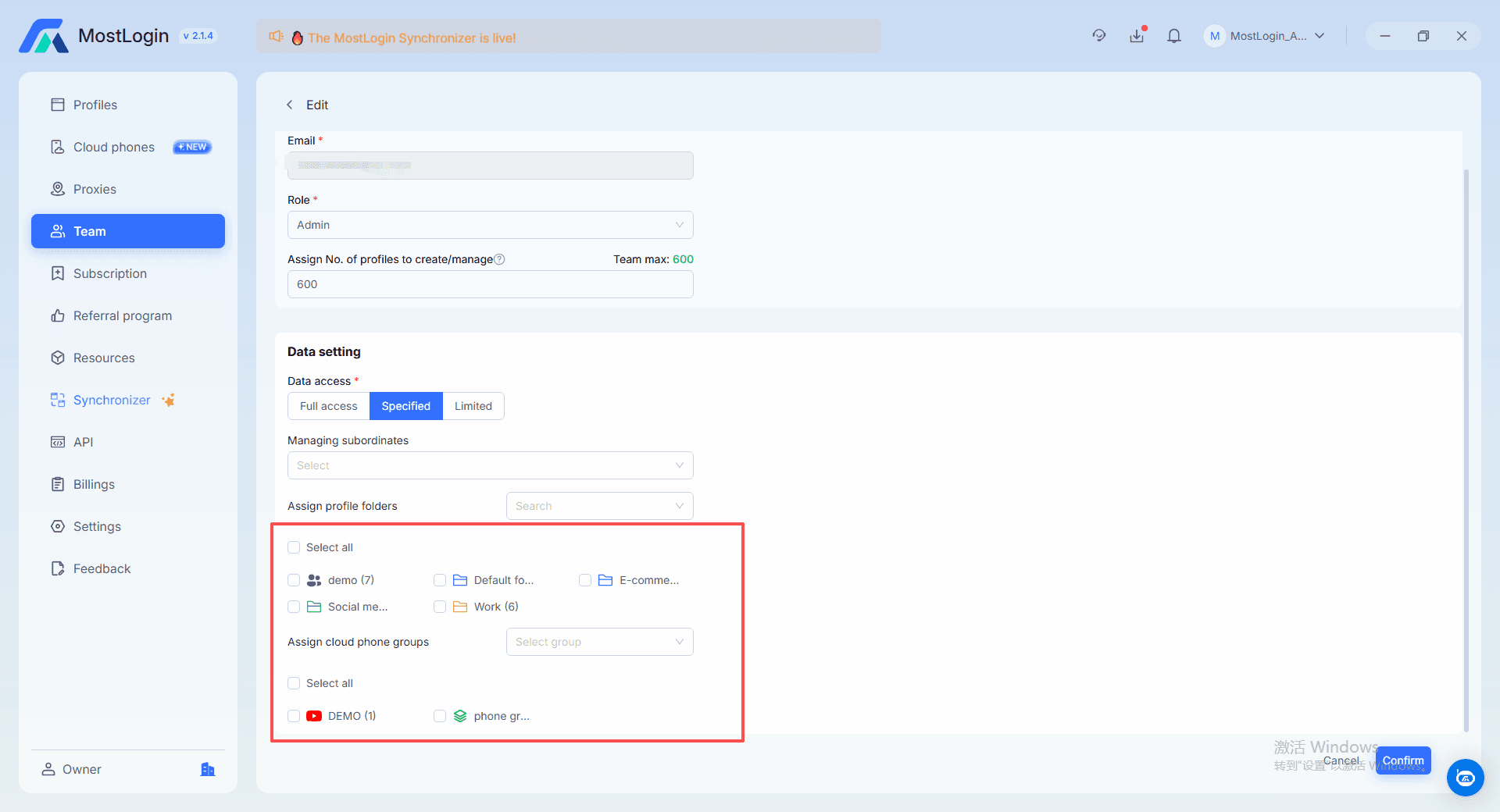
This is the part many users skip. Tools help, but safe operating habits are what turn an anonymous online browser into a stable system. If several team members work together, clear naming rules and access rules matter just as much as the software itself.
Why Browser Profile Pricing Matters for Small Sellers and Creators
For basic users, MostLogin’s subscription plans are structured so that browser profiles stay affordable while still giving small sellers and creators enough capacity to protect their most important accounts. In practice, this means a Shopee or Lazada seller, a Tokopedia shop owner, or a TikTok creator can start with a compact number of profiles for core stores and channels, then expand only when their business genuinely needs more accounts or devices.
Compared with many other anti‑detect browsers that quickly become expensive as you add profiles, MostLogin’s profile‑based pricing is designed to offer a good balance between features and cost, which is important for teams that care about budget as much as safety. For users in Indonesia and other regions that place a strong emphasis on cost‑performance, this balance makes it easier to build a safer multi‑account system without overcommitting to large, high‑priced plans at the beginning.
New users can evaluate the platform through entry-level plans so they can test real workflows before deciding how many profiles or devices to keep long term. For current limits and exact monthly pricing, you can review the MostLogin pricing and plan overview.
FAQ
Is incognito mode enough for anonymous browsing?
No. Incognito mode only prevents your browser from saving local history and cookies, but it does not hide your fingerprint, IP, or device‑level signals from websites and platforms.
Why do accounts still get linked after I clear cookies?
Because cookies are only one of many tracking layers. Platforms can still compare browser fingerprints, IP quality, device characteristics, and repeated behavior patterns to connect accounts.
Do I need cloud phones to use MostLogin?
No. The browser itself already covers profile isolation, fingerprint control, and proxy binding for desktop‑side anonymous browsing. Cloud Phone is an extra product advantage for users who later need Android app workflows, not a mandatory step for every user.
Are free anonymous browsers safe?
Not always. Many fully free privacy tools make trade‑offs around logging, ads, or weak infrastructure, which is why professional users often prefer tools with clearer product positioning and stronger account‑isolation features.
Final Thoughts
A good anonymous online browser does more than hide local browsing history. It helps separate identities, reduce cross‑account contamination, and create a safer long‑term operating environment for sellers, marketers, and creators. MostLogin stands out because its browser fingerprint isolation solves the main desktop‑side problem, while its anonymous Android environment and Cloud Phone add extra advantages for users who later need app‑side expansion.
For Indonesian Shopee, Lazada, Tokopedia, and TikTok users, the most practical path is to start simple: install the browser, create dedicated profiles, bind stable proxies, and treat each profile like a separate digital person. That approach is easier to manage, easier to scale, and far more reliable than trying to solve serious anonymity problems with incognito mode alone.