Why anonymous surfing is now a multi‑account risk control problem
For many teams, “anonymous surfing” is no longer just about hiding personal information. It has become part of a much larger problem: how to safely operate dozens or even hundreds of accounts across e‑commerce platforms, ad networks, and social media, without triggering risk controls.
Cross‑border e‑commerce teams, account farms, affiliate media buyers, and social media managers all face similar pain points. They need to log in from different identities and regions, test multiple strategies, and collaborate in teams. At the same time, platforms are improving their ability to detect abnormal patterns and link accounts together. When you use the wrong browser or configure your environment poorly, anonymous surfing can quickly turn into mass bans, disabled ad accounts, and blocked store logins.
This article is built around how risk control mechanisms actually behave on real platforms. It shows, for specific scenarios, what type of browser you truly need and how to gradually build a stable environment that can safely support multiple accounts, using cross‑border e‑commerce and account farm examples with tools like MostLogin multi‑account management browser.
Anonymous surfing vs platform risk control: understanding how you are identified
What does anonymous surfing really mean in multi‑account operations?
Most people start with tools like private browsers or VPNs. These can hide some information, but they do not necessarily give you safe multi‑account management.
Common setups include:
- Privacy‑focused browsers such as Brave, Firefox variants, or hardened privacy builds. They mainly block trackers, reduce data leakage, and improve personal privacy.
- VPN or proxy + regular browser. This setup changes your IP and sometimes your apparent location, but keeps most browser fingerprints and local data unchanged.
- Antidetect browsers. These are specialized tools designed to isolate browser fingerprints and account environments across multiple profiles, making each profile look like a different, legitimate user to platforms.
In a real multi‑account scenario, anonymous surfing means more than just hiding who you are. It means making each account’s environment self‑consistent and plausible: IP, device, language, time zone, and behavior all match a realistic user. The “best browser for anonymous surfing” in this context is the one that allows you to build these separate, realistic identities and operate them safely over time.
Platform risk control basics: IP, fingerprint, cookies, user agent
To strengthen your risk strategy, you need to understand how platforms recognize users. In practice, major platforms combine multiple signals:
- IP address and location – Platforms log your IP, ASN (network owner), and approximate geographic location. Sudden jumps or multiple high‑risk actions from the same IP can trigger manual reviews or automated blocks.
- Browser fingerprint – Fingerprints include screen resolution, installed fonts, system language, time zone, Canvas and WebGL data, audio fingerprint, and more. When many accounts share highly similar or obviously artificial fingerprints, platforms can link them.
- Cookies and local storage – Cookies record login sessions, preferences, tracking data, and cross‑session identifiers. If multiple accounts share cookies or history, it becomes easier to flag abnormal behavior.
- User Agent and device information – Your browser string, OS type, device model, and even touch support can be used to distinguish devices. In multi‑account environments, unrealistic device combinations (for example, hundreds of identical machines with identical settings) look suspicious.
Simply changing the IP address is not enough. When you manage multiple accounts, you must treat risk control as a complete system: fingerprint isolation, cookie separation, IP management, and behavioral consistency are all critical factors. In practice, using a multi‑account management solution that can separate fingerprints, cookies, proxies, and workflows per account group is far more effective than relying on IP changes alone.
Do you need a private browser or an antidetect browser?
When is a private browser enough and when do you need an antidetect browser?
Not every scenario requires an advanced antidetect browser. A simple classification helps you decide:
Scenario | Main goal | Recommended approach |
Personal anonymous surfing and research | Hide personal identity and activities | Privacy browser + reputable VPN |
Occasional use of 2–3 accounts on one platform | Light multi account, low risk | Separate profiles in a privacy browser + stable proxies |
Multiple cross border store and ad accounts | Structured multi account operations | Antidetect browser + dedicated proxy pool + account groups |
Account farms with dozens or hundreds of profiles | Large scale matrix operations | Professional antidetect browser + automation + strict risk policy |
Social media matrix for brand or agency | Matrix content and team collaboration | Antidetect browser + role based access + profile sharing |
If you only need anonymous browsing and want to avoid being tracked by advertisers, a secure private browser with strong tracker blocking is usually enough. However, if your business depends on running many accounts at the same time and you cannot afford bans, you need a tool that can structure the management of fingerprints, accounts, and proxies.
In such scenarios, solutions like MostLogin antidetect browser that structure fingerprint profiles and proxy management, with transparent pricing plans, are more aligned with long‑term multi‑account operations.
Key evaluation criteria for the best browser for anonymous surfing
When you evaluate anonymous surfing tools for multi‑account operations, focus on capabilities rather than brand marketing:
- Fingerprint control and realism – The browser should allow you to configure or generate realistic fingerprints per profile, including OS, language, time zone, Canvas/WebGL, WebRTC, and audio.
- Strong profile isolation – Each profile must have separate cookies, local storage, cache, and session data. Ideally, profiles should behave like independent devices.
- Proxy integration and IP management – The browser must work smoothly with different proxy types and help you assign proxies to profiles in a consistent way.
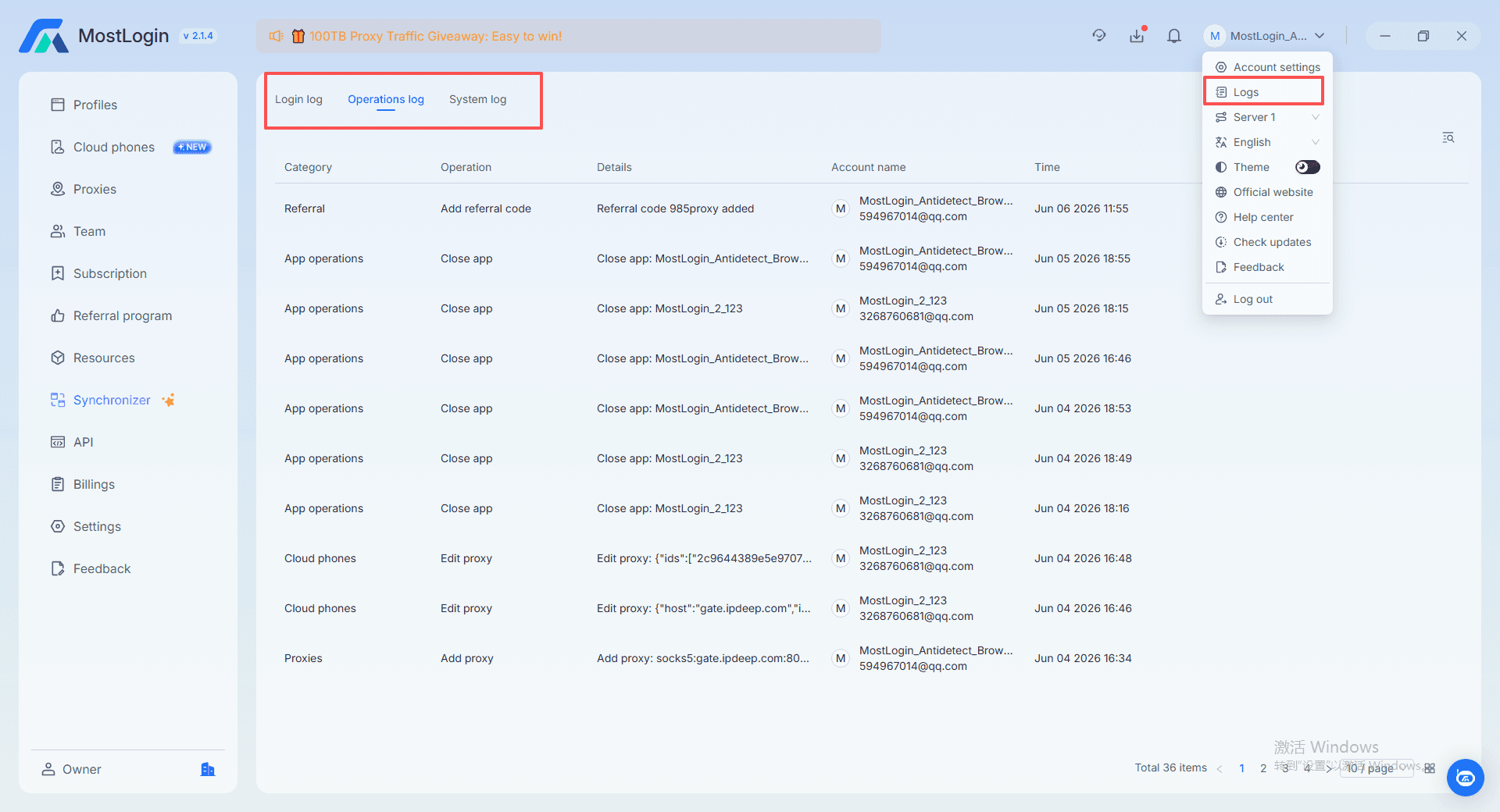
- Stability, performance, and collaboration – For teams, the tool should support role‑based access, profile sharing, and logging.
- Risk control awareness – Better tools help you avoid dangerous patterns such as reusing IPs across high‑risk accounts or generating unrealistic fingerprints.
By using these criteria, you can treat “best browser for anonymous surfing” as “best risk‑aware environment manager for your business”, not just the highest score on a comparison chart.
Step‑by‑step guide: building anonymous multi‑account environments with MostLogin
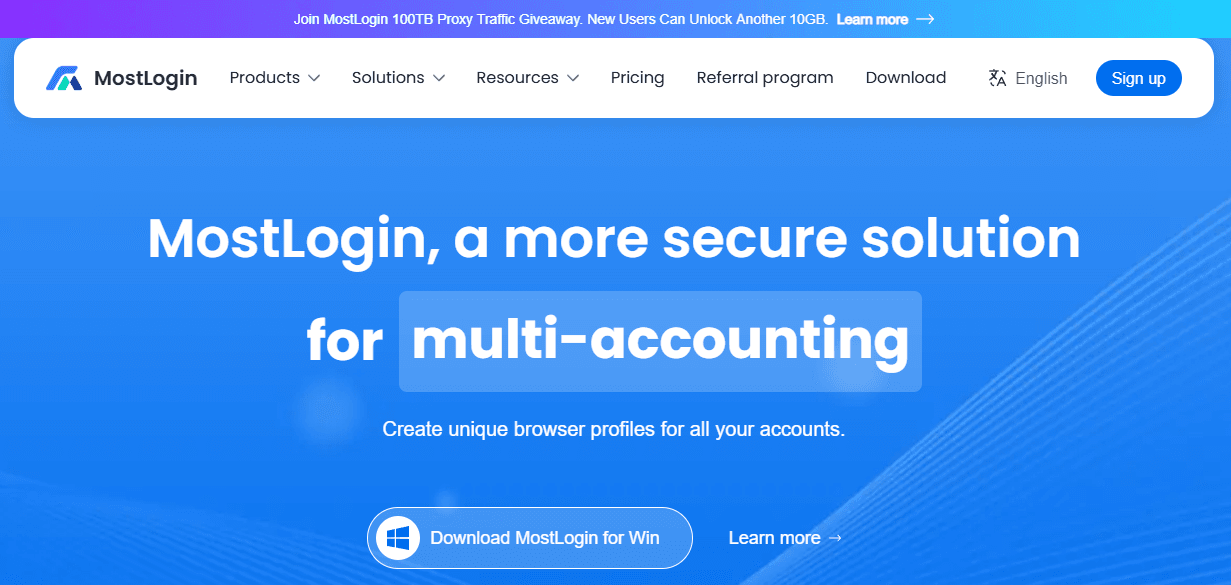
In the following section, we will use MostLogin as a concrete example to show how to build an anonymous environment that supports multiple accounts in a controlled way. Using MostLogin for multi‑account management, we will walk through how cross‑border e‑commerce teams, account farms, and social media managers can set up anonymous profiles, bind proxies, and run day‑to‑day operations safely.
Step 1 – Plan account groups and risk levels
Before creating any profile in MostLogin, map your accounts and risk levels:
- Group accounts by business line and platform – Separate ad accounts, store accounts, and social profiles.
- Define risk tiers – Test accounts, core revenue accounts, and supporting accounts should each have different environment standards.
Core accounts deserve the most stable proxies, conservative login patterns, and stricter fingerprint rules. Test accounts can be more experimental but must not contaminate core environments. In MostLogin, you can reflect this strategy by assigning different workspace structures, naming conventions, and proxy resources to each group.
Step 2 – Create browser profiles and isolate fingerprints
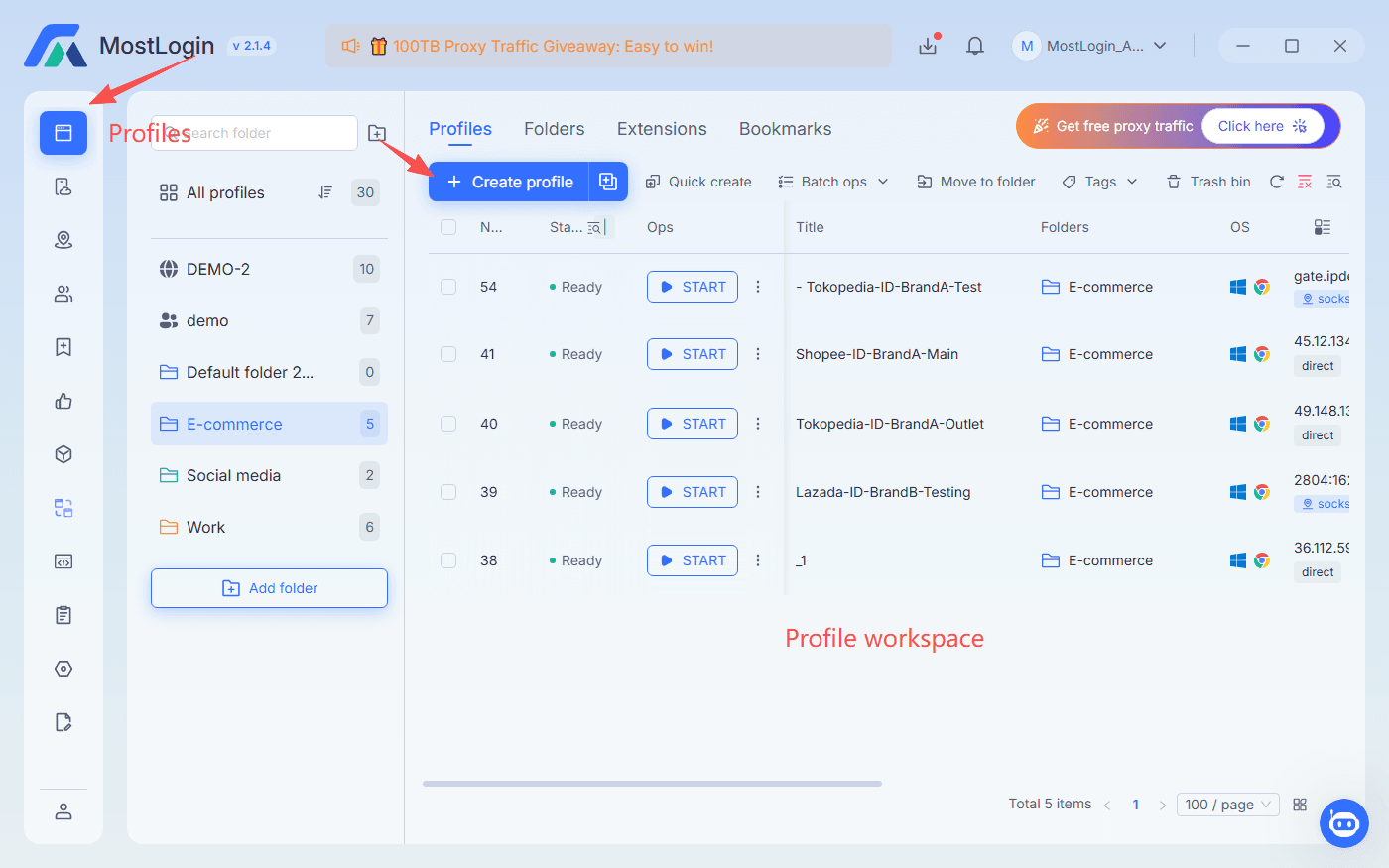
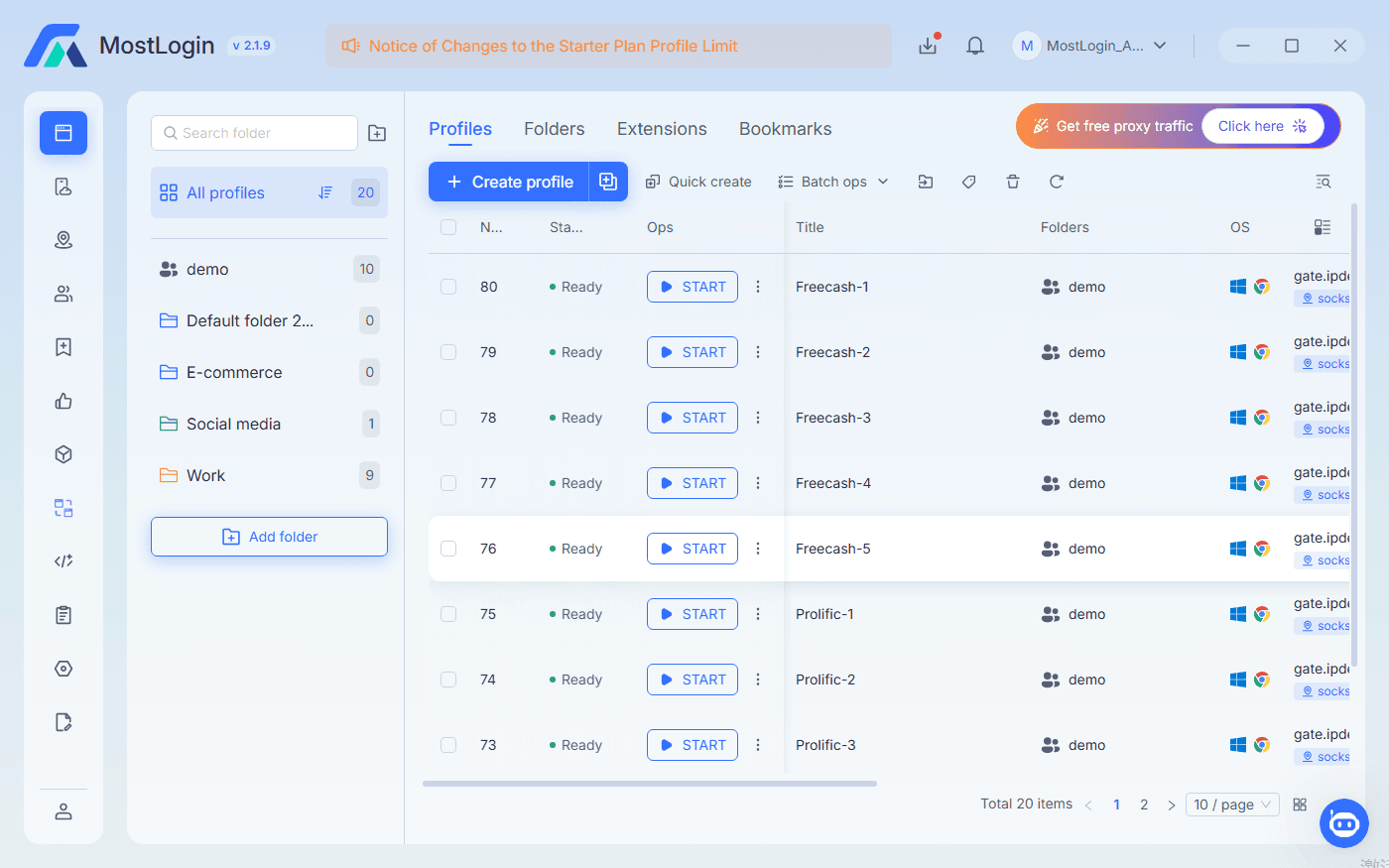
In MostLogin, each profile represents an isolated browser environment. A typical workflow looks like this:
- Create a profile per account or per small account group, and name profiles according to platform, GEO, and risk tier.
- Configure fingerprint parameters for each profile, including OS, language, time zone, screen resolution, WebRTC, Canvas, WebGL, and audio fingerprint.
The key point is consistency. Once a profile is created for an account, keep its core fingerprint stable and only make adjustments when absolutely needed. Changing fingerprints frequently creates an unrealistic device history that platforms may flag.
Step 3 – Bind proxies correctly inside profiles
MostLogin supports binding proxies directly to profiles, which is crucial for risk‑aware anonymous surfing:
- Assign dedicated proxies to critical accounts using high‑quality residential or mobile proxies.
- Avoid sharing one IP across multiple valuable accounts by structuring your proxy pool.
- Choose proxy type by scenario: residential for consumer platforms, mobile for dynamic social media, data center for less sensitive operations.
Within MostLogin, you can tag proxies by GEO, type, and business line, then bind them to appropriate profiles. This makes IP management explicit and auditable instead of ad‑hoc.
Step 4 – Import accounts and plan warm‑up sessions
Once profiles and proxies are ready, you import accounts into MostLogin and link each account to its dedicated profile. Newly created or migrated accounts should not jump directly into aggressive actions.
- Start with normal browsing and light engagement.
- Gradually introduce small transactions, low‑budget ad campaigns, or basic posting.
- Monitor account health and platform feedback before scaling operations.
MostLogin’s profile view helps operators see which accounts are being used and when, making it easier to stagger logins across days and time zones.
Step 5 – Daily operations and matrix management with MostLogin
Daily operations are where teams either prove their risk strategy or break it. Good practices include:
- Avoiding identical content patterns across matrix accounts and treating each profile as a distinct persona.
- Separating test accounts from core accounts in environment and behavior.
- Using clear daily and weekly schedules per profile.
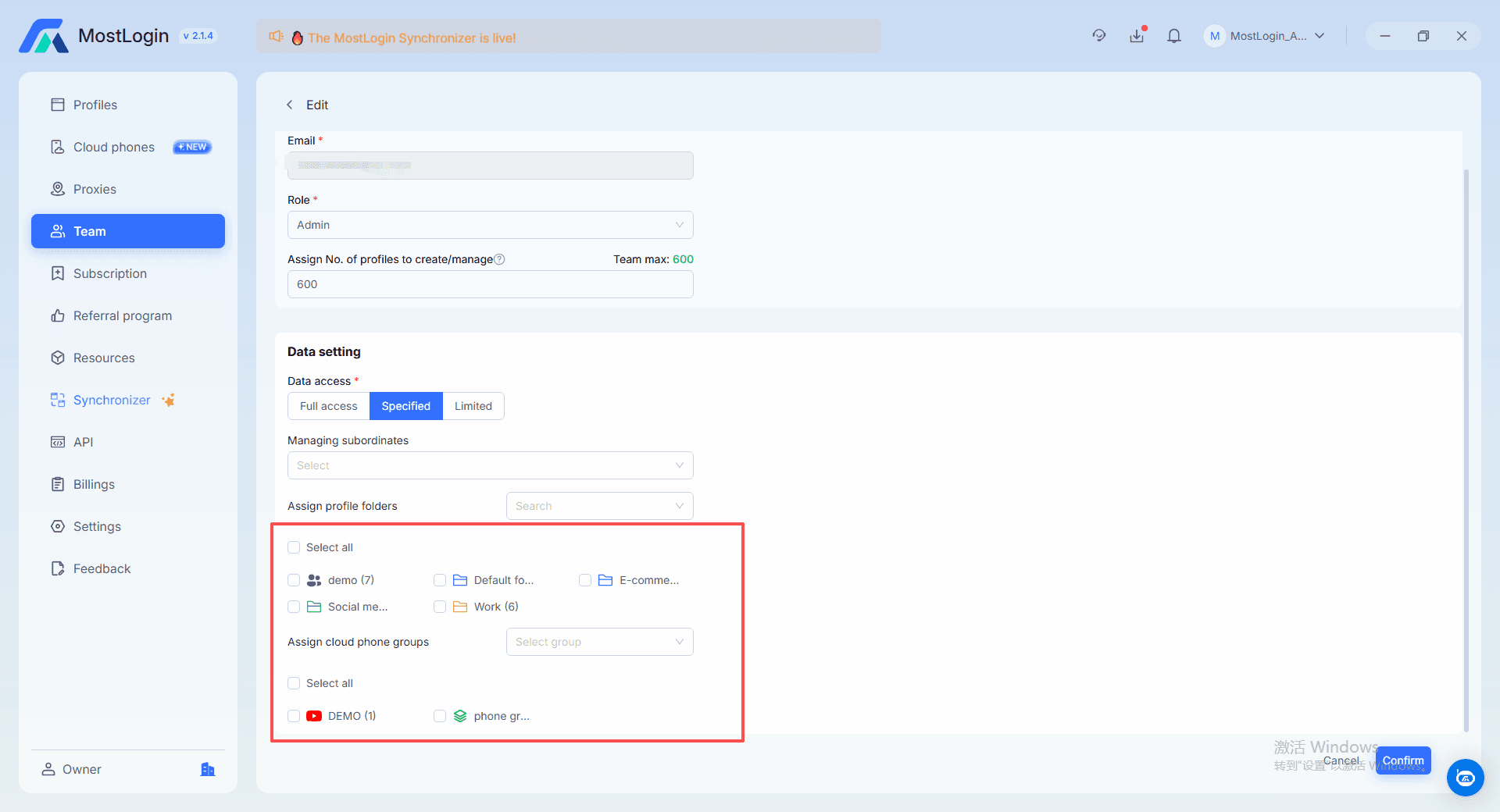
For team collaboration, MostLogin’s multi‑user features allow you to grant access to specific profiles without exposing raw credentials, keeping environments consistent while enabling operators, media buyers, and managers to work together on the same multi‑account architecture.
Common mistakes and risk scenarios when using anonymous browsers
Typical mistakes that lead to bans
Even with a strong browser setup, certain habits will undermine your anonymous surfing and multi‑account strategy. Frequent mistakes include:
- Sharing proxies across multiple high‑value accounts, increasing the chance of linked bans.
- Frequent fingerprint changes on the same profile, creating unrealistic device behavior.
- Over‑aggressive batch logins and high‑risk actions immediately after login.
- Mixing test and core accounts in one environment, contaminating reputation.
- Ignoring device environment stability such as OS, browser version, system clock, or drivers.
A simple way to evaluate your setup is to ask: “Would a normal user behave like this?” If the answer is no, then your anonymous surfing pattern is not truly anonymous; it is unusual and therefore detectable.
Optimization tips: making anonymous surfing and compliant
operations coexist
To keep your anonymous surfing strategy sustainable, you need long‑term optimizations beyond initial setup. With a tool like MostLogin, these strategies become easier to implement and audit.
Account grouping and operation strategy
Design operations around clearly defined account groups:
- Core accounts – Use the most stable environment and conservative actions.
- Test accounts – Treat them as a sandbox for new creatives and tactics.
- Support accounts – Assign them to engagement tasks and secondary campaigns.
In MostLogin, you can mirror this logic by building separate folders, tags, and access rules for each group, ensuring that operators understand which profiles belong to which risk tier.
Proxy pool planning
Proxy pools should be treated as part of your core infrastructure:
- Build dedicated pools for each GEO, platform, or campaign cluster.
- Limit cross‑group reuse of proxies, especially between high‑risk test accounts and low‑risk core accounts.
- Monitor proxy performance and rotate out IPs that show signs of being flagged.
Using MostLogin’s proxy management together with your own monitoring gives you a transparent view of which IPs are used by which profiles, and helps you adjust before issues escalate.
Content and traffic distribution for matrices
For social media matrices and content networks:
- Develop editorial calendars that distribute posts across profiles and time zones.
- Vary content formats, creative angles, and call‑to‑actions.
- Use engagement and trust signals to decide which profiles take higher‑risk actions versus long‑term branding roles.
In environments where multiple team members work with complex setups, structured tools like MostLogin—combining browser profile management, proxy configuration, and team collaboration—act as the backbone of your risk framework. With suitable pricing plans for different team sizes and use cases, you can align operational scale with budget while maintaining control over anonymous multi‑account environments.
FAQ: best browser for anonymous surfing in multi‑account scenarios
What is the best browser for anonymous surfing if I manage multiple e‑commerce accounts?
The best browser is one that combines strong fingerprint control, reliable proxy integration, and robust profile isolation rather than just a privacy label. For cross‑border e‑commerce, an antidetect browser that lets each store and ad account run in its own realistic environment is usually safer than a standard private browser.
When you evaluate options, check whether the tool supports stable profiles, clear proxy assignment, and team access management. These features directly impact your ability to keep accounts alive and compliant while surfing anonymously.
How can I safely use proxies when running account farms?
To use proxies safely, assign one stable proxy or a small, controlled range to each account group or profile. Avoid sharing the same IP across multiple sensitive accounts, and match proxy locations with your target user’s region.
Regularly monitor proxy reliability and replace IPs that show signs of being blocked or flagged. Well‑planned proxy pools, combined with a browser that respects isolation, significantly reduce the risk of linked bans.
Why do my anonymous browser sessions still get flagged by platforms?
Sessions often get flagged because anonymity tools are misconfigured or combined with risky behaviors. Even if your browser masks some data, frequent fingerprint changes, aggressive batch logins, identical content across accounts, or mismatched time zones will draw attention.
Review your environment with a risk‑control mindset: consider how a normal user behaves and whether your pattern differs dramatically. Adjust fingerprint stability, login schedules, and content strategies to appear more natural.
How often can I change IP or fingerprint without triggering risk control?
There is no universal rule, but frequent changes are usually more suspicious than stable environments. For core accounts, you should keep IPs and fingerprints as stable as possible and avoid unnecessary modifications.
For testing accounts, controlled rotation can be useful, but you should still maintain plausible patterns. Sudden jumps across distant regions or radical device changes within short periods increase risk.
How should I set up team collaboration for anonymous multi‑account operations?
For teams, you should separate account access from raw credentials. Use tools that let you share profiles or workspace access securely, while keeping fingerprints and proxies consistent per profile.
Define clear roles: who manages environment configuration, who operates accounts, and who monitors risk signals. This structured approach prevents accidental environment mixing and ensures anonymous surfing remains controlled and compliant.