For many people, a private browser is an excellent tool to protect our privacy. In the early days, many people would delete their browsing history after searching for things in a browser. Using a private browser allows you to quickly or with one click clear browsing history and not save various passwords. Such operations can indeed protect our privacy.
However, with the development of technology, the common private browsers on the market now mainly protect us from leaking too much information when browsing websites, prevent being detected with the same browser information by various websites, and try to avoid account bans or marked restrictions.
Why do we need a private browser now?
For many websites nowadays, when you enter them, they start recording various information such as your browser version, monitor resolution, computer memory size, CPU model, computer language, and plugin list. These are the information collected by websites to prevent a user from having multiple accounts, which is what we usually call browser fingerprinting.
If we have multiple accounts to manage or use, we need to hide this information as much as possible to prevent the official from discovering that you have multiple accounts. This situation leads to users with multiple accounts and marketers having to operate very cautiously. Sometimes these platforms may also have misjudgments. Many users say that their accounts were banned even when they logged in on two browsers on the same computer, so ordinary users should also take precautions.
To solve these problems, it is best for us to use a professional private browser (anti-detect browser) to help us. With such a tool, we can set relatively independent browser fingerprints, IP information, and other security settings to protect the security of our accounts as much as possible.
Who are the user groups of private browsers?
Generally speaking, the user groups of private browsers are as follows:
1. Ordinary users with multiple accounts
Some people do need to register many accounts for work, study, or life needs, such as a commonly used account, a backup account, and a work account. In this case, we need to use a private browser to prevent the same browser fingerprint from being recorded, otherwise, it will easily lead to bans or restrictions.
2. Cross-border e-commerce and independent website users
Sellers engaged in businesses such as Amazon, TikTok Shop, Shopify, and independent websites all know that these platforms have very high requirements for account stability. Many account bans are due to duplicate browser fingerprints being detected. Therefore, many user groups are using this tool to protect their accounts.
3. Users who need cross-region or cross-device testing
For example, many developers, product managers, and advertising personnel need to check the performance of websites on different devices, different environments, and for different users. Using a private browser can easily help these personnel complete their tasks by simply opening a new window.
4. Users who value privacy and do not want to be tracked by ads
Such users generally pay close attention to their privacy information, want to reduce the collection of their device information by websites, and also prevent being tracked by ads and receiving constant promotions. Therefore, using a private browser can prevent exposing too much privacy information and being tracked.
5. Studios and bulk business groups
Teams that perform bulk registration, bulk login, and operate dozens or hundreds of accounts need such private browsers to help them isolate different account information.
How to choose a private browser?
There are more and more private browsers on the market, and many people feel a headache when choosing. But in our opinion, a good private browser should at least have these advantages:
1. Is the fingerprint stability particularly good?
The more random the fingerprint is, the better it is not. On the contrary, the more it resembles a real device, the safer it is. Moreover, a mature private browser should be able to keep the same set of fingerprints for the same window all the time, preferably manually configurable and adjustable. Stability is very important.
2. Does it support multiple platforms?
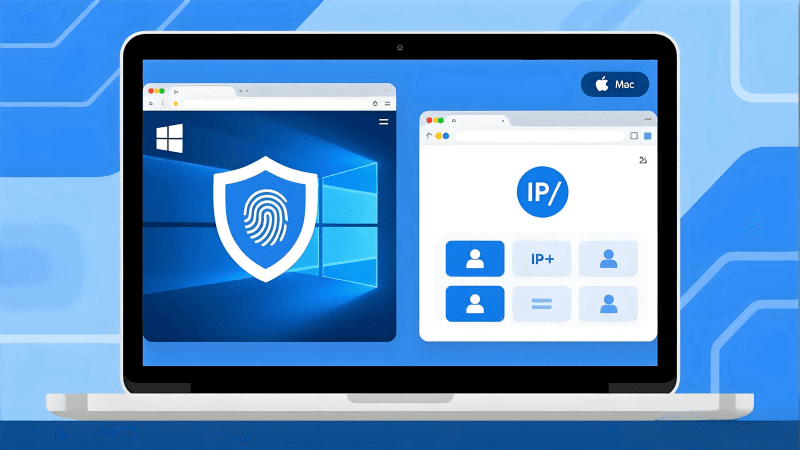
For large teams and users with multiple devices, they sometimes need to install it on devices with multiple systems. Some private browsers only support a single platform version, such as Windows or MacOS, which imposes great restrictions on the team.
3. Are IP and proxy settings flexible?
In some multi-account scenarios, fingerprint is one thing to pay attention to, but IP is also very important. Both need to be properly set. A good private browser needs to support: HTTP/HTTPS/SOCKS5 proxy/static/dynamic IP, so that we can ensure that each account has a different access source.
How many browser configurations can be opened simultaneously?
This is one of the most critical factors determining the efficiency of a private browser. Some private browsers can only open 10 windows, while others can open dozens or more. If you are a multi-account studio or for commercial use, this point is very important.
Is it paid? How is it priced?
Different private browsers have different pricing models. Some charge for multiple configurations, some for additional settings, and others for other functions. If you have not used these tools before, it is best to choose one with overall cost-effectiveness for an initial experience.
Are there any recommended private browsers for Windows and Mac?
Of course, we highly recommend MostLogin Private Browser here. This browser has many advantages. For example, we can set very detailed browser fingerprints to help us protect privacy, and also set IP and various proxies independently. It has all the functions that a private browser mentioned above should have. Moreover, except for the cloud mobile phone function, all functions of MostLogin are available under current plans. The software also supports running on Windows and MacOS, which can help us achieve multi-platform operations.
For most users of private browsers, the number of windows is very important. MostLogin Private Browser does not have too many restrictions on the number of windows. As long as your device performance is sufficient, you can use an unlimited number of windows. (The official website marks the "Pioneer Program", and the payment price will be displayed as zero when choosing subsequent paid plans). If you have not used a private browser before, you can try this browser to help with convenient operations and complete work-related tasks.
If you want to know more, welcome to click "Are Private Browsers Really Safe?" and "What Is a Private Web Browser? What Can It Do?" to view related articles!
FAQs:
1. What is the difference between a web private browser and the incognito mode of a regular browser?
Incognito mode only does not save browsing history, while a private browser directly prevents websites from collecting your device information (fingerprint, IP, plugins, etc.). The depth of privacy protection is completely different.
2. If I only have a few commonly used accounts, do I still need a private browser?
It is recommended. Many platforms are very sensitive to the login environment of accounts now. Even if you only log in to a few normal accounts on the same device, they may be judged as associated and banned due to consistent fingerprints. A private browser tries to avoid account association and protect account security.
3. For cross-border e-commerce, Shopify, or TikTok Shop, what problems can a private browser solve?
These platforms will judge whether accounts belong to the same person through device fingerprints. If associated, there is a probability of being banned. Using a private browser allows us to generate an independent device environment for each store, making each account look like it is logged in from a different device, reducing the risk of being banned.
4. Will a private browser affect internet speed or web page loading?
Normally, it will not. It mainly isolates fingerprints and cookies inside the browser and does not affect the network link like a VPN. Therefore, the web page opening speed is almost the same.
5. What advantages does MostLogin have compared to other private browsers?
MostLogin has more comprehensive functions, and almost all core anti-detection functions are available under current plans. At the same time, it can open many windows, has no limit on the number of fingerprints, and supports Windows and macOS. For multi-account users, its cost-effectiveness and usability are very high.
6. Is a private browser suitable for non-technical users? Will it be difficult to use?
Not at all. Most private browsers have visual operations, and creating an independent environment is basically a one-click generation. Tools like MostLogin have almost zero learning cost, and beginners can use them directly.
Best Private Browser - MostLogin
MostLogin Private Browser helps users solve high-frequency problems such as multi-account operation, environment isolation, and account risk control.
For operational questions, please refer to the Official Help Center