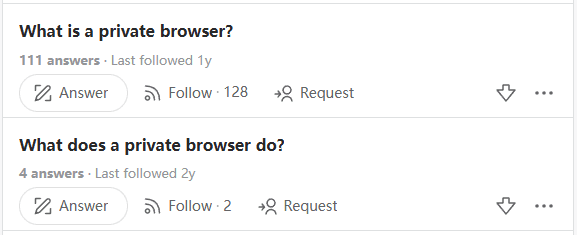
Recently, we have seen many questions about private browsers on Quora, such as "What is a private browser?" and "What are the uses of a private browser?". For those who value privacy highly or have specific needs, a private browser is indeed an essential tool to use. However, after carefully reviewing the relevant posts, we found that most of the questions and answers are from seven or eight years ago (2018), and most of the content is incorrect for today's web private browsers, which is likely to mislead many people.
Today, we are going to re-answer these questions for those who are interested in private or privacy-focused browsers, focusing specifically on web private browsers. We aim to help everyone quickly gain more knowledge in this area, and hope this article is helpful to you!
What is a Web Private Browser?
A web private browser is a special type of browser that, unlike regular browsers, helps us avoid exposing various types of information as much as possible in many aspects. It is completely different from the "Incognito Mode" found in some browsers. Incognito Mode only protects your browsing privacy by not saving browsing history/passwords/cache/forms, whereas the type of browser we mentioned earlier is designed to protect your privacy on the internet and prevent websites from tracking you.
Nowadays, many websites aggressively collect your information—not just your IP address and Cookies, but popular platforms like Amazon, TikTok, X (formerly Twitter), and Facebook also collect basic browser information, computer language, plugin lists, computer system information (CPU, memory size, display resolution), and many other types of data. In such cases, if you need to use multiple accounts simultaneously or frequently access sensitive information, it is best to use a web private browser to protect this information.
What Are the Uses of a Web Private Browser?
Its main function is to protect various types of our information from being leaked, typically in these aspects:
- Prevent tracking by third-party trackers
- Reduce device identification by fingerprinting systems (ability to select different fingerprints)
- Enhanced privacy protection (beyond just VPN location switching)
- Reduce the generation of personalized ads and user profiles
- Improved security when using public WiFi
What Are the Differences Between Modern Web Private Browsers and Older Versions?
1. Stronger Prevention of Ad Tracking
In the past: Only a small portion of third-party Cookies could be blocked, and ad tracking still persisted.
Now: Almost all ad trackers and cross-site tracking can be blocked, and some related software can automatically block ad networks and third-party tracking scripts.
2. Browser Fingerprint Protection
In the past: There were almost no measures to protect against browser fingerprinting, making it easy for users to be quickly identified.
Now: Fingerprint information can be manually modified or randomized, which reduces the uniqueness of device fingerprints and prevents detection of anomalies by official systems.
3. IP Address and Anonymity
In the past: Our IP addresses were basically exposed directly, and there was almost no anonymity.
Now: Some privacy browsers allow direct configuration of fixed IP addresses or other proxy operations to enhance overall security.
4. Privacy Configuration
In the past: Users had to manually enable privacy features, and the overall configuration was complex and not comprehensive.
Now: It can be used immediately after installation, with the ability to randomly or fixed configure the environment—extremely convenient and comprehensive.
Who Is a Web Private Browser Suitable For?
- Non-technical users (primary need for privacy protection)
- Users requiring fixed environments/browser fingerprints
- Users who frequently access sensitive information
- Content creators, journalists, and privacy-sensitive professions
- Certain enterprise use cases
- Marketers managing multiple accounts on a single platform
Which Web Private Browsers Are Suitable for Us to Use?
According to research, the main user groups of MostLogin Web Private Browser are exactly those mentioned above. This privacy browser not only protects our private information from being leaked in multiple aspects but also improves overall efficiency in many ways. Take the simplest example of "marketers with multiple accounts on a single platform"—most platforms now have strict browser fingerprint detection. If multiple accounts are found to have the same browser fingerprint, all accounts are likely to be banned together. MostLogin Web Private Browser can set a unique fingerprint for each account (window) to prevent detection by official systems, and also enables automated operation of multiple accounts simultaneously.
You can learn more by clicking here!
For the user groups we mentioned above, MostLogin Private Browser has corresponding auxiliary options to better complete work-related tasks. For example, non-technical users (with primary privacy protection needs) only need to simply create an environment to use it. For users requiring fixed environments/browser fingerprints, cloud synchronization can be set up to maintain the same fingerprint information across multiple devices, preventing the system from judging frequent information changes as abnormal. For users who frequently access sensitive information, as well as content creators, journalists, and privacy-sensitive professions, fixed or multiple windows can be set up for use without mutual interference. As for certain enterprise use cases, MostLogin Private Browser has team collaboration features that allow us to
share windows with team members more quickly and securely, or set up independent access controls—making centralized account management and overall workflow more convenient.
Frequently Asked Questions:
What is the difference between a web private browser and the incognito mode of a regular browser?
Incognito Mode only does not save browsing history, while a private browser blocks websites from collecting your device information (fingerprint, IP, plugins, etc.). The direction and depth of protection are completely different.
Why can many websites track me now?
Because many websites now not only check IP addresses but also read browser fingerprints: resolution, language, CPU, GPU, plugin lists, and system version. Combined, these act like an ID card, so their systems can easily lock onto accounts with the same browser fingerprint.
What is the difference between a VPN and a private browser?
A VPN only changes the IP address without altering device information, while a private browser handles IP + fingerprint + Cookies simultaneously. Platform detection has become increasingly strict nowadays, so changing only the IP address is definitely insufficient.
I'm just an ordinary user who doesn't manage multiple accounts—do I still need a private browser?
If you don't want to be tracked by ads, are concerned about website information leakage, have multiple accounts, or occasionally access sensitive content, a private browser can still improve your online security and is quite useful.
Best Anti-Detection Browser - MostLogin
The MostLogin anti-detection browser tool helps users solve high-frequency issues such as multi-account operation, environment isolation, and account risk control.
For operational questions, please refer to the Official Help Documentation