Quick answer: if the staking term is over but your funds still show as Locked, the contract is not necessarily broken. The usual causes are a mismatch between the front-end countdown and on-chain time, a required Unstake transaction, an active Cooldown or Withdrawal Delay, a linear vesting schedule, a claim route that moved to another contract, or a front end reading the wrong Proxy, RPC, or user state. Do not rely on the date shown in the dashboard. Trace the flow in this order: which contract holds the funds → which timestamp controls the lock → whether releasable/claimable is above zero → which official function or portal releases the funds → whether the transaction actually landed on-chain.
Security first: when the withdrawal button disappears, fake admins, fake migration pages, and “wallet sync” scams start showing up. Anyone asking for your seed phrase, private key, remote access, or wallet recovery details on a website is trying to drain you. Even when interacting through a block explorer, verify the network, official contract address, Proxy relationship, and function parameters. Never hit Write Contract just because somebody posted a screenshot in a group chat.
Lock period over but funds still stuck? Separate these five states first
Expired, unlocked, claimable, claimed, and tradable are not the same state. A large share of staking confusion comes from treating them as interchangeable.
| State | What it actually means | Next check |
|---|---|---|
| Staking Ended | The staking or reward-accrual period ended; principal does not necessarily return automatically | Check whether Unstake is required |
| Unstake Requested | An exit request exists, but it may still be inside a Cooldown or Withdrawal Queue | Read cooldownEnd or withdrawalTime |
| Unlocked / Vested | The contract allows a release, but the assets may still sit inside the contract | Call Withdraw, Release, or Claim |
| Claimed / Withdrawn | The payout function executed | Inspect Token Transfers and the recipient |
| Tradable | The token reached the wallet, transfers are enabled, and usable liquidity exists | Verify the token contract, transfer restrictions, and liquidity pool |
On-chain rule of thumb: the date in the UI is a display value. Contract timestamps, balances, state variables, and events are the source of truth.
Why are the assets still locked? Ten common causes
1. Maturity stops reward accrual but does not auto-return principal
Some staking contracts separate “reward period finished” from “principal withdrawn.” Once periodFinish, endTime, or lockEnd is reached, rewards stop accruing, but the user must still send an unstake, withdraw, exit, or redeem transaction. A Matured badge does not mean the contract will push funds back to your wallet.
2. You must Unstake first and wait out a Cooldown
Many protocols use a two-step exit. The first transaction records the amount and starts a cooldown; only after that delay can you withdraw or claim. Common fields include cooldownStart, cooldownEnd, withdrawalDelay, requestTime, and unlockAt. If you sent only the first transaction, seeing Locked can be completely normal.
3. The token follows a Cliff or linear Vesting schedule
A Cliff means nothing is claimable before a specific time. At the cliff, the contract may unlock an initial chunk or begin releasing tokens linearly. OpenZeppelin’s VestingWallet separates start, duration, released, and releasable, with release handling the payout. Even after vesting begins, you can withdraw only the amount already vested but not yet released.
4. The front end shows local time while the contract checks Unix UTC
EVM contracts commonly use block.timestamp, the current block’s Unix timestamp in seconds. The front end may convert it to the browser’s timezone or show only a date with no hour, minute, or timezone. “Unlocks August 30” might mean August 30 at 23:59 UTC, not midnight in your location.
5. The UI mixed up seconds and milliseconds or cached stale data
Solidity timestamps are usually seconds, while JavaScript Date values are commonly milliseconds. Missing or adding an extra factor of 1,000 can produce a wildly wrong date. More often, an API, indexer, or subgraph is lagging: the contract has unlocked, but the dashboard still says Locked.
6. The funds moved from the Staking Contract to a Vesting, Queue, or Vault contract
A protocol may use a Staking Contract, Rewards Distributor, Withdrawal Queue, Vesting Wallet, Vault, and Token Contract at the same time. Depositing through an old staking page does not mean withdrawals come from the same contract. After an upgrade, pool migration, or reward distribution, the funds may be routed into a different custody contract.
7. The front end or withdrawal portal migrated
After a protocol moves its domain, front end, pool, or contracts, the old dashboard may still connect and display a position while no longer offering an exit button. This project’s research across Chinese-speaking Web3 Discord communities documented users whose lock period had ended but who still could not unlock or find the withdrawal route. Look for the newest official announcement, docs, migration page, and contract list—not search ads or links dropped into your DMs.
8. You are reading the Implementation instead of the Proxy
Upgradeable protocols often use proxies. Funds and state normally live at the Proxy address, while the ABI logic comes from an Implementation contract. Reading only the Implementation may show no position; sending a transaction to it may revert or do nothing useful. On the explorer, verify “Read as Proxy” or “Write as Proxy” and match the Proxy against the project’s official deployment records.
9. Withdrawals are paused, windowed, or gated
Some contracts let an admin pause withdrawals or require users to exit inside a specific Withdrawal Window. Missing that window may force a new cooldown. Other protocols require KYC, Terms acceptance, credential migration, burning a receipt token, or a keeper advancing the epoch before withdrawals open.
10. The withdrawal transaction failed, but the UI swallowed the error
No TxHash usually means nothing was broadcast. If a TxHash exists but the status is Reverted, inspect the Revert Reason, Custom Error, and failed call. MetaMask recommends looking up the TxHash on the correct network explorer to diagnose failed smart-contract transactions.
12-step playbook: trace the contract, unlock time, and real withdrawal route
Step 1: Confirm the wallet address and network
Match the full address used to stake; do not trust a wallet nickname. Check whether the position belongs to a hardware wallet, Safe, smart account, or another imported account. Then confirm the Chain ID. The same address can hold completely different positions on Ethereum, Arbitrum, Base, BNB Chain, and other networks.
Step 2: Use the original stake transaction to find the contract
Open the original Stake transaction and record:
- the To address—the contract you interacted with;
- the Method, such as stake, deposit, lock, or createLock;
- the amount, term, tokenId, or poolId in Input Data;
- related Token Transfers;
- events such as Deposit, Staked, Locked, or PositionCreated.
If it is missing from your wallet activity, find the outgoing principal under Token Transfers and trace the receiving contract. Do not rely solely on what the project dashboard shows.
Step 3: Verify the contract against official sources
Cross-check at least two sources: official docs or announcements, verified explorer code, or an official GitHub deployment record. Confirm the network, Verified status, deployer relationship, and whether the address is a Proxy or Implementation.
Step 4: Start with Read Contract, not Write Contract
Etherscan explains that Read Contract queries public contract data without changing state or spending gas. Write Contract submits a state-changing transaction, requires a signature, and costs gas. Troubleshoot read-first, write-second.
Function names vary, but look for:
start,startTime,lockStart;endTime,unlockTime,lockEnd,maturity;cliff,duration,periodFinish;cooldownEnd,withdrawalTime,requestTime;balanceOf,stakes(address),userInfo,positions;releasable,claimable,withdrawable,earned;released,claimed,withdrawn;paused,emergencyMode,withdrawalsEnabled.
Step 5: Convert the on-chain timestamp into UTC and local time
Solidity defines block.timestamp as seconds since the Unix Epoch. Check the number of digits before converting:
About 10 digits: usually seconds, e.g. 1788048000
About 13 digits: usually milliseconds, e.g. 1788048000000

UTC time = converted Unix timestamp in seconds
Local time = UTC adjusted for your timezone
Example: the contract returns unlockTime = 1788048000. That is 2026-08-30 00:00:00 UTC. In UTC+8, it is 2026-08-30 08:00:00. If the page displays only “August 30,” seeing Locked earlier that morning is expected.
Step 6: Confirm the contract uses block time, not the website countdown
The actual condition often looks like:
require(block.timestamp >= unlockTime, "Still locked");The check uses the block timestamp when the transaction is included. It does not use your laptop clock, phone clock, or browser timer. Changing system time, clearing cookies, or switching browsers cannot beat an on-chain timelock.
Step 7: Separate one-time unlocks from linear Vesting
A hard unlock may release everything after unlockTime. Linear vesting increases vestedAmount over time. Use this simplified check:
Vested amount = Total allocation × (Current time - Start time) ÷ Total duration
Currently releasable = Vested amount - Amount already released
Worked example: total allocation is 10,000 tokens, vesting starts on June 1, 2026 at 00:00 UTC, and lasts 90 days. On day 75, the theoretical vested amount is 10,000 × 75 ÷ 90 = 8,333.33. If 5,000 tokens were already claimed, releasable is about 3,333.33—not the full remaining 5,000. The exact result depends on contract rounding and any custom vesting curve.
OpenZeppelin VestingWallet separates start, duration, released, releasable, and release. That distinction matters: vested does not mean delivered to the wallet.
Step 8: Check whether the exit needs one, two, or three transactions
Common flows include:
- One step: withdraw or exit directly;
- Two steps: requestUnstake → wait for Cooldown → withdraw;
- Three steps: unstake → finalizeWithdrawal → claim;
- Queue-based: requestWithdraw → wait for an epoch or keeper → claim;
- NFT position: withdraw(tokenId) → burn the receipt NFT → receive principal.
Example: a user clicks Unstake on August 1, but the contract only records requestTime. The rules require a seven-day Cooldown, so withdraw cannot succeed until August 8. If there is also a 48-hour Withdrawal Window, missing it may restart the cooldown. The original stake maturity date alone does not tell you the withdrawal date.
Step 9: Find the actual Claim, Withdraw, or Release contract
Use official docs, the latest announcement, and original transaction events to locate the funds. Check whether:
- the Staking Contract routed assets into a Vault;
- the Unstake event created a Withdrawal Request ID;
- the Vesting Contract beneficiary matches your address;
- the Rewards Distributor pays only rewards or also returns principal;
- an old pool migrated into a new pool;
- the Proxy Implementation was upgraded.
A function name is a clue, not an instruction. Without official guidance and a complete ABI, do not experiment with functions named emergencyWithdraw, rescue, or migrate.
Step 10: Read the claimable amount before sending a transaction
If the contract exposes releasable, claimable, or withdrawable, query it with your address or the correct token contract. A zero result means you should inspect the Cliff, previously claimed amount, token parameter, and contract balance. If the result is above zero, use the official front end or a verified Write as Proxy flow.
Also verify that the payout contract is funded. A theoretical allocation does not prove the vesting contract holds enough tokens. OpenZeppelin’s design also ties release behavior to assets actually held by the wallet contract.
Step 11: Use the TxHash to determine how far the transaction got
| Result | What it means | What to do |
|---|---|---|
| No wallet popup | The front end, Provider, Session, RPC, or button logic failed before signing | Use a clean profile with one wallet extension |
| Popup but no TxHash | Not signed, gas estimation failed, or RPC never broadcast it | Capture the wallet and Console errors |
| Pending | The transaction was broadcast but not confirmed | Check gas, nonce, and network congestion |
| Reverted | A contract execution condition failed | Read the Revert Reason or Custom Error |
| Success | The function executed | Inspect events, Token Transfers, and recipient |
Step 12: Package the evidence and open an official ticket
If the chain says the funds are withdrawable but the official portal still fails, submit:
Issue: Staking term ended, but funds still show as Locked
Public wallet address: 0x...
Network and Chain ID: ...
Original Stake TxHash: ...
Unstake/Request TxHash: ...
Failed Withdraw/Claim TxHash: ...
Staking/Proxy contract: ...
Vesting/Queue contract: ...
On-chain unlockTime: ...
Converted UTC and local time: ...
releasable/claimable result: ...
Revert Reason or Custom Error: ...
Official page URL: ...
Time observed: YYYY-MM-DD HH:MM UTC
Attachments: screenshots with sensitive data redacted
Never include a seed phrase, private key, wallet password, cookies, Discord token, or remote-access credentials in a support ticket.
Three worked cases: finding the real reason funds remain locked
Case 1: The displayed date arrived, but on-chain time is still eight hours away
Symptom: the page says “Unlocks August 30.” A user in UTC+8 checks shortly after local midnight and still sees Locked.
Check: Read Contract returns unlockTime = 1788048000. That converts to August 30, 2026 at 00:00 UTC, or 08:00 in UTC+8. The contract checks block time.
Conclusion: the contract is fine; the UI omitted the timezone and exact time. Read the state again after 08:00 local time. Clearing the browser or reconnecting the wallet will not help.
Case 2: The stake matured, but the exit still has a Cooldown
Symptom: a 90-day stake ended and the button changed from Stake to Unstake. After clicking, the balance still shows Locked.
Check: the first transaction emitted only UnstakeRequested, recorded cooldownEnd, and produced no Token Transfer. Seven days later, withdrawable changed from zero to the principal amount.
Conclusion: maturity only opened the exit request. A second withdraw transaction is required. No Token Transfer after the first transaction is expected.
Case 3: The front end lost the button, but the Vesting Contract is releasable
Symptom: after a website upgrade, the old dashboard still shows the allocation but no Claim button.
Check: the latest official docs publish a Vesting Proxy. Under Read as Proxy, beneficiary matches the user, releasable(token) is above zero, and released(token) is below vestedAmount. An official announcement says the new route uses release(token).
Action: prefer the new official front end. If the project explicitly supports explorer interaction, verify the Proxy, network, token contract, and simulation before using Write as Proxy. Avoid “legacy claim fix” pages advertised in search results.
The chain says unlocked, but the UI still says Locked: rule out browser issues
Only after Read Contract confirms that unlockTime has passed and releasable is above zero should you suspect the browser, RPC, or front-end data layer. Run a controlled comparison:
- disconnect the dApp from the wallet;
- close other tabs for the same project;
- clear cookies, Local Storage, and cache for that domain only;
- enable one target wallet extension to avoid Provider collisions;
- switch to a reliable RPC supported by the project;
- check Console and Network for 403, 429, CORS, RPC, and indexer errors;
- reproduce the issue in an isolated browser profile and capture the timestamp and error.
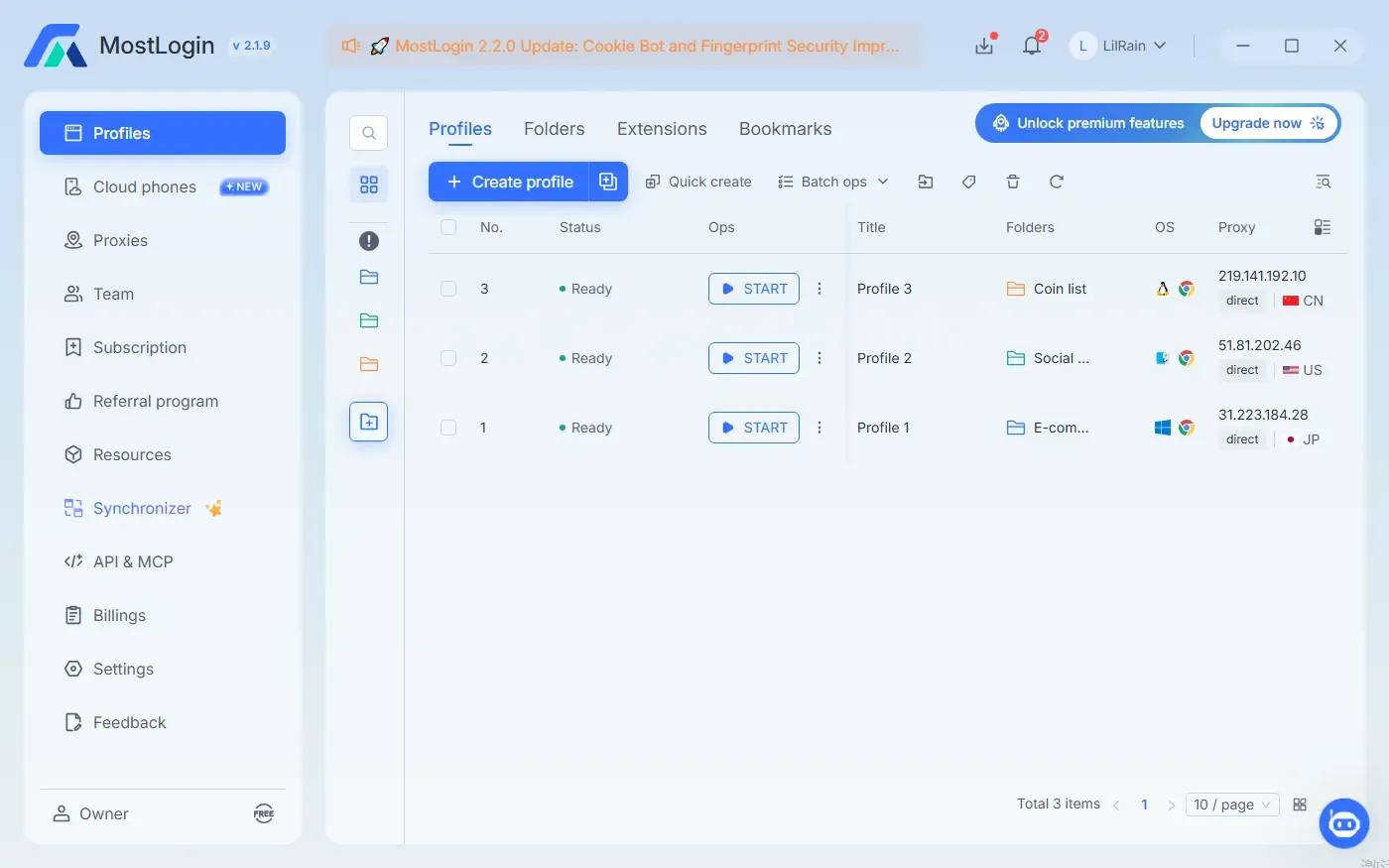
MostLogin can serve as an isolated, reproducible environment here: create one profile per project, separate sessions and wallet extensions, record Proxy/RPC settings, and retain operation logs for the team. It can help prove that “the chain is unlocked but the front end is stale.” It cannot change unlockTime, bypass a Cooldown, remove a Pause, or force the project contract to pay out.
| What MostLogin can help isolate | What MostLogin cannot fix |
|---|---|
| Stale cookies, Local Storage, and wallet sessions | Change an on-chain unlock time |
| Conflicts between multiple wallet providers | Skip a Cooldown or Withdrawal Queue |
| Mixed-up projects, accounts, and networks | Remove a contract Pause |
| RPC, Proxy, and front-end data comparisons | Fund an underfunded Vesting Contract |
| Reproduction logs and support-ticket evidence | Replace the official contract or change its Vesting Curve |
Use MostLogin to create a dedicated Web3 staking-debug profile
High-risk moves: do not try these “unlock fixes”
- do not give remote access or screen sharing to an “admin” who DMs you first;
- do not enter a seed phrase on a Sync Wallet or Validate Wallet page;
- do not call emergencyWithdraw, rescue, or migrate based only on the function name;
- do not send a transaction to the Implementation while ignoring the actual Proxy;
- do not sign an unlimited Approval or an unreadable Permit to “unlock” funds;
- do not use proxies to bypass explicit regional or identity restrictions;
- do not trust paid “allocation recovery” or “early vesting unlock” services;
- do not treat a front-end Success toast as on-chain success without a TxHash.
Frequently asked questions
Do tokens automatically return to my wallet when staking ends?
Not always. Many contracts only stop reward accrual or enable an exit at maturity. You may still need to call unstake, withdraw, exit, release, or claim. Check the contract logic, events, and official documentation.
The front-end date and contract unlockTime disagree. Which one wins?
On-chain execution follows contract state and block time. The front end may have a timezone conversion, seconds-versus-milliseconds bug, stale cache, or indexer delay. Read the contract timestamp and convert it to UTC and your local timezone.
Why does it still show Locked after a successful Unstake?
Unstake may only create an exit request and start the Cooldown without moving principal. Inspect the event, cooldownEnd, withdrawalTime, and withdrawable, then confirm whether a second withdraw or claim transaction is required.
Does releasable returning zero mean the funds are gone?
No. Zero may mean the Cliff has not passed, everything was already claimed, the wrong token contract was queried, the payout contract is unfunded, the address is not the beneficiary, or the protocol uses a different release flow. Check balance, released, vestedAmount, and events together.
Can I withdraw directly through Etherscan Write Contract?
Only after verifying the official address, correct network, Proxy relationship, function parameters, and official instructions. Read the state first and simulate the transaction. Never call a function you do not understand.
The transaction Reverted, but the page shows no reason. What now?
Paste the TxHash into the explorer for the correct network and inspect Status, Revert Reason, Custom Error, Input Data, and events. Common errors include StillLocked, CooldownNotFinished, NothingToClaim, Paused, InvalidPosition, and NotBeneficiary.
Can switching browsers or using MostLogin unlock funds early?
No. A browser profile can isolate front-end sessions, extension conflicts, RPC failures, and environment settings. It cannot change block.timestamp conditions, Cooldowns, Vesting Curves, or admin-controlled contract state.
Why can I not sell the token after it unlocks?
Unlock only means the token can leave the custody contract. Selling may still fail because of transfer restrictions, allowlists or blocklists, missing liquidity, the wrong token contract, trading not being enabled, or assets remaining inside another Vesting or Staking Contract.
Final takeaway: stop asking “has the date arrived?” and ask “what does the contract allow now?”
When a staking term ends but funds still show as Locked, refreshing the dashboard is not a diagnosis. Build the on-chain evidence chain: original Stake TxHash, current custody contract, Proxy relationship, unlockTime, current block time, releasable amount, exit steps, and final withdrawal TxHash. If you can answer four questions—where are the funds, when can they be released, which function releases them, and did that transaction execute—you can classify most locked-fund cases.
Our August 2026 research across Chinese-speaking Web3 Discord communities documented users unable to unlock after maturity, unable to find a withdrawal route, and unable to sell received tokens. The useful tool is not one that promises an “automatic unlock.” It is one that helps isolate the environment, verify on-chain state, preserve an audit trail, and send reproducible evidence to official support.
Official technical references: Solidity: block.timestamp and time units, OpenZeppelin: VestingWallet, Etherscan: safely using Read/Write Contract, and MetaMask: troubleshooting failed contract transactions.
Read next: Wallet connected but unable to claim an airdrop, Eligible but unable to claim: 12 troubleshooting steps