I have lost count of how many times I have seen someone open a new browser profile, run one checker, get a green result, and declare the setup “safe.” Five minutes later, a second checker finds a WebRTC leak, a time-zone mismatch, or a WebGL renderer that makes no sense for the selected operating system.
That does not mean the first checker was useless. It means browser fingerprint testing is not a driving test with one examiner and one pass mark. Every checker has its own collectors, baselines, risk model, and blind spots.
This guide explains what browser fingerprint checkers actually do, how to read their results, who should use them, and which ten tools are worth keeping in your testing folder in 2026. It is written for privacy testing, QA, security research, and authorized multi-account operations—not for bypassing platform rules.
What Is a Browser Fingerprint Checker?
A browser fingerprint checker is a diagnostic website that shows the technical information your browser and network expose during a visit. Some tools display the raw values. Others hash those values, compare them with a population dataset, or assign a trust, consistency, or anonymity score.
A browser fingerprint is not one serial number hidden inside Chrome. It is a combination of signals that can include:
- User-Agent and User-Agent Client Hints;
- operating system and browser version;
- screen size, color depth, pixel ratio, and touch support;
- time zone, locale, language, and date formatting;
- Canvas, WebGL, WebGPU, AudioContext, and ClientRects output;
- fonts, media devices, plugins, MIME types, and codecs;
- CPU cores, device memory, and other hardware hints;
- cookies, local storage, permissions, and privacy settings;
- public IP, ASN, proxy type, DNS route, and WebRTC candidates;
- automation, headless-browser, and JavaScript-tampering indicators.
Individually, many of these values are ordinary. Combined, they can make a browser recognizable or reveal that an environment has been assembled from contradictory parts. If you want the technical background first, read MostLogin’s guide to browser fingerprinting.
How Do Fingerprint Checkers Test a Browser?
1. JavaScript collects browser-side signals
The checker calls browser APIs in much the same way an analytics or anti-fraud script can. It may ask the browser to draw text and shapes on a Canvas, render a WebGL scene, process an audio sample, enumerate supported features, or report values such as languages, hardware concurrency, and screen dimensions.
The output can be displayed directly or converted into a hash. If the same profile produces a completely different Canvas hash after every refresh, that may indicate intentional noise. If ten supposedly independent profiles return every important value identically, that can also deserve investigation. Neither result is automatically good or bad without context.
2. The server observes the connection
A checker can see the public IP used for the request, the ISP or ASN, an estimated location, request headers, and—in more advanced tools—HTTP/2 or TLS characteristics. WebRTC and DNS tests may reveal a second network path that does not agree with the proxy exit IP.
This is why changing the proxy is not the same as changing the browser fingerprint. The IP belongs to the network layer; Canvas, WebGL, fonts, and dozens of browser properties remain separate signals.
3. The tool looks for inconsistencies
For antidetect browser users, consistency is often more useful than raw uniqueness. A checker may compare:
- IP country against browser time zone and locale;
- the claimed operating system against fonts and graphics output;
- User-Agent against Client Hints and browser-kernel behavior;
- WebGL vendor and renderer against the selected device profile;
- screen and touch values against a desktop or mobile identity;
- the proxy exit IP against WebRTC and DNS observations.
A realistic browser profile should tell one coherent story. “Windows in Germany” is plausible. “macOS User-Agent, Windows-only fonts, an Android touch profile, US time zone, and a German IP” looks stitched together.
4. Some checkers turn the evidence into a score
A green badge is convenient, but it is only that site’s interpretation of the signals it collected. The checker does not have access to a platform’s private risk engine, account history, payment data, behavioral model, or internal device graph.
A checker can reveal leaks and contradictions. It cannot promise that an account will never be reviewed, challenged, or suspended.
For a deeper testing method, see MostLogin’s guide to browser fingerprint tests.
Who Needs to Check a Browser Fingerprint?
You do not need to run ten checkers before reading the news. Fingerprint testing becomes useful when the browser environment matters to the work.
Authorized multi-account operators
Agencies, marketplace teams, social media managers, and affiliate teams often separate client or brand accounts into individual browser profiles. A pre-login check can catch accidental IP reuse, a broken proxy, or a profile whose region settings do not match its assigned market.
E-commerce and advertising teams
Teams working across storefronts, regional campaigns, and ad accounts need repeatable environments. A checker is useful after a proxy change, browser-core update, operating-system change, or profile migration. MostLogin also provides dedicated workflows for social media management and digital advertising.
Automation developers and QA engineers
Headless flags, missing APIs, unusual permission states, and inconsistent headers often appear after browser automation is introduced. Checkers help developers compare a normal interactive session with an authorized automated test session.
Privacy-conscious users and researchers
Privacy tools can reduce tracking, standardize a fingerprint, or add noise. AmIUnique, Cover Your Tracks, BrowserLeaks, and CreepJS make it easier to see which signals remain exposed and whether a configuration is stable across visits.
Antidetect browser users
If you use an antidetect browser for legitimate profile isolation, test a new profile before the first important login and test it again after material changes. The purpose is not to chase a perfect score; it is to confirm that the profile is internally consistent and that the proxy, DNS, and WebRTC layers are behaving as expected. MostLogin explains the underlying profile model in What Is a Browser Fingerprint in Anti-Detect Browsers?
Top Browser Fingerprint Checkers in 2026: Quick Comparison
| # | Checker | Best for | Main advantage | Main limitation |
|---|---|---|---|---|
| 1 | ToDetect | Deep signal-by-signal debugging | Detailed Canvas, WebGL, fonts, headers, WebRTC, and feature tests | Raw output can overwhelm beginners |
| 2 | EnvTrace | Pre-login environment checks | Combines fingerprint, IP, network consistency, and scenario fit | A scenario verdict is guidance, not a platform guarantee |
| 3 | Pixelscan | Fast all-in-one checks | Fingerprint, proxy, DNS, bot, WebRTC, and blacklist checks in one interface | Summary results need deeper follow-up when something fails |
| 4 | BrowserScan | Browser and protocol inspection | Broad coverage including WebGPU, Client Hints, kernel checks, HTTP/2, and TLS | Many panels; not every value affects every platform |
| 5 | IPhey | Readable trust and consistency checks | Separates browser, location, IP, hardware, and software into clear panels | Its score is proprietary and not a platform’s score |
| 6 | Whoer | Quick IP and anonymity diagnosis | Makes IP, DNS, WebRTC, time, language, and header mismatches easy to spot | Anonymity percentage is a simplified model |
| 7 | AmIUnique | Uniqueness and research | Compares your fingerprint with a large research dataset and tracks changes | Collects the submitted fingerprint and sets a four-month cookie |
| 8 | Cover Your Tracks | Consumer privacy protection | Explains tracker blocking and fingerprint protection in plain language | Not designed as an antidetect profile consistency checker |
| 9 | CreepJS | Advanced tampering analysis | Looks for prototype lies, privacy resistance, rendering inconsistencies, and hard-to-spoof signals | Dense research-oriented output; use only the official GitHub Pages deployment |
| 10 | Fingerprint Pro Playground | Seeing the anti-fraud side | Demonstrates visitor identification and signals such as VPN, bot, incognito, and tampering detection | A commercial product demo, not a neutral anonymity grader |
The 10 Best Browser Fingerprint Checkers: Detailed Review
1. ToDetect— best for isolating one fingerprint surface
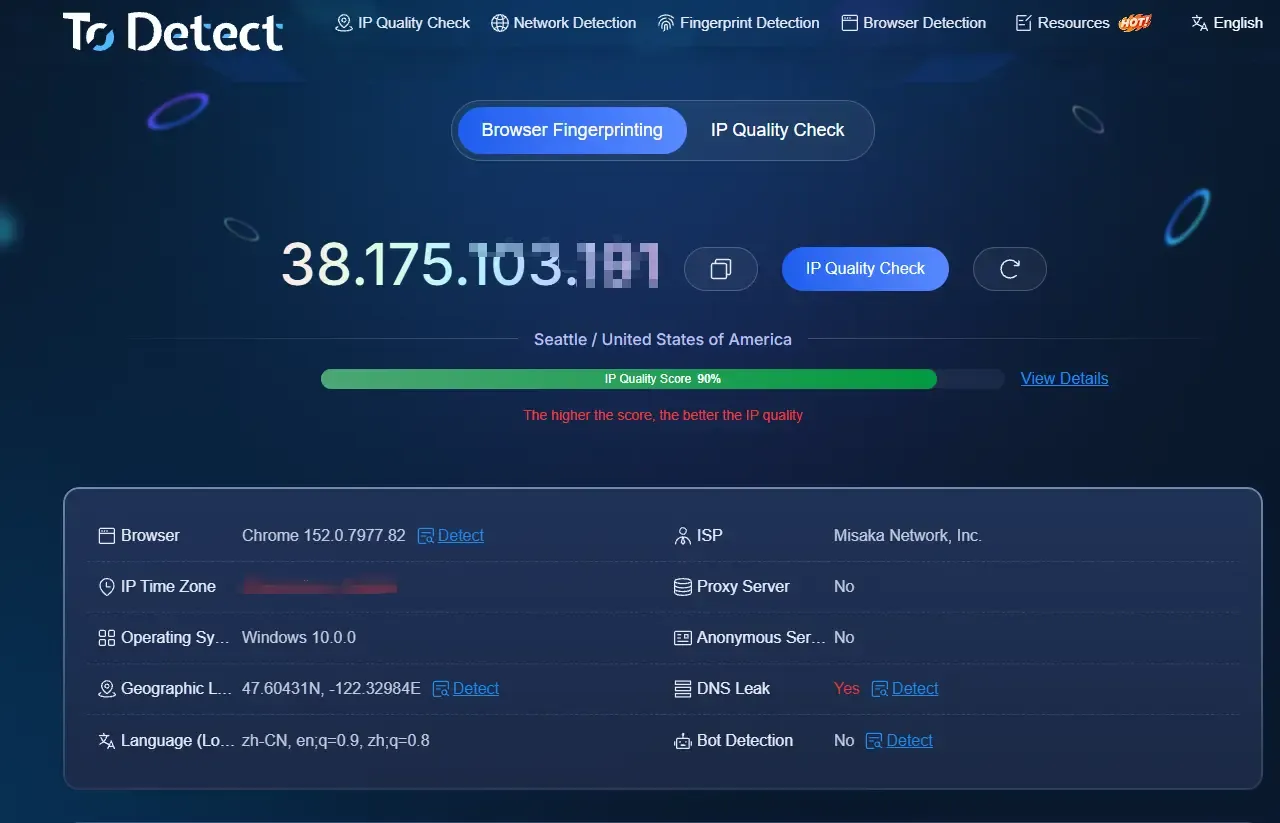
ToDetect has been a staple in privacy and antidetect testing because it lets you inspect individual surfaces in detail. Separate pages cover Canvas, WebGL, fonts, AudioContext, ClientRects, features, headers, WebRTC, DNS, and IP information.
Why it stands out: when another checker says “Canvas problem” or “WebRTC leak,” BrowserLeaks helps you open that component and see the underlying value. It is a troubleshooting bench, not just a dashboard.
Best use: compare two profile launches, confirm whether a hash remains stable inside one profile, or identify which exact address appears in a WebRTC test.
Keep in mind: the amount of raw data can be intimidating. A rare value is not automatically fraudulent, and a common value is not automatically safe.
2. EnvTrace — best for a pre-login environment check
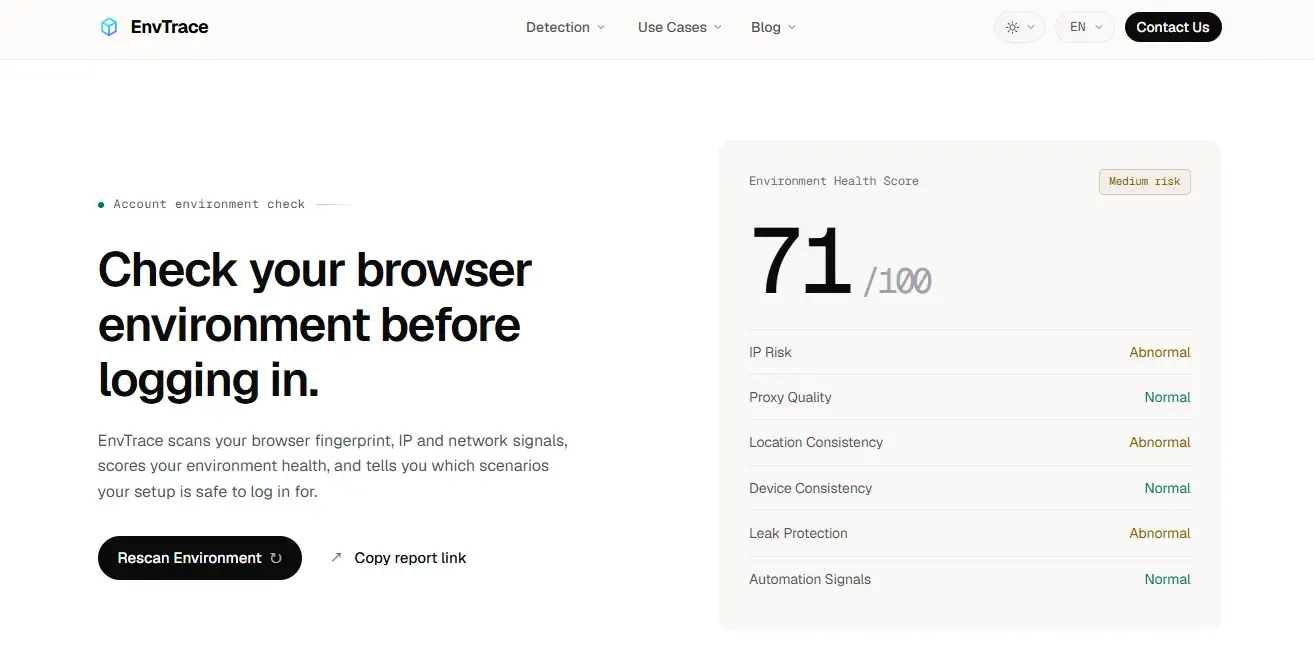
EnvTrace is built around a practical question: does the whole account environment look coherent before you log in? It checks the browser fingerprint, exit IP, proxy and network signals, location and time-zone consistency, language, WebRTC leaks, and automation traces. It then presents an environment health score and scenario-oriented verdict.
Why it stands out: many checkers show either browser values or IP information. EnvTrace puts the two sides together and emphasizes contradictions—the exact problems that often matter when a profile has been configured manually.
Best use: run it after creating a new antidetect profile, assigning a proxy, or changing regional settings. It is especially convenient when you want a readable “what should I inspect next?” result rather than several pages of raw entropy data.
Keep in mind: its own site correctly notes that no checker can predict whether an account will be banned. Treat scenario fit as diagnostic guidance, not permission to ignore a platform’s policies.
3. Pixelscan — best all-in-one quick scan
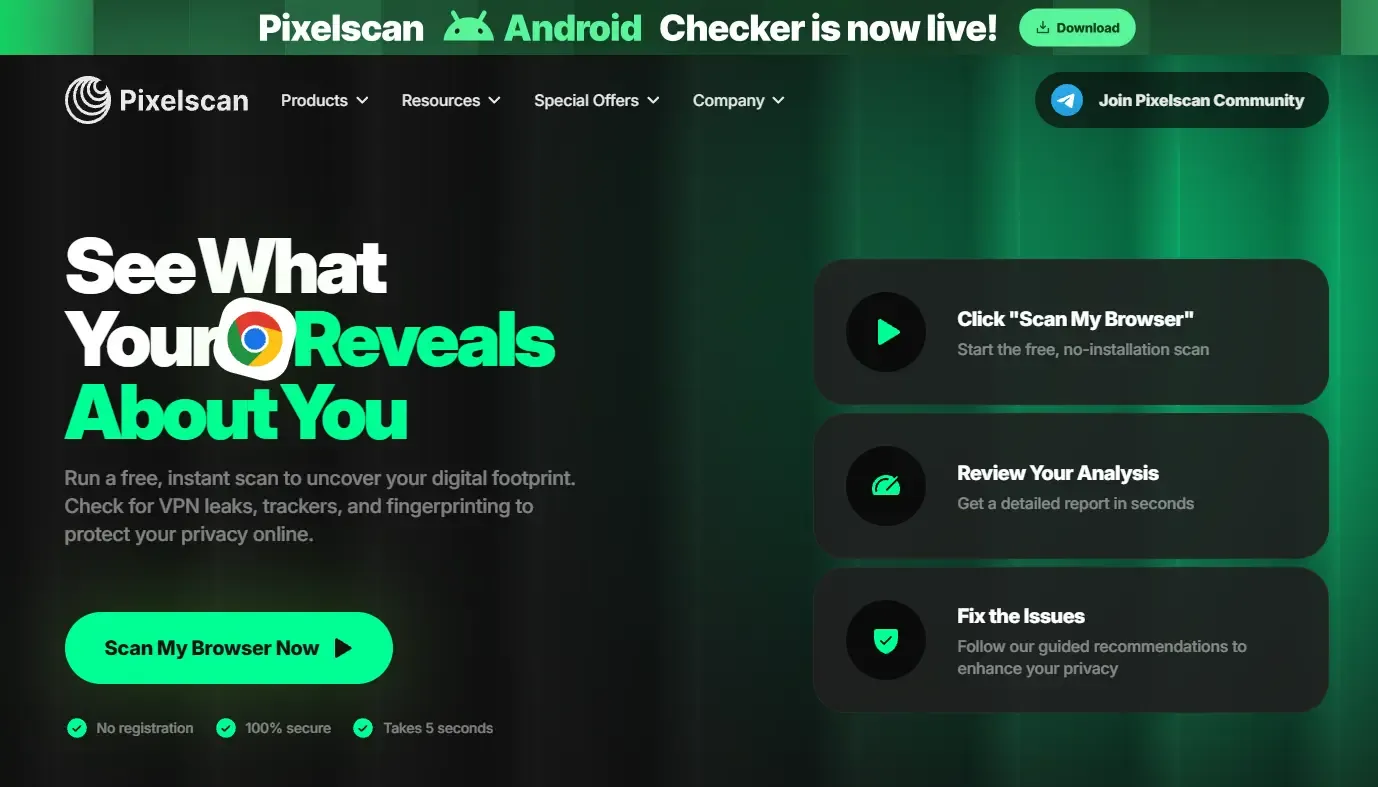
Pixelscan combines fingerprint analysis with IP, proxy, VPN, DNS leak, WebRTC, blacklist, and bot checks. That makes it a popular first stop when you need a quick overview rather than a deep dive into one API.
Why it stands out: the interface focuses on operational issues—location mismatches, proxy quality, leaked routes, and automation indicators—instead of presenting only a uniqueness percentage.
Best use: a fast smoke test before a more detailed pass with BrowserLeaks or CreepJS.
Keep in mind: if a result is red, do not start changing five settings at once. Find the failed layer, adjust one variable, relaunch the profile, and test again.
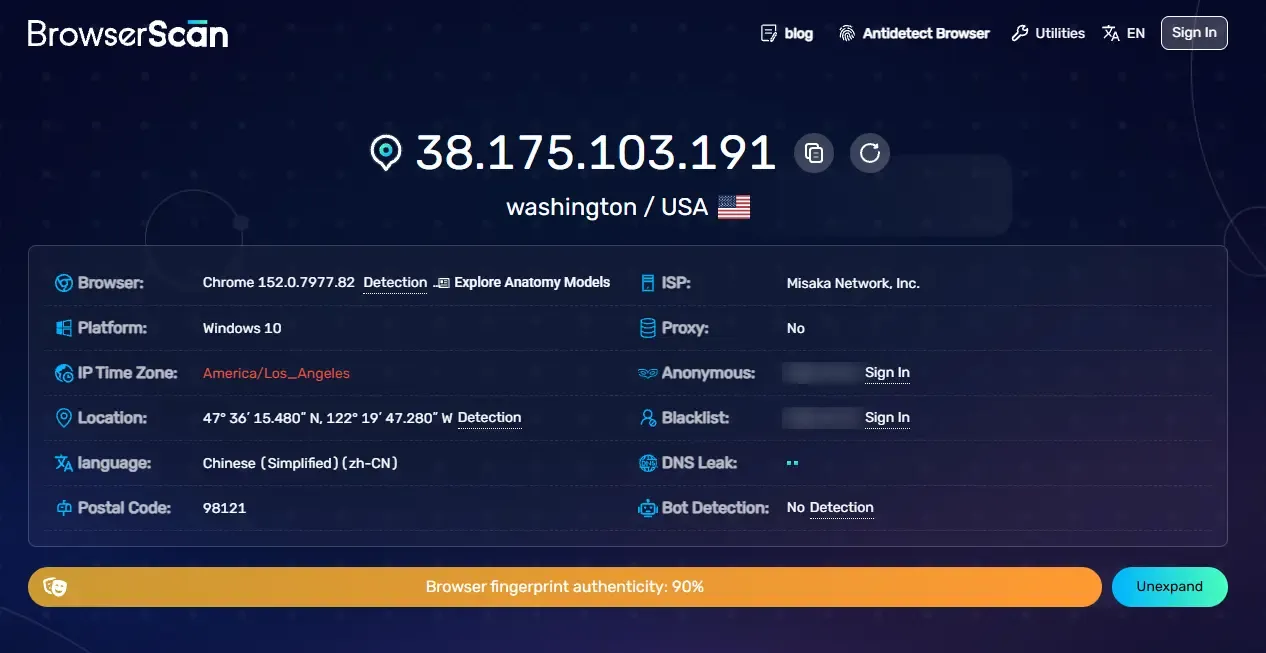
4. BrowserScan — best for broad browser and protocol coverage
BrowserScan exposes a wide range of network, hardware, and software fields. Alongside Canvas, WebGL, Audio, ClientRects, fonts, screen, time zone, and WebRTC, it offers dedicated checks for Client Hints, browser-kernel consistency, WebGPU, bot indicators, HTTP/2, TLS, JA3, and JA4.
Why it stands out: it reaches beyond the familiar JavaScript fingerprint and gives technical users a view of protocol-level characteristics that simpler checkers leave out.
Best use: debugging a custom browser build, validating an automation environment, or comparing what the JavaScript layer claims with what the network stack sends.
Keep in mind: more fields do not automatically produce a better verdict. Focus on contradictions relevant to the profile you are testing.
5. IPhey — best for a readable trust report
IPhey organizes the result into browser, location, IP address, hardware, and software panels. It also provides a trust-style score and checks Canvas, WebGL, AudioContext, ClientRects, fonts, WebRTC, DNS, proxy or VPN indicators, and IP reputation.
Why it stands out: the output is easy to explain to a teammate. Instead of asking them to interpret a long list of API values, you can point directly to the panel where the mismatch appears.
Best use: day-to-day QA for browser profiles and proxy changes.
Keep in mind: IPhey’s trust score belongs to IPhey. Facebook, Amazon, Google, TikTok, and other platforms do not expose their internal scores through it.
6. Whoer — best for IP, DNS, and regional mismatch checks
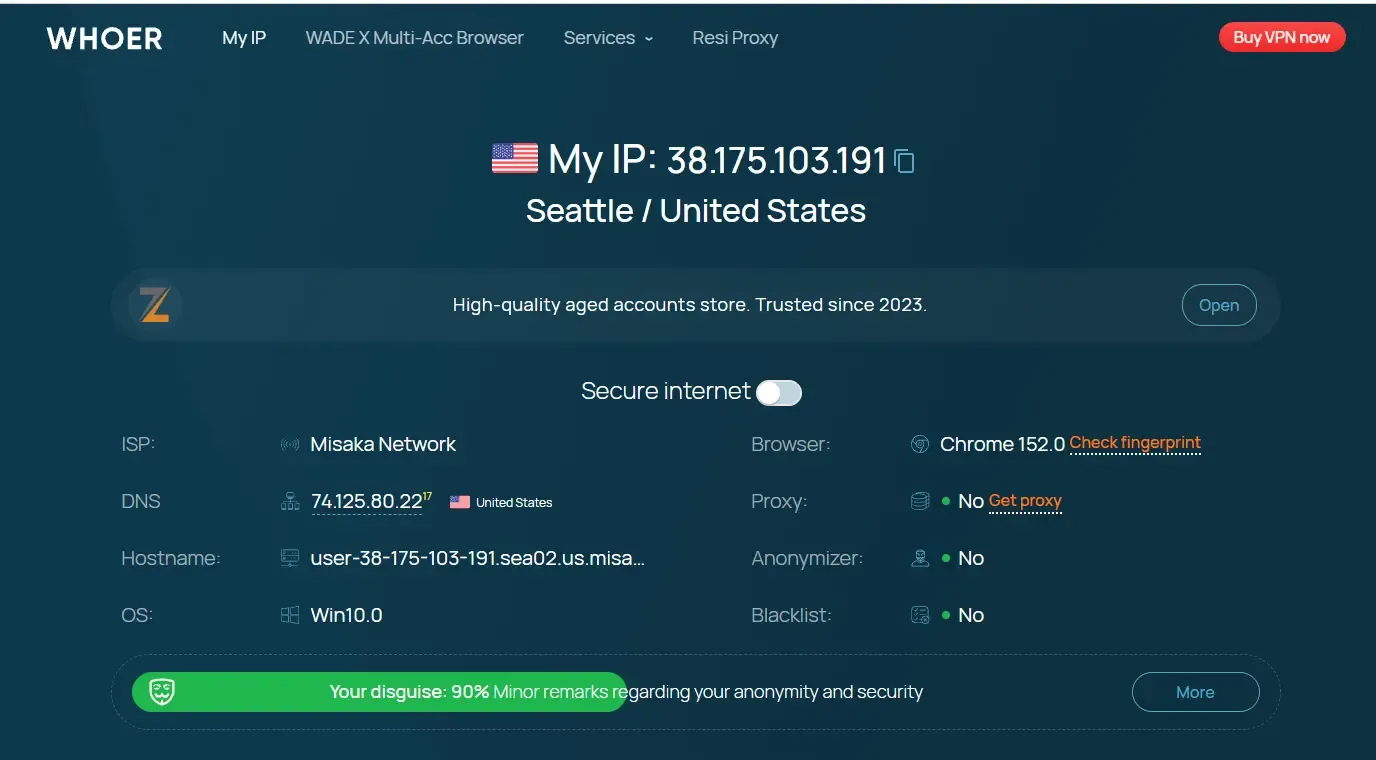
Whoer is familiar to many proxy and antidetect browser users. Its report highlights the public IP, location, DNS, WebRTC, system time, language, request headers, proxy or data-center detection, open ports, and blacklist signals.
Why it stands out: it makes classic configuration mistakes easy to see. A DNS country that differs from the proxy country or a system time that conflicts with the IP location is presented as a direct warning.
Best use: a quick network and regional-consistency check after connecting a new proxy.
Keep in mind: the anonymity percentage is a simplified scoring model. Use the warnings underneath the number; they are usually more useful than the number itself.
7. AmIUnique — best for uniqueness and longitudinal comparison
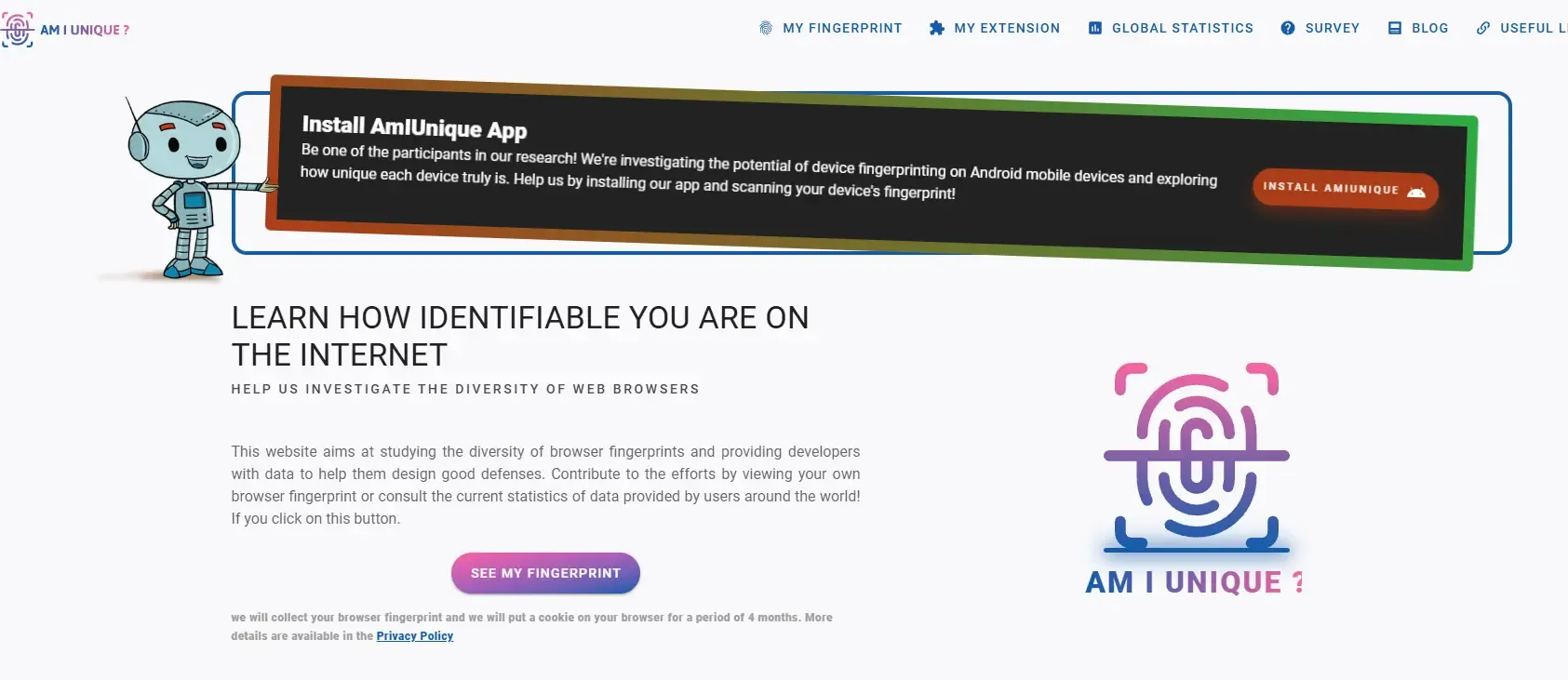
AmIUnique grew out of academic browser-fingerprinting research. It compares the submitted fingerprint with its dataset and shows which attributes contribute to identifiability. Its history feature is useful for seeing how a browser fingerprint changes over time.
Why it stands out: it answers a different question from most antidetect checkers: not “does this profile look trustworthy?” but “how unusual is this combination among the browsers in this dataset?”
Best use: privacy research, controlled comparisons, and testing whether a hardened browser is joining a larger anonymity set or becoming unusually distinctive.
Keep in mind: AmIUnique states that it collects the fingerprint you submit and places a cookie in the browser for four months. Read the privacy explanation before testing a sensitive environment.
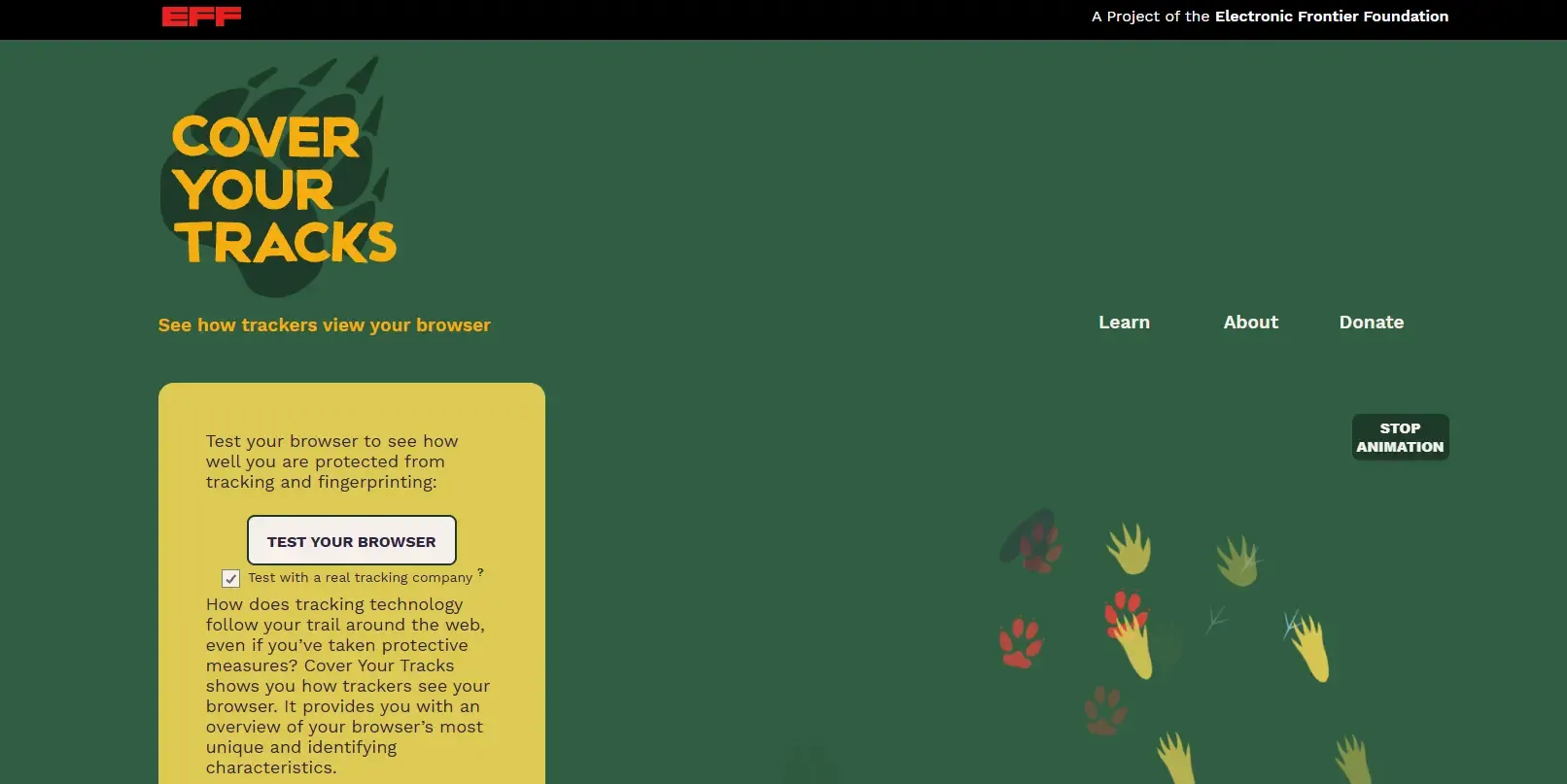
8. EFF Cover Your Tracks — best for everyday tracking protection
Cover Your Tracks, maintained by the Electronic Frontier Foundation, tests how well a browser blocks tracking ads, invisible trackers, and fingerprinting. It also explains the browser’s identifying characteristics in language that non-specialists can understand.
Why it stands out: it keeps the focus on privacy and tracking protection instead of reducing the result to an “undetectable” badge.
Best use: checking a normal privacy browser, evaluating tracker-blocking changes, or introducing a team to fingerprinting concepts.
Keep in mind: it is not designed to verify whether ten antidetect profiles look like ten coherent devices. Pair it with an environment checker for that job.
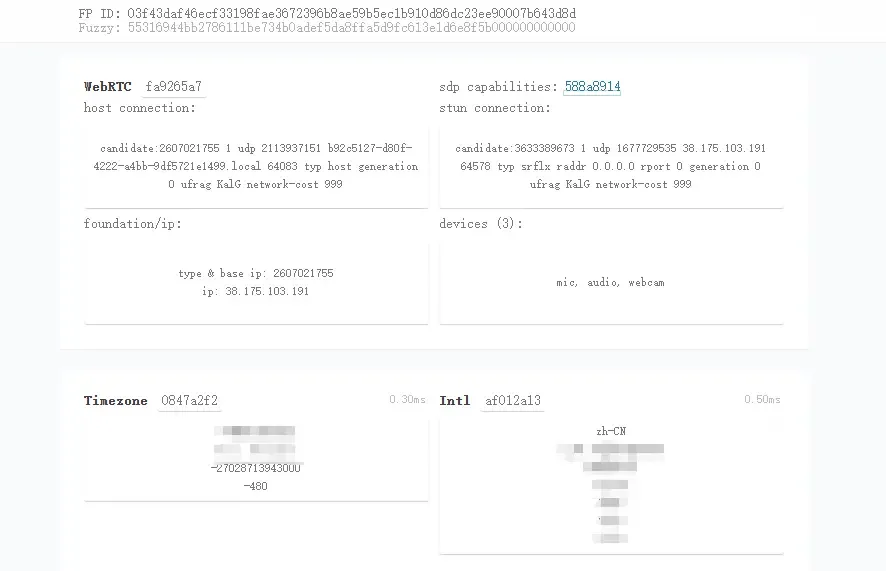
9. CreepJS — best for advanced lie and tampering detection
CreepJS is a research-heavy project that tests difficult-to-spoof browser behaviors, prototype lies, privacy resistance, rendering output, JavaScript runtime behavior, CSS, DOMRect, SVG, Audio, Canvas, WebGL, fonts, voices, screen properties, and time-zone clues.
Why it stands out: it does not simply accept a spoofed value at face value. It looks for inconsistencies and tampering patterns across APIs, which makes it useful when a basic checker reports everything as normal but the environment still behaves strangely.
Best use: advanced QA of antidetect profiles, browser modifications, privacy extensions, and automation stacks.
Keep in mind: the report is dense and easy to overinterpret. Also use the official URL above. The project’s repository explicitly warns that its only official live deployment is on Abraham Juliot’s GitHub Pages.
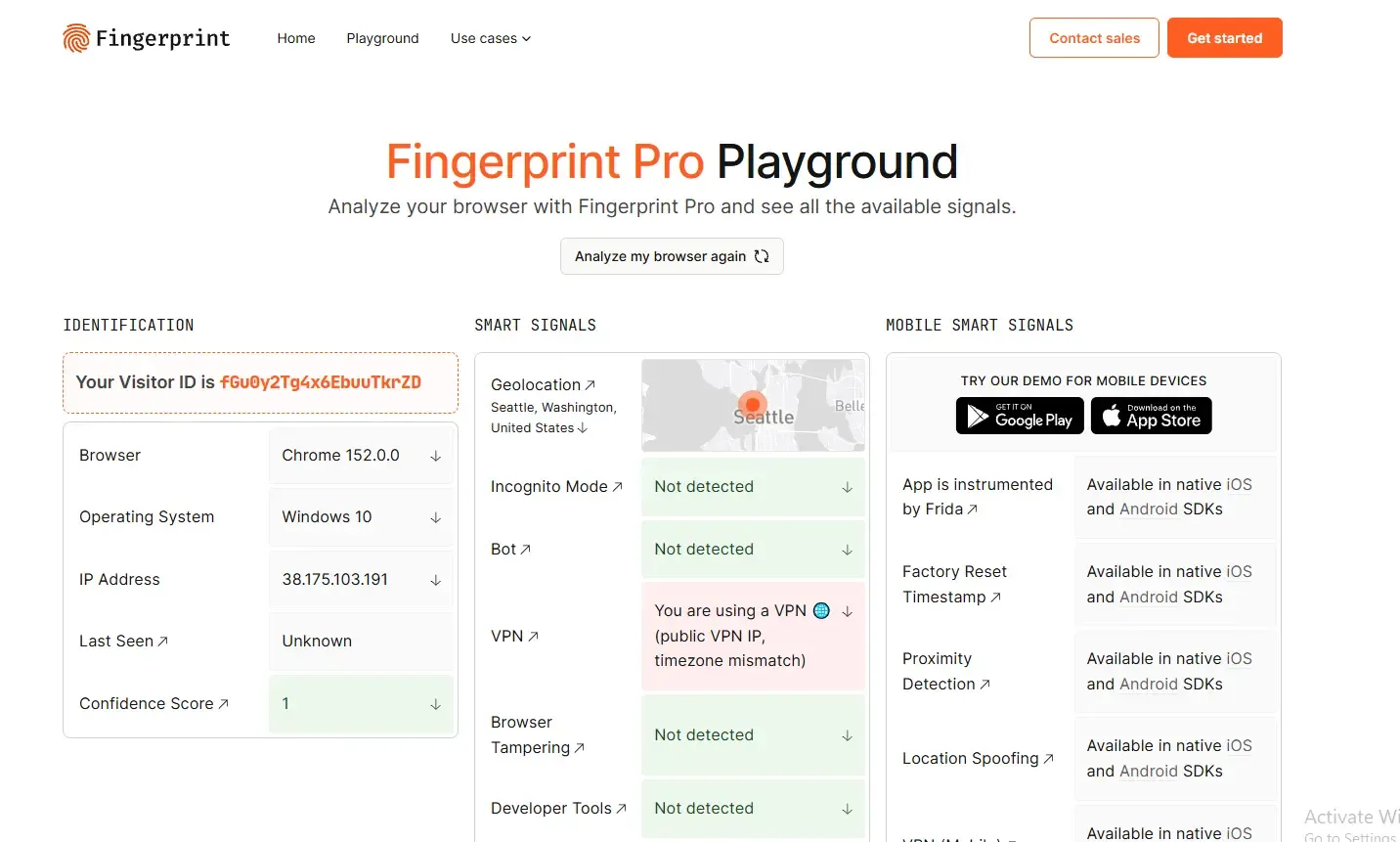
10. Fingerprint Pro Playground — best for understanding the anti-fraud viewpoint
Fingerprint Pro Playground demonstrates how a commercial device-intelligence platform identifies a visitor and surfaces signals such as browser tampering, VPN use, bot activity, incognito mode, IP blocklist matches, and geolocation.
Why it stands out: most tools on this list are written from the user’s perspective. Fingerprint’s demo shows how device intelligence is used by the defensive side for account-takeover prevention, payment fraud, bot detection, and abuse control.
Best use: developers, fraud teams, and antidetect-browser QA specialists who want to understand why a stable visitor ID can survive simple changes such as clearing cookies or switching to incognito mode.
Keep in mind: this is a commercial product demonstration, not an independent privacy score. Use it to study signals and persistence, not to certify an environment.
How to Test an Antidetect Browser Profile Properly
- Create the profile first. Select the intended operating system, browser version, language, time zone, screen settings, and other fingerprint parameters.
- Assign the proxy before testing. A direct-connection test tells you nothing about the final proxy environment.
- Start with one environment checker. EnvTrace, Pixelscan, IPhey, or Whoer can reveal obvious cross-layer problems.
- Inspect failed components separately. Use BrowserLeaks or BrowserScan for Canvas, WebGL, WebRTC, DNS, Client Hints, and protocol details.
- Use CreepJS for a deeper tampering pass. Do this after the basic configuration is already coherent.
- Relaunch the same profile. Confirm that values intended to be stable remain stable across sessions.
- Compare different profiles carefully. Independent profiles should not accidentally share every identifying value, but artificial randomness everywhere can be suspicious too.
- Save a baseline. Retest after browser-core updates, proxy replacement, major operating-system changes, or profile migration.
When using MostLogin, keep each authorized account in its assigned profile so cookies, local storage, cache, proxy settings, and fingerprint configuration do not become mixed with another account’s environment.
How to Read Results Without Chasing a Perfect Score
Three ideas will save you a lot of pointless retesting.
Consistent does not mean invisible
Every browser exposes information. Empty values, blocked APIs, or obviously fabricated results can themselves become signals. The practical goal of an antidetect profile is usually a coherent, repeatable identity—not a browser that claims to reveal nothing.
Unique does not automatically mean bad
Real devices can be unique in a research dataset. What matters is whether the fingerprint makes technical sense and remains appropriate for the authorized task. AmIUnique’s rarity result and IPhey’s trust result measure different things; they should not be expected to agree.
Passing one checker does not mean passing a platform
Platforms combine browser and network signals with account age, login history, payment details, recovery information, content, velocity, and behavior. A clean Canvas hash cannot repair a blacklisted proxy, and a clean IP cannot make aggressive automation look human.
Common Browser Fingerprint Testing Mistakes
- Testing without the final proxy: the result does not represent the environment used for the account.
- Opening every checker at once: this adds noise and makes it harder to identify which change caused a result.
- Changing multiple parameters after one warning: you lose the ability to isolate the original problem.
- Randomizing a profile on every launch: stable accounts usually benefit from stable profile identity.
- Ignoring DNS and WebRTC: the main IP may look correct while a second route reveals a mismatch.
- Treating a score as platform approval: no public checker can see a platform’s internal risk model.
- Using unofficial mirrors: a fingerprint test receives unusually detailed device data, so verify the domain before running it.
Final Verdict
There is no single “best” browser fingerprint checker for every situation in 2026.
If I were checking a new authorized browser profile, I would begin with EnvTrace or Pixelscan for the overall environment, use BrowserLeaks or BrowserScan to investigate individual warnings, and finish with the official CreepJS deployment if the profile involved custom browser modifications or automation.
For privacy research, AmIUnique and EFF Cover Your Tracks provide more meaningful context than an account-oriented trust badge. For understanding how the defensive side recognizes returning devices, Fingerprint Pro Playground is worth a visit.
Most importantly, do not optimize for a screenshot full of green labels. Optimize for a browser profile that is logical, stable, leak-free, and used within the rules of the platform and the authority you have been given.
Frequently Asked Questions
What is the best browser fingerprint checker?
For an overall environment check, EnvTrace, Pixelscan, and IPhey are convenient starting points. For raw fingerprint details, BrowserLeaks and BrowserScan are stronger. CreepJS is useful for advanced tampering analysis, while AmIUnique and Cover Your Tracks focus more on privacy and uniqueness.
Can a fingerprint checker guarantee that an account will not be banned?
No. A public checker can identify exposed signals, leaks, and inconsistencies, but it cannot see a platform’s private risk engine or evaluate the full account history and behavior.
What should I check before logging in?
Confirm the expected public IP, IP location, ASN and proxy type, DNS path, WebRTC result, time zone, language, User-Agent, Client Hints, Canvas, WebGL, screen values, and obvious automation indicators.
Why do two fingerprint checkers show different results?
They use different collection scripts, databases, thresholds, and scoring models. One may focus on privacy uniqueness while another focuses on browser-IP consistency or automation risk.
Does changing the IP change the browser fingerprint?
No. The IP address is a network signal. Browser-side values such as Canvas, WebGL, fonts, screen size, time zone, and hardware hints can remain unchanged after the IP changes.
How often should I test a browser profile?
Test before the first important login and after a browser-core update, proxy replacement, major configuration change, operating-system update, or profile migration. Avoid unnecessary changes to an established profile.
Is a unique browser fingerprint always dangerous?
No. Real browsers can be unique in a dataset. Uniqueness, internal consistency, privacy resistance, and platform risk are related but different concepts.
Can incognito mode hide a browser fingerprint?
Incognito mode mainly separates local history and session data. It does not automatically hide the public IP, Canvas, WebGL, screen size, hardware hints, or other fingerprinting surfaces.
Disclosure and Methodology
This article was prepared for the MostLogin blog. Tool capabilities were checked against the official checker pages and documentation available on September 9, 2026. Checkers change their collectors and scoring models over time, so results may differ after an update. Inclusion does not constitute a security certification or a guarantee that a browser profile will satisfy any platform’s rules.