In the high-stakes world of data extraction and account management, encountering relentless IP bans and CAPTCHA is a common, frustrating bottleneck. Whether you are scaling a scraping project or managing multiple social profiles, the wrong proxy infrastructure can lead to wasted budget and compromised data integrity.
This review provides an objective, deep-dive analysis of IPcook. The following sections evaluate its unique balance of aggressive, low-cost pricing with surprisingly stable performance. It will help you determine if IPcook is the right fit for your budget and operational needs. Keep reading to see the data.
Who Should Try the IPcook Proxy?
IPcook is a budget-friendly proxy service provider specializing in high-performance network infrastructure. Its diverse portfolio includes residential proxies, datacenter proxies, and static ISP proxies, making it a versatile hub for diverse technical requirements. Given its highly competitive entry price and the availability of a free trial, the platform is a strategic choice for several specific user groups:
- Individual Developers & Freelancers: For those running scripts for web scraping, the pay-as-you-go model provides professional-grade IPs without the burden of expensive monthly subscriptions, making it one of the best proxy options for independent projects.
- Startups and Budget-Conscious Teams: Teams operating on lean budgets can access high-quality residential pools to perform ad verification and market research, ensuring accuracy without a heavy upfront investment.
- Small-Scale Marketing Agencies: IPcook is ideal for agencies requiring social media management across multiple accounts. By using its ISP proxies, which combine security and speed, these teams can keep overhead low while maintaining account safety.
Key Features & Performance Analysis
To determine whether IPcook fits a professional stack, it is essential to examine how its core features perform in real-world environments.
Industry-Leading Cost Efficiency
The most immediate advantage is the ultra-low price point. With the enterprise plan offering rates as low as $0.5/GB, the service provides professional-grade infrastructure at a fraction of the market average. This flexibility allows both startups and large-scale operations to scale their web scraping tests without heavy upfront financial commitments.
Global Reach and Pool Purity
With over 55 million IPs spanning 185+ locations, the network is built for diversity. This scale is suitable for ad verification, which enables you to view localized content exactly as a real resident would. The large pool size also helps reduce IP reuse, which is critical for bypassing detection on high-security websites.
Rotation Control and Sticky Session
The platform offers tactical flexibility and allows you to switch IPs every minute or on a per-request basis. For aggressive data mining, per-request rotation maximizes anonymity. Furthermore, for tasks requiring session continuity, such as completing multi-step forms, residential proxies can be configured with sticky sessions for up to 24 hours.
High-Speed Response and Concurrency
Performance testing indicates a global average response time under 0.5 seconds for IPcook proxies. In fields like e-commerce monitoring, this speed provides a competitive edge. Meanwhile, each account supports 500 concurrent threads by default, with the technical capacity to scale up to 100,000 concurrent connections. Therefore, its infrastructure is engineered for heavy workloads.
Pricing for Different Proxy Types
To help you choose the plan that best fits your operational scale, IPcook offers a highly flexible, pay-as-you-go pricing structure. Below is a breakdown of the current pricing for Residential, ISP, and Datacenter proxies.
How to Get Started: Integration in Minutes
Before you start, ensure you have your project goals defined. Setting up IPcook is a streamlined process designed for rapid deployment. The steps below will show you how to use IPcook proxies with MostLogin, a powerful anti-detect browser.
Step 1: Register and Sign Up
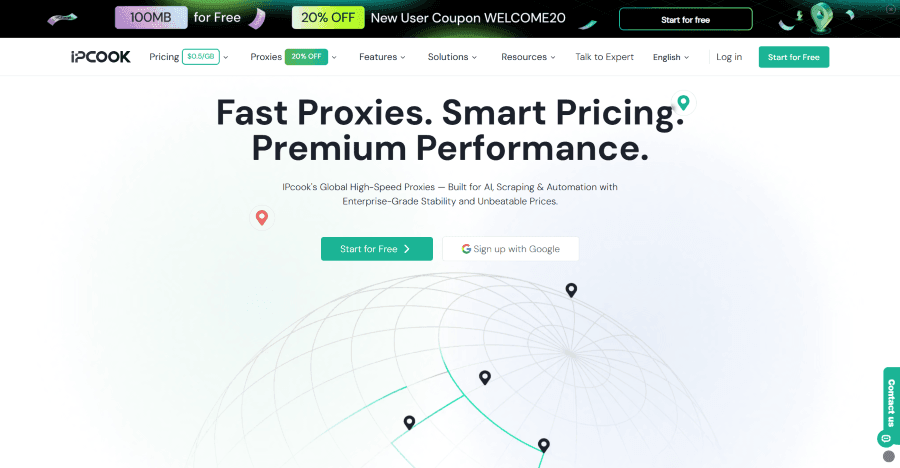
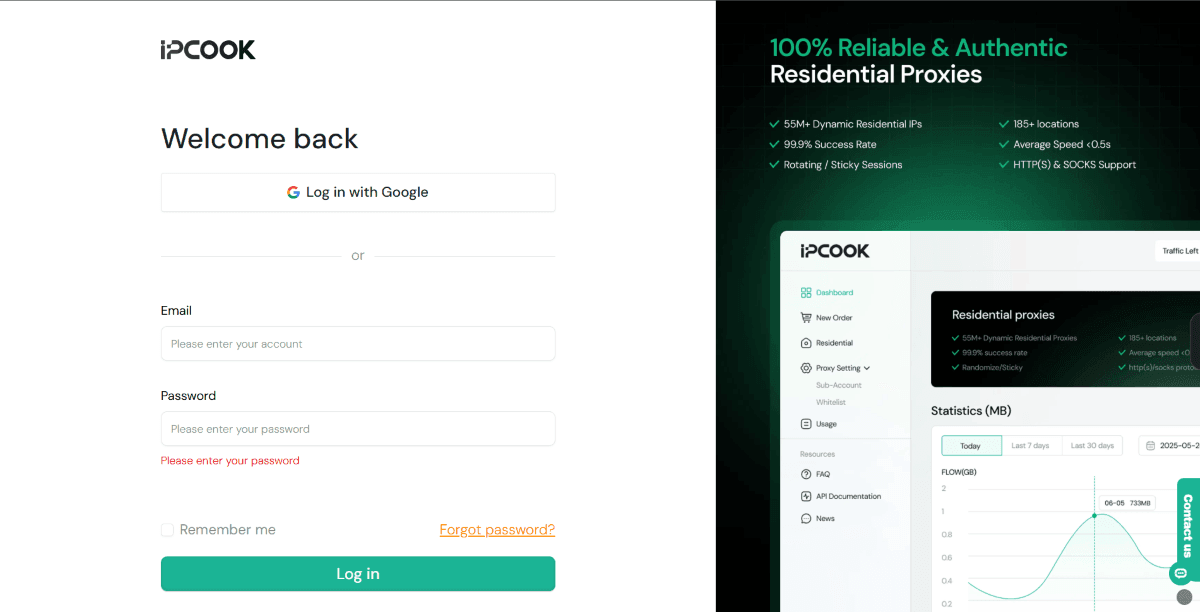
Visit the IPcook official website and create a professional account. Log in to access your centralized dashboard, where you can monitor your traffic, balance, and active proxy resources at a glance.
Step 2: Top Up Your Balance
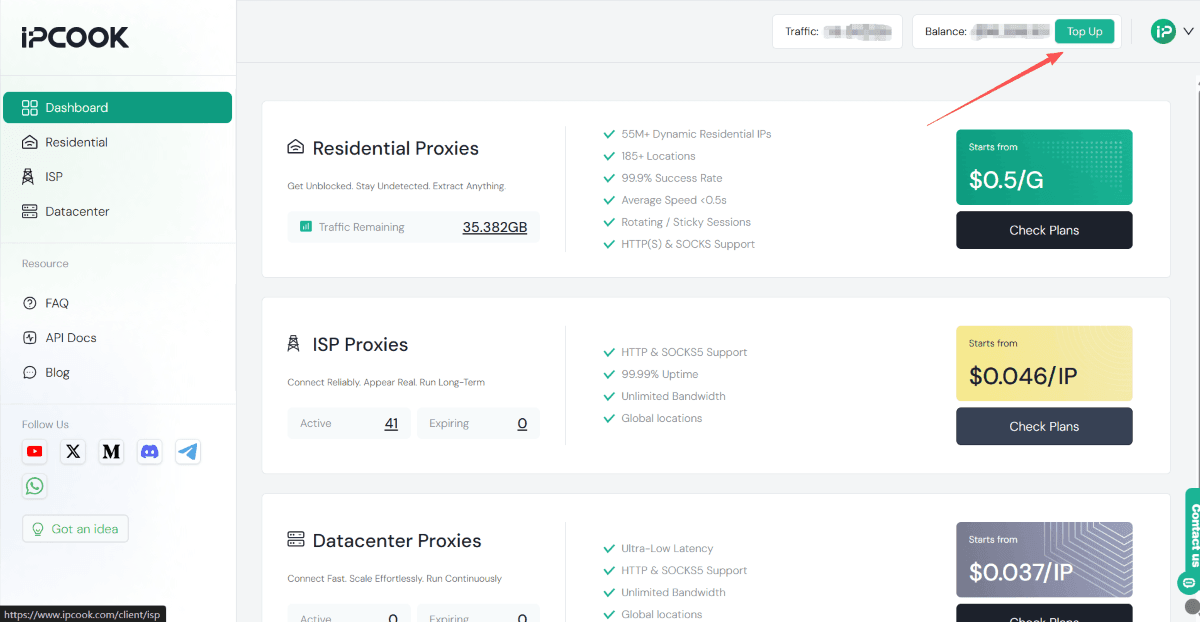
Click the Top Up button in the top right corner of the dashboard. Add funds to your account balance to activate your ability to purchase specific proxy plans.
Step 3: Select a Proxy Plan
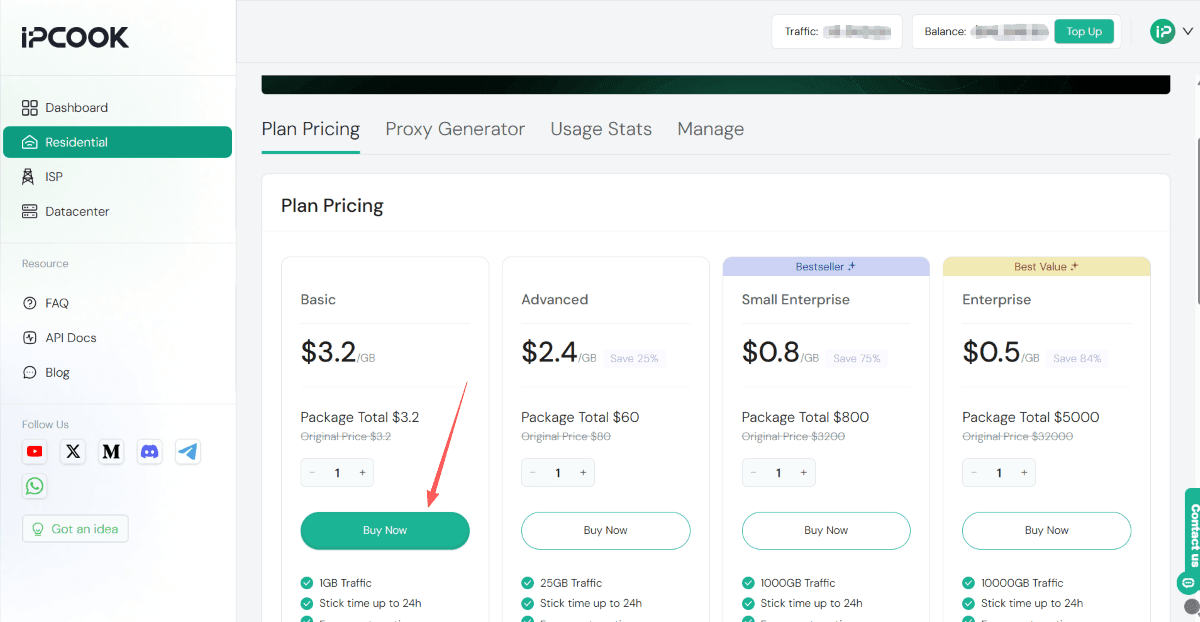
Navigate to the Residential, ISP, or Datacenter tab on the left sidebar. Select a plan and click Buy Now to allocate traffic to your account.
Step 4: Configure and Generate Proxies
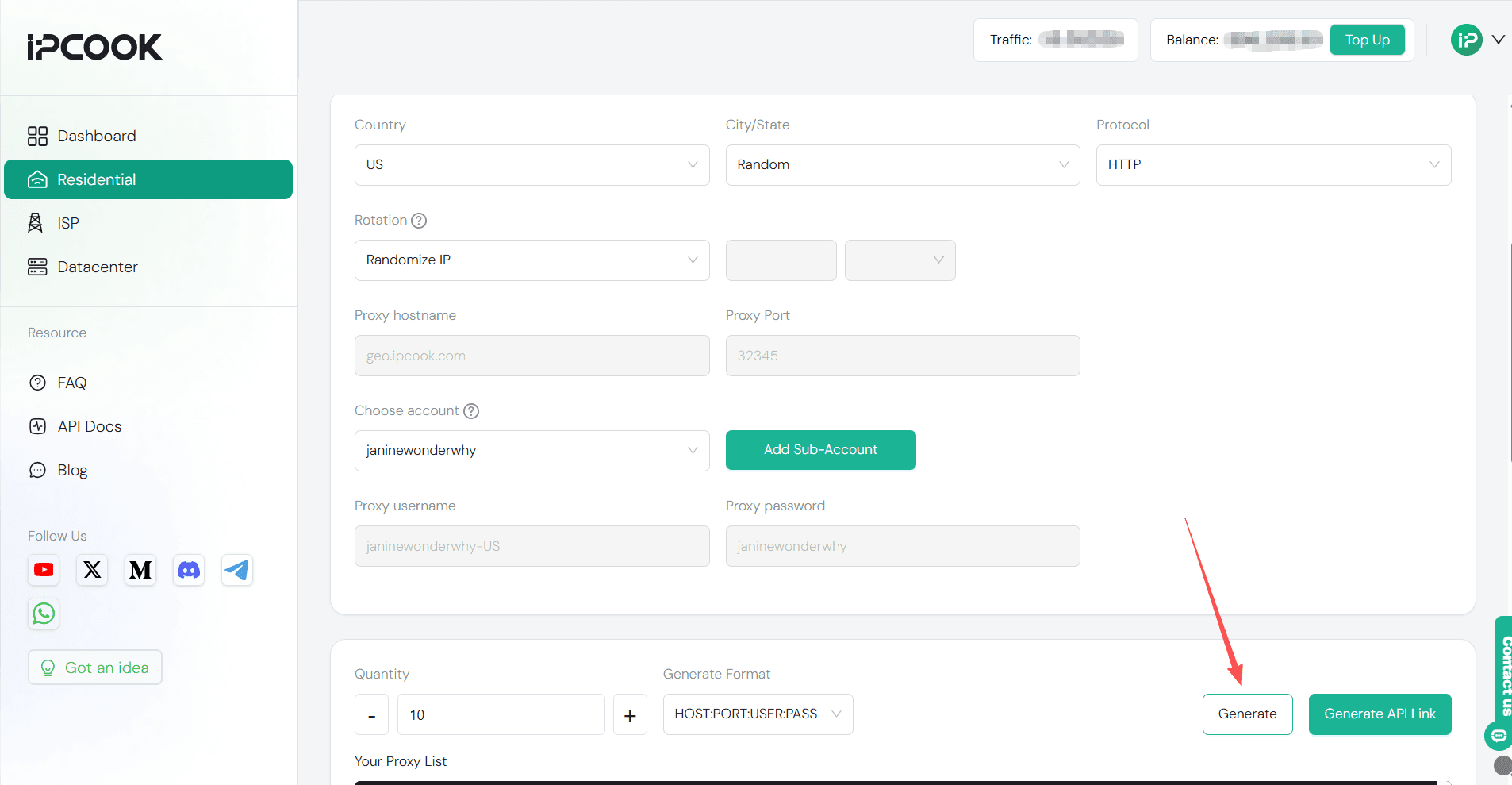
Open the Proxy Generator tab. Select your target country, protocol (HTTP/S or SOCKS5), and rotation mode. Click Generate at the bottom to receive your list of hostnames, ports, usernames, and passwords.
Step 5: Launch MostLogin
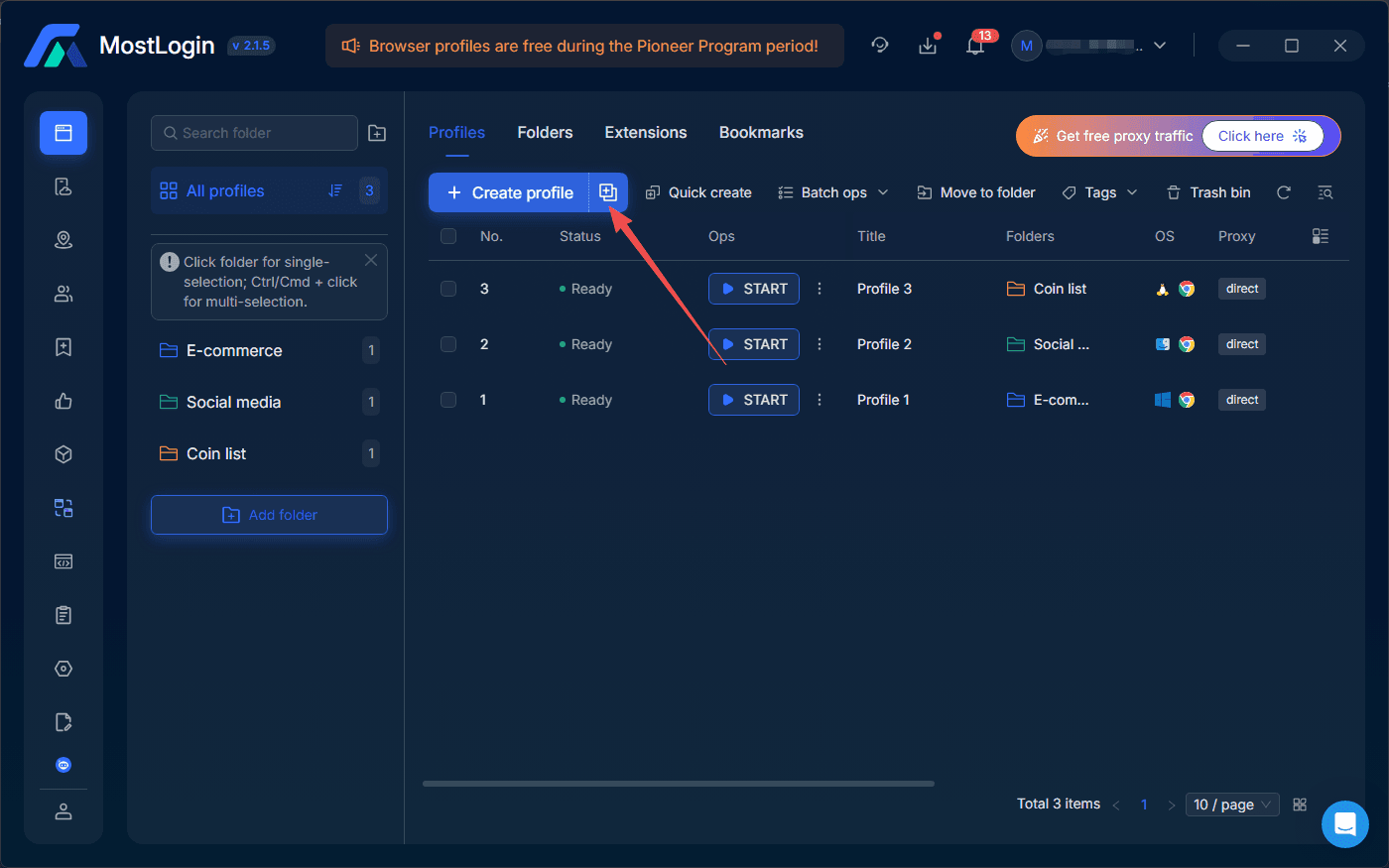
Open MostLogin, navigate to the Profiles page, and then click Create Profile.
Step 6: Link the Proxy to the Profile
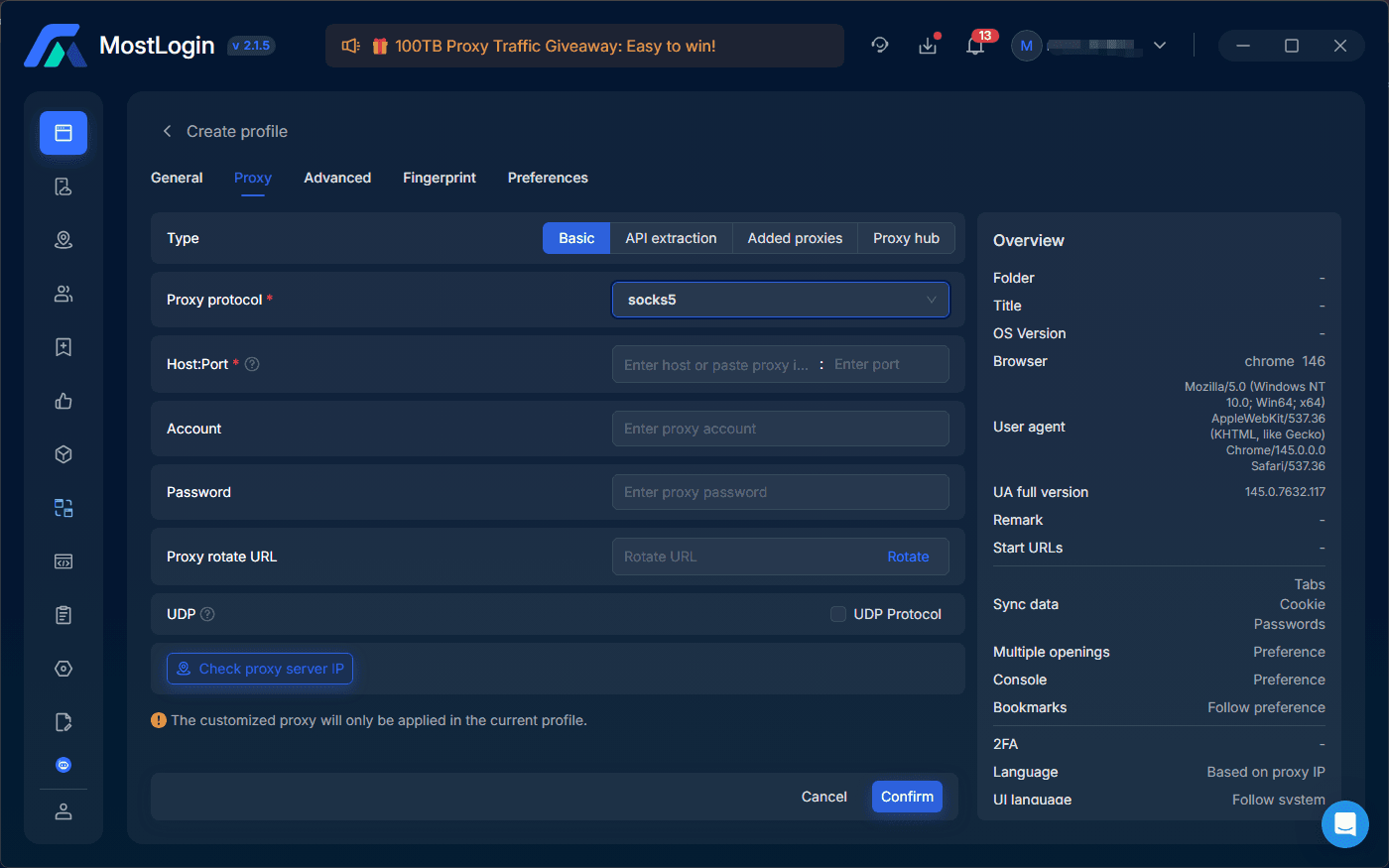
In the Proxy section, select your saved IPcook proxy from the drop-down menu, fill in the basic proxy details, and then click Confirm.
Step 7: Start the Browser Profile
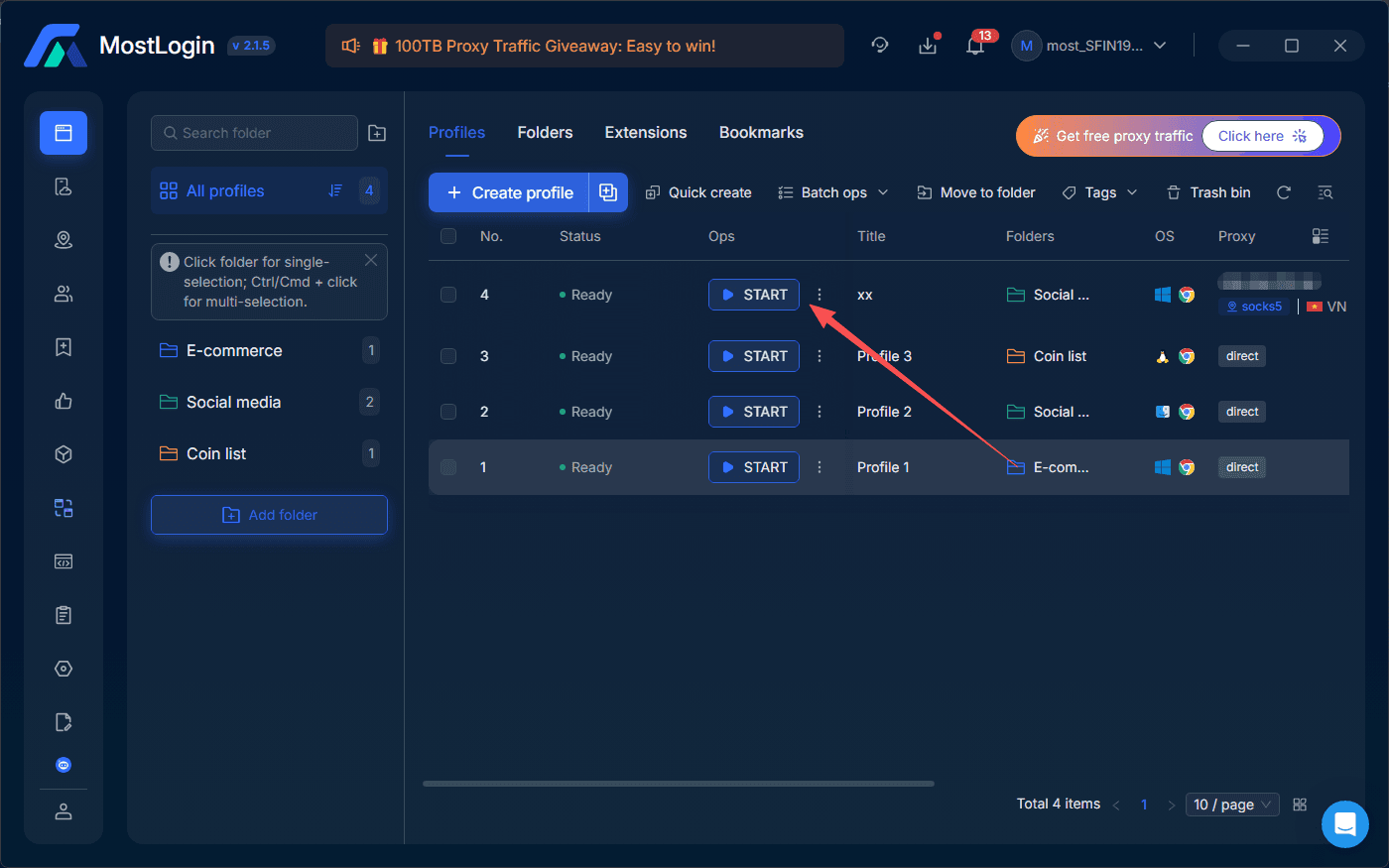
Once verification is complete, click Start to open the browser and begin executing high-performance automation or social media tasks.
FAQs About IPcook Proxy
Q1: Is the IPcook proxy free?
IPcook offers a 100MB free trial for new users to test the network's speed and stability before committing. After the trial, the service operates on a competitive pay-as-you-go model. For instance, residential proxies are highly affordable, with rates starting as low as $0.5/GB for enterprise-scale packages. This structure allows users to pay only for the traffic they consume, with the added benefit that purchased traffic never expires, ensuring maximum cost-efficiency for both small projects and large-scale operations.
Q2: Are proxies legal to use?
Generally, yes. Using a proxy is a standard and legal practice worldwide for enhancing privacy, managing multiple accounts, and conducting market research. However, legality depends entirely on how the proxy is used. Accessing public data and protecting your digital identity are legitimate activities. Conversely, using proxies for illicit actions, such as bypassing copyright laws, committing fraud, or launching cyberattacks, is illegal.
Final Verdict
IPcook stands out as a powerful, cost-effective solution for users who demand high performance without enterprise-level overhead. Its massive IP pool and robust high-concurrency support make it a top-tier choice for intensive web scraping, while its stable static ISP options provide the reliability needed for seamless social media management. While the dashboard is minimalist, the sheer performance-to-price ratio is difficult to beat.
Whether you are a solo developer or an agency scaling account matrices, IPcook delivers the technical precision required for modern automation. Ready to optimize your network? Sign up today to claim your 100MB free trial and save 20% on your first purchase with this special code: WELCOME20.