Amazon Associates, as one of the world's largest e-commerce platforms, has become the top choice for many people to generate online income. This article will provide you with a detailed guide to getting started with Amazon Associates in 2025, including practical steps to help you step into the world of affiliate marketing steadily from scratch.
What is Amazon Associates?
Amazon Associates is an official affiliate marketing program launched by Amazon. Affiliates can earn commissions by sharing Amazon product links and driving users to make purchases. The commission rate varies by product category, typically ranging from 1% to 10%. Amazon's extensive product range and global user base offer enormous business opportunities for affiliates.
How to Register for an Amazon Associates Account?
Visit the official Amazon Associates website and register for an affiliate account using your Amazon account or email address. During registration, you need to fill in personal information, payment details, and your website or promotional channels.
• Registration Process:
Step 1: Visit the Amazon Associates website and click "Sign up".
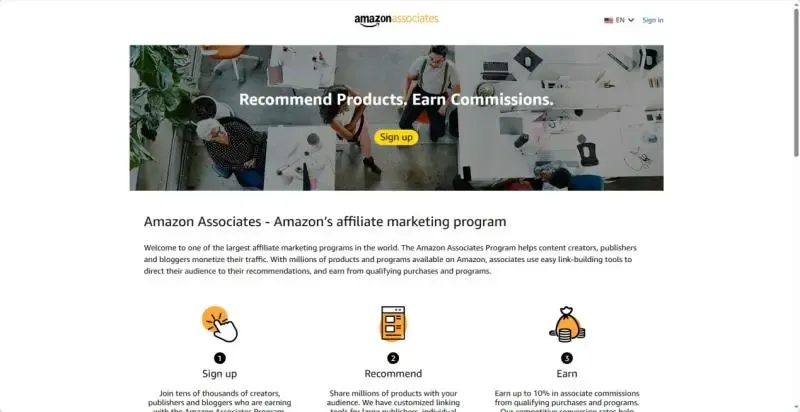
• If you don't have an Amazon account, you will be redirected to the Amazon account registration page. Simply follow the process to create one.
Step 2: Fill in personal details such as your name, address, and postal code.
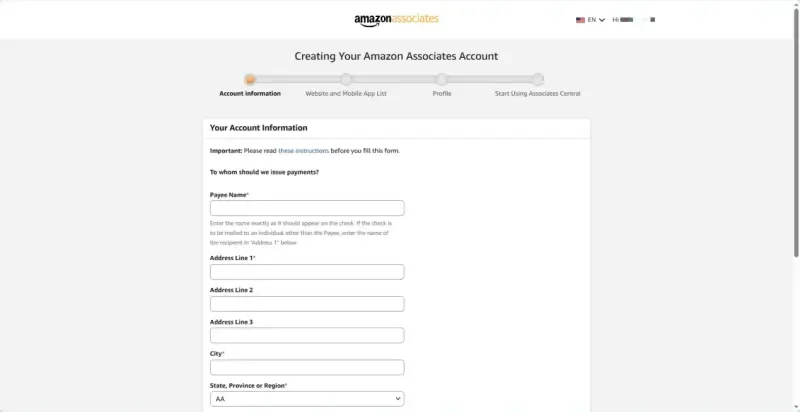
Step 3: Add websites or apps you can use for marketing – multiple entries are allowed.
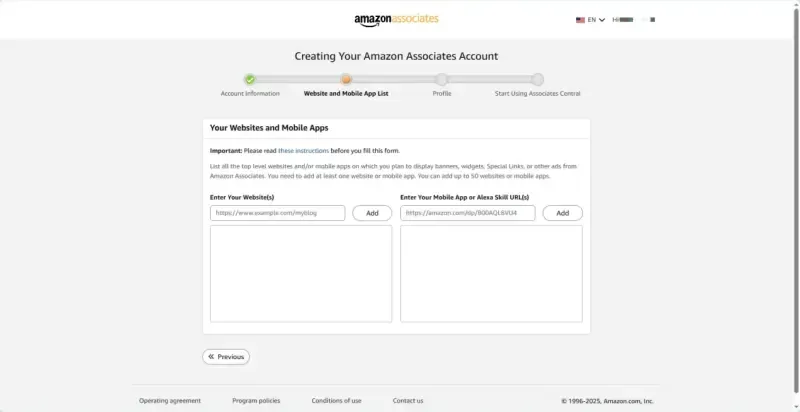
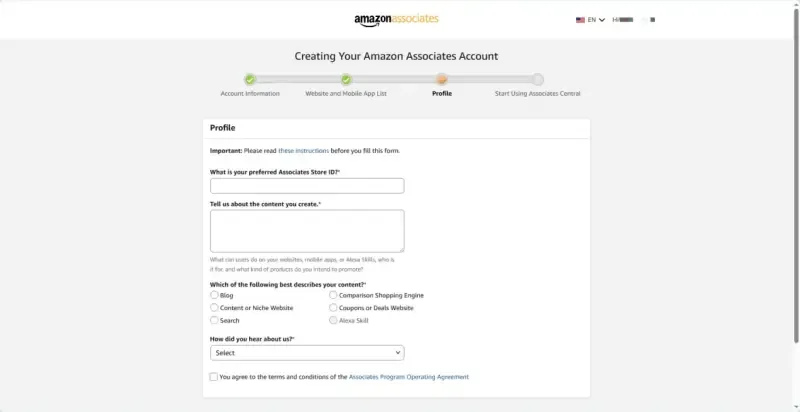
Step 4: Fill in your Associate ID, content creation type, target audience, and types of products you plan to promote.
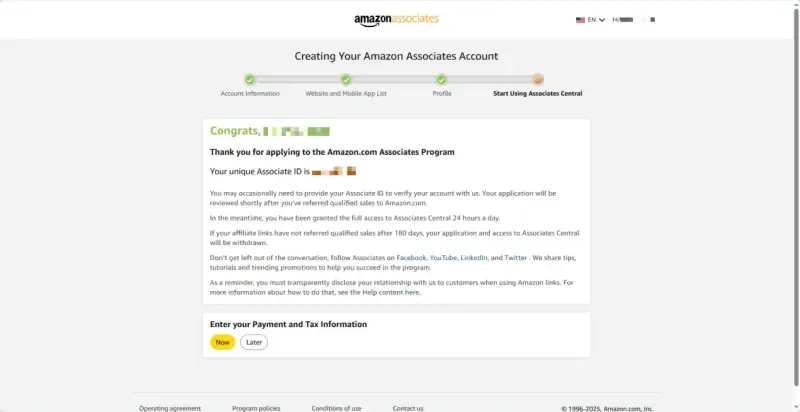
Step 5: After completing the above steps, click the yellow "Now" button below to add your payment information.
• Note: In 2025, Amazon Associates has strengthened compliance reviews, including the accuracy and truthfulness of promotional content, a ban on false advertising, and respect for copyrights. Be sure to carefully read the platform policies to avoid account suspension due to violations.
Reference for Amazon Associates Promotion Process
1️⃣ Select Products to Promote
Amazon offers a vast selection of products. When choosing, focus on ratings and sales volume.
Prioritize products with high positive reviews and sales volume to improve conversion rates.
Pay attention to commission rates across categories and prioritize those with higher commissions.
Based on the positioning of your promotional channels, select products that match your target audience for precise marketing.
2️⃣ Generate Affiliate Links
Log in to the Associates dashboard and use the Product Link Generator or SiteStripe tool to quickly generate exclusive affiliate links.
Links track promotional performance and commission settlements, ensuring accurate revenue calculation.
3️⃣ Content Creation and Publishing
Creating high-quality content around promoted products is key to attracting user clicks.
SEO Article Writing: Write product reviews, usage tutorials, and comparison guides, optimized with keywords to improve search engine rankings.
Video Content Creation: Produce unboxing, usage experience, and feature introduction videos to drive more traffic.
Social Media Promotion: Post product-related content on platforms and guide user conversions with affiliate links.
Email Marketing: Recommend relevant products to subscribed users to enhance purchase intent and boost conversion rates.
4️⃣ Data Monitoring and Optimization
Use data analytics in the Associates dashboard to track click-through rates, conversion rates, and commission income.
Adjust promotional strategies in a timely manner based on data results to optimize operational performance.
Useful Tools for Amazon Associates Promotion
Leveraging professional tools during promotion can significantly improve work efficiency and results.
• Keyword Research Tools: Such as Ahrefs and Semrush, to help discover relevant keywords.
• Content Creation Aids: Use AI writing tools and video editing software to enhance content quality.
• Data Analytics Platforms: Combine data from the Amazon Associates dashboard to analyze user behavior and conversion paths.
• Anti-Detection Browsers: Facilitate multi-account management and prevent account association and suspension.
MostLogin Anti-Detection Browser creates independent and authentic browser fingerprint environments for each account, including unique IP addresses, cookies, time zones, languages, and hardware parameters. This fundamentally prevents platforms from detecting abnormal behavior related to multiple accounts on the same device, thereby reducing the risk of association and suspension.
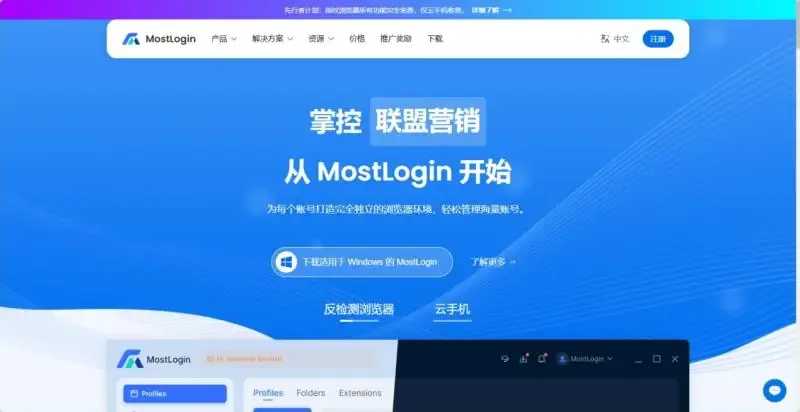
For users who need to manage multiple affiliate accounts, social media accounts, or cross-border tool accounts, anti-detection browsers not only enhance security but also make logging in, switching, and daily operations more efficient and stable. They are one of the foundational tools for operating multi-account systems.
Summary
Amazon Associates remains a high-quality channel for generating online income in 2025, but it requires a more professional and compliant operational mindset. By adequately preparing for promotion, focusing on niche markets, consistently producing high-quality content, and combining multi-channel strategies with data optimization, you can stand out in the highly competitive market.
Frequently Asked Questions
1. Can I do Amazon Associates marketing without a website?
Yes. You can promote products through channels such as YouTube, TikTok, Instagram, Facebook Page, Pinterest, and Medium, as long as your content complies with platform policies.
2. How often is Amazon Associates commission paid out?
Commissions typically become withdrawable 60 days after an order is completed (after the return period ends and no disputes arise). Multiple withdrawal methods are supported, including bank transfer, gift card, and check.
Best Anti-Detection Browser - MostLogin
MostLogin anti-detection browser tool helps users solve high-frequency issues such as multi-account operation, environment isolation, and account risk control.
For operational questions, please refer to the Official Help Documentation