When you are browsing a website or logging into an account and suddenly see messages like “IP banned” or “Your IP has been blocked”, it usually means that your IP address has been restricted or blocked by the target website.
So what should you do if your IP is blocked? Before fixing the issue, the first step is to understand the cause — why it was blocked — so you can solve the problem in a targeted way.
First, confirm whether your IP is really blocked
Many people’s first instinct is to switch networks, but this is actually the wrong approach.
The correct first step is: confirm your current IP address .
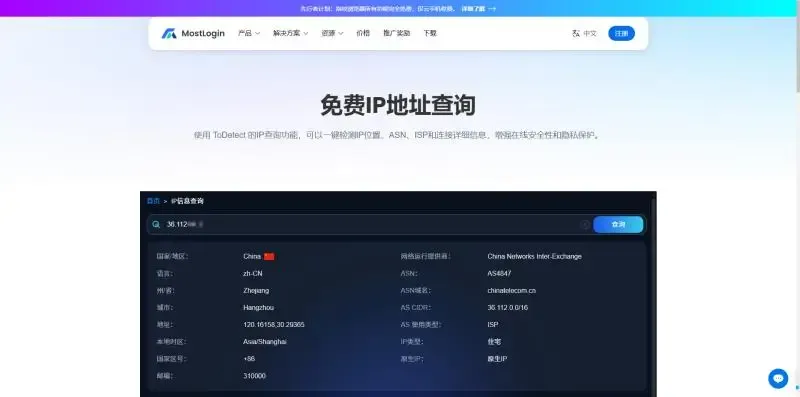
You can use an online IP lookup tool to quickly check your public IP address, IP type, and location to see if anything looks abnormal.
Quickly check your IP address (recommended): https://www.mostlogin.com/what-is-my-ip
After confirming your IP, continue with the troubleshooting steps below.
Another option is to switch your IP
After confirming your IP using an online IP checker, you can use third-party services to change your IP address. For example, if you are currently using a US IP, switch to a UK IP. If the UK IP can access the target website normally, it proves that your US IP has indeed been restricted.
Second, understand why your IP was blocked (the 5 most common reasons)
1. Using a “polluted” IP (proxy / public network)
If you are using:
- Free proxy IPs
- Public Wi-Fi
- Data center IPs
Your IP may have already been abused by others. This is especially common during account registration. If the IP you use has already been blocked by the platform, any new account registered with it is very likely to be flagged as abnormal, resulting in a very high ban rate.
Solutions:
- Check the source and type of your current IP
- Avoid using free or shared IPs
- Use cleaner, dedicated IP resources
2. Excessive access or overly frequent actions (most common)
This is the number one cause of IP bans.
Common scenarios include:
- Refreshing pages repeatedly in a short period of time
- High-frequency logins or registrations
- Too many requests from crawlers, scripts, or automation tools
To prevent abuse or attacks, websites often limit the access frequency of a single IP.
Solutions:
- Wait for a period of time (light bans are usually temporary)
- Reduce your operation frequency
- Switch to a new IP address before accessing again
3. VPN or proxy detected
Not all VPNs or proxies can successfully “hide” your IP.
Many websites are already able to identify:
- Data center IPs
- Common VPN nodes
- Abnormal proxy behavior
Once detected, the IP may be blocked immediately.
Solutions:
- Confirm whether your VPN or proxy actually changed your IP
- Use an IP checker to verify whether the IP changed before and after switching
- Avoid widely used or abused nodes
4. IP location is restricted
Some websites restrict access based on IP location, for example:
- Content copyright restrictions
- Regional compliance requirements
- Risk control policies
Even if you did nothing wrong, you may still be blocked due to IP location.
Solutions:
- Check the country or region of your IP
- Switch to an IP from an allowed region
- Ensure the IP location matches your account behavior
5. Abnormal or accounts under the same IP
If under the same IP you have:
- Logged into multiple accounts
- Accounts that were banned
- Violation or abnormal behavior
The website may apply an IP-wide ban instead of only banning individual accounts.
Solutions:
- Stop logging into accounts under the same IP
- Switch to a completely new IP address
- Ensure one account is bound to one IP going forward
How to avoid your IP being blocked again
To avoid IP bans in the long term, the key is to:
- Use stable and clean IPs
- Control access frequency
- Regularly check whether your IP status is abnormal
Final thoughts: don’t panic if your IP is blocked — choose the right solution
Most IP bans are not permanent. They are usually part of a platform’s risk control strategy. As long as you understand the reason for the ban, use proper IP resources, and correctly identify your current IP address, you can significantly reduce the risk of being blocked.
Check your IP address now to see if anything is wrong:
https://www.mostlogin.com/what-is-my-ip
Best Anti-Detect Browser – MostLogin
MostLogin is an anti-detect browser that helps users solve common challenges such as multi-account management, environment isolation, and account risk control.
For operation guidance, please refer to the official help documentation