Can browsers really be cloned? Recently, on forums like Reddit and Quora, we often come across questions such as: "Is there a way to clone a browser to run like two separate browsers?" and "How can I clone my browser without having to reconfigure everything?".
Why do so many people search for how to clone a browser?
In fact, the reasons are very simple and practical – many people encounter these scenarios:
• Don't want to log in to accounts repeatedly when opening multiple user profiles
• Adjusting plugins, languages, and settings every time is extremely troublesome
• Want to open a second browser but hope it is identical to the original one
• Insufficient user profiles in Chrome/Firefox
That's why many people ask those questions, such as "Can a browser be completely copied?". Today, we will give you an in-depth explanation of the implementation methods for this issue and some other related content.
What is a browser clone?
For the above-mentioned needs, browser cloning is not about opening multiple browser windows or using incognito/private mode. It refers to copying the original browser's settings, Cookies, browser fingerprint information, and other data into a brand-new, independent browser environment.
Simply put, browser cloning replicates the user's environment and configured information, rather than just copying the interface or windows.
Which settings can be cloned and copied?
Most people want to copy the following information:
• Login status: No need to re-login to websites after copying
• Basic browser settings: Such as language, time zone, resolution, configuration parameters, etc.
• Browser fingerprint information: Such as User-Agent, Canvas/WebGL, font information, system parameters, hardware characteristics, etc.
• Cookie/LocalStorage/Session: These are the key factors for many websites to determine whether to require re-login or to detect if multiple accounts belong to the same user through their detection mechanisms.
Precisely because this information is not easy to copy, ordinary browsers cannot achieve true cloning, and many methods fail to fully meet these requirements.
Why can't ordinary browsers achieve true cloning?
For many ordinary browsers, although different accounts can be set up across multiple user profiles, some underlying system information remains the same – after all, they still run on the same device and operating system. In terms of browser fingerprints, much information is fixed (computer system, browser version, CPU model, memory model, etc.), allowing some websites to still determine that these accounts originate from the same environment.
An ideal environment would make each browser environment independent, with fingerprints that can be copied, fixed, or customized. This way, Cookies and caches do not contaminate each other, and even on the same computer, they appear to be from different devices. Currently, this idea can only be realized in some anti-detect browsers, which is why many multi-account users have their accounts linked when using ordinary browsers, while virtual browsers can ensure a certain level of security.
How to clone a browser with the same settings and Cookies?
We recommend using a professional anti-detect browser to achieve this functionality. After all, only such tools can fulfill the need to fix, modify, and copy browser fingerprints. For example, MostLogin is an excellent anti-detect browser that allows you to easily adjust various browser fingerprint information to achieve our ideal outcome.
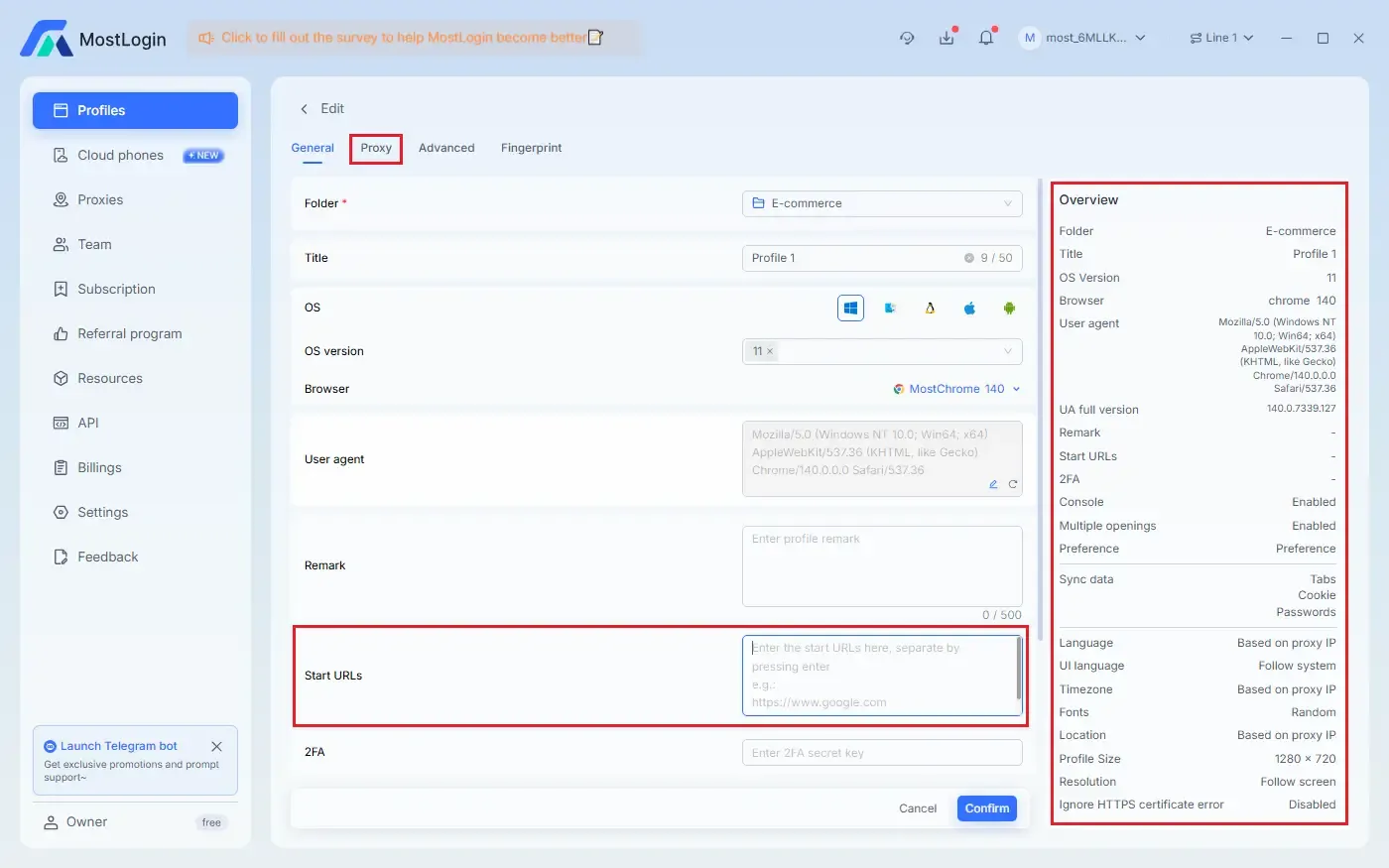
Furthermore, MostLogin has a particularly suitable feature – it supports direct copying of configured browser environments, as shown in the following image:
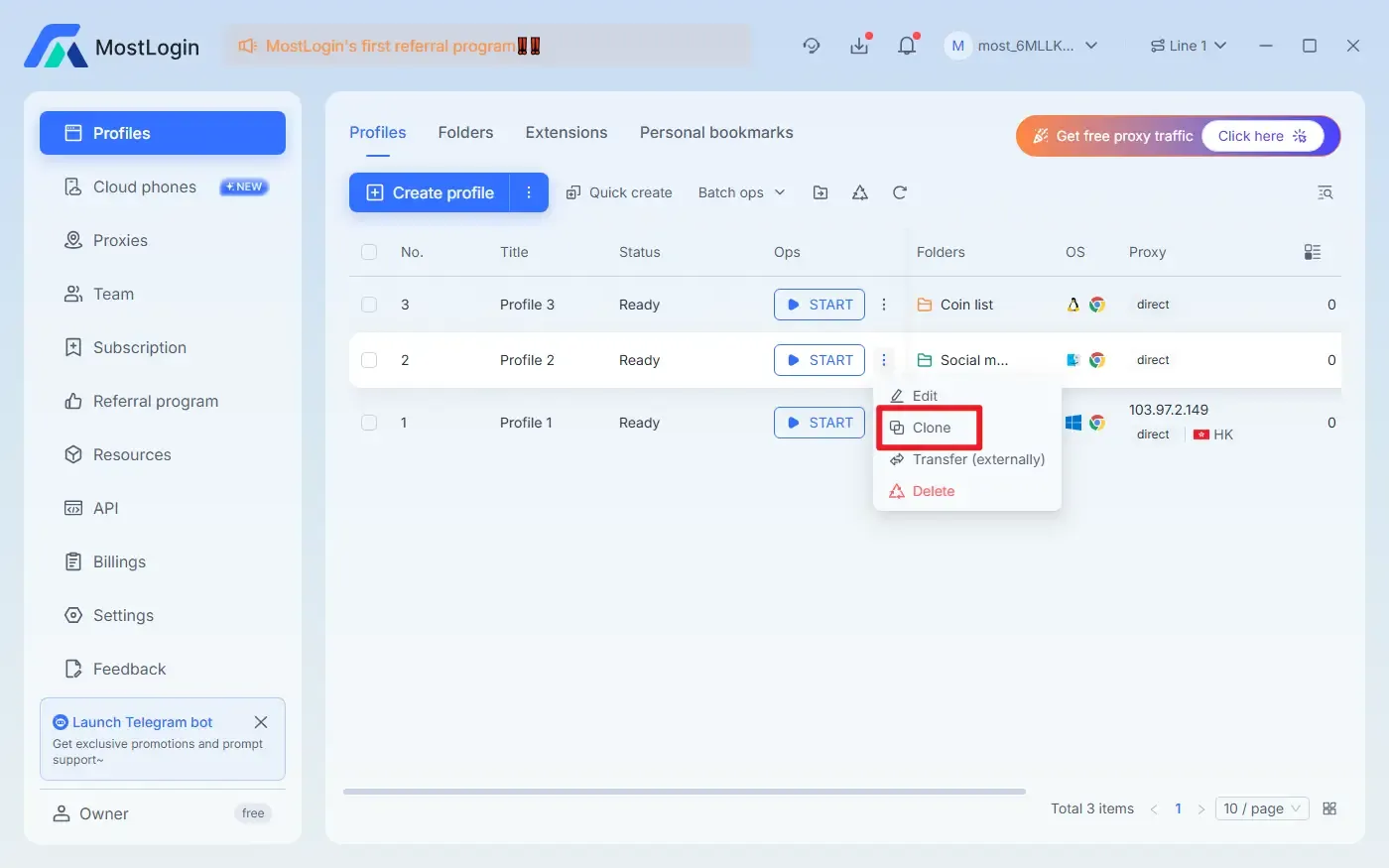
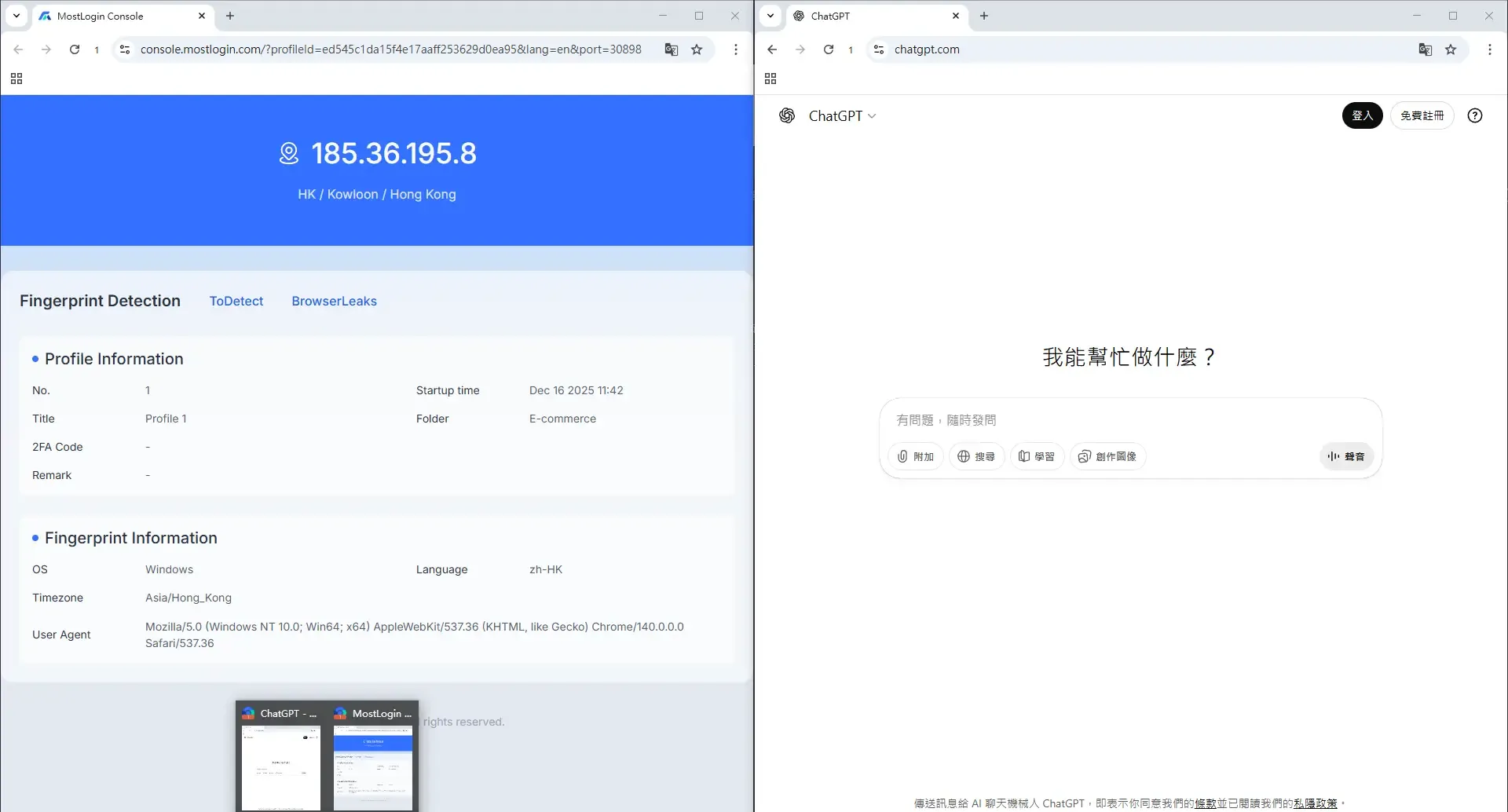
If we only want to make minor adjustments to a specific detail of an environment without changing other aspects, this feature allows you to easily achieve your goal and save a great deal of effort.
When is browser cloning typically used?
• Multi-account social media management: Managing platforms like Facebook/X/Instagram that have requirements for browser fingerprints
• E-commerce and advertising account management: E-commerce/advertising platforms that prohibit multiple accounts, such as Amazon, Shopee, TikTok Shop, etc.
• Testing different account behaviors: In such cases, we generally need to ensure consistent environments with some differentiated parameters to obtain reliable test results.
• Environment preparation before automated operations: It is necessary to prevent account abnormalities caused by environmental issues
Frequently Asked Questions (FAQ)
What is the difference between cloning a browser and opening multiple windows?
Opening multiple windows only duplicates the interface while sharing the same environment, whereas browser cloning generally requires environment-level replication.
Is cloning a browser legal?
Browsers themselves are tools, and cloning a browser is just a method to help users improve efficiency. Legality depends on how you use it.
Will websites detect cloned browsers?
Ordinary browsers are easily detected, while using a stable anti-detect browser significantly reduces this risk.
What is the difference between a cloned browser and a virtual machine?
Virtual machines are more cumbersome to run and require higher device configurations, while anti-detect browsers are lighter and specifically designed for account environments.
Best Anti-Detect Browser - MostLogin
The MostLogin anti-detect browser tool helps users solve high-frequency issues such as multi-account management, environment isolation, and account risk control.
For operational questions, please refer to the Official Help Documentation