Many people believe that for multi-account management in browsers, simply switching accounts, clearing cookies, or even using a different browser will prevent websites from identifying them. In reality, many platforms can still detect connections between these accounts, and one key identification technology behind this is Canvas fingerprinting.
Canvas fingerprinting is not as obvious as an IP address, nor can it be easily removed like cookies. However, it helps websites identify your device environment without you noticing at all. Today, we will explain exactly what a Canvas fingerprint is and how it enables cross-account browser identification.
1. What is Canvas?
Canvas is a drawing functionality provided by HTML5, with the full name HTML5 Canvas API. It allows web pages to draw images, text, and graphics in the browser through code. Many effects such as charts, verification codes, dynamic animations, game screens, and font rendering rely on Canvas.
It may seem like just a canvas feature, but the problem lies in the subtle differences that appear when different devices render the same image.
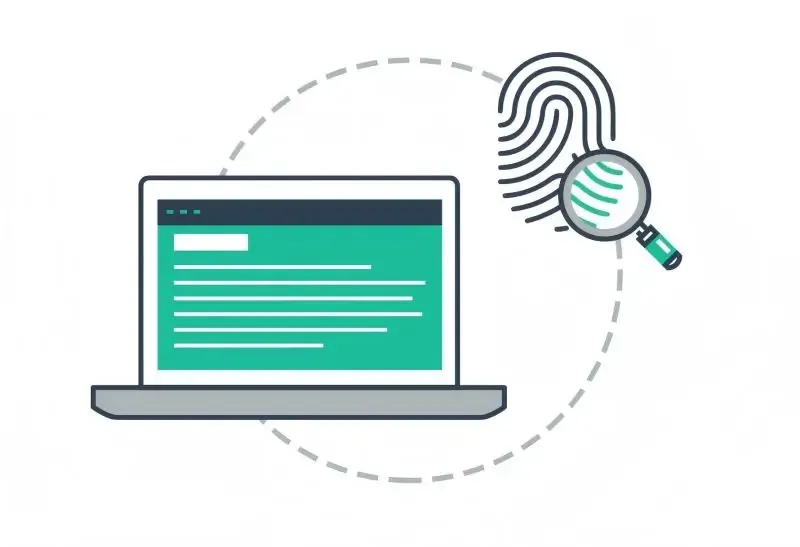
2. What is a Canvas fingerprint?
Canvas fingerprinting is a passive device identification technology. Websites instruct your browser to secretly draw a hidden image in the background—for example, text in a specific font, a set of complex graphics, or a specific color gradient. They then read the final pixel data generated and convert it into a hash string.
Although the visuals you see are nearly identical, tiny differences emerge in the pixel data generated by the system due to factors like varying operating system font rendering mechanisms, browser graphics engines, graphics cards and drivers, and screen anti-aliasing algorithms. These differences ultimately form stable and precise data—your device fingerprint.
3. Why can Canvas fingerprinting identify you across accounts?
Many people mistakenly assume that switching accounts makes them unrecognizable to websites. However, a website's risk control system does not only rely on account information; it also evaluates your device environment.
Suppose you log in to Account A on the same computer, log out, clear your cookies, then register and log in to Account B. You may believe these represent two entirely new identities. But the system detects that Account A and Account B share the same IP address, browser version, screen resolution, and Canvas fingerprint.
To the risk control system, this indicates that multiple accounts are being operated from the same device. Even if you switch browsers, such as Chrome or Edge, Canvas rendering results typically remain highly similar, as the operating system, graphics card, and font environment remain unchanged. Therefore, a Canvas fingerprint is a device-level characteristic, not an account-level one.
4. Is Canvas fingerprinting used independently?
Generally not. Real-world risk control systems integrate it as part of browser fingerprinting, combining it with other pieces of information, including:
Browser type and version
Screen resolution
Time zone and language
WebGL fingerprint
Audio fingerprint
Font list
A single signal may not be completely stable, but combining multiple signals results in extremely high identification accuracy.
5. Why do websites use Canvas fingerprinting?
Many people view browser or device fingerprint collection as intrusive data gathering. However, most mainstream websites adopt this technology for the following key reasons:
1. Account Security and Risk Control
The system can identify risky behavior when it detects drastic changes in login devices or multiple accounts originating from the same device. Examples include credential stuffing attacks, stolen account logins, and malicious bulk registrations.
2. Anti-Cheating and Anti-Bot Measures
Automated scripts often run on virtual machines, headless browsers, or automation framework environments. The Canvas rendering characteristics of these environments tend to be unusually consistent or absent, making them easy to identify as non-human users.
3. Preventing Multi-Account Abuse
Some platforms restrict users to a single account. Canvas fingerprinting helps identify whether multiple accounts are being operated from the same device and detect bulk account manipulation.
6. How to avoid Canvas fingerprinting?
Many users need to manage or run multiple accounts for legitimate and legitimate purposes. Unfortunately, platforms often do not review the specific operations of each account and directly flag such activity as abnormal, resulting in account restrictions or bans. Therefore, it is necessary to avoid Canvas fingerprinting on certain platforms.
We recommend using powerful fingerprint browsers, such as MostLogin Fingerprint Browser. With this tool, you can assign unique Canvas fingerprints to different accounts or browser windows, preventing detection by platform risk control systems.
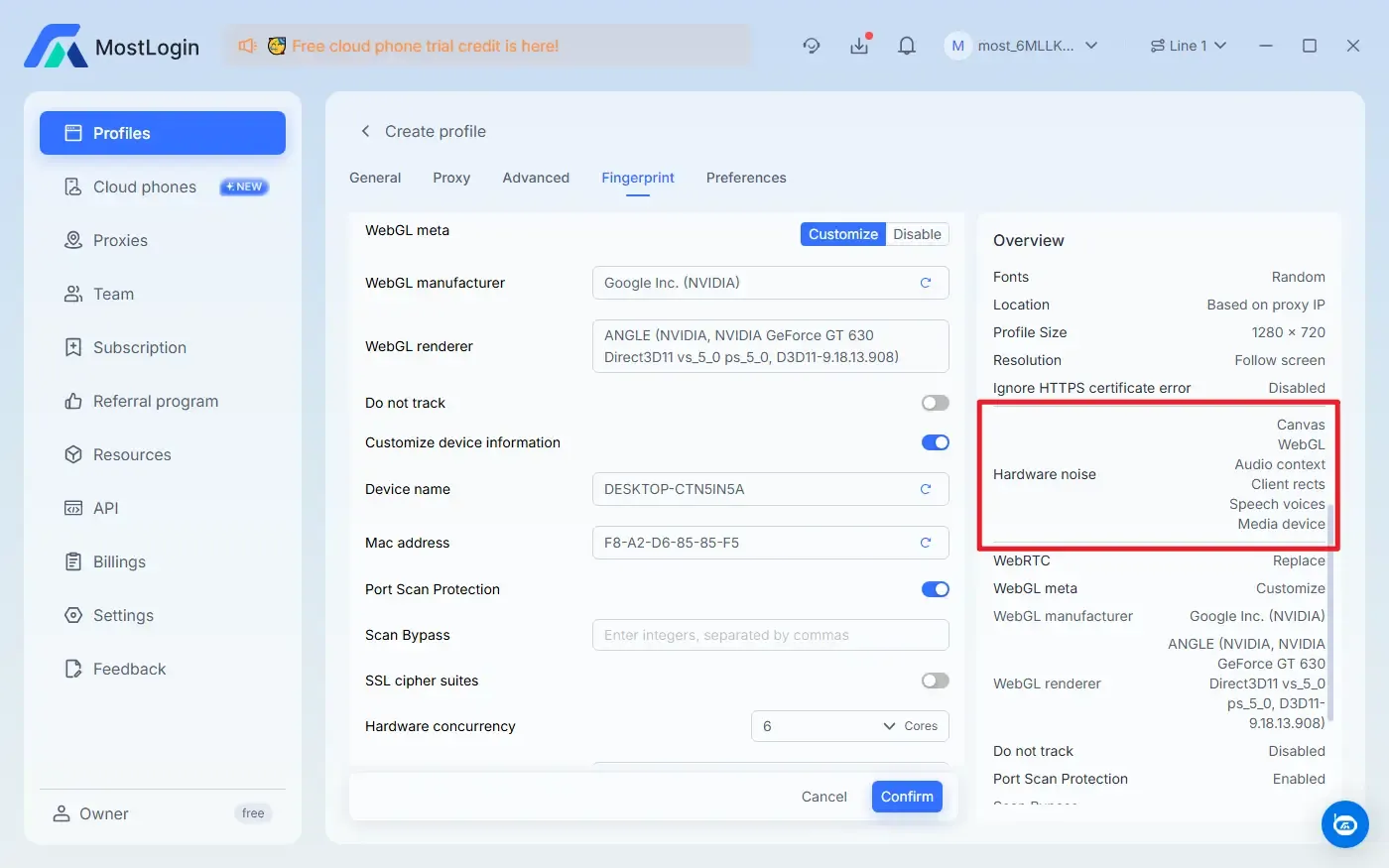
On many platforms, Canvas fingerprints are combined with other data points such as the User-Agent (browser type and version), screen resolution, time zone and language, and WebGL fingerprints. The MostLogin Fingerprint Browser supports modifying and obfuscating multiple types of information, making it an ideal solution.
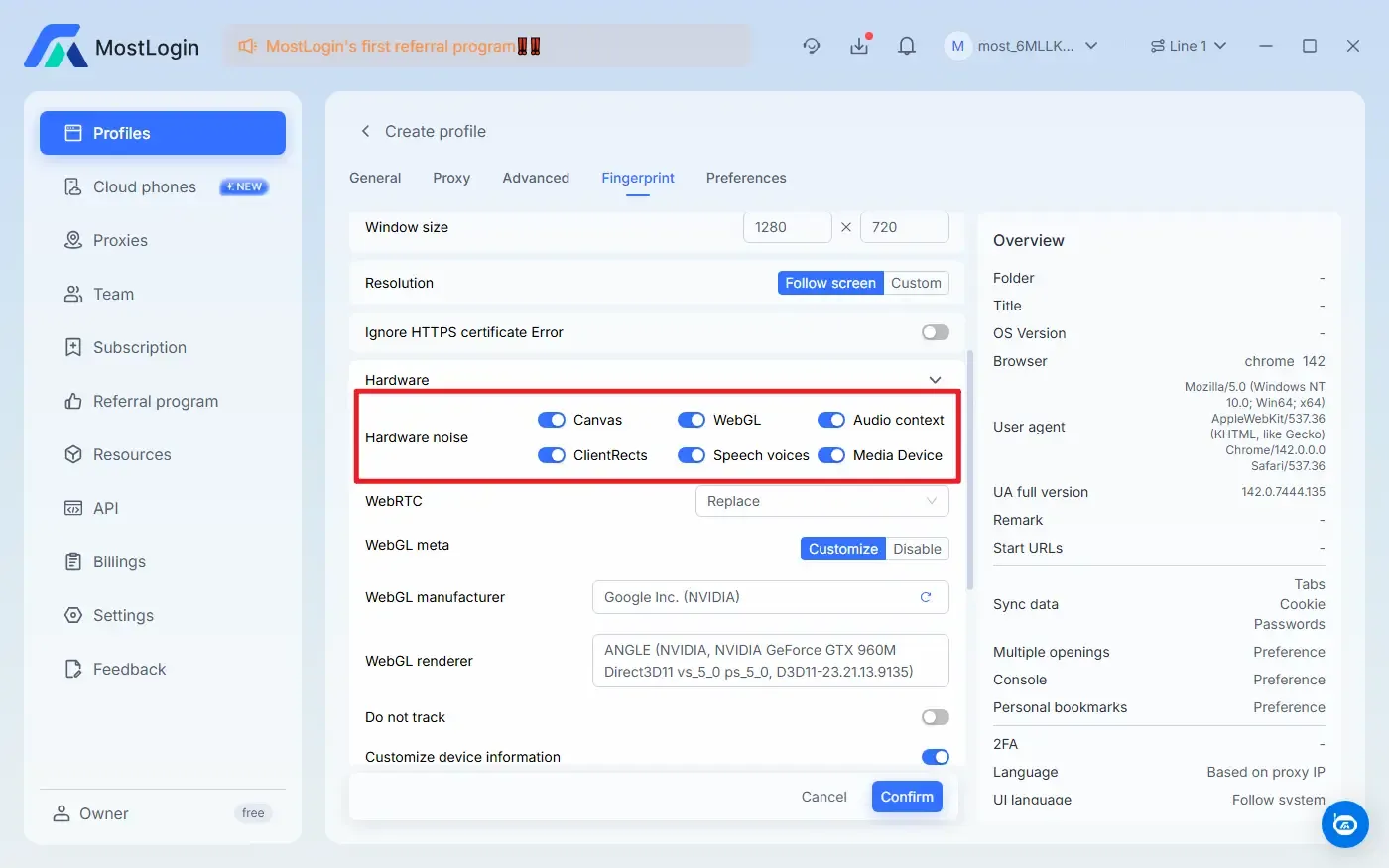
Currently, the MostLogin Fingerprint Browser offers the Pioneer Program. Specific features and pricing are subject to the latest official plan. Marketing teams and relevant personnel are welcome to try it out!
Conclusion
Overall, a Canvas fingerprint is a device characteristic derived from differences in browser rendering. Simply clearing cookies, switching accounts, or even changing browsers is rarely sufficient to fully isolate different online identities. For users who need to operate multiple accounts stably over the long term, using a fingerprint browser to isolate environments and reduce association risks is essential.
Frequently Asked Questions
Can clearing cookies stop Canvas fingerprint tracking?
No. A Canvas fingerprint is a device-level characteristic and has no direct connection to the presence or absence of cookies.
Can switching browsers avoid Canvas fingerprinting?
Usually not. Canvas rendering results from different browsers on the same device remain highly similar.
Is Canvas fingerprinting used as the sole identification basis?
Generally not. It is used in conjunction with multiple other fingerprints, including User-Agent, screen parameters, time zone, and WebGL fingerprints.
Why do platforms use Canvas fingerprinting?
It is primarily used for account security, anti-cheating, and identifying multi-account or automated operations.
How do fingerprint browsers reduce association risks?
By creating independent browser environments for different accounts and configuring distinct Canvas and other fingerprint parameters for each environment.
MostLogin anti-detect browser tool helps users solve frequent problems such as multi-account operation, environment isolation, and account risk control.
For operational questions, please refer to the Official Help Documentation