When you visit a website, it may seem like you're simply opening a page to retrieve information from our perspective. In reality, your browser is also transmitting certain data to the website. In addition to common information such as IP addresses and Cookies, many websites now collect a more covert and stable type of information — WebGL fingerprinting.
Many people may be curious about what WebGL is and why websites collect it. This article will clarify all these questions for you in one go.
1. What is WebGL?
Before explaining WebGL fingerprinting, we first need to understand what WebGL is. WebGL is a browser technology that allows websites to directly invoke your Graphics Processing Unit (GPU) to render 2D and 3D graphics on web pages without the need for additional plugins.
To put it simply, many 3D animations, online games, map rotation effects, and 3D product displays on web pages are realized by combining your GPU with WebGL. Most mainstream browsers on the market, including Chrome, Firefox, Edge, and Safari, support WebGL by default.
It provides users with a smoother and more exquisite visual experience. However, when the browser invokes the GPU to render graphics, subtle but consistent differences arise between different devices. These differences are recorded and converted into data, which is what we refer to as WebGL fingerprinting.
2. What is WebGL Fingerprinting?
WebGL fingerprinting is essentially a browser and device identification technology. Websites use WebGL to make your browser render a hidden graphic or image, and then read the final rendering result.
Due to variations in GPU models, graphics driver versions, operating systems, browser versions, and differences in GPU floating-point calculation precision, there are minor discrepancies in the details of the final generated images. These differences are invisible to the human eye but highly distinguishable to computers.
Websites convert this result into a hash string, which serves as a device characteristic identifier for your browser — this is WebGL fingerprinting. It is not used in isolation; instead, it combines with other browser characteristics to form a browser fingerprint.
3. What is the Difference Between WebGL Fingerprinting and Cookies?
Many people assume that this is just another way to track users, with no real difference from Cookies. In fact, the distinctions are significant, as you can see from the table below:
| Comparison Item | Cookie | WebGL Fingerprinting |
|---|---|---|
| Storage Location | Stored locally in the browser | No local storage required |
| User Deletability | Can be manually cleared | Extremely difficult to "delete" |
| Browser Dependency | Yes | No (more dependent on hardware) |
| Concealment | Visible and manageable | Almost imperceptible to users |
| Stability | Prone to loss | Relatively more stable |
In other words, clearing your Cookies does not mean websites will no longer recognize you. WebGL fingerprinting is a storage-free identification technology, which is why an increasing number of websites are adopting it.
4. Why Do Websites Collect WebGL Fingerprinting?
This is actually the most critical question. The primary motivation for websites to collect WebGL fingerprinting is usually risk control and security.
1. Prevent Account Theft (Account Security)
Many platforms, especially e-commerce, payment, and social media platforms, need to determine: Is this the legitimate user logging in? Or is a hacker attempting to log in from a remote location using an unfamiliar device?
If an account's IP address, browser, and WebGL fingerprint all change completely, the system will raise its risk score, which may trigger secondary verification, SMS verification, login restrictions, and other measures. This effectively protects user account security.
2. Identify Bots and Automated Scripts
Automated programs (Bots) are commonly used for bulk account registration, product snatching, malicious vote rigging, data scraping attacks, and more. Many Bots operate in virtual environments or headless browsers, and their WebGL rendering characteristics are often abnormal, repetitive, or unnatural.
By analyzing WebGL fingerprinting, websites can identify whether a large number of requests originate from the same type of device fingerprint or exhibit unusually consistent rendering results. This is crucial for anti-crawling and anti-cheating systems.
3. Anti-Cheating in Advertising
The advertising industry also relies on device identification to determine whether clicks come from real users, whether traffic is fraudulent, and whether the same device is clicking repeatedly. WebGL fingerprinting can serve as an auxiliary signal to improve the credibility of advertising data.
4. Prevent Multi-Account Abuse
Certain platforms prohibit users from creating a large number of accounts, such as for abusing e-commerce discounts, exploiting platform rewards, or engaging in malicious voting. Even if users frequently change their IP addresses, WebGL fingerprinting may still reveal device associations if the device environment remains largely unchanged.
5. How to Prevent WebGL Fingerprinting from Linking Multiple Accounts
The most recommended method at present is to use a fingerprint browser, such as the MostLogin Fingerprint Browser. It allows you to set distinct WebGL fingerprints for multiple different accounts and browser windows, effectively preventing detection by platform risk control systems that rely on WebGL fingerprinting.
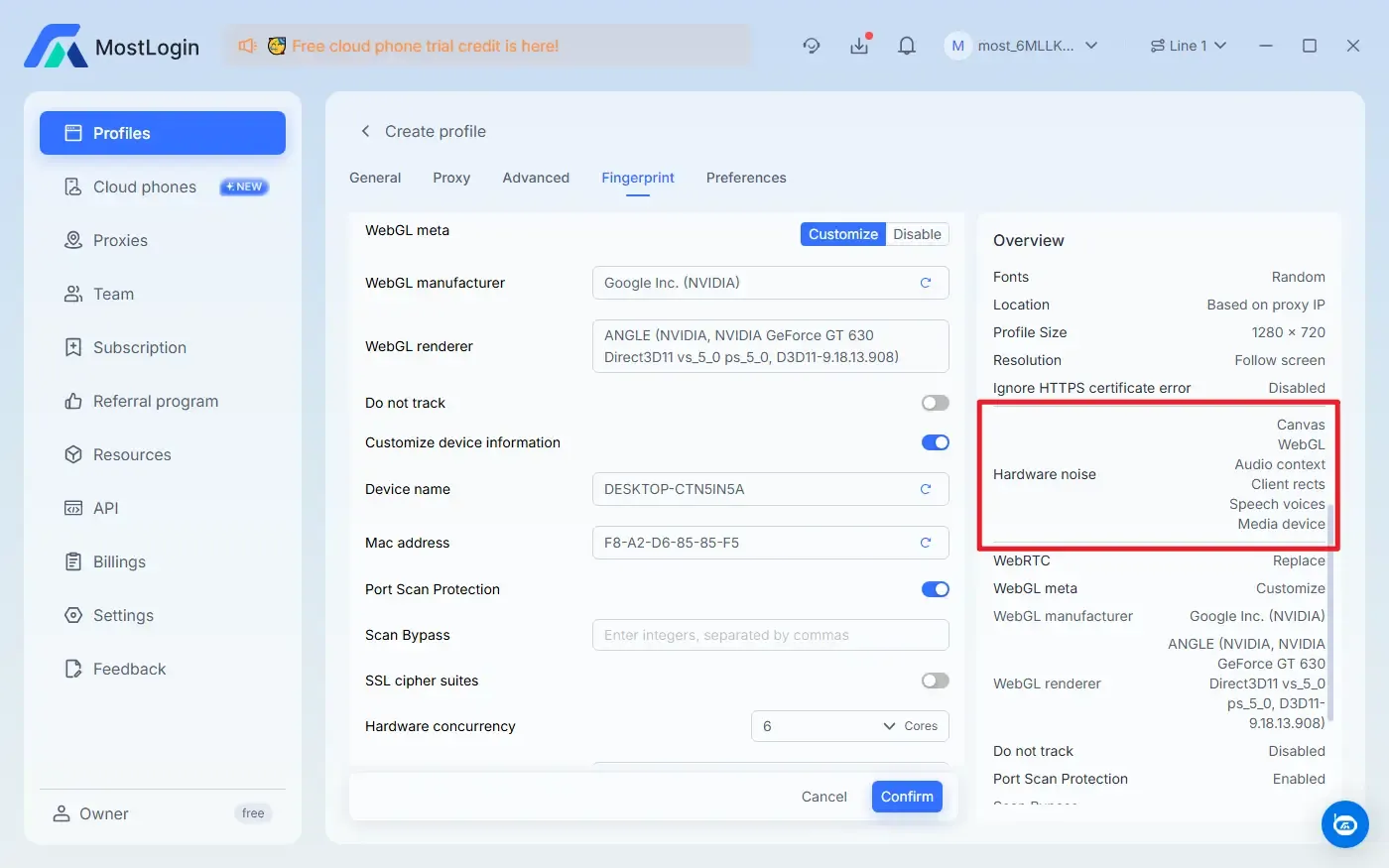
For some platforms, WebGL fingerprinting is combined with other information such as User-Agent (browser type and version), screen resolution, time zone and language, and Canvas fingerprinting. The MostLogin Fingerprint Browser supports modifying and obfuscating a wide range of fingerprint information, making it highly suitable for use.
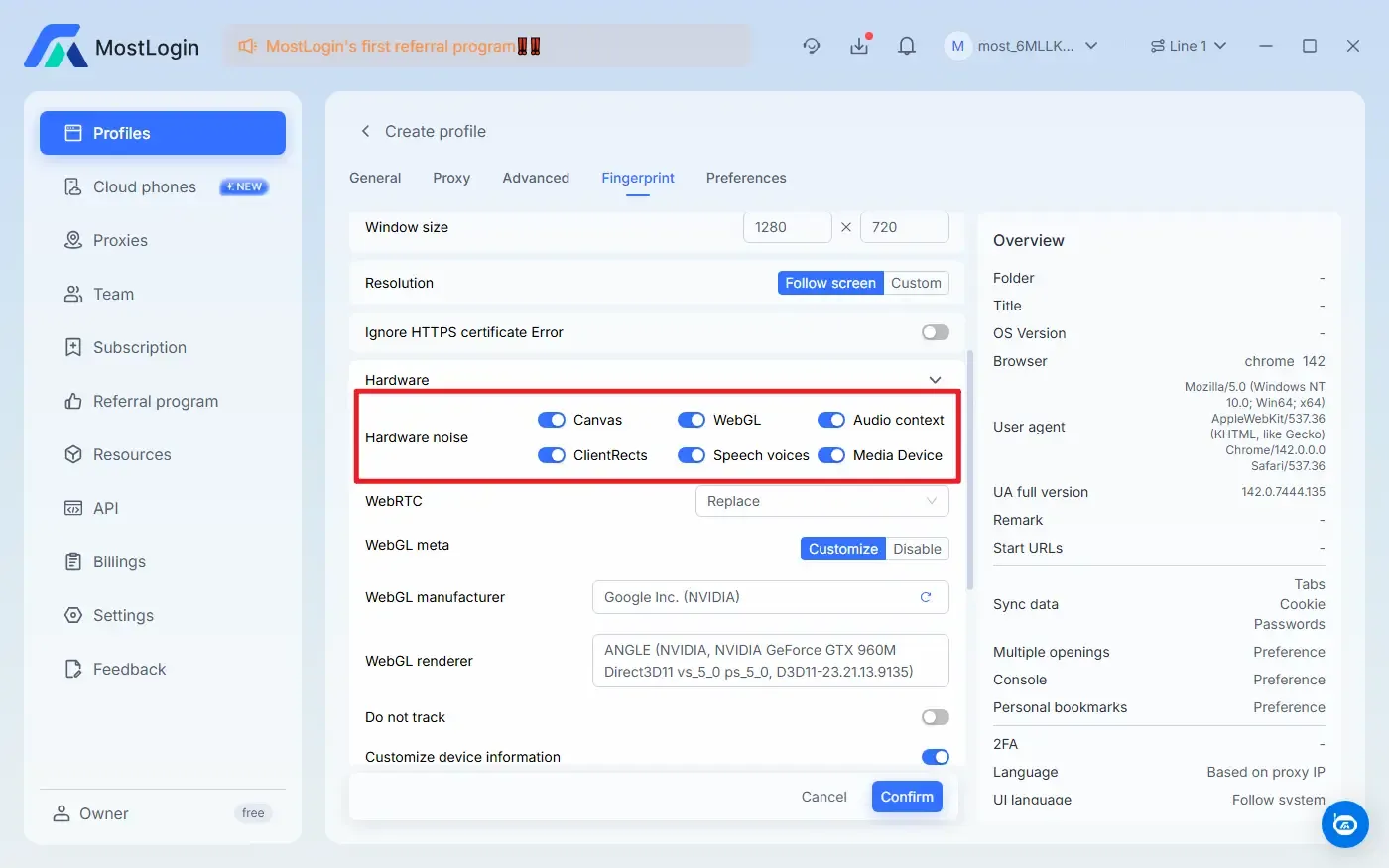
MostLogin Fingerprint Browser currently offers the "Pioneer Program". Specific features and pricing are subject to the latest official plan. Marketing teams and relevant personnel are welcome to try it!
Conclusion
WebGL fingerprinting is one of the important signals used in modern risk control systems to verify device authenticity and consistency. As Cookies become unstable and easy to clear, websites utilize more covert and stable features like WebGL to identify device environments and safeguard account security. If you want to prevent multiple accounts from being linked via WebGL fingerprinting detection, using a reliable fingerprint browser is the best solution.
FAQ
Is WebGL Fingerprinting Used Alone to Identify Users?
Generally not. WebGL fingerprinting is usually used in combination with other browser and device characteristics.
Does WebGL Fingerprinting Remain After Clearing Cookies?
Yes. WebGL fingerprinting does not rely on local storage, so clearing Cookies will not alter it.
Can Changing IP Avoid WebGL Fingerprinting Identification?
No. Changing your IP address does not affect the WebGL fingerprint generated by GPU rendering.
Do All Browsers Generate WebGL Fingerprinting?
WebGL fingerprinting can be generated as long as the browser supports WebGL and enables GPU rendering.
MostLogin anti-detect browser helps users solve frequent issues such as multi-account operation, environment isolation, and account risk control.
For operational questions, please refer to the Official Help Documentation