Most frequent X (Twitter) users should know that the platform does not allow direct downloading of MP4 files or GIFs. Often, when we come across interesting content that we want to save to our photo albums or share with friends who don't use the platform, we find there's no download button available, which can be quite inconvenient.
This is especially problematic for marketers or e-commerce professionals who need a large number of product or promotional GIFs and videos for work. The official restriction on downloading these materials has to some extent hindered work efficiency and business operations. So, how can we solve this problem? Today, we will introduce several methods that work on PC, iPhone, and Android devices!
Note: Currently, all GIFs on X (Twitter) are actually in MP4 format. Therefore, after downloading with most tools, you will need to use an MP4-to-GIF converter (recommended tools are listed at the end of this GIF download tutorial).
How to Download X (Twitter) GIFs on PC?
There are many ways to download GIFs on a computer, such as using web-based tools or browser extensions. Web-based tools work on almost all devices (PC, iPhone, and Android), so here we will only explain the method of using a browser extension to download GIFs.
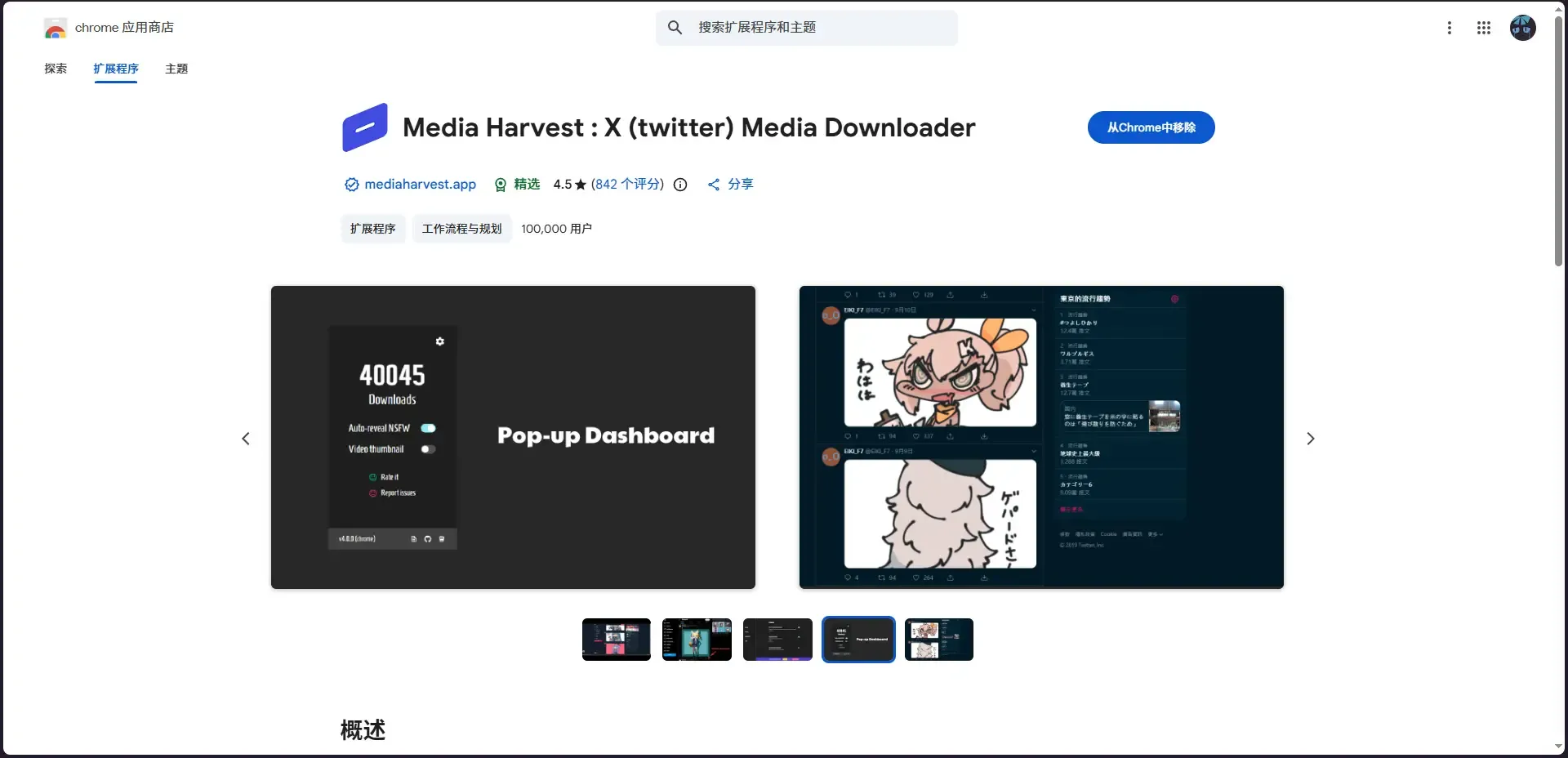
For example, you can use this extension: Media Harvest : X (twitter) Media Downloader
After installing this extension, you will see a download icon at the bottom right corner of Twitter posts that contain GIFs, just as marked in this image.
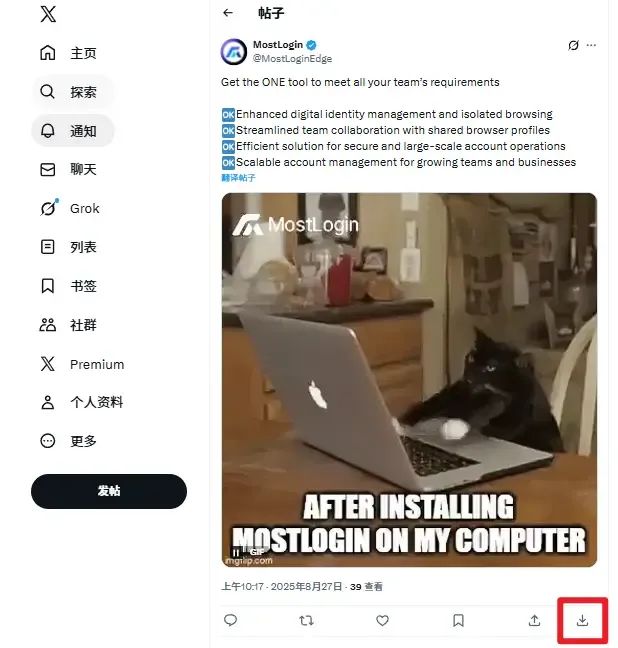
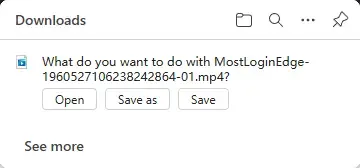
Click this button, and your browser will prompt you to download the MP4 file (we will explain how to convert MP4 to GIF later).
How to Download GIFs on iPhone and Android?
Currently, there are many Twitter GIF/video download tools available on the Google Play Store and Apple App Store. However, these tools usually require local storage permissions and collect a lot of user information, so we do not recommend using them. Instead, we suggest using web-based download tools.
We highly recommend using web-based tools such as savetwitter, twmate, and snaptwitter. Please note that some of these websites contain advertisements. Below, we will use savetwitter to demonstrate the entire process:
First, go to the target post, click the share button at the bottom right corner, and select "Copy Link" (as shown in the image below).
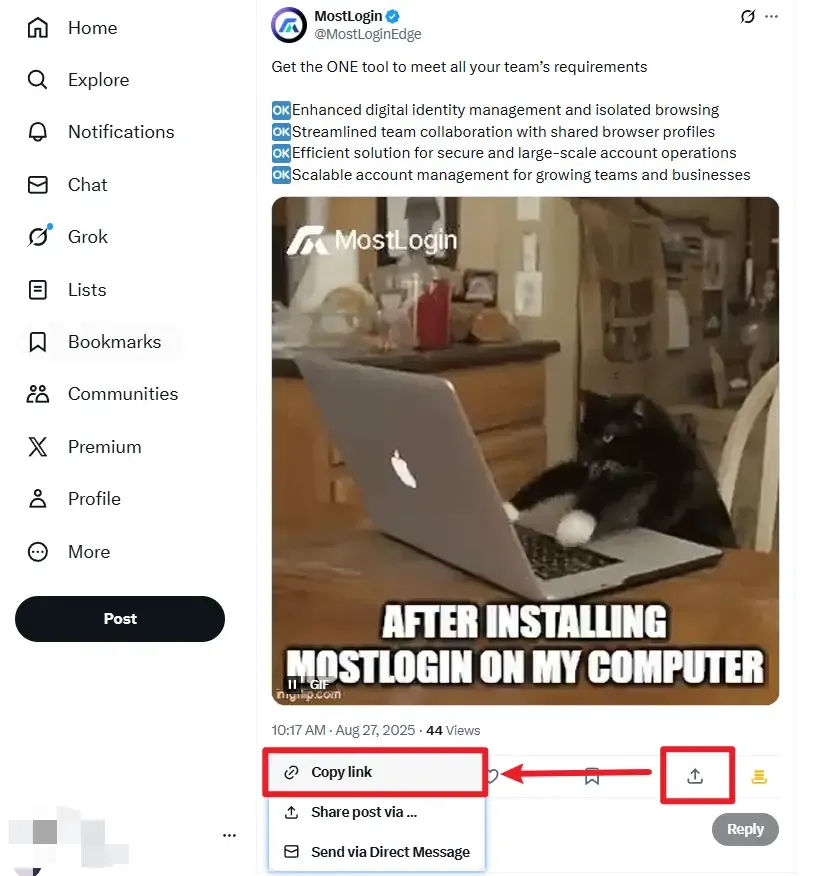
Then, open the savetwitter website, paste the copied link into the text box, and click the download button.
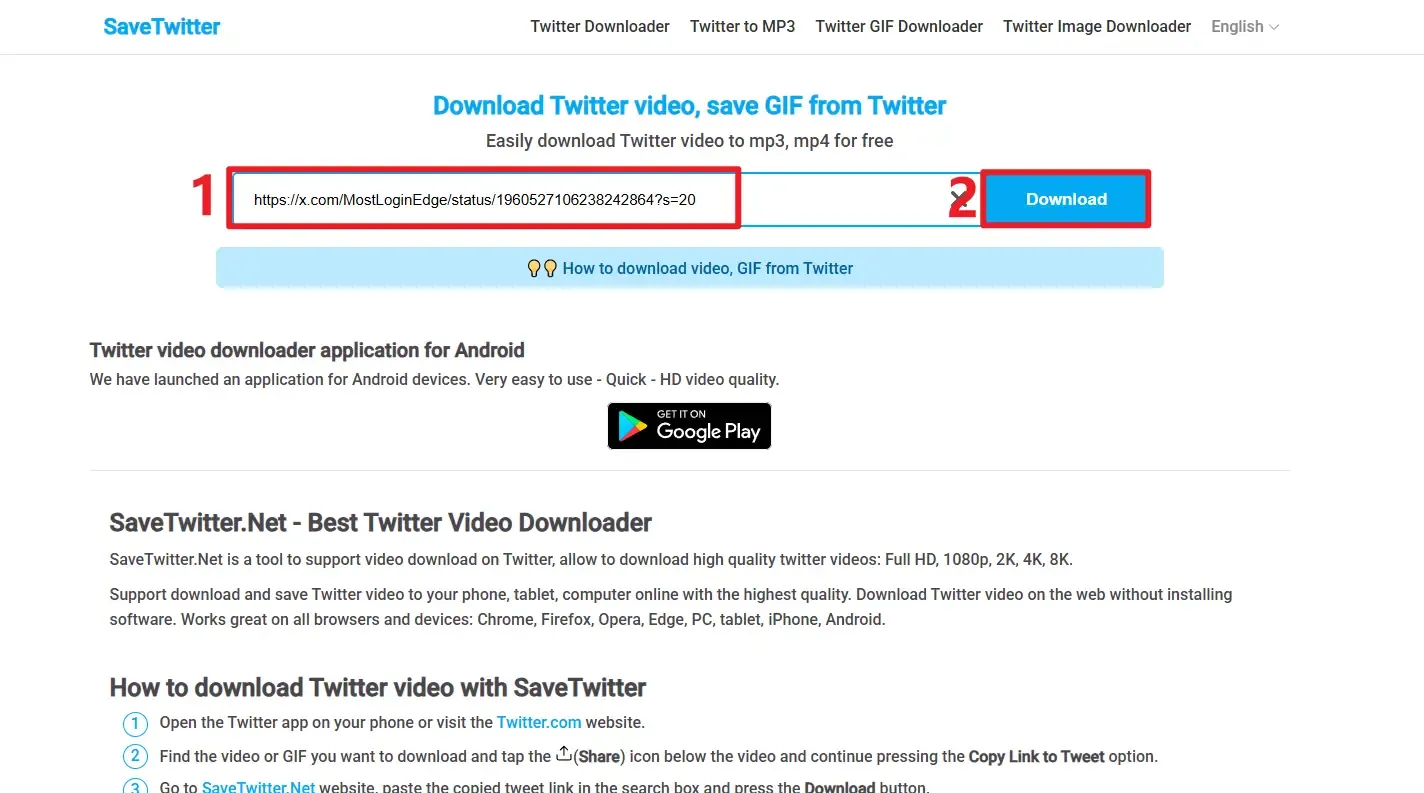
After a few seconds, download options (two versions) will appear, as shown in the image below.
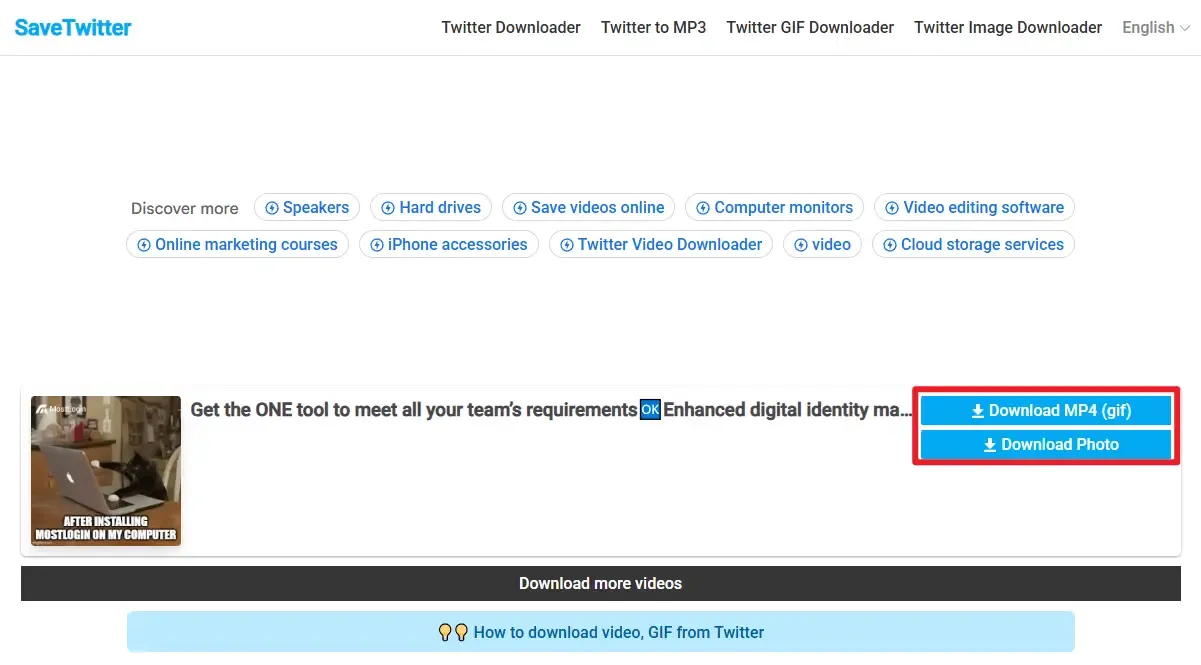
Click the button, and the MP4 file will be downloaded automatically.
How to Convert MP4 Files to GIFs?
You can use "Format Factory" or the convertio online conversion tool for the conversion.
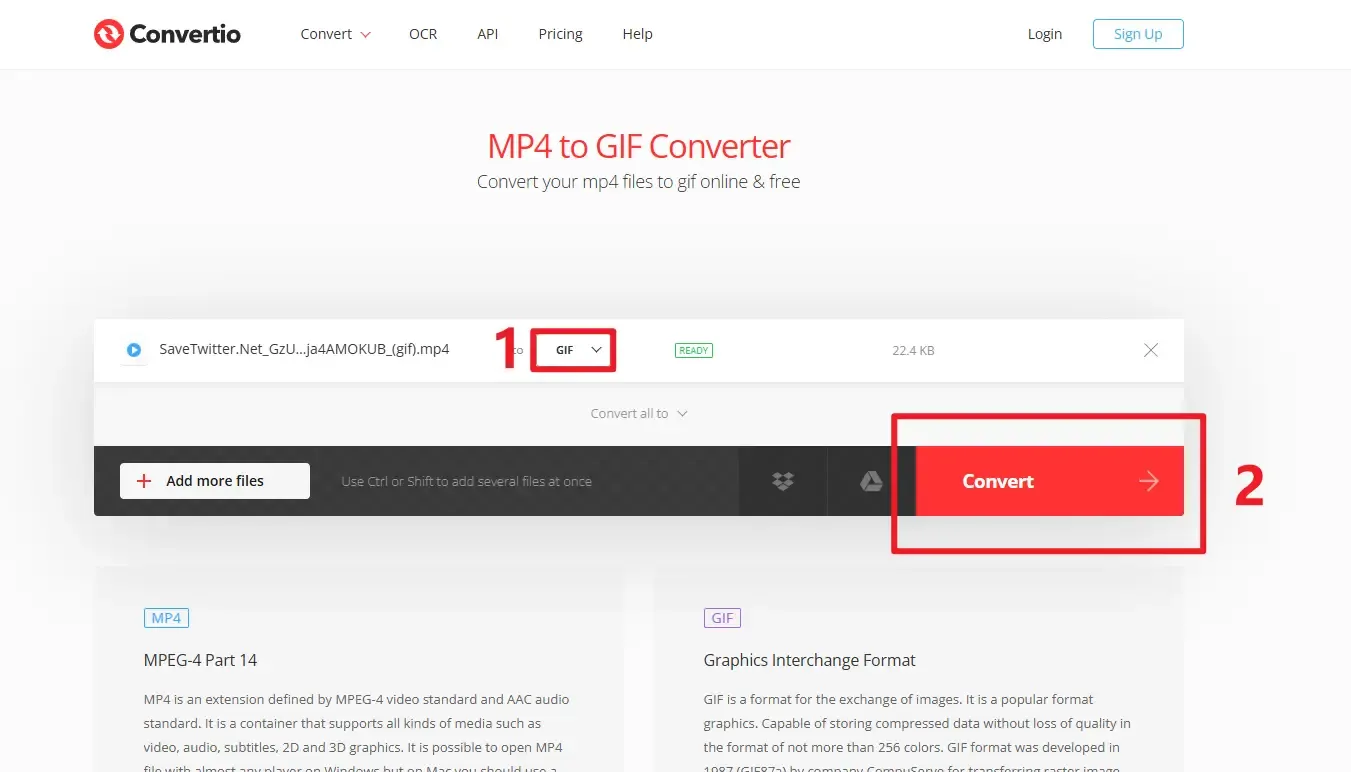
Go to the website and click the "Choose Files" button.
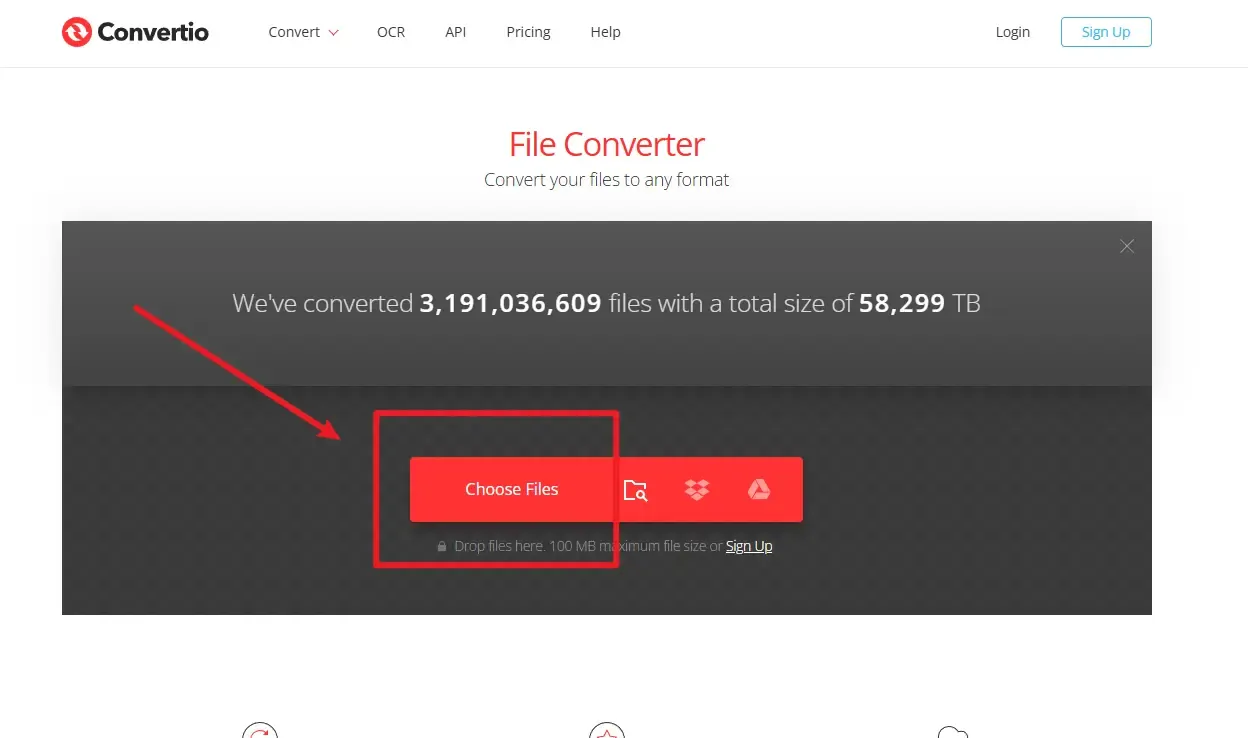
Select GIF as the output format and click "Convert".
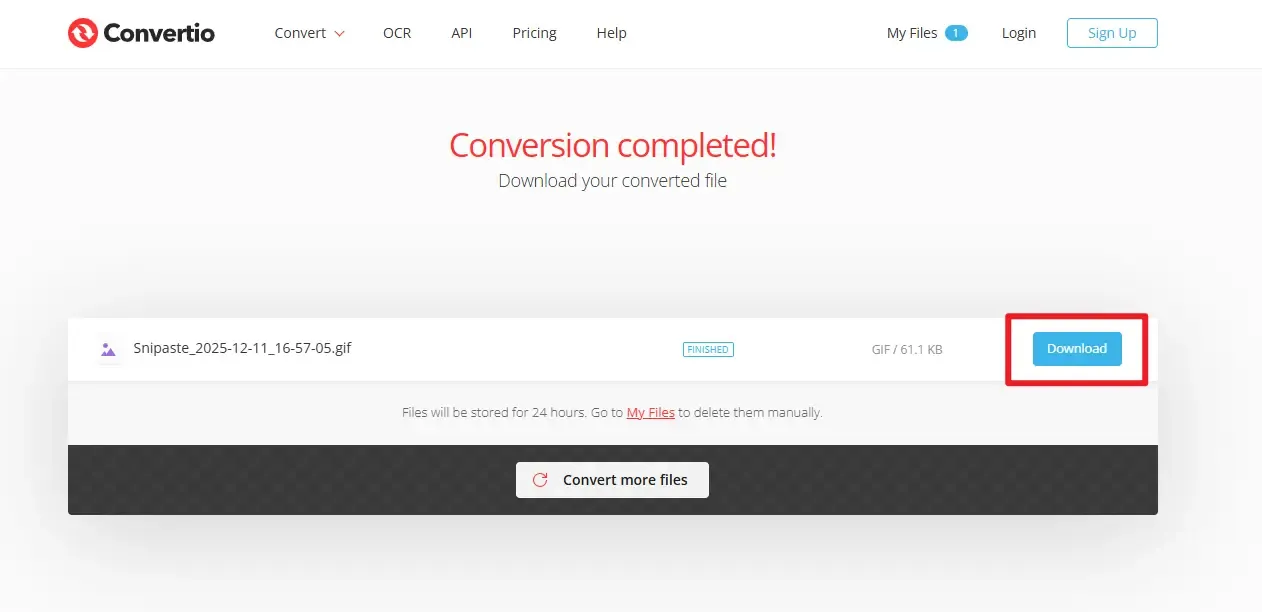
Once the conversion is complete, click the download button to save the GIF file.
Important Notes:
If you need to use multiple Twitter accounts to download a large number of GIFs for marketing or other purposes, it is recommended to ensure environment isolation for each account. Currently, Twitter's official policy imposes restrictions on multiple accounts operating on the same device/network.
To achieve safe batch downloading of GIFs using multiple accounts, we recommend using an anti-detection browser like MostLogin for environment isolation. This can minimize verification steps and restrictions during downloading, and protect the security of your accounts.
Currently, there are very few tools that can directly convert MP4 files to GIFs during the download process. You can use the automation features of some tools to perform batch conversions and improve efficiency.

Summary:
If you want to download Twitter GIFs on PC, iPhone, or Android devices, the tutorials above should be helpful to you! By following these steps, you can easily download GIFs for various purposes. There are many other similar tools available on the market. If the tools mentioned above are not working or encounter any issues, you can try using alternative tools for downloading and conversion, including the format conversion tools mentioned earlier.
FAQ:
Are the tools mentioned above free to use?
As of now, all the download tools mentioned above are completely free, and most of them do not even require registration or login. You can easily perform the relevant operations without any hassle.
How should we download GIFs (videos) from Twitter posts?
First, copy the link of the Twitter post. Then, open the websites or extensions we mentioned above, paste the copied link, and wait for the download button to appear.
Do I need to log in to my Twitter account to use these tools?
Except for posts that are not publicly searchable or have access restrictions, you do not need to log in to your account during the entire download process.
Can I download GIFs (videos) from private Twitter accounts?
Downloading from private Twitter accounts may require authorization. Most Twitter GIF download tools are designed to download publicly accessible content only.
Best Anti-Detection Browser - MostLogin
The MostLogin anti-detection browser tool helps users solve high-frequency issues such as multi-account operation, environment isolation, and account risk control.
For operational questions, please refer to the Official Website Help Documentation