In the era of rapid information development, an IP address has almost become the "ID card" for every online activity. Whether you are visiting a website, logging into social media, or conducting cross-border business operations, your real IP may be recorded and tracked.
If you want to know how much information the internet has about you, Whoer is one of the most accurate tools to reveal this. This article will introduce how to use Whoer, explain how to use Whoer's "Find My IP Address" feature to verify VPNs or proxies, and how to achieve a 100% anonymity rating.
Why Check Your IP and Anonymity?
Many people think they can browse the internet safely just by opening a browser and connecting to the network, but in reality:
Websites can determine your geographic location through your IP;
Operating multiple platforms in the same network environment can easily trigger risk control;
Advertising platforms analyze your behavior based on your IP
This is why it's important to use Whoer to check your IP and anonymity.
What is Whoer?
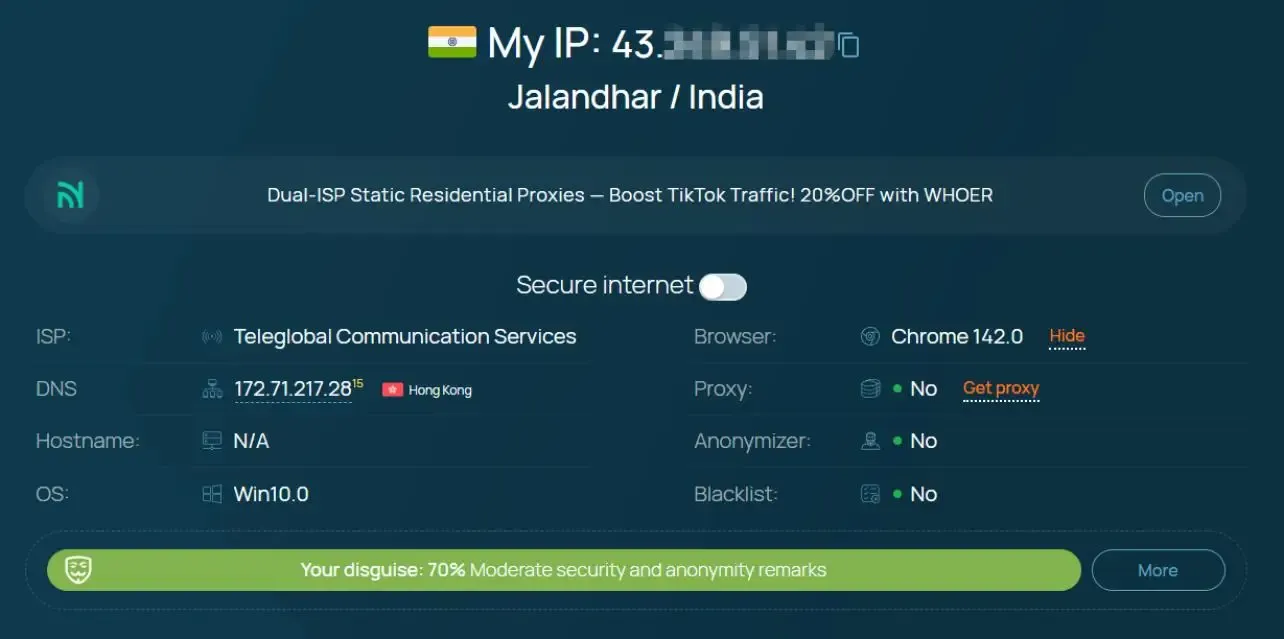
Whoer is an online privacy protection tool that requires no installation. It checks your public IP address, browser fingerprint, and extension version information. It can analyze your network connection in real time and accurately show you what information about you is visible to the network and third parties.
When we visit Whoer.net, it automatically displays:
Current IP address
IP geographic region
Browser fingerprint
WebRTC / DNS leak status
Whether the proxy / VPN is working properly
Anonymity score (0~100%)
Whoer originally became famous for IP address and fingerprint detection, and later expanded to provide VPN services. However, its free online IP address and fingerprint detection tool remains popular among users.
How to Use Whoer to Check Your IP Address? (Simple 3 Steps)
Using Whoer is very simple -- no technical skills required:
Step 1: Open the Whoer official website
Enter in your browser: Whoer.net
Upon visiting, the homepage will automatically start detection with no additional actions needed
Step 2: View current IP information
The homepage displays your key IP information, including:
IP Address: xxx.xxx.xxx.xxx
Country / City
Internet Service Provider (ISP)
Anonymity percentage (e.g., 40%, 80%, 100%)
If you are using a VPN, proxy browser, or proxy IP, you can clearly see if it is effective here.
Step 3: Check for privacy leaks
Scroll down the page, and you will see more technical detection items:
Whether WebRTC is leaking your real IP
Whether DNS is leaking local DNS
Whether the proxy is detected
Browser fingerprint consistency
If there is a red warning or "Leak", it means your network environment is not secure.

Why is Anonymity So Important?
Some tools only provide a privacy score, while Whoer focuses on displaying the raw technical data that determines your anonymity level, rather than giving a specific numerical value. This data includes:
Detailed IP address information - showing your IP type, ISP, ASN, and location matching degree.
DNS and WebRTC leak checks - highlighting hidden vulnerabilities that may bypass VPN or proxy protection.
Browser fingerprint analysis - revealing unique attributes such as device type, operating system, language, and installed extensions to identify your identity.
If you are looking for a specific numerical anonymity score, you can combine Whoer's results with tools like ToDetect, which quantify privacy protection as a percentage.
How to Improve Anonymity to Reach Nearly 100%?
Just checking your IP is not enough. To achieve nearly 100% anonymity, additional optimizations are needed. The following methods are suitable for scenarios such as cross-border e-commerce, social media operation, crawler data collection, and multi-account management.
1. Use MostLogin to Mask Your Browser Fingerprint
Although VPNs/proxies can hide your IP address, your browser fingerprint may still allow you to be tracked. MostLogin allows you to create multiple profiles with unique fingerprints, cookies, and browser environments, perfectly avoiding cross-website tracking and account association.
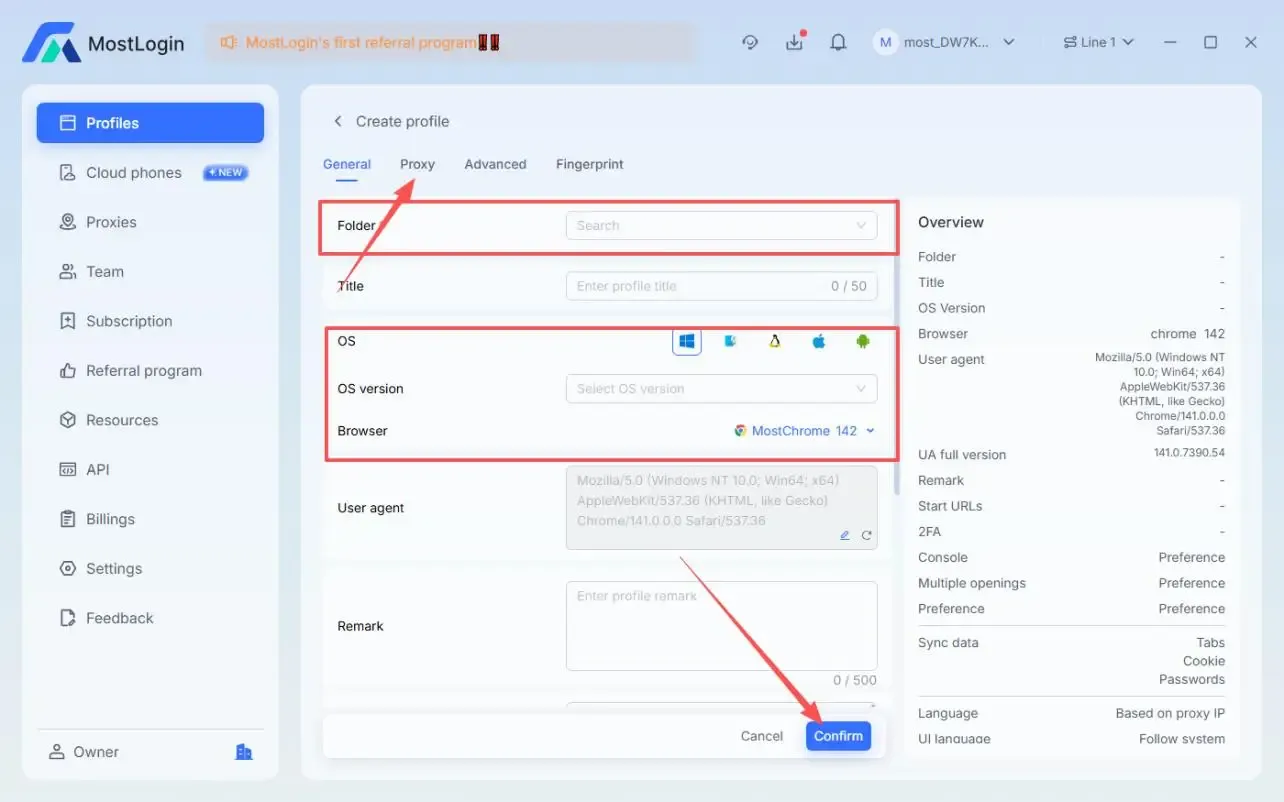
Create independent browser environments and fingerprints for each account:
Click "Create Profile" > Select Folder > Enter browser window title, operating system, browser... > Click Proxy > Proxy Protocol > Click Confirm.
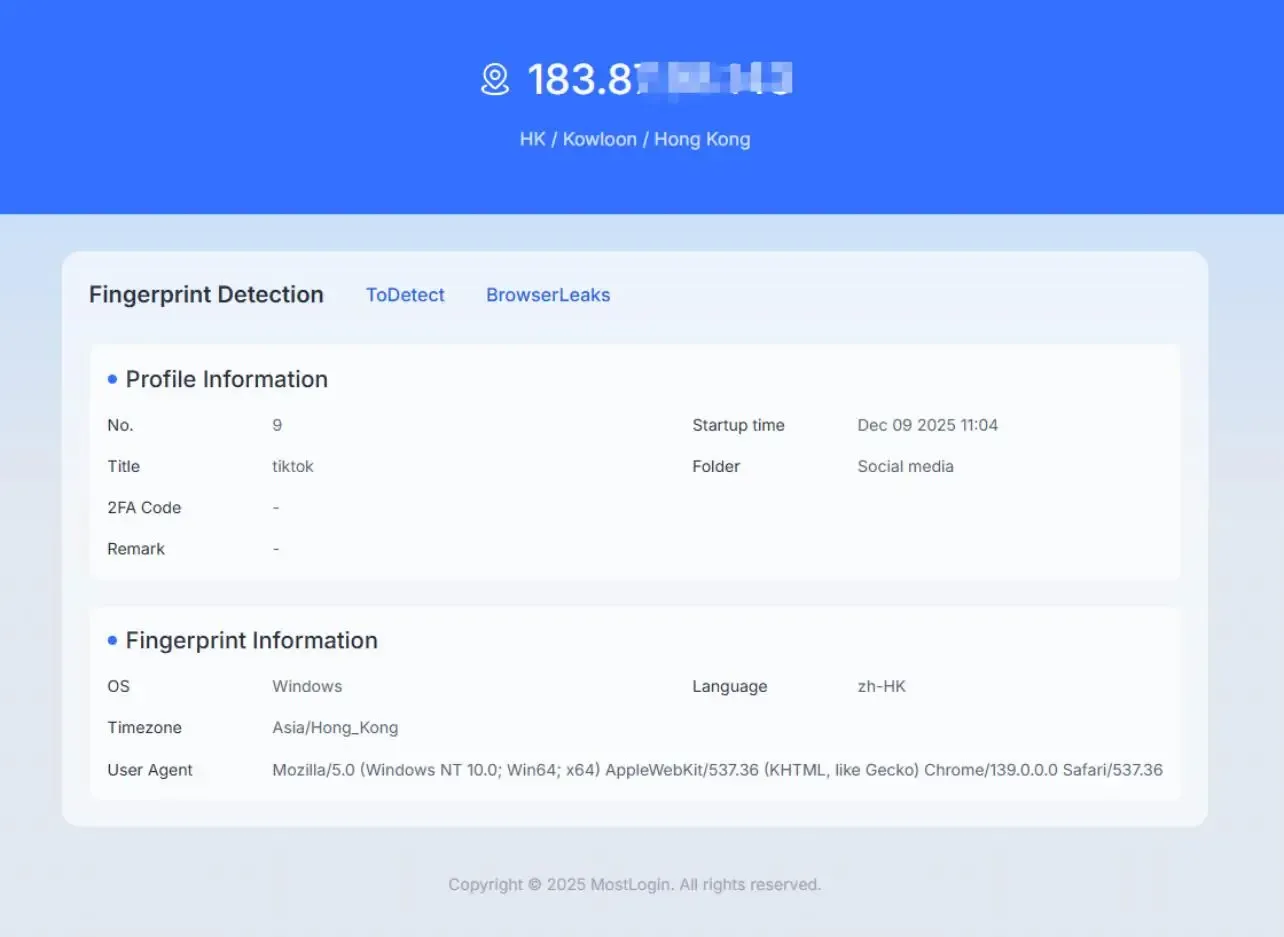
Open the profile to test anonymity on Whoer.
2. Adjust Time Zone, Language, and IP Address
If your IP address shows the United States, but your time zone is UTC+5 and your language is set to Russian, websites may detect inconsistencies. For higher privacy protection, these configurations need to be adjusted.
Best Whoer Alternatives: For IP and Anonymity Checks
Although Whoer is powerful, the following tools also have similar testing functions and are worth trying:
ToDetect - Provides anonymity scores and privacy recommendations based on your settings.
BrowserLeaks - In-depth fingerprint and leak detection.
AmlUnique - Compares your fingerprint against a global database.
BrowserScan - Provides anonymity scores
IPhey - Suitable for checking not only IP addresses but also entire browser fingerprints.
Frequently Asked Questions
Will using Whoer expose my privacy?
No. Whoer only shows you the "information visible to the internet" and does not upload or store sensitive information. Its purpose is to help users understand if their network environment is secure.
What is the best alternative to Whoer?
This actually depends on your needs. If you need detailed fingerprint analysis, ToDetect is excellent.
Is Whoer a VPN?
Not exactly. Whoer was originally a free online IP and fingerprint detection tool, but now also offers paid VPN services. A VPN can help hide your IP address and improve your anonymity score.
Best Anti-Detection Browser - MostLogin
MostLogin anti-detection browser tool helps users solve high-frequency issues such as multi-account operation, environment isolation, and account risk control.
For operational questions, please refer to the Official Help Documentation