Have you ever felt frustrated because you couldn't unblock YouTube at school or work, or because YouTube is completely inaccessible in your country? Have you searched for countless tutorials online but still couldn't get access to YouTube? Don't worry – this article will teach you truly effective methods to unblock YouTube, all verified through practical testing!
In which regions is YouTube unavailable?
• Mainland China: Permanently blocked since 2009; direct access is not possible under normal network conditions
• North Korea: Almost complete ban on foreign internet services, including YouTube
• Turkmenistan: Long-term blocking of YouTube and most international websites
• Iran: Long-term ban or high restrictions; access usually requires internet acceleration tools
• Russia: No full ban, but imposes restrictions or technical interference on content, channels and platforms
Why is YouTube blocked?
• Political and speech control: Content on YouTube is difficult to restrict and may spread anti-government or sensitive remarks
• Inability to fully censor content: The sheer volume of videos makes it difficult for the platform to manage and remove content in accordance with regional regulations
• Religious or cultural conflicts: Conflicts easily arise due to differences in religious, traditional or social values across regions
• National security or social stability: Preventing information dissemination and other incidents during periods of unrest
• Legal and regulatory conflicts: The platform fails to comply with local laws, data or censorship requirements
Some risky solutions
1. Modifying DNS settings
Modifying DNS settings can indeed bypass simple geo-blocking in some cases, but if the blocking measures are more sophisticated, changing DNS is often ineffective. Especially when some ISPs use technologies like Deep Packet Inspection (DPI) or DNS pollution to enhance blocking effectiveness.
Possible issues: Improper DNS configuration may lead to unstable network connections and even prevent you from accessing other websites.
If your network environment is complex, modifying DNS settings will not be a viable long-term solution.
2. Using browser extensions
Many browser extensions claim to unblock YouTube quickly, but in reality, these extensions are usually cheap solutions with limited effectiveness.
Possible issues: Many browser extensions may collect your browsing history and personal information, and some may even contain hidden malicious code. Free extensions may only work in certain regions and are easily detected and blocked by YouTube. Using extensions often slows down the browser and impacts the overall browsing experience. Although browser extensions seem simple and easy to use, they are easily targeted for blocking and cannot provide a long-term solution.
Method to Unblock YouTube: Use an Anti-Detection Browser
1. What is an Anti-Detection Browser?
An anti-detection browser is a specialized tool designed for privacy protection and anti-tracking. Its core function is not simply to bypass internet restrictions, but to simulate a brand-new, authentic browsing environment that prevents platforms from identifying your real device, location and network background.
Unlike regular browsers, anti-detection browsers can:
• Hide or disguise real browser fingerprints
• Isolate Cookies, local cache and device information
• Work with proxies or virtual private networks (VPNs) to change access regions
• Avoid being identified as a restricted user by platforms
For these reasons, it is not only commonly used for multi-account management and cross-border business, but also ideal for bypassing YouTube's geo-blocking and network restrictions.
2. How Anti-Detection Browsers Unblock YouTube
YouTube determines access restrictions based on three main factors: IP address, browser fingerprint, and whether the access environment is abnormal.
Anti-detection browsers address all three factors: They change your outbound IP address via proxy or VPN to make YouTube think you are accessing from an allowed region; they simulate a "brand-new real device" with unique browser fingerprints; each browsing environment is isolated to avoid being identified as the same user or from a restricted network. Ultimately, YouTube sees you as a completely normal overseas or unrestricted user, allowing you to access the platform without limitations.
3. Step-by-Step Guide:
① Visit the MostLogin official website, download and install the browser client compatible with your operating system.
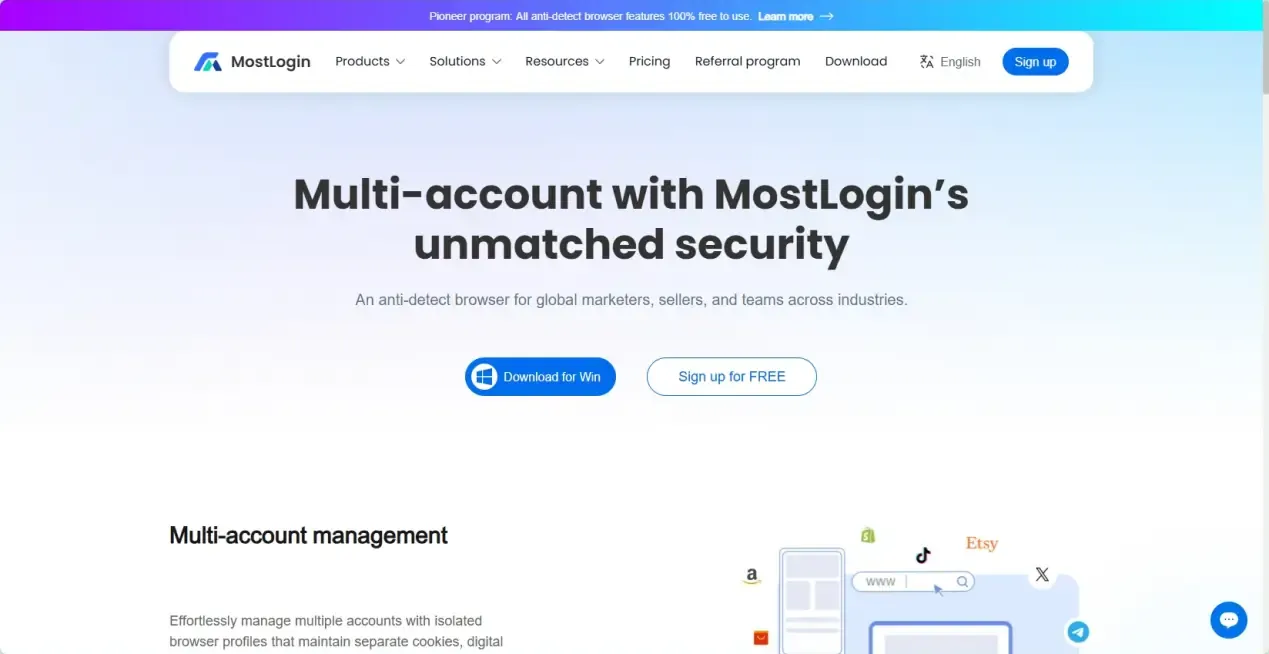
② Open MostLogin, click "Create profile", and fill in basic information. You can adjust advanced settings and browser fingerprints as needed, or keep the default settings – MostLogin generates random browser fingerprints for each new window created.
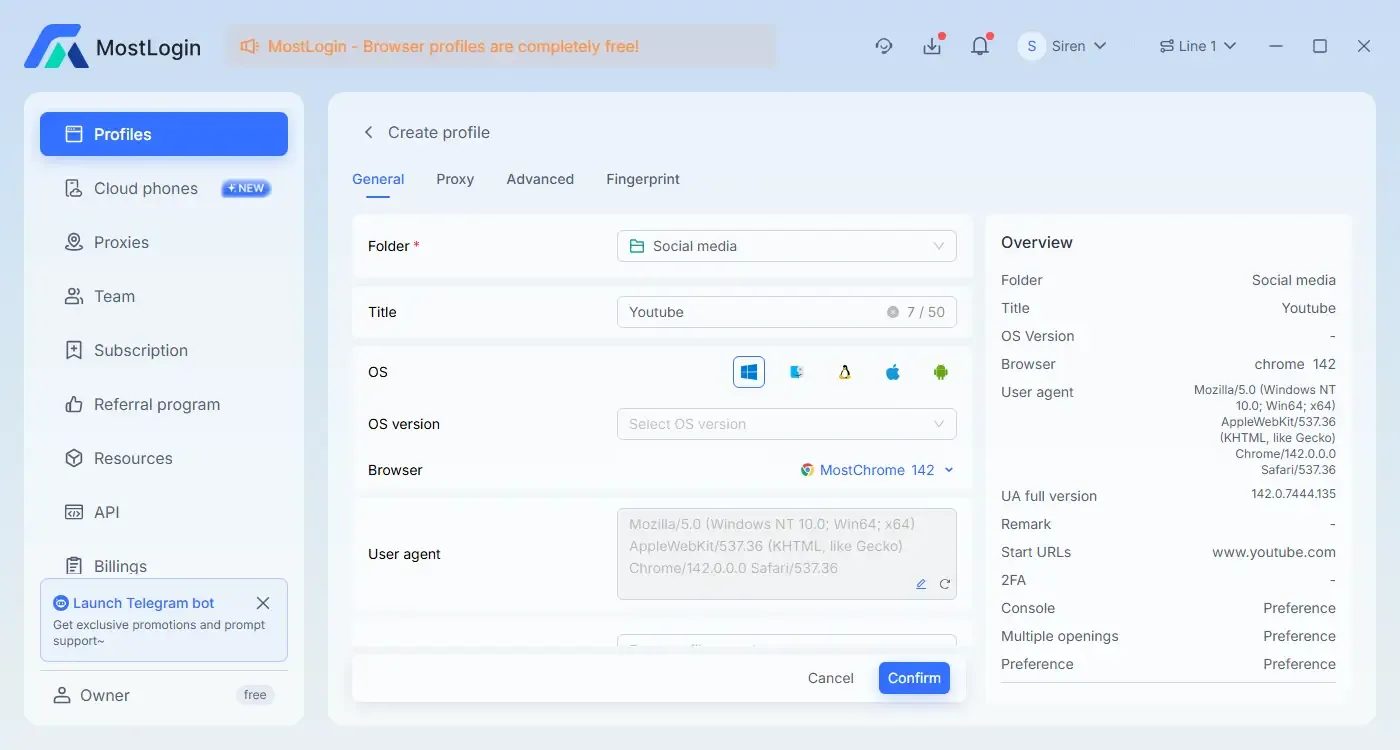
③ Import a proxy, or enable an external VPN before launching the browser.
How to Import Proxies (Taking IPDEEP Proxy as an Example)
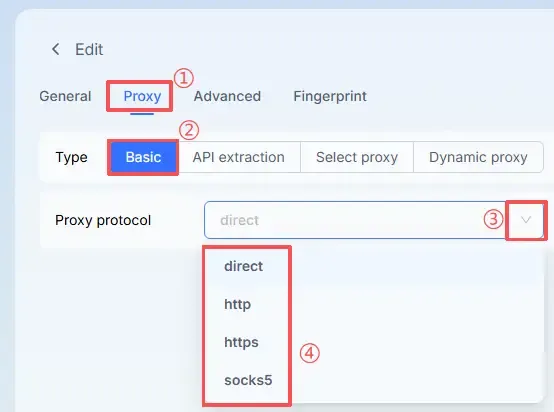
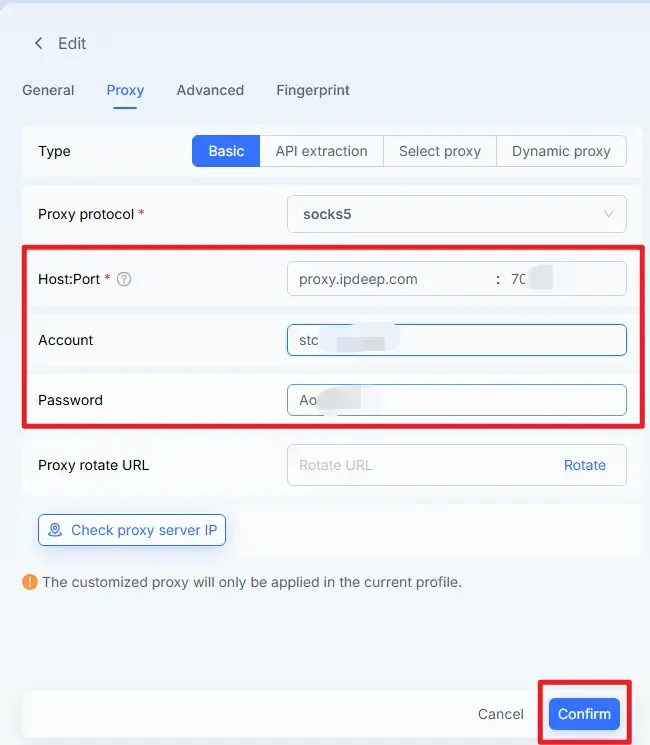
Import a proxy when creating a window: click "Proxy", select Basic or API extraction, and choose your proxy type from the dropdown list.
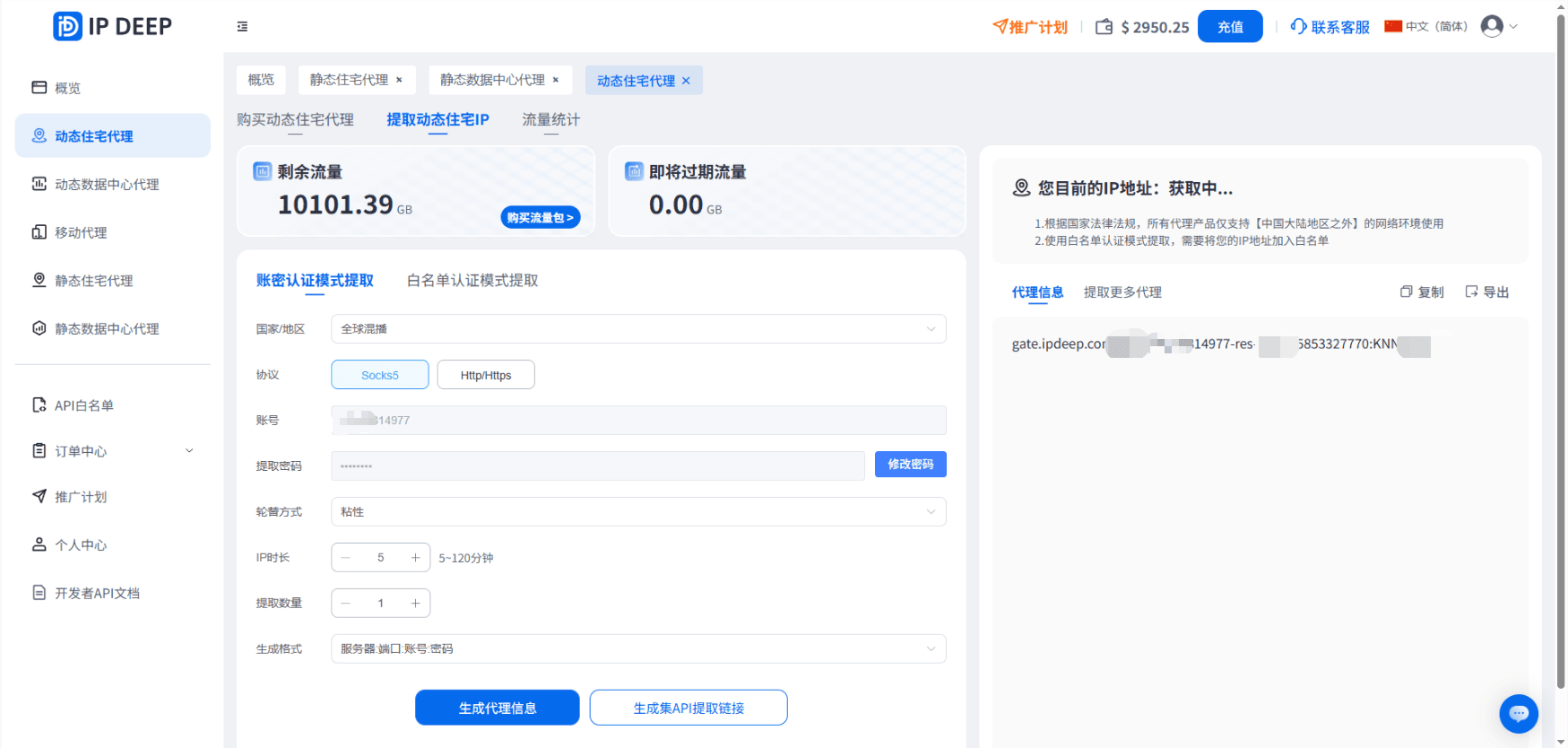
After purchasing a proxy from the IPDEEP official website, obtain the server address/port number/username/password.
Enter the details in the MostLogin proxy binding section as follows:
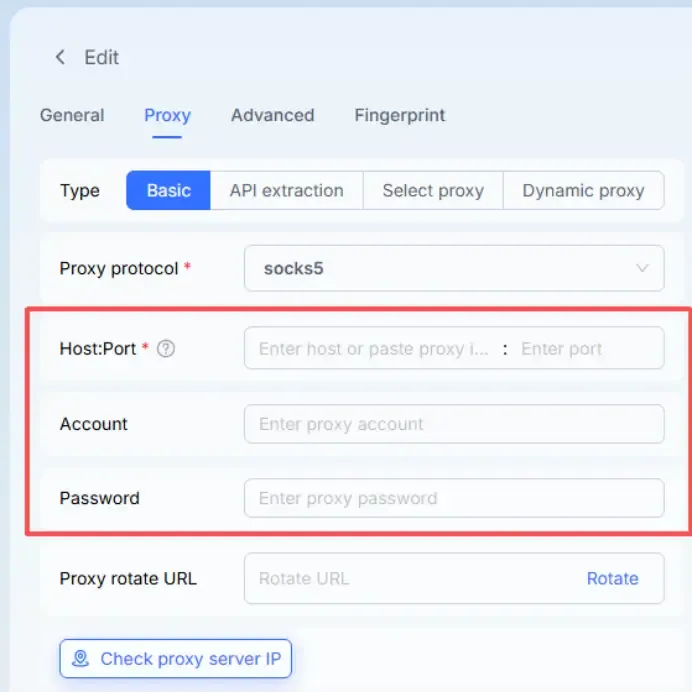
After entering the information, click the "Confirm" button to save the settings.
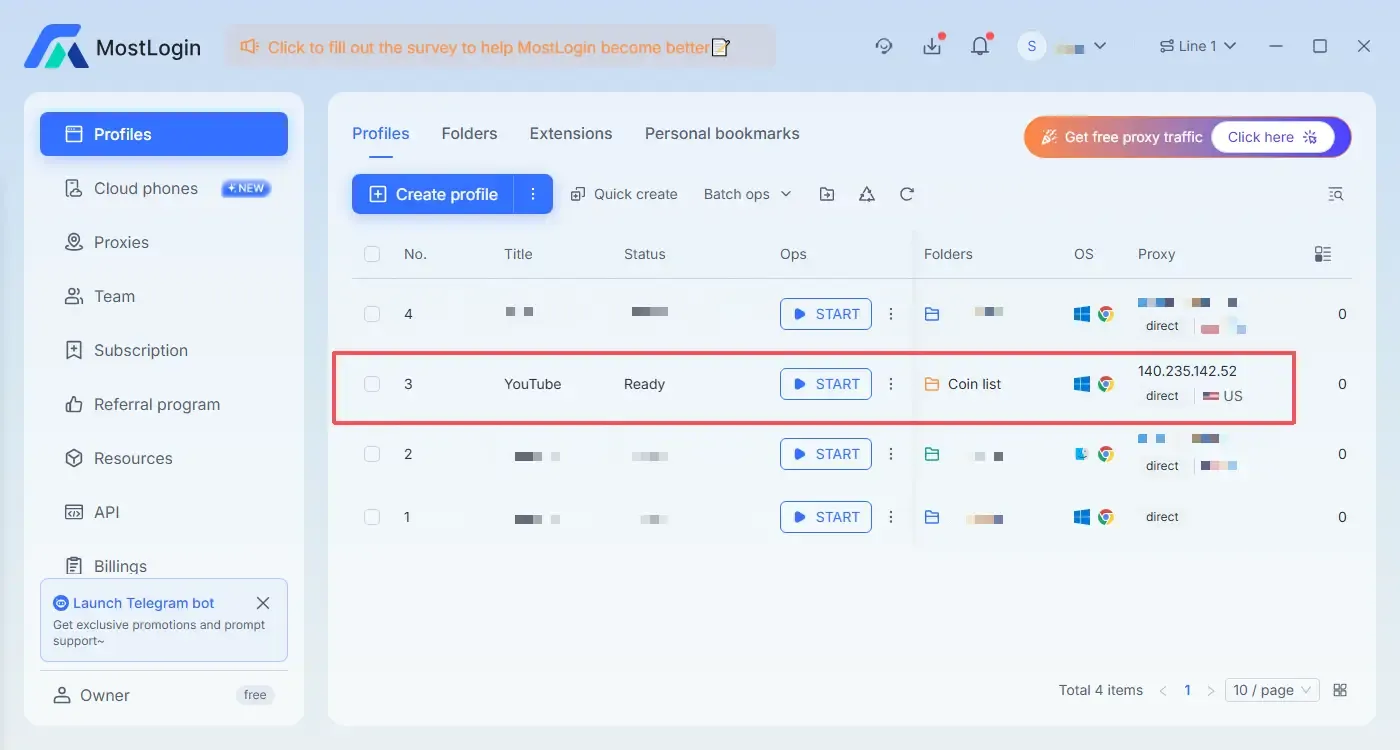
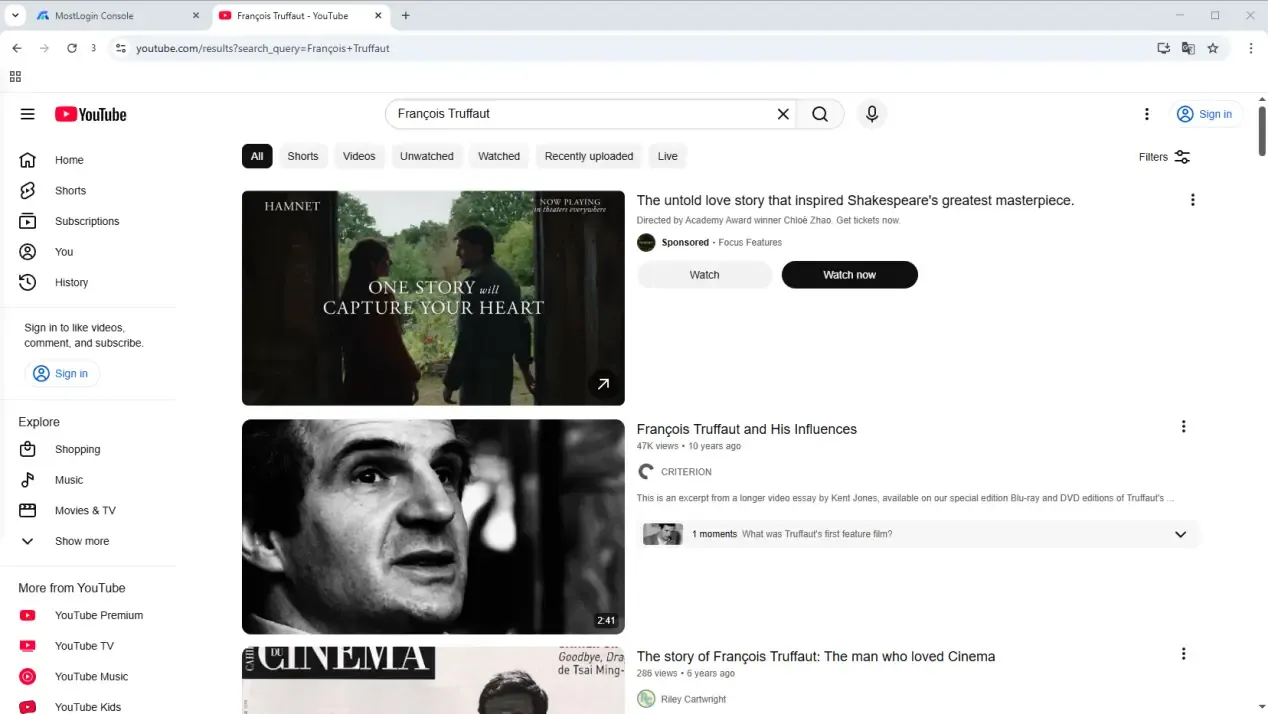
Once the proxy is bound successfully, click "START" to launch the browser environment, then visit YouTube to start watching videos and searching for content you want.
Summary
There are countless misconceptions and ineffective tricks for unblocking YouTube, but the only reliable way to bypass restrictions and protect your privacy is by using an anti-detection browser. This method not only allows you to access YouTube safely and stably, but also provides a more efficient online experience.
Frequently Asked Questions (FAQs)
1. Will using an anti-detection browser make YouTube slow?
Speed primarily depends on the quality of your proxy or VPN. If you use a stable residential proxy or high-quality VPN, your YouTube viewing experience will be almost identical to normal network conditions – supporting HD video playback with no frequent buffering.
2. Is using an anti-detection browser considered anonymous browsing?
Yes, it can be considered anonymous browsing, but at a higher level of security. Anti-detection browsers isolate browsing environments, hide or disguise browser fingerprints, and work with proxy IPs to prevent websites from identifying your real device and location – making it safer and harder to track than regular incognito mode or using a VPN alone.
3. Is it legal to use an anti-detection browser?
Anti-detection browsers themselves are legal privacy tools; compliance depends on usage and local laws. Generally, using them for normal activities like watching YouTube, studying or entertainment is acceptable, but you should still comply with local regulations and platform terms of service.
Best Anti-Detection Browser - MostLogin
MostLogin anti-detection browser helps users solve common issues such as multi-account management, environment isolation, and account risk control.
For operational questions, please refer to the Official Help Documentation