Managing several business accounts from one standard browser can create unnecessary risks. When different accounts repeatedly share browser fingerprints, cookies, local storage, sessions, and network settings, platforms may identify technical patterns that suggest the accounts are connected.
An anti-detect browser for multi accounting creates separate browser identities for different account environments. By isolating fingerprint-related settings, cookies, sessions, and proxy configurations, it helps reduce account association and the verification, restriction, and ban risks that can follow when multiple accounts share the same environment.
This does not guarantee that an account will never be restricted. Account authenticity, platform policies, payment activity, content quality, and user behavior still matter. The purpose of an anti-detect browser is to reduce avoidable environment overlap when managing legitimate business accounts.
Why Running Multiple Accounts in One Browser Environment Can Lead to Bans
Reused Browser Fingerprints Can Link Separate Accounts
Platforms can evaluate more than an IP address. Browser version, User-Agent, operating system, Canvas, WebGL, audio context, screen settings, timezone, language, and fonts can form a recognizable browser environment.
If separate accounts repeatedly use the same combination of signals, platforms may identify a potential relationship between them. This can increase the likelihood of additional verification, temporary restrictions, or account reviews.
Shared Cookies and Sessions Create Cross-Account Signals
A standard browser profile can store cookies, cached files, Local Storage, IndexedDB, session data, and login tokens. When unrelated accounts are repeatedly accessed through the same browser profile, persistent data may overlap across account sessions.
Logging out or clearing selected cookies does not necessarily remove every browser-level signal. For long-term multi-account operations, each account environment should retain separate browser data and session history.
Inconsistent Proxies Can Add Further Risk
Proxy configuration also affects account environment consistency. Frequent IP changes, poor-quality proxies, or conflicts between IP location, timezone, language, and browser settings can create additional anomalies.
Account association rarely comes from one signal alone. It often develops when browser fingerprints, cookies, sessions, proxy settings, and account activity repeatedly overlap or conflict.
How an Anti-Detect Browser for Multi Accounting Reduces Association and Ban Risks
Separate Profiles Create Different Browser Identities
An anti-detect browser for multi accounting uses isolated browser profiles rather than additional browser tabs or incognito windows. Each profile can retain its own cookies, cache, local storage, browser extensions, bookmarks, login sessions, and browser configuration.
This separates the electronic identity used for each store, client account, campaign, advertising workspace, or regional operation. Instead of repeatedly accessing multiple accounts through one browser identity, each account environment can remain distinct.
Fingerprint and Proxy Isolation Supports Consistency
Profile-level fingerprint and proxy settings allow each browser environment to retain its own configuration. The purpose is not to change parameters constantly, but to maintain a stable and internally consistent identity for each account environment.
Browser version, language, timezone, session data, proxy route, and fingerprint-related settings should remain logically aligned. Businesses that need to manage these environments at scale require more than standard browser windows. MostLogin brings isolated profiles, fingerprint controls, proxy management, and workflow tools together in one anti-detect browser platform.
How MostLogin Supports Multi-Account Risk Control
Isolated Browser Profiles for Different Account Environments
MostLogin enables users to create separate browser profiles for stores, brands, client accounts, campaigns, advertising workspaces, and regional operations. The platform provides isolated sessions per account, unlimited profile switching, and a unified activity dashboard for profile-based browser management.
Each profile maintains its own browser workspace, helping keep cookies, sessions, local data, and browser settings associated with the correct account environment. This reduces reliance on a shared default browser, where unrelated accounts may repeatedly overlap.
MostLogin’s multi-account browser gives teams a structured way to organize account environments according to legitimate business needs.
Profile-Level Fingerprint Management
MostLogin supports fingerprint-related browser settings, including Canvas, WebGL, Audio, WebRTC, User-Agent, timezone, language, and screen-related parameters.
These controls enable different profiles to maintain separate browser identities. For long-term operations, the goal is to preserve stable and internally consistent settings rather than make frequent or arbitrary changes.
A profile that already supports an active account should not be modified repeatedly without an operational reason. Consistency is generally more valuable than excessive variation in browser version, locale, screen parameters, or proxy region.
Browser fingerprint isolation helps teams manage these environment signals at the profile level instead of relying on a shared browser configuration.
Proxy Management Connected to Each Profile
MostLogin supports proxy configuration within the browser profile workflow and includes batch proxy update capabilities.
This allows teams to manage an account environment, its regional context, and its network route in the same workspace. Rather than maintaining proxy details separately across browser extensions, documents, and devices, teams can keep the relationship between a profile and its proxy configuration more organized.
The objective should be stable and appropriate proxy use, not excessive IP rotation. Proxy settings should align with the account’s legitimate operating context and be changed only when necessary.
MostLogin proxy management features can help businesses keep browser and network settings more consistent across multiple profiles.
Batch Management, API Access, and MCP AI Agent Workflows
MostLogin supports mass profile creation, batch profile management, bulk updates, API access, profile sharing, and role-based permissions for teams managing larger profile volumes.
MostLogin MCP connects compatible AI tools, including Claude, Cursor, Codex, and OpenCode, to the platform’s Local API. With authorization in place, AI Agents can assist with supported tasks such as creating or launching profiles, reviewing profile status, updating fingerprint settings, configuring proxies, and managing sessions through natural-language commands.
MCP and AI Agent workflows are intended for authorized environment administration. They can improve efficiency, but they do not replace human review, access control, or platform compliance.
Who Is MostLogin Suitable For?
Cross-Border E-Commerce Sellers
MostLogin may suit cross-border sellers that manage multiple authorized stores, brands, or regional account environments. Separate profiles can help prevent store-specific cookies, sessions, fingerprint settings, and proxy configurations from being repeatedly mixed in one browser workspace.
It is especially relevant when different stores require distinct environments for different markets, business entities, or operational functions.
Social Media Agencies and Multi-Account Operators
Social media agencies and account operators may find MostLogin useful when managing approved client accounts, regional campaigns, or separate content operations. Profile-based browser environments can help keep each client’s session data, browser settings, and proxy configuration distinct.
As the number of managed environments grows, profile grouping, controlled access, batch management, and AI-assisted administration can support more consistent daily operations.
Affiliate and Digital Marketing Teams
MostLogin may be suitable for affiliate marketers and digital marketing teams that maintain separate approved campaigns, advertising workspaces, partner environments, or regional operations.
Its profile grouping, proxy management, batch tools, API access, and MCP capabilities become more relevant as teams manage a larger number of browser identities. All activity should remain aligned with the terms of the relevant affiliate networks, advertising platforms, and marketing channels.
Teams Using API and AI-Assisted Workflows
Technical and operations teams may also consider MostLogin when they need to connect profile management with internal tools or AI-assisted workflows. MCP support requires MostLogin client version 2.1.9 or later, the Local API service to be enabled, and the desktop client to remain available during the connection.
A practical starting point is to use AI assistance for authorized administrative tasks, such as checking profile lists, reviewing status, or organizing browser environments, before applying it to more complex workflows.
Choosing a MostLogin Plan by Profile Volume
Starter for Initial Testing
The MostLogin Starter plan is intended for solo users evaluating core platform functions. The current pricing page lists 5 profiles, 1 owner, team collaboration, cross-device data sync, batch profile management, API access, MCP, profile sharing, and role-based permissions, subject to plan limits.
This option is suitable for testing whether isolated profiles, fingerprint controls, proxy management, and MCP-supported workflows fit an existing business process.
Plus for Small and Growing Teams
The Plus plan currently supports 20 to 500 profiles. It is listed from $3.00 per month before displayed term discounts, with a displayed monthly equivalent from $2.10 under longer-term commitments.
It may suit small teams that need more than a few active browser environments for stores, clients, campaigns, or account groups.
Pro and Enterprise for Higher Profile Volumes
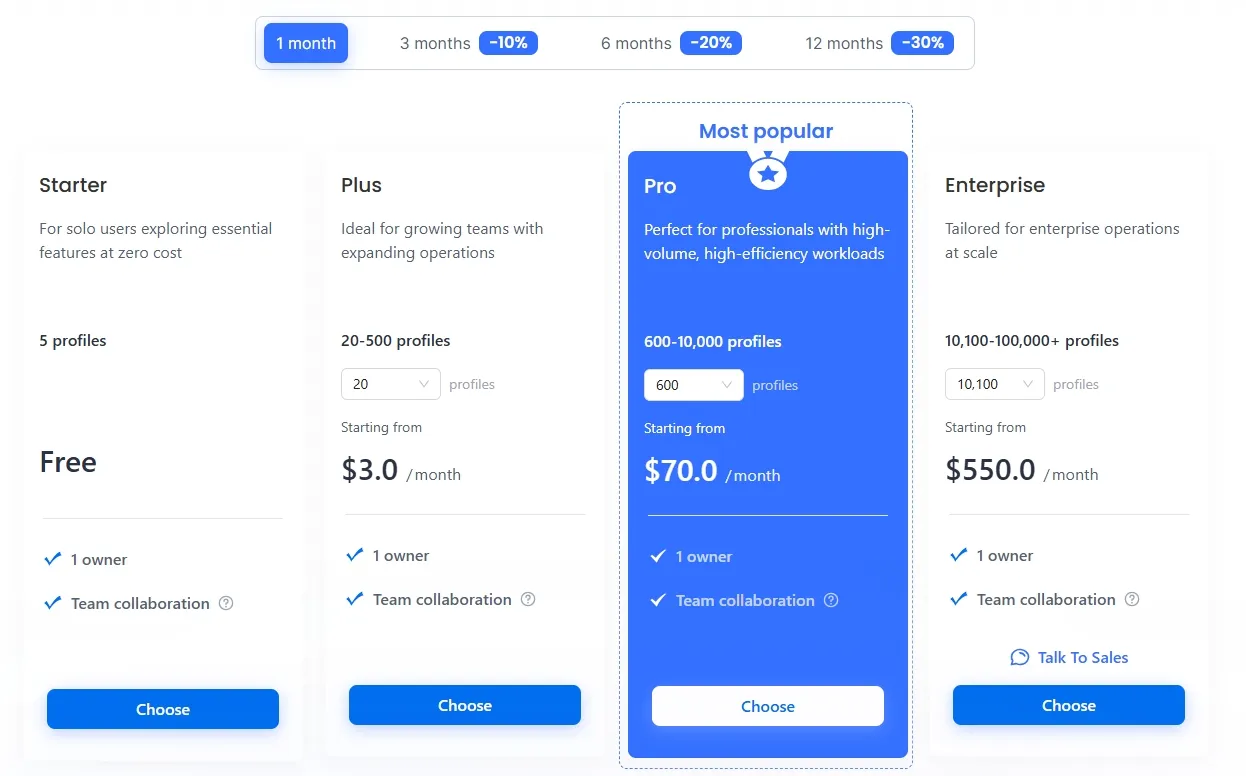
The Pro plan currently supports 600 to 10,000 profiles and is listed from $70.00 per month before displayed discounts. Enterprise supports 10,100 to 100,000+ profiles and is listed from $550.00 per month before displayed discounts.
These plans may be more appropriate for higher-volume operations that need substantial profile capacity, higher Local API rate limits, broader permissions, and scalable browser-environment administration.
Before choosing a subscription, review the current MostLogin pricing plans. Profile limits, displayed prices, discounts, and feature availability may change, so the live pricing page should be the final reference.
Conclusion: Reduce Account Association and Ban Risks With MostLogin
Account association and the related verification, restriction, and ban risks can increase when separate accounts repeatedly share cookies, browser fingerprints, sessions, local storage, and proxy settings. An anti-detect browser for multi accounting helps reduce this risk by creating separate browser identities and maintaining independent profile environments.
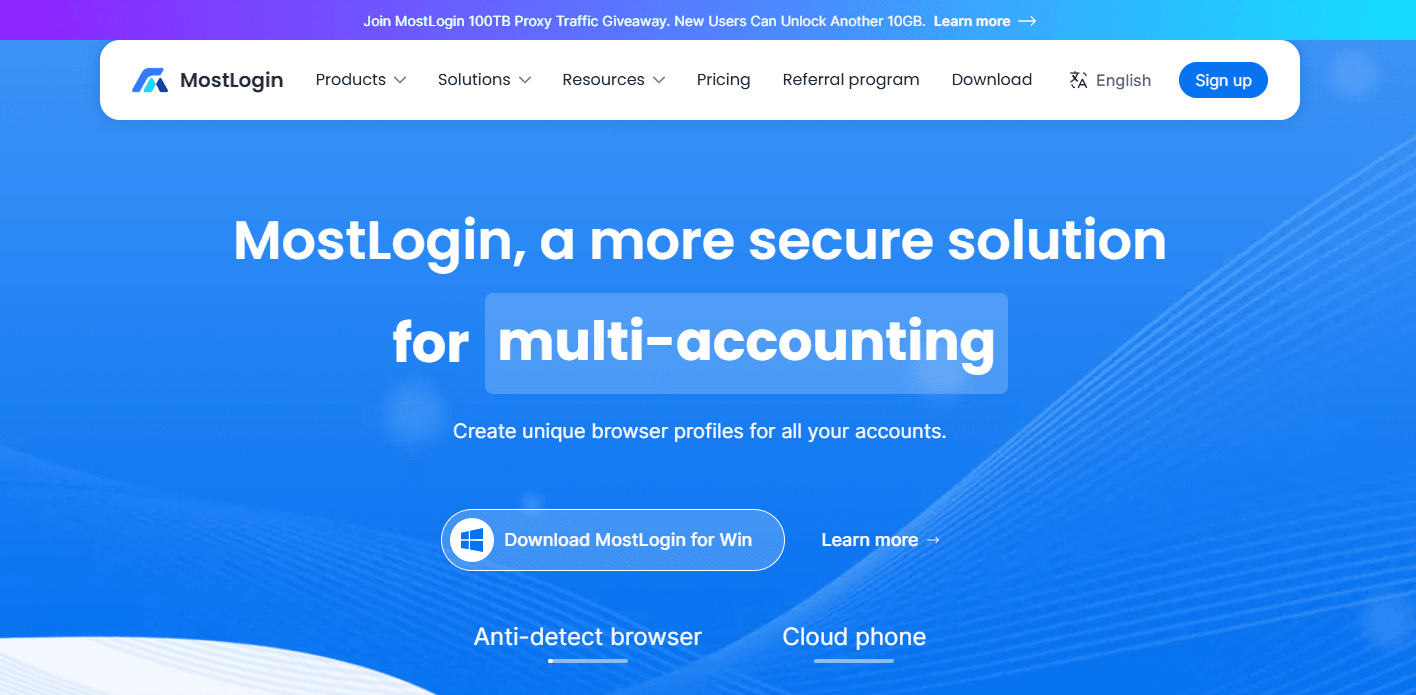
MostLogin combines isolated profiles, fingerprint controls, proxy management, batch tools, Local API access, MCP integration, and AI Agent-assisted administration in one platform. It may suit businesses that need a more consistent way to manage authorized stores, client accounts, campaigns, and regional account environments.
Explore MostLogin’s anti-detect browser to assess whether its profile isolation, fingerprint settings, proxy tools, API access, and MCP workflows fit your operation. You can also review the latest MostLogin pricing plans based on your active profile volume, proxy requirements, and team workflow needs.