Why Browser Features Matter for Multi-Account Management
E-commerce sellers who operate multiple stores on one desktop quickly discover that regular browsers are not designed for safe multi-account management. To scale without triggering mass bans, you need specific browser features for multi-account management: fingerprint control, session isolation, proxy-aware profiles, and workspace-level organization.
An antidetect browser like MostLogin focuses precisely on these capabilities, giving you a structured environment where each store runs in its own secure “digital identity” instead of sharing a fragile, generic setup. This makes it easier to grow from a few test stores to a full cross-border operation without constantly switching tools.
Why E-commerce Sellers Need a Multi-Account Browser
Modern platforms actively monitor devices, IPs, and behavior to detect when one person operates multiple accounts. They do this by combining browser fingerprints, cookies, time zones, and IP patterns into a single risk profile.
For desktop e-commerce sellers, this often leads to several issues:
- Multiple stores get suspended together after switching logins on the same device or browser.
- Cross-border stores appear suspicious because they all log in from the same raw browser environment, even when proxies are used.
- Teams who want to scale responsibly feel stuck between “doing nothing and risking bans” and “overinvesting in heavy tools too early.”
A dedicated multi-account browser solves these problems by creating isolated environments per account, where each profile looks like a separate real user. The key is not just having an “antidetect” label but the right browser features for multi-account management built into the core.
How a Multi-Account Browser Works on Desktop
A multi-account browser replaces fragile manual workarounds—like multiple Chrome profiles or constant cookie clearing—with robust, profile-based environments. Each profile behaves like a separate device, with its own fingerprint, IP, and storage.
Under the hood, this involves:
- Generating or customizing digital fingerprints (Canvas, WebGL, audio, fonts, hardware signatures) per profile to avoid easy correlation.
- Isolating cookies, local storage, and cache so login tokens, trackers, and session data never leak across profiles.
- Binding each profile to specific proxies, IP regions, and network settings that align with the store’s market.
MostLogin implements these mechanisms on top of Chromium, Firefox, and Android kernels, enabling unified desktop control over both browser-based dashboards and app-centric workflows. In practice, this means you can manage dozens of stores from one machine with far less risk and far more structure.
Why Strategic Sellers Look at Browser Pricing
Evaluating Tools as Long-Term Investments
For serious operators, tools are evaluated as long-term growth partners rather than short-term expenses. They want browser features for multi-account management that support their current scale and provide a clear upgrade path as they expand, without forcing constant migrations or disruptive changes.
This perspective leads them to examine whether a browser’s pricing model matches their business trajectory. They look for platforms where they can start experimenting, prove concepts, and only increase spending when account volume and revenue justify it. This approach is about aligning tools with strategy, not chasing the lowest price.
How MostLogin Aligns with Growth-Focused Sellers
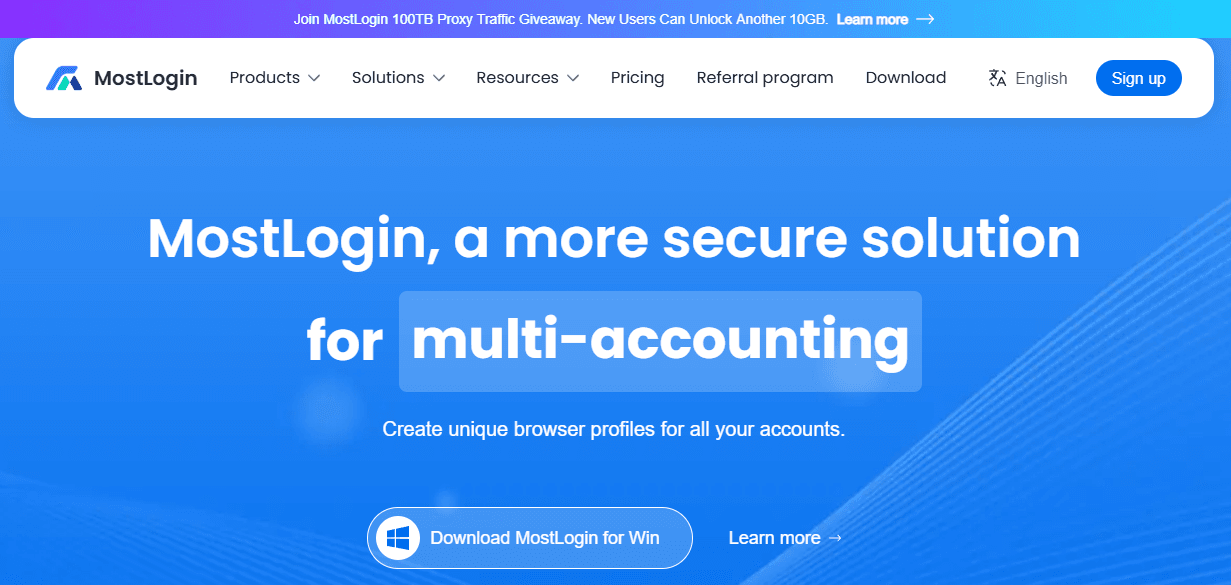
MostLogin is designed for teams that want professional-grade multi-account management while keeping their resources focused on products and customer acquisition. Through the Pioneer Program, it provides fully functional browser profiles—including fingerprint isolation, proxy integration, and continously kernal updating support—without restrictive initial caps.
This allows sellers to:
- Launch and test multiple stores under realistic, isolated environments.
- Validate new regions and brands without committing prematurely to heavy tool costs.
- Keep using the same platform as they grow into automation and cloud phone scenarios.
In other words, MostLogin connects early experimentation with long-term scaling through the same core set of browser features for multi-account management.
For an overview of how this structure works in practice, you can visit MostLogin Antidetect Browser & Cloud Phone.
Core Browser Features for Multi-Account Management
Fingerprint Browser Features for Multi-Account Management
Fingerprinting is one of the primary ways platforms link accounts together. A capable multi-account browser must therefore offer advanced fingerprint features, such as:
- Customizable Canvas and WebGL rendering profiles
- Audio context masking
- Control over fonts, customize device information, and languages
- Adjustable time zone and screen resolution
- Simulated hardware signatures (GPU, CPU, device model)
These fingerprint controls are among the most critical browser features for multi-account management because they ensure each profile looks like a distinct, consistent device across sessions. MostLogin’s fingerprint engine is built with this in mind, allowing realistic diversity without sacrificing stability.
Session Isolation and Identity Separation
Another essential element in browser features for multi-account management is strict session isolation. Each profile must keep its own cookies, storage, and history fully separate, so one account’s data never contaminates another’s.
MostLogin emphasizes “lifelong isolation,” meaning:
- Each store profile has its own cookie jar, local storage, and cache.
- Different logins and tokens are never mixed, even over long-term use.
- You can archive or duplicate profiles without breaking their internal state.
This deep isolation ensures that core browser features for multi-account management remain effective as you operate daily, instead of slowly drifting toward a messy, unmanageable setup.
Proxy and IP Browser Features for Multi-Account Management
IP handling is another pillar of multi-account safety. Browser features for multi-account management must include flexible proxy support with per-profile assignments.
MostLogin supports:
- Common proxy types like HTTP, HTTPS, and SOCKS5.
- Profile-level binding, so each store consistently uses a specific IP range.
- Integration with external proxy providers, giving you freedom of choice.
Reliable IP management is one of the browser features for multi-account management that matters most to cross-border sellers: your US store can log in via US IPs, your SEA store via SEA IPs, all from the same desktop. This reduces suspicious geolocation changes that often trigger additional checks.
Workspaces and Team Browser Features for Multi-Account Management
As operations expand, organization and collaboration become just as important as technical isolation. Workspaces, roles, and shared environments are emerging as key browser features for multi-account management.
MostLogin introduces workspace concepts that let you:
- Group profiles by project, marketplace, or team.
- Share specific profiles with assistants or partners without exposing account passwords.
- Keep a clear hierarchy of who manages which stores.
These workspace-level browser features for multi-account management help teams avoid chaotic profile lists and reduce mistakes like logging into the wrong store or leaking credentials to the wrong people.
To learn more about how workspaces are structured, you can check the guide on What Is a Workspace? A Key Feature for Multi-Account Management.
Automation and API Features in a Multi-Account Browser
At higher scales, automation becomes unavoidable. This is where API access and automation integrations become valuable browser features for multi-account management.
MostLogin provides:
- REST APIs are for integration with Selenium, Playwright, and Puppeteer which empowers user to run programmatical script and do automation.
- Antidetect browser synchronizer allowing you to manage multiple profiles simultaneously
- Integration points for RPA tools that handle repetitive tasks.
These features give you a gradual path from manual operations to semi-automated and fully automated setups, all within the same multi-account browser environment. Sellers can start simple and add automation when ready.
How MostLogin Supports Desktop E-commerce Growth
Structuring Profiles Around Your Stores
Best practices recommend mapping each store to its own dedicated profile—one store, one profile. MostLogin’s browser features for multi-account management make this easy: you can create profiles for each marketplace account, label them, and assign appropriate proxies and fingerprints.
Because profile creation isn’t heavily restricted under the Pioneer Program, you can:
- Separate test accounts from main revenue accounts.
- Maintain individual environments for each country or region.
- Build backup profiles to prepare for future expansion.
This structured approach reduces confusion and supports cleaner audit trails when something needs investigation.
Keeping Patterns Stable Over Time
Platforms pay attention not only to what you do, but also to how consistent your environment appears over time. With MostLogin, once you configure a profile’s fingerprint, IP, and settings, you can keep them stable for months or years.
This aligns day-to-day operations with platforms’ expectations of normal user behavior:
- The same “device” logs in from the same region.
- Time zones and locales don’t flip unpredictably.
- Session histories remain internally coherent.
These stability-focused browser features for multi-account management contribute directly to lower risk and fewer trust reviews.
Coordinating Teams and Outsourced Work
As your store count grows, you may involve VAs, agencies, or internal staff to manage specific tasks. MostLogin’s team and workspace features allow you to assign access to precise sets of profiles rather than handing over your entire environment.
This targeted sharing, combined with profile-level isolation, is one of the more advanced browser features for multi-account management that helps you scale securely and transparently.
If you want to explore the full feature set in one place, visit antidetect browser features for multi-accounting.
Practical Tips for Using MostLogin as Your Multi-Account Browser
Map Business Structure to Browser Profiles
Design your profile structure to mirror your business:
- Group by marketplace (e.g., Amazon, Shopee, Lazada).
- Separate by region (US, EU, SEA, etc.).
- Distinguish between test and production profiles.
This ensures your browser features for multi-account management work with your processes instead of against them.
Separate Personal and Business Activity
Avoid mixing personal browsing or social media with your e-commerce profiles. Use separate profiles or a standard browser for non-business tasks. This keeps your professional environment clean and reduces the chance of unexpected account links.
Gradually Introduce Automation
Start with manual workflows to understand each platform’s rules and quirks. Once you feel confident, slowly incorporate MostLogin synchronizer and API to handle repetitive or time-sensitive tasks.
This staged approach leverages automation as another layer of browser features for multi-account management without overwhelming your team.
Keep Documentation of Your Environments
Document which profile corresponds to which store, proxy, and region. This simple habit supports better internal communication and makes troubleshooting easier when something changes.
For a detailed walk-through of environment setup and long-term isolation, refer to the guide: MostLogin quick start guide for lifelong isolation.
When to Start and How to Grow with MostLogin
MostLogin is built to accompany sellers through every stage—from the first experimental store to a fully scaled, multi-market operation.
At the early stage, you gain:
- Full access to core browser features for multi-account management under the Pioneer Program.
- Enough flexibility to test new ideas without overcommitting to heavy infrastructure.
- A consistent environment across web and Android-based workflows.
As your operation matures, you can:
- Activate automation through API, Selenium, and Puppeteer.
- Integrate cloud phones for app-only platforms and mobile traffic.
- Leverage workspaces and team features to handle growing staff and partners.
This continuity makes MostLogin not just another tool, but a central platform for your multi-account operations.
To get started with these capabilities, you can join the Pioneer Program here: MostLogin Pioneer Program for multi-accounting.
FAQ: Browser Features for Multi-Account Management
Why not just use regular browsers with Incognito or multiple profiles?
Regular browsers lack the fingerprint, IP, and isolation features needed for secure multi-account operations. They also offer limited control over how each “profile” is presented to platforms, making it easy for systems to link your accounts.
What makes MostLogin different from other multi-account browsers?
MostLogin is a professional-grade anti-detect browser which can also save you money. It charges 0 dollar for full features of antidetect browser during the Pioneer Program. It emphasizes browser features for multi-account management such as workspaces, APIs, and cloud phones rather than just basic profile cloning.
Can I manage both e-commerce and social media accounts in the same tool?
Yes. MostLogin supports web and Android environments, so you can manage marketplace dashboards and social media accounts within the same platform, while keeping separate profiles for each channel.
How many profiles can I realistically run on one desktop?
With appropriate hardware and proxies, you can manage dozens or even hundreds of profiles on a single machine. MostLogin is designed to scale in this way, with browser features for multi-account management that support large profile counts under one interface.
Is there a steep learning curve?
Most users adapt quickly because the interface builds on familiar browser concepts, adding profile, proxy, and fingerprint controls. The learning curve is more about understanding best practices for multi-account management, which MostLogin’s documentation and guides help address.