In the fast-paced world of AI-driven productivity, Claude (by Anthropic) has become an essential tool for developers, writers, marketers, and teams alike. As collaboration becomes more remote and teams scale, a common question arises: Can you share a Claude Pro account with your team? The short answer is yes—but only if you do it safely. Here’s how MostLogin makes secure Claude account sharing possible, without risking a ban or compromising your workflow.
Is Sharing a Claude Account Allowed? (Anthropic’s TOS Breakdown)
First, let’s check out the rules: Anthropic’s Terms of Service (TOS) design Claude Pro for individual use. This means logging in from multiple devices, locations, or IP addresses simultaneously can trigger "suspicious activity" flags. These flags often lead to frustrating verification loops, temporary account restrictions, or even permanent bans—something no team can afford when relying on Claude for critical work.
But here’s the good news: Sharing access doesn’t have to violate Anthropic’s TOS. The key is to make Claude think the account is being used by one person, even when multiple team members are accessing it. That’s where MostLogin, the leading anti-detect browser, comes in.
The Risks of Traditional Claude Account Sharing
When you share your Claude password directly with teammates, you’re not just sharing access to a tool—you’re exposing your account to avoidable risks. Claude’s security systems actively monitor three key signals to detect shared accounts:
- IP Address Inconsistencies: Logging in from different cities, states, or countries is a red flag. If your teammate is in New York and you’re in London, Claude will flag the account as suspicious.
- Browser Fingerprint Variations: Every device has a unique "browser fingerprint"—a combination of screen resolution, fonts, OS version, Canvas, WebGL, and User-Agent strings. Different devices mean different fingerprints, which Claude recognizes as multiple users.
- Session Cookie Conflicts: Inconsistent session data (e.g., different login times, cached data, or browser settings) tells Claude that multiple people are using the same account.
These risks aren’t just hypothetical—many teams have lost access to their Claude Pro accounts after sharing passwords the traditional way. Fortunately, MostLogin eliminates all three risks with its advanced anti-detect technology.
Why MostLogin Is the Best Tool for Sharing a Claude Account
While other anti-detect browsers offer account-sharing features, MostLogin stands out as the most accessible, cost-effective, and secure option—especially for startups, small agencies, and solo creators. Here’s why it’s the top choice for sharing Claude safely.
1. Perfect Browser Fingerprint Masking (Claude Can’t Detect Sharing)
MostLogin lets you create a custom browser profile exclusively for your Claude account. You can fully customize every aspect of the browser fingerprint—including Canvas, WebGL, User-Agent, screen resolution, and even font settings. When you share this profile with your team, they’re not just logging into Claude—they’re entering a cloned digital environment.
To Claude’s security systems, it will look like the exact same computer is being used every time—regardless of which team member is accessing the account or where they’re located. No more suspicious IP or fingerprint flags.
2. Free Team Collaboration (No Paywalls)
- Assign specific permissions to team members (e.g., specific profiles or full access).
- Share profiles securely without revealing your actual Claude password (no more password sharing!).
- Keep work isolated: Your Claude chat history, settings, and preferences won’t mix with other projects or team members’ work.
3. Cost-Efficiency for Teams & Startups
Claude Pro costs $20 per month per user. For a team of 5, that’s $100 per month—an unnecessary expense for small teams or startups. With MostLogin, you can manage 1 or 2 shared Claude Pro accounts, giving your entire team access while cutting your AI tool costs by up to 80%.
It’s a win-win: You get secure account sharing, and your team gets access to Claude’s powerful AI capabilities without breaking the bank.
Step-by-Step Guide: Share Your Claude Account Safely with MostLogin
Sharing your Claude account with MostLogin is simple—no technical expertise required. Follow these 5 steps to get your team access safely:
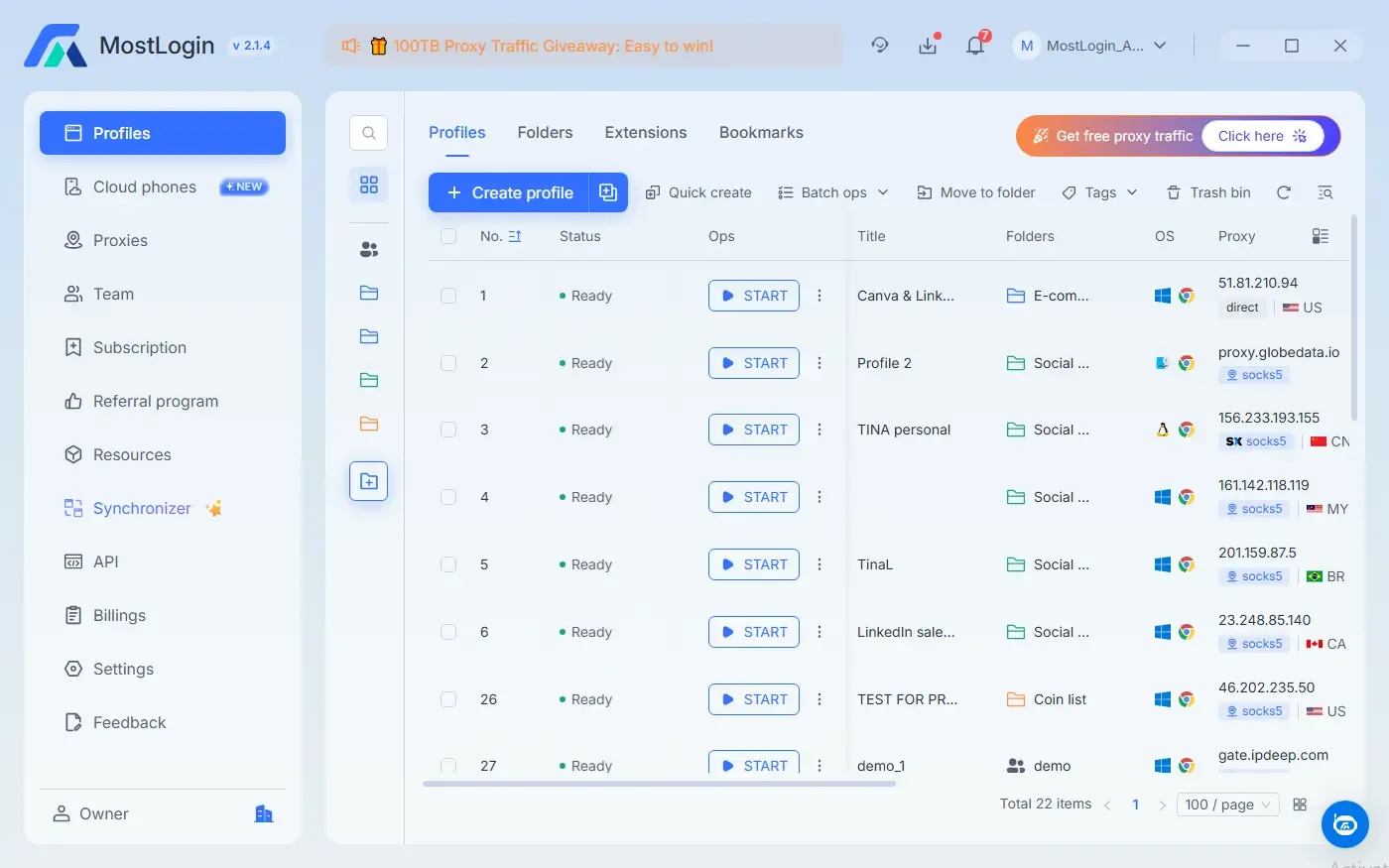
2. Create a Dedicated Claude Profile: Open MostLogin and create a new browser profile named "Claude AI". Put it into a folder. Folders can be assigned to other team members for accessing the profiles in the folders. If your team is distributed globally, add a dedicate proxy to ensure the IP address remains consistent (MostLogin supports all major proxy types). Set up the profile fingerprint and all the needed parameters based on you need.
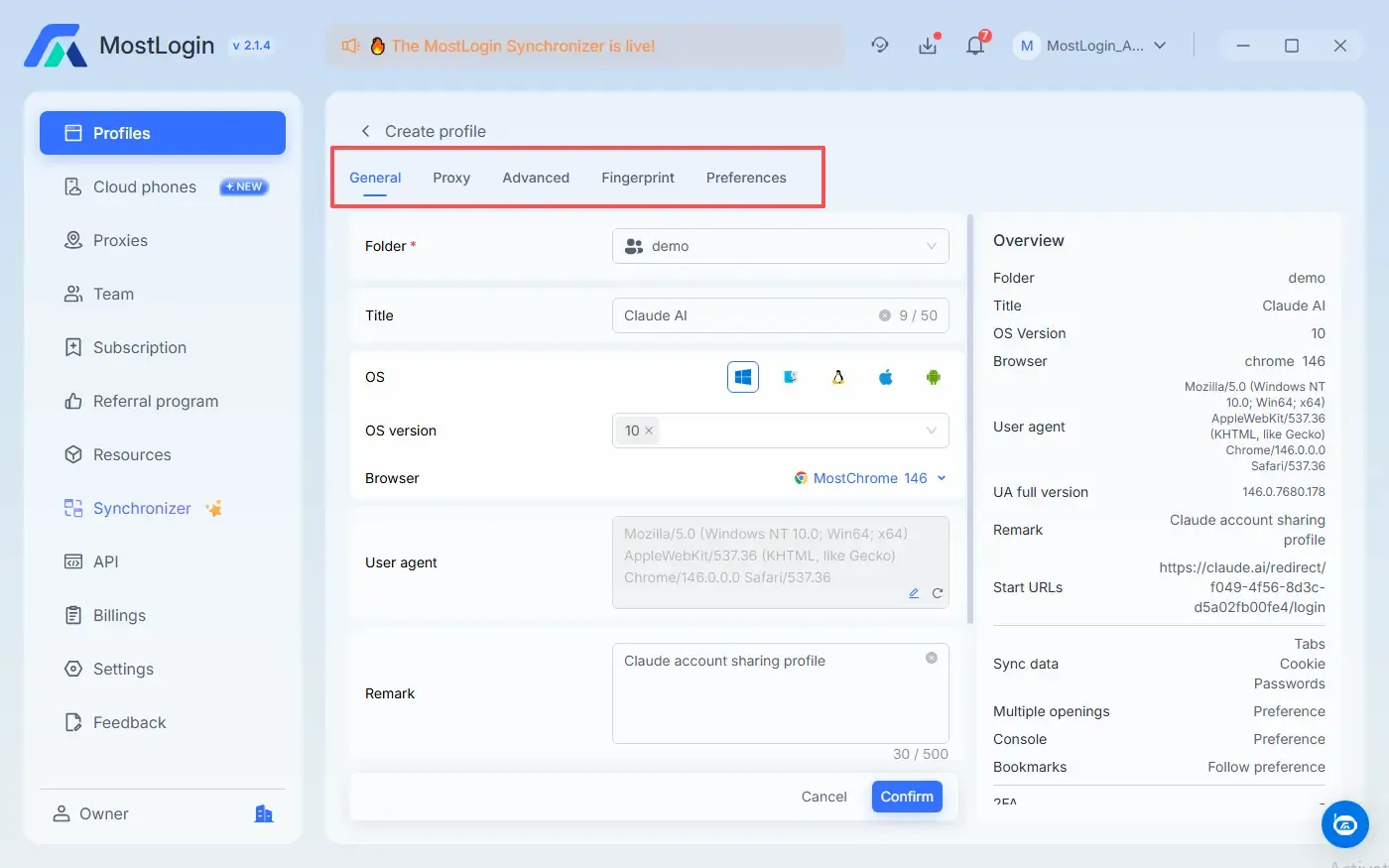
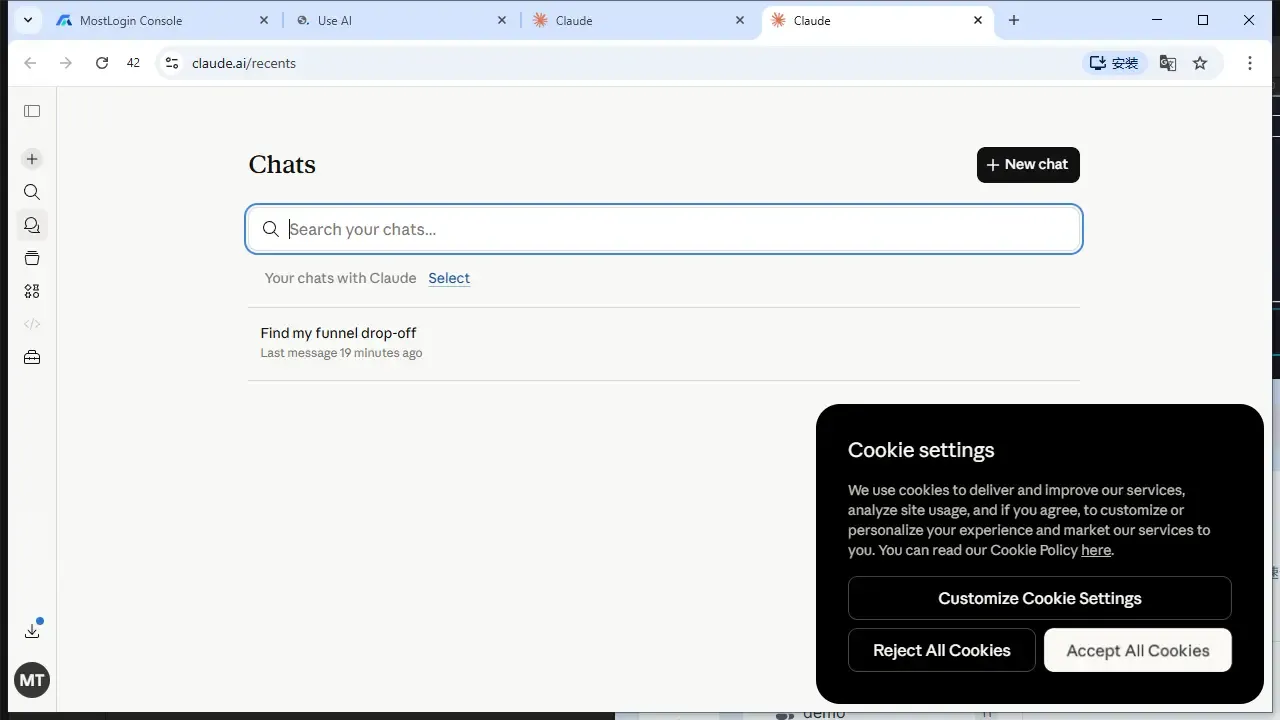
3. Log In to Claude Once: Open the new "Claude AI" profile, navigate to claude.ai, and log into your Claude Pro account.
4. Share the Profile with Your Team: In the MostLogin dashboard, find the folder that contains "Claude AI" profile and click "Assign folders". Select your teammate’s email address and hit the "Confirm".
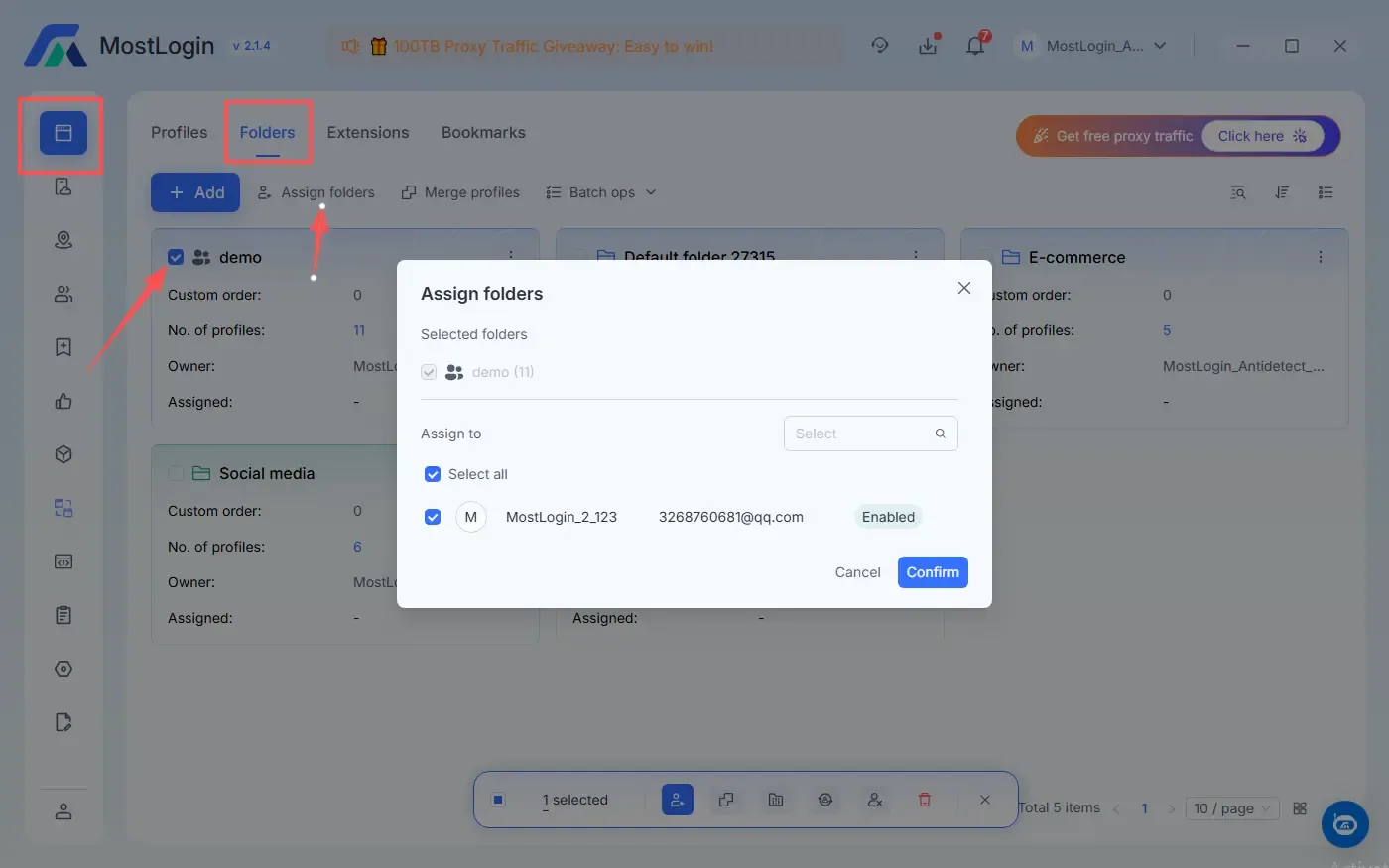
5. Team Members Access Seamlessly: Your teammate will get access to the Claude AI profile and can open the shared "Claude AI" profile on their own computer—already logged into Claude, with the exact same browser fingerprint as you.
Pro Tips for Safe Claude Account Sharing
- Use a dedicated proxy for your Claude profile to keep the IP address consistent (critical for remote teams).
- Avoid logging into your Claude account outside of the MostLogin profile—this could trigger a fingerprint mismatch.
- Regularly update your MostLogin profile settings to match the latest browser updates (MostLogin updates kernal and desktop client version to stay undetectable).
The Bottom Line: Share Claude Safely with MostLogin
Sharing a Claude account doesn’t have to be risky. While platforms like AdsPower have paved the way for anti-detect browsing, MostLogin offers a more accessible, robust, and cost-effective solution—especially for teams on a budget.
Frequently Asked Questions (FAQs)
Q: Will sharing my Claude account with MostLogin get me banned?
A: No. MostLogin’s fingerprint masking makes it appear as if the account is being used by one person, so Claude won’t detect shared access.
Q: Can I share multiple Claude accounts with MostLogin?
A: Absolutely. Create a separate MostLogin profile for each Claude account to keep them isolated and secure.