I wonder if any other friends have encountered the situation where TikTok cannot be opened under the school's WiFi. According to my research online, many schools or companies choose to block TikTok to ensure network speed or maintain the concentration of students/employees.
However, such restrictions can be a hindrance when we need to use TikTok to look up information or study. Is there any way to access TikTok without network limitations at school? Today, we are going to explain this in detail for you!

What's Wrong with My TikTok?
Many friends, when they first connect to the school's WiFi and find that TikTok won't open, will think it's a problem with TikTok or their phones. But when they switch to their mobile data and find that TikTok works normally, they realize it's an issue with the WiFi network.
In most cases, this is because the school network's firewall or router has blocked the domain names that TikTok needs to access, preventing us from opening both the web version and the app. Actually, this situation isn't that bad—after all, the account is fine, and you just need to avoid using the school's WiFi.
Why Do Schools Block TikTok?
According to our online research and official statements from some schools, the main reasons schools block TikTok are to reduce classroom distractions—students watching videos might miss important course content. Additionally, since video platforms consume a large amount of network resources, many schools are also worried about bandwidth usage and fear it will affect the overall network speed of the school.
Is There a Way to Access TikTok Using the School Network?
Of course there is. It's understandable that schools block these sites, but there are times when we need to access them for study or legitimate purposes. If we rely solely on mobile data to access TikTok, it can be quite costly, so we need to solve this problem.
Below, we will introduce several practical methods to help you resolve this issue!
How Can We Bypass This Network Restriction?
1. Use Mobile Data or Personal Hotspot (The Simplest and Most Direct Method)
For those who just want to scroll through TikTok to relax or watch funny videos during lunch breaks, this is definitely the simplest and most straightforward solution.
Implementation Steps:
Turn off Campus Wi‑Fi -> Enable Mobile 4G/5G Data -> Connect your computer or tablet to the hotspot, or simply use your phone to browse TikTok
Underlying Principle:
Using your own network directly bypasses the campus network, so the school's filters and firewalls can't restrict your device's internet access.
Advantages:
No complicated setup required, works immediately, and leaves no traces on the school's network records.
Disadvantages:
Can be expensive if you don't have enough data, may experience lag in classrooms with poor signal, and isn't suitable for prolonged browsing or video uploading.
2. Modify DNS Settings (For Lightly Restricted Campus Networks)
Many schools don't use heavy‑duty blocking—they only block TikTok domains through DNS resolution, so changing your DNS settings can sometimes solve the problem directly.
Recommended DNS Servers:
Cloudflare: 1.1.1.1/1.0.0.1
Google: 8.8.8.8/8.8.4.4
Implementation Steps:
Windows -> Network Settings
macOS -> WiFi Settings
Chromebook -> Network Settings
iPhone & Android -> WiFi Settings
Advantages:
If it works, TikTok will be accessible again immediately, and the network speed may even be faster.
Disadvantages:
If the school uses Deep Packet Inspection (DPI), firewall‑level blocking, or router filtering, then the DNS method may not be sufficient.
3. Use Web Proxies (Suitable for School Computers Where Software Installation Is Restricted)
If you can't install VPNs or apps on school computers, Chromebooks, or library computers, then web proxies are the best alternative.
Implementation Steps:
Open web proxies like CroxyProxy, KProxy, or Hidester (skip the purchase steps), then enter tiktok.com to access the site directly.
Advantages:
No software download required, no administrator privileges needed, and ideal for Chromebooks.
Disadvantages:
Video loading speeds are slower than direct access, not suitable for smooth account management or video uploading, some proxies have ads, and certain proxies require payment.
4. Use the Virtual Browser MostLogin
If you don't just want to scroll through videos, but also want to create and upload content, manage multiple TikTok accounts, engage in campus media/marketing training, maintain account security without association, or log in from both home and school, then relying solely on hotspots or DNS won't be enough.
In this case, using a virtual browser is more suitable—especially the MostLogin virtual browser. By configuring independent proxies and IPs in it, you can easily bypass TikTok network restrictions.
You can easily configure IP or proxy settings here, making it impossible for the school network to detect that you are using TikTok.
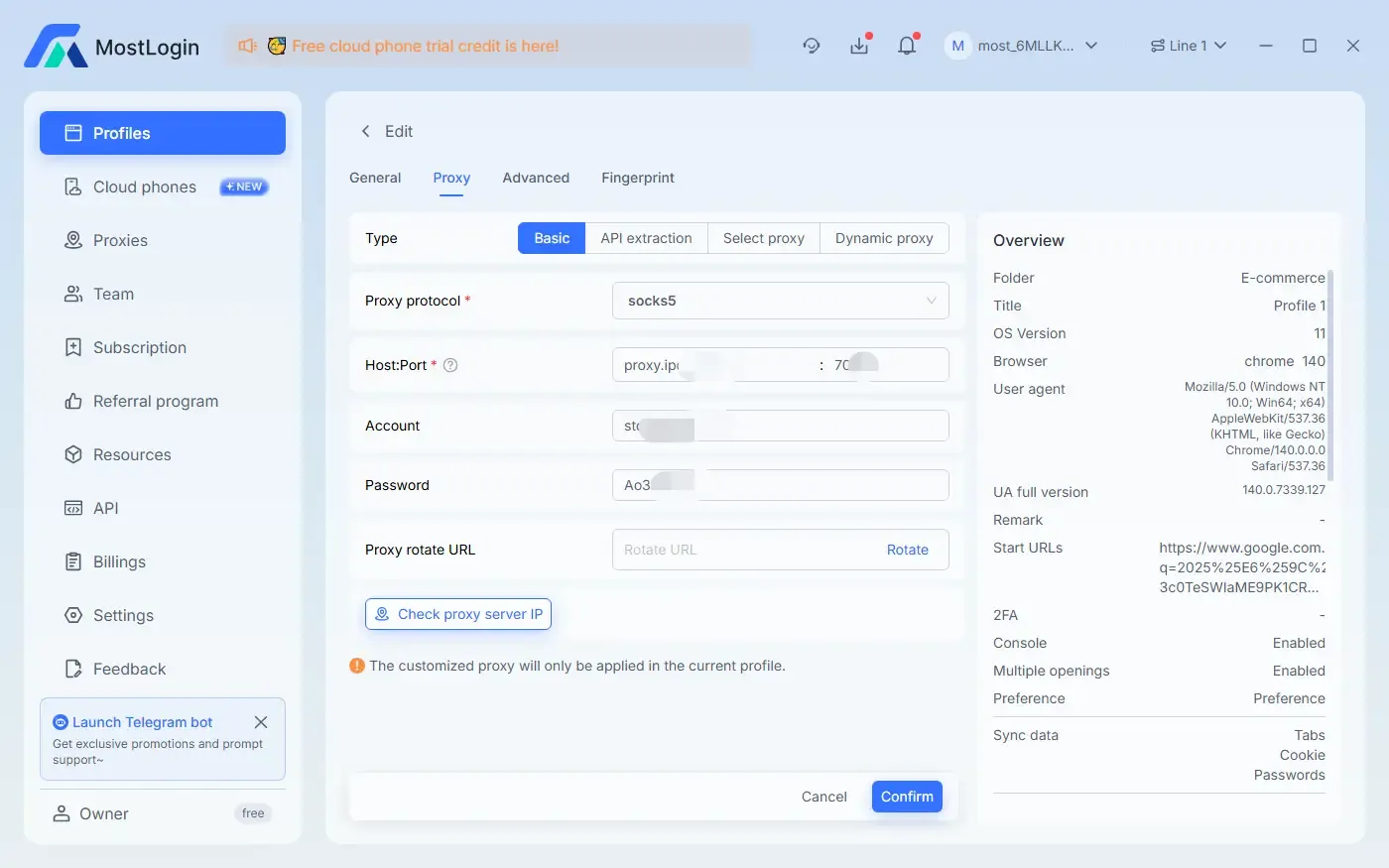
After configuring the relevant settings and windows, you can quickly open a dedicated window for TikTok at any time—it's not only convenient and fast, but also difficult to detect.
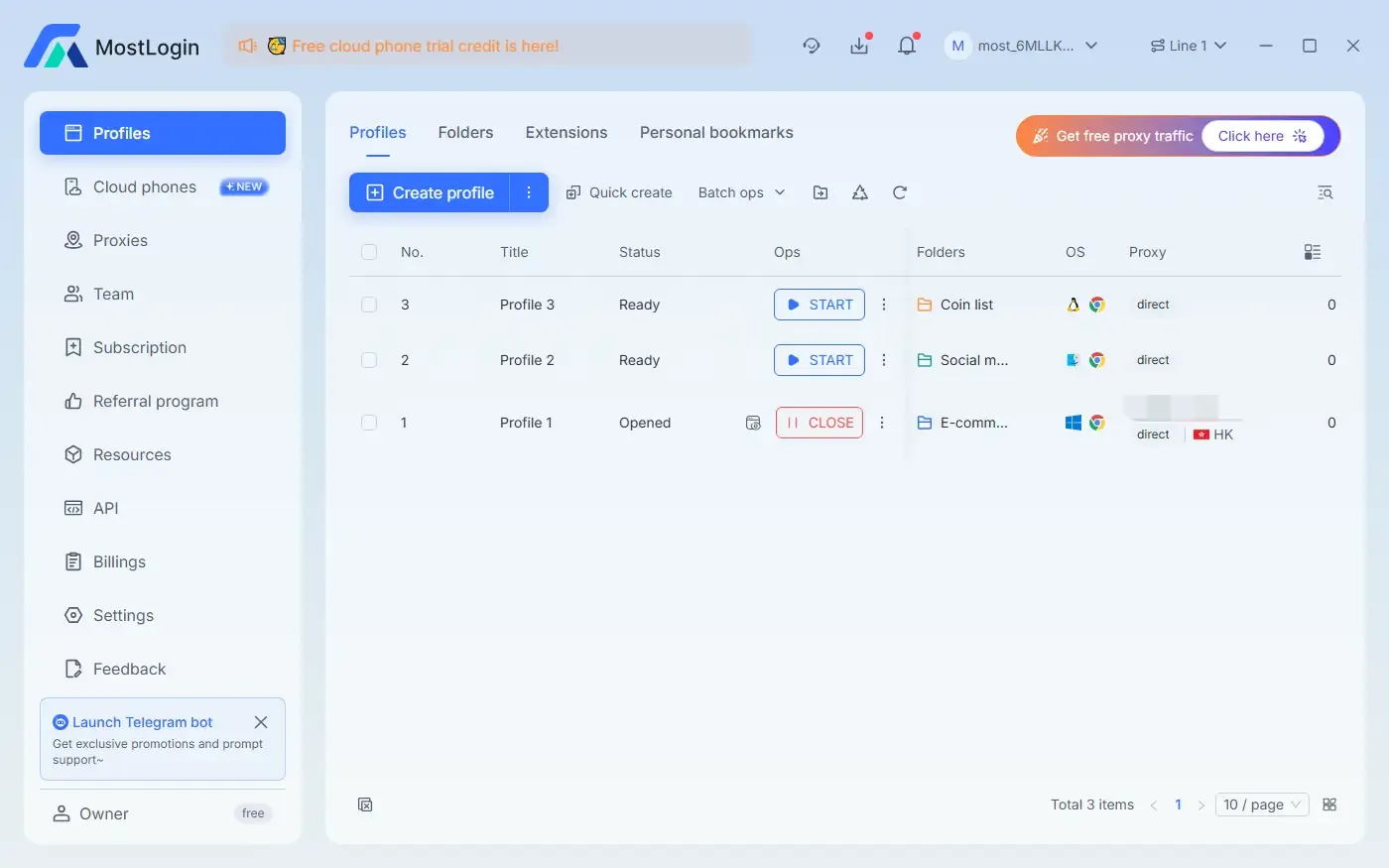
We have other methods to bypass TikTok restrictions on work or school networks. If you're interested, you can check out this article: How to Unblock TikTok at School or Work: Top 5 Best and Easiest Methods
What Are the Advantages of MostLogin in This Scenario?
Easier to bypass restrictions on school networks, can be used as a VPN alternative
Simulates real device environments (enhances account security and stability)
Assigns independent browser fingerprints to each account
Prevents school network detection tools from identifying your real device
Uses independent proxies/IPs (prevents associated bans)
What Other Useful Features Does the MostLogin Virtual Browser Offer?
Supports multiple proxy protocols: Assign independent HTTP/HTTPS/SOCKS5 proxies to different accounts to ensure separate network sources.
Environment Isolation: Each environment runs like an independent device, completely isolated from the local browser.
Stable fingerprint simulation: Browser configurations remain consistent over the long term, reducing the risk of account restrictions due to configuration fluctuations.
User‑friendly operation: Intuitive workflow, allowing even beginners to quickly create and manage multiple accounts.
Cost‑effective pricing: Offers a free plan, and overall pricing is more affordable compared to similar products.
FAQs:
Why Does School WiFi Block TikTok?
Schools usually block TikTok through firewalls or DNS to ensure classroom focus, save bandwidth, and maintain network stability.
Why Can't I Open TikTok on School WiFi but It Works with Mobile Data?
This is a common situation—campus WiFi blocks TikTok's domain names, while mobile data has no such restrictions. In other words, there's nothing wrong with TikTok itself; it's just network blocking that prevents access.
Can I Access TikTok Without a VPN?
Yes, but the stability and security of each method vary. For light usage, you can try a mobile hotspot or DNS modification; for temporary access, use a web proxy. If you are a content creator or manage multiple accounts, using the MostLogin virtual browser is safer and more reliable.
Will the School Detect If I Use a VPN?
Schools may detect that you are using a VPN, but they usually cannot see the specific content you are accessing. Compared to VPNs, MostLogin is more discreet when accessing TikTok through independent proxies and virtual environments, and it also provides better account security.
Can MostLogin Help Me Bypass School WiFi Restrictions?
Yes. With independent proxies or IPs, MostLogin allows you to access TikTok on the campus network while keeping your accounts secure. It is more stable than regular free proxies or VPNs, and less likely to trigger unusual login alerts.
How Much Does MostLogin Cost?
MostLogin has a Pioneer Plan—all virtual browser features except for the cloud phone service are available under current plans, making it perfect for users who want to try it out or use it for basic needs.
Best Anti‑Detection Browser — MostLogin
The MostLogin anti‑detection browser tool helps users solve high‑frequency problems such as multi‑account operation, environment isolation, and account risk control.
For operational questions, please refer to the Official Help Documentation