When operating multiple accounts in daily use, many users have questions about the risk control mechanisms for multiple accounts. For example, why can platforms still identify that multiple accounts belong to me even after I have cleared browser cookies? Or why does the system still determine that these accounts are associated even though I have switched accounts?
Clearing cookies was once an effective method for privacy protection or anti-association, but now it cannot completely prevent the association and identification between accounts. Today, we will explain to you why clearing cookies cannot prevent multiple accounts from being associated, and how we can solve this problem!

I. What are Cookies?
Essentially, a cookie is a small piece of data stored by a website in the user's browser, used to record some basic information such as login status, language preferences, page settings, simple user identifiers, etc. Cookies are designed to improve user experience, for example, we don't need to log in to accounts frequently in a short period of time.
However, nowadays, cookies are not the only means of user identification, so we need to take precautions in other aspects as well.
II. Why Do Many People Clear Cookies When Managing Multiple Accounts?
In the early Internet environment, many websites did rely heavily on cookies to distinguish users. After clearing cookies, your login status will become invalid, the website will treat you as a new visitor, and certain simple behavior tracking will be interrupted.
This is why many people believe that clearing cookies can prevent account association. However, updated technologies have actually fixed or enhanced the detection aspects in this regard.
III. What Do Platforms Rely on for Detection Now?
Based on our research and understanding, the more in-depth and common method for identifying multiple accounts currently is to check browser fingerprints/device fingerprints. This is a widely used identification method now, and even if we clear cookies, the device fingerprint will remain highly consistent.
Browser fingerprints/device fingerprints generally include: operating system type and version, browser type, version, kernel information, screen resolution, font list, time zone, language settings, hardware features (such as graphics card rendering information), etc.
Individually, this information may not seem problematic, but when combined, the accuracy of account identification becomes extremely high. Moreover, clearing cookies will not change this information, and modifying it is very complicated.
IV. Is There a Relationship with the Network Environment?
The network environment itself is also a strong association signal. Some platforms usually analyze IP address segments, network operators, access frequency and time distribution, as well as whether there are abnormal jumps. Even if you clear cookies, if multiple accounts log in under the same network environment for a long time or their behavior times are highly consistent, the accounts will still be judged as associated.
V. How Should We Solve These Problems?
Currently, only the use of anti-detection browsers can solve both browser fingerprint and IP-related problems simultaneously. For example, MostLogin Anti-Detection Browser can create multiple simulated browser environments and assign different fingerprints to these environments.
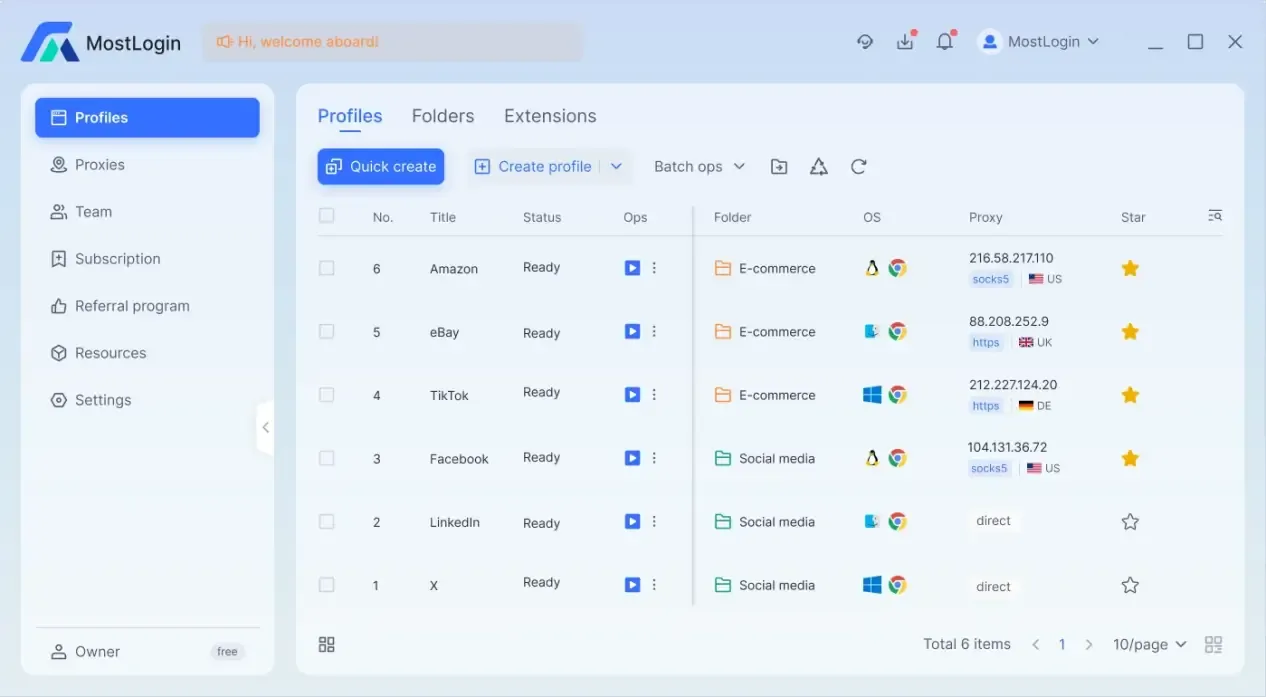
MostLogin Anti-Detection Browser can be used for multi-account operations on many platforms. You can refer to these articles: 《How to Safely Use and Manage Multiple Whatnot Accounts?》《How to Safely Manage Multiple Instagram Accounts in 2026?》《How Can a Team Operator Manage Multiple Telegram Accounts Alone?》《Afraid of Account Bans When Managing a Store with Multiple Operators? Try Anti-Detection Browser!》
Conclusion
Clearing browser cookies was once an effective means to prevent account association, but it can no longer meet the risk control needs in the current environment. Therefore, we need to use anti-detection browsers to solve the problems related to browser fingerprints and network environments.
Frequently Asked Questions
Why can platforms still identify that multiple accounts are associated even after I have cleared cookies?
Because cookies are only one of the user identification methods. Now platforms rely more on browser fingerprints and device characteristics, which do not change after clearing cookies, such as operating system, browser version, graphics card rendering information, font list, etc. As a result, accounts are still easily identified and associated.
What exactly is a browser fingerprint?
A browser fingerprint is a set of features composed of multiple device and browser parameters, including but not limited to operating system type and version, browser and kernel information, screen resolution and scaling ratio, font list, language, time zone, hardware rendering information (graphics card, WebGL), etc.
How much impact does the network environment (IP) have on account association?
The impact is very significant. Platforms usually comprehensively analyze IP address segments, operators, login frequency, behavior time distribution, etc. If multiple accounts use the same IP or the same network environment for a long time, they are likely to be judged as strongly associated accounts even if the cookies are different.
MostLogin Anti-Detection Browser helps users solve high-frequency problems such as multi-account operation, environment isolation, and account risk control.
For operation questions, please refer to the Official Help Documentation