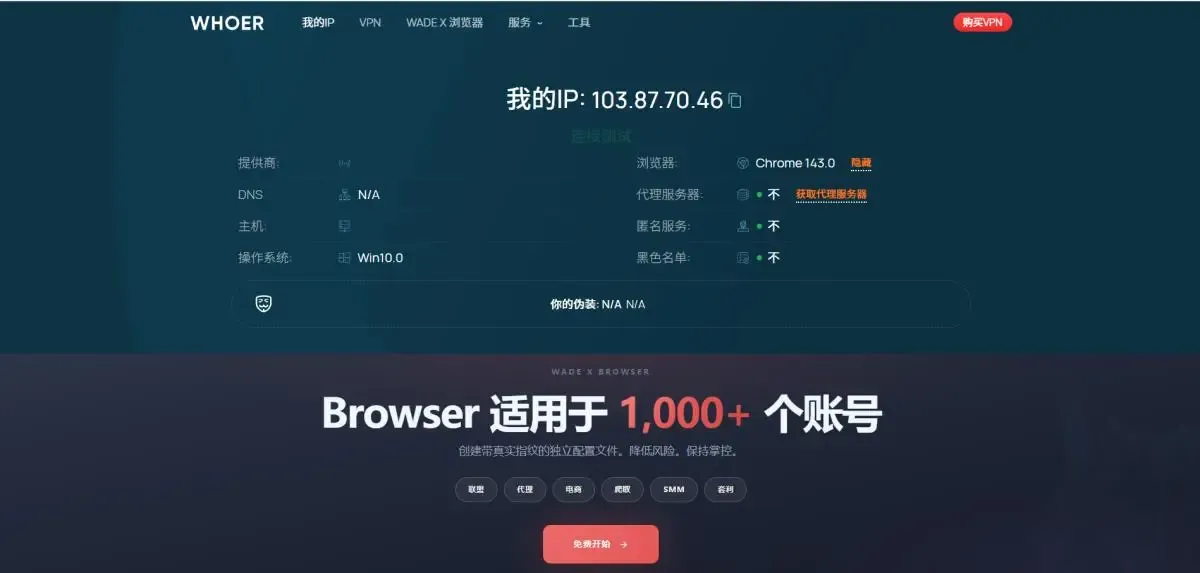
As anti-bot and anti-fingerprinting systems continue to evolve in 2026, simply using a proxy is no longer enough. Modern platforms now simultaneously analyze browser fingerprints, connection behavior, session consistency, TLS signatures, and IP reputation. For businesses running automation, data collection, social media operations, or cross-border e-commerce, the quality of proxy infrastructure directly determines operational stability.
To validate real-world performance, we conducted in-depth testing of RapidProxy across multiple environments, including browser automation, account management, scraping systems, and large-scale concurrent requests. This article not only provides detailed review findings but also shows you how to integrate RapidProxy residential proxies with the MostLogin anti-detect browser, helping you build a stable and secure multi-account operation environment.
Why Choose Residential Proxies + Anti-Detect Browser?
In the 2026 online environment, using datacenter IPs or ordinary proxies alone makes it easy for risk control systems to flag your activity. Residential proxies route traffic through real home networks, making your requests appear more like genuine user behavior. Meanwhile, the MostLogin anti-detect browser simulates independent browser software and hardware fingerprints (such as Canvas, WebGL, timezone, fonts, etc.).
The combination of RapidProxy + MostLogin completely isolates account environments from both the IP identity and device fingerprint dimensions, significantly reducing association risks.
What Is RapidProxy?
RapidProxy is a residential proxy provider focused on scalable automation and identity-based online operations. Unlike datacenter proxies that are often quickly flagged by modern anti-bot systems, RapidProxy routes traffic through real residential networks, helping requests appear closer to legitimate user activity.
The platform is designed for users who require reliable residential connectivity across automation systems, browser environments, and long-session account operations.
RapidProxy mainly offers two types of residential agency products:
Rather than competing against each other, the two proxy types are optimized for completely different workflows.
Dynamic Residential Proxies – Built for High-Concurrency Operations
Dynamic residential proxies automatically rotate IP addresses, distributing traffic across a vast residential IP pool. This architecture is especially well-suited for distributed systems that require high concurrency and high-frequency requests.
Key Advantages
- Automatic residential IP rotation
- Better request distribution
- Lower risk of batch detection
- High scalability for automation tasks
- Flexible request management
Real-World Testing Performance
In our tests, RapidProxy's dynamic residential proxies performed exceptionally well in the following scenarios:
- Search engine scraping (Google, Bing)
- E-commerce price monitoring
- Public data extraction
- Competitor intelligence gathering
- High-frequency automation tasks
- Large-scale concurrent crawling systems
Compared to traditional datacenter proxies, rotating residential IPs improved request success rates by approximately 40%, with no obvious repetitive behavior patterns.
Static Residential Proxies – Built for Stable Account Environments
Static residential proxies focus on maintaining a fixed residential identity over long periods. The IP address remains stable, which is critical for platforms that evaluate behavioral consistency and account trust.
Key Advantages
- Persistent residential IP identity
- Stable long-term sessions
- Better account consistency
- Reduced login verification frequency
- Enhanced credibility for browser operations
Real-World Testing Performance
Static residential proxies delivered the best performance in the following scenarios:
- Social media account management (TikTok, Facebook, Instagram)
- Advertising account access (Google Ads, FB Ads)
- E-commerce seller dashboards (Amazon, Shopify)
- Browser fingerprint environments
- Long-duration login sessions
Platforms typically treat stable residential sessions as more natural user behavior, reducing CAPTCHAs and abnormal login warnings by over 60%.
Performance Comparison in Practical Workflows
The table below summarizes overall operational performance during testing.
The results clearly show that each proxy type serves a separate operational purpose rather than acting as direct alternatives.
RapidProxy Infrastructure Advantages
Beyond proxy performance itself, several of RapidProxy's infrastructure features are worth noting:
Non-Expiring Traffic
Purchased traffic packages remain valid permanently and are not reset monthly. This greatly simplifies budget planning for teams running long-term automation projects.
Free Test Traffic
RapidProxy offers free testing, allowing users to verify performance before making a formal purchase.
Multi-Protocol Compatibility
Supports HTTP, HTTPS, and SOCKS5 – compatible with nearly all major scraping frameworks, browsers, automation tools, and account management systems.
Unlimited Concurrent Sessions
Allows an unlimited number of simultaneous connections, particularly suitable for:
Distributed scraping systems
Multi-threaded automation
Large-scale browser operations
Multi-account environments
Global Residential Coverage
The residential IP network spans multiple countries and regions, helping improve localization flexibility and reducing detection rates during region-sensitive operations.
RapidProxy + MostLogin Integration Guide
Step 1: Obtain proxy credentials from Rapidproxy
Rotating Residential Proxies
- Log in to your Rapidproxy User Center (ucenter)
- Navigate to:Proxies → Rotating Residential Proxies → Use Proxy → User & Pass Auth
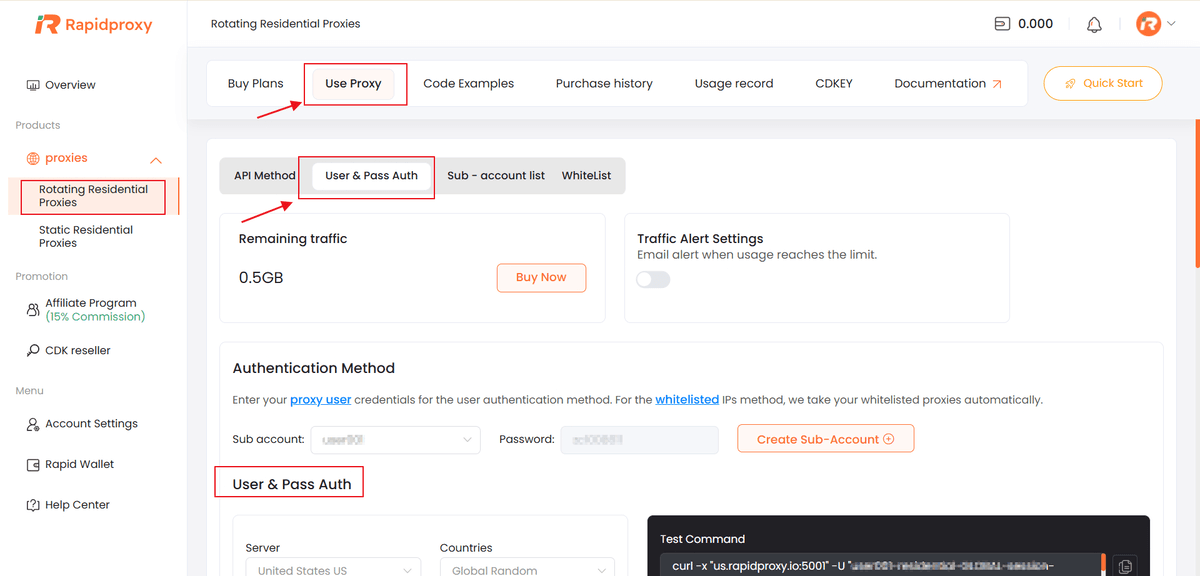
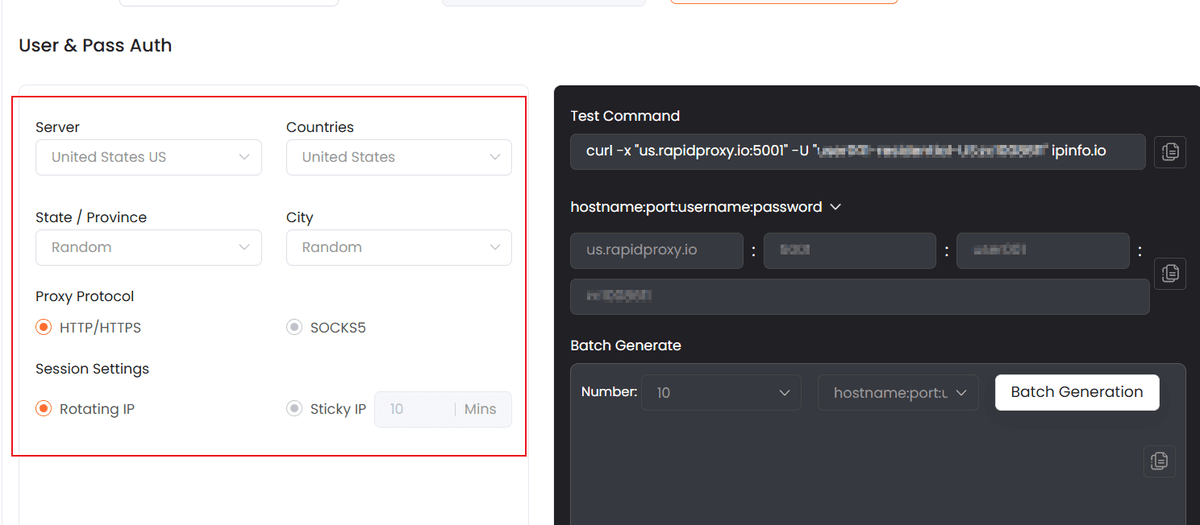
- On the configuration page, select your desired proxy location options:
- Server (Choose the proxy server node.)
- Countries (Select the target country for your residential IPs.)
- State / Province (Optional,Narrow down IP locations to a specific state or province.)
- City (Optional,Further refine the IP location at the city level.)
- Proxy Protocol (Select the protocol you want to use: HTTP/HTTPS/SOCKS5)
- Configure Session Settings (Rotating IP/Sticky IP)
2. Generate and Copy Proxy Credentials
Once all settings are configured:Review your selected parameters.
Copy the proxy information generated by Rapidproxy, including:
- Proxy host
- Port
- Username
- Password
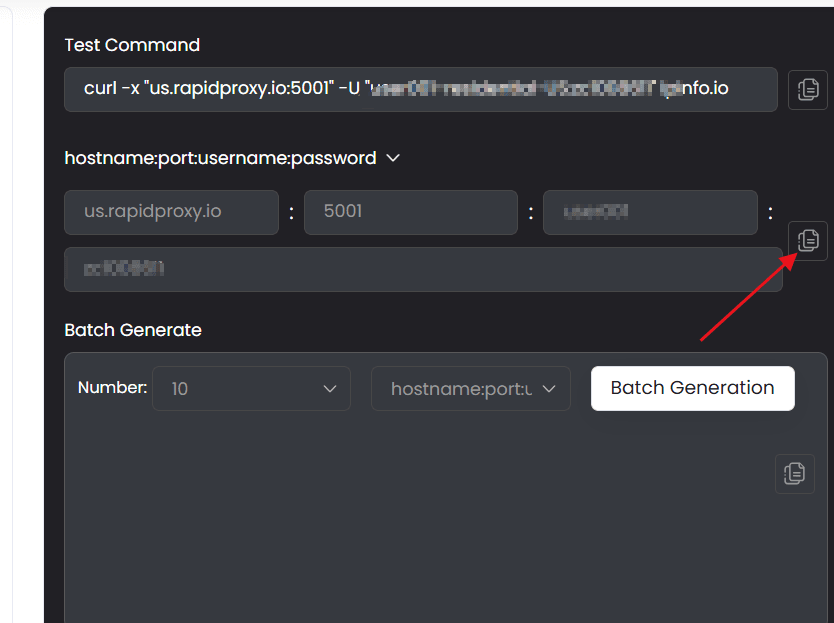
These credentials are generated automatically based on your configuration.
Get Static Proxy IP
- To find your static proxy IPs:
- Log in to your Rapidproxy User Center (UCenter).
Navigate to:Proxies → Static Residential Proxies → IP Management
This page shows all static residential proxy IPs associated with your account or purchased subscription.
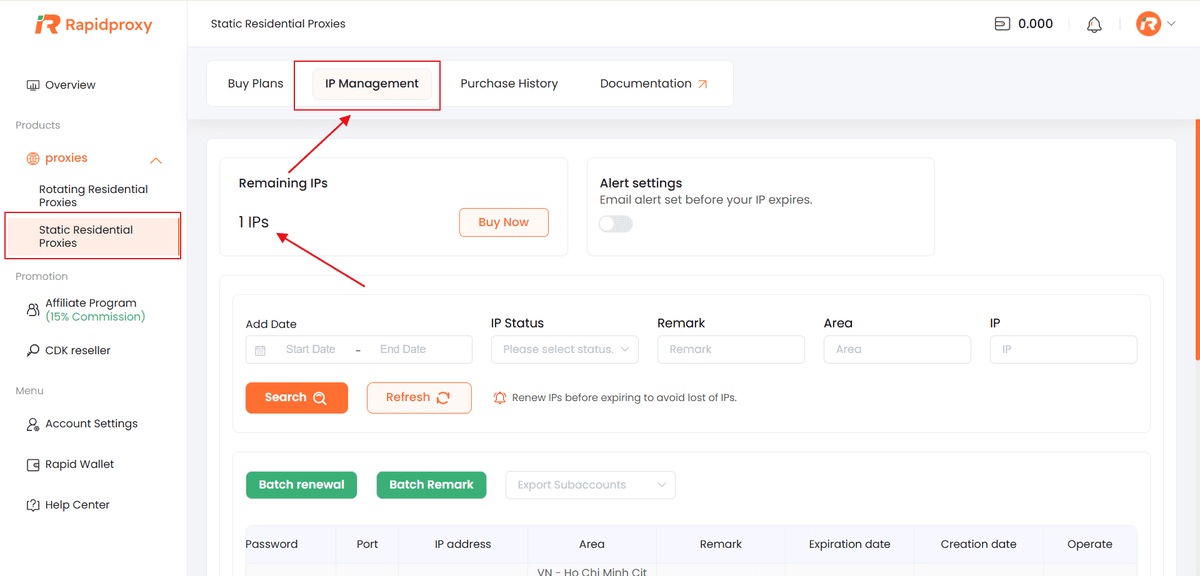
Note: You must purchase a static residential proxy plan before IPs appear in this section.
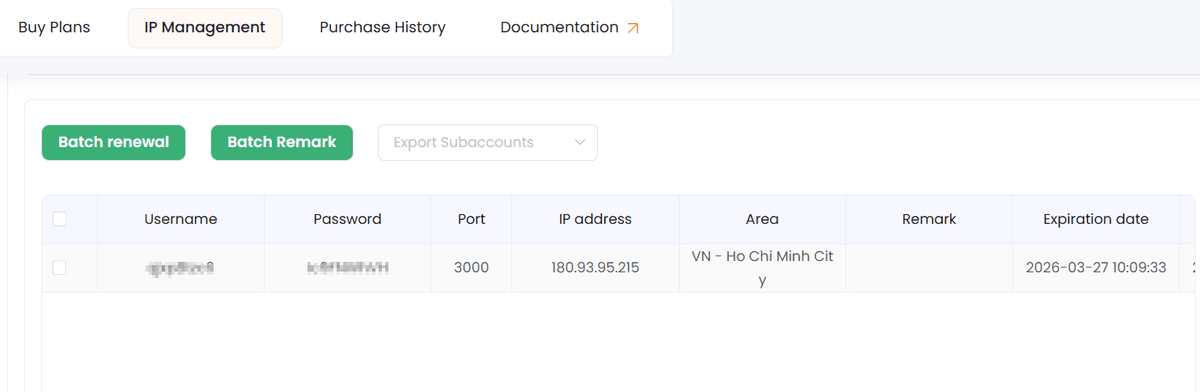
- Copying Your Proxy Information
To use a proxy:
- Locate the static proxy row you want.
- Paste the information into your proxy client or configuration.
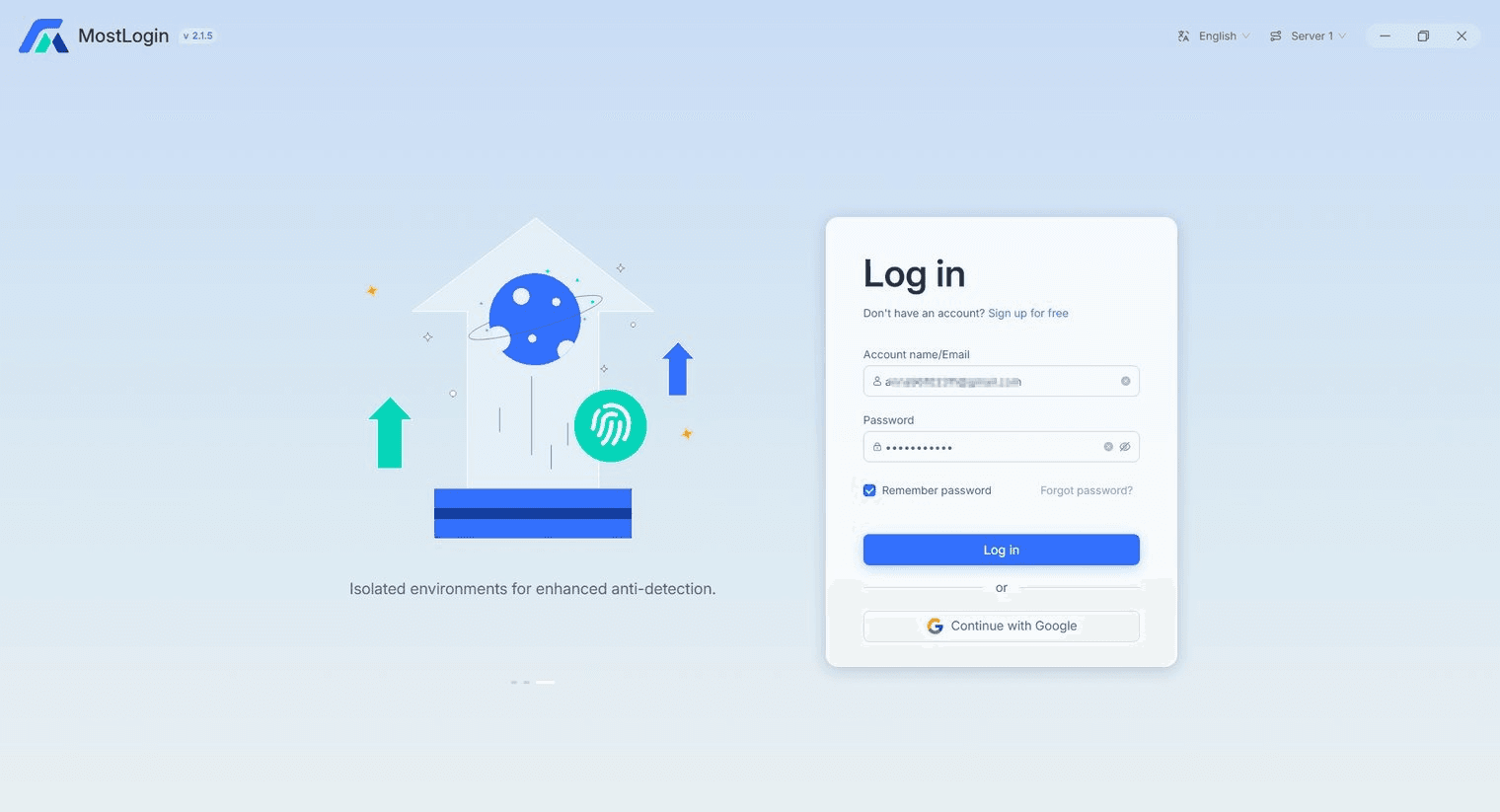
Step 2: Download and Log In to MostLogin
Open the MostLogin browser and sign in to your account. If you don’t have an account yet, register and complete the installation first.
Step 3: Create a New Browser Profile
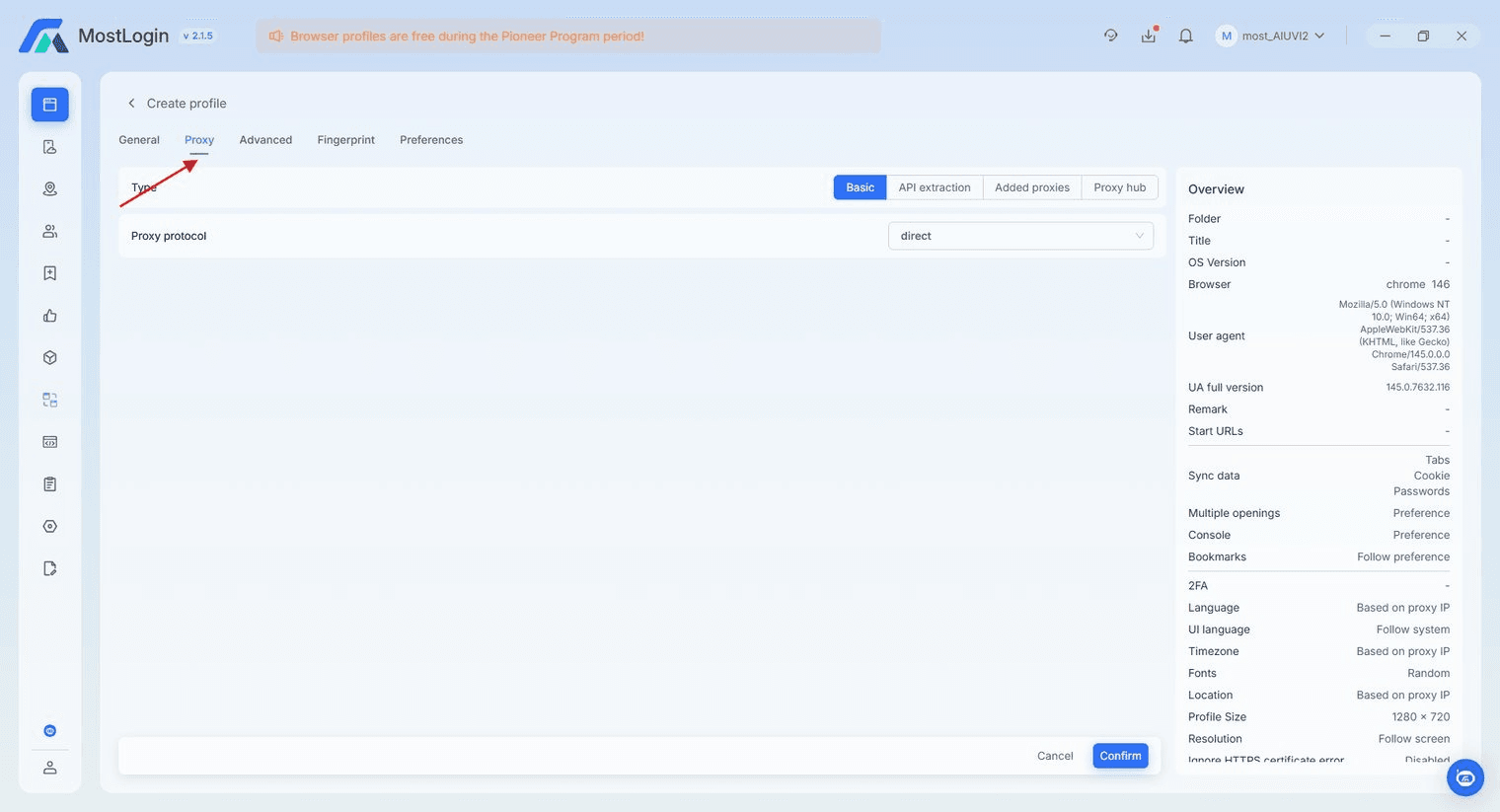
1. Navigate to 〖Profile〗 and click 〖Create Profile〗 to create a new browser environment.
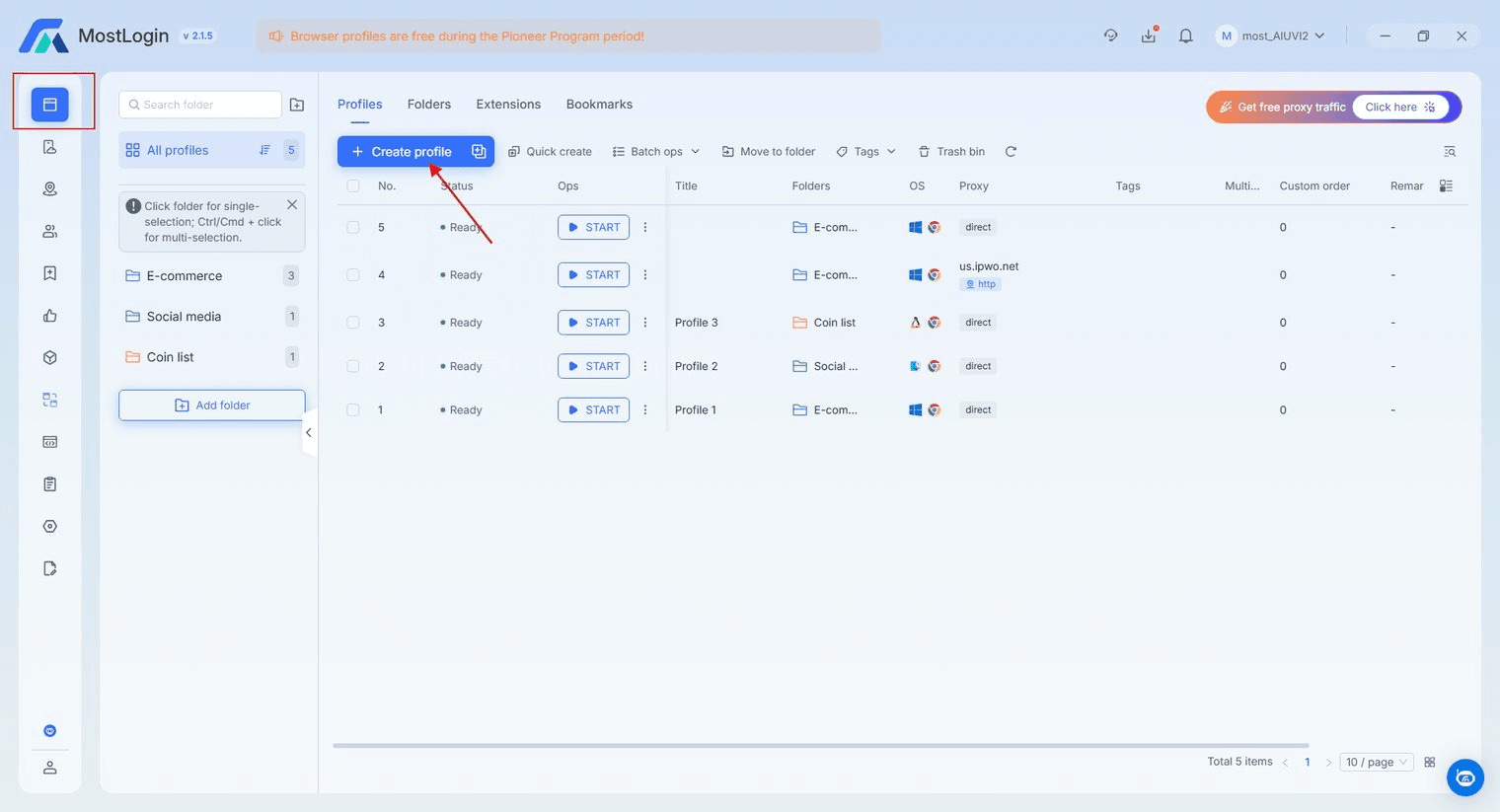
2. In the profile configuration window, locate the proxy settings section.
Step 4: Configure Proxy Settings
- In the 〖Proxy Type〗 field, select 〖http〗 〖https〗 or 〖socks5〗.
- Paste the proxy information provided by Rapidproxy into the corresponding fields:
- Proxy Host / IP
- Port
- Username
- Password
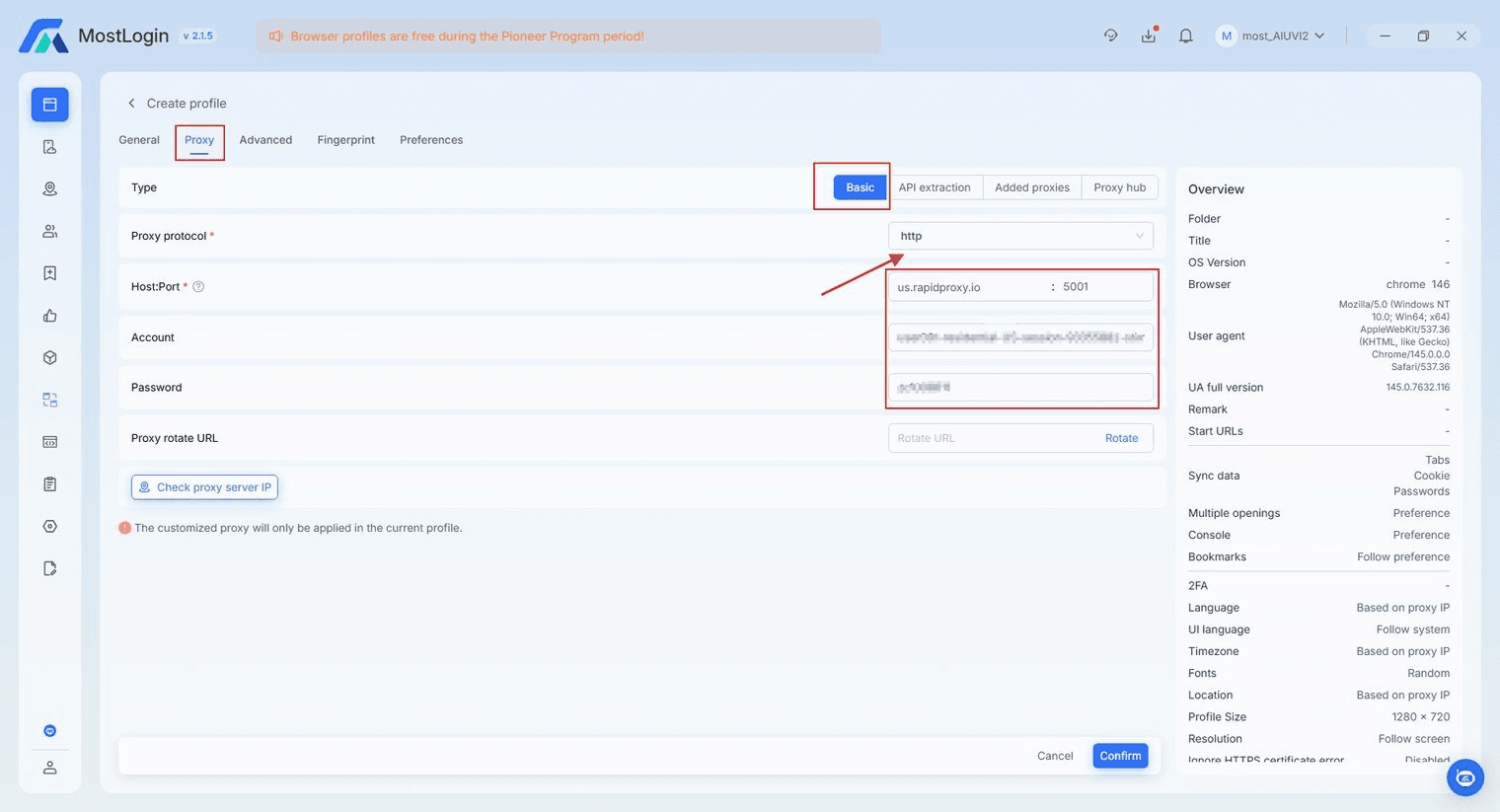
Note: This example uses HTTP protocol. Rapidproxy supports HTTP, HTTPS, and SOCKS5 protocols.
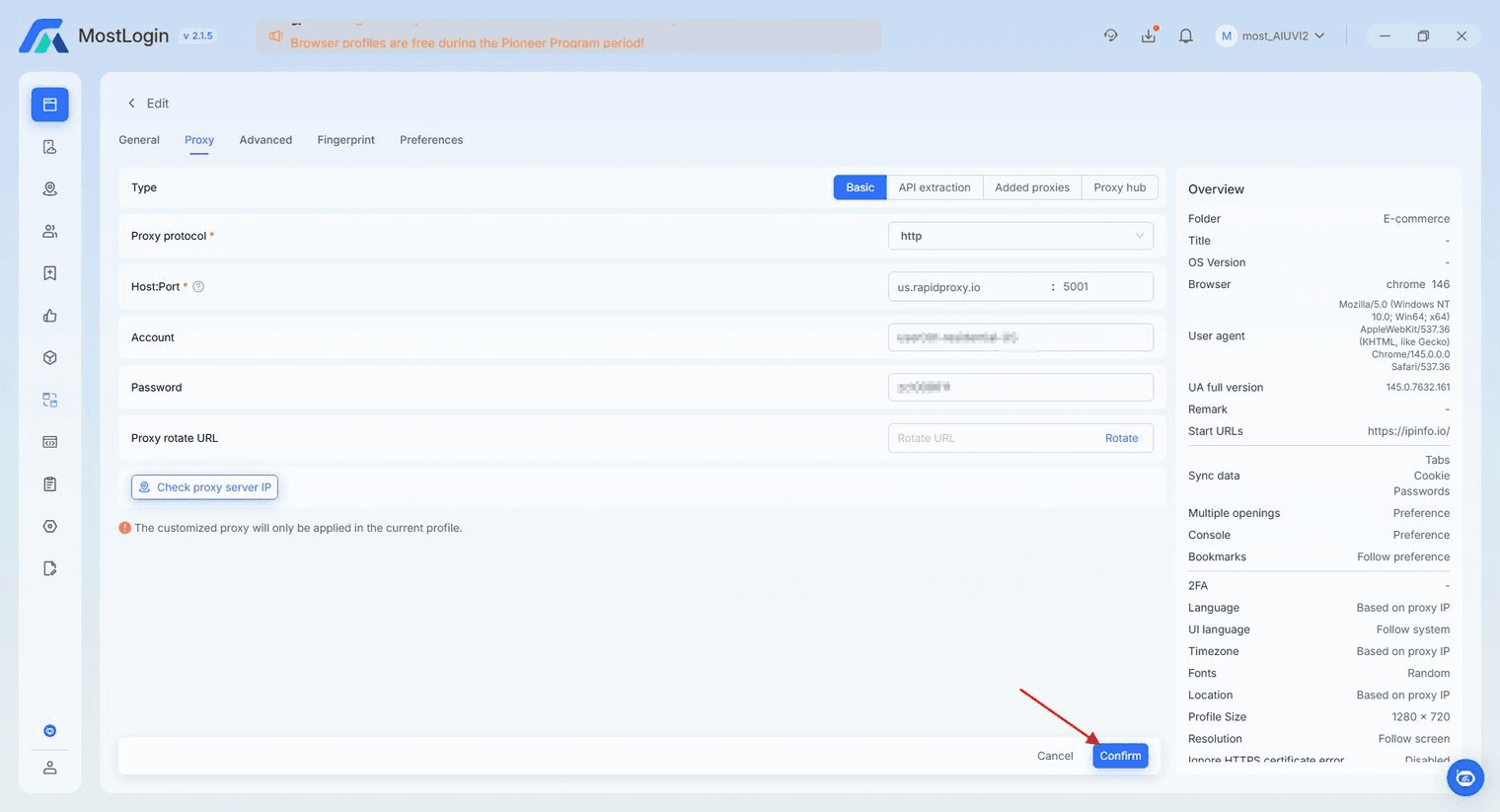
Step 5: Save the Profile
Click〖Confirm〗 to complete the configuration.
Step 6: Test the Proxy Connection
1. Return to the profile list and click 〖START〗 to launch the configured browser profile.
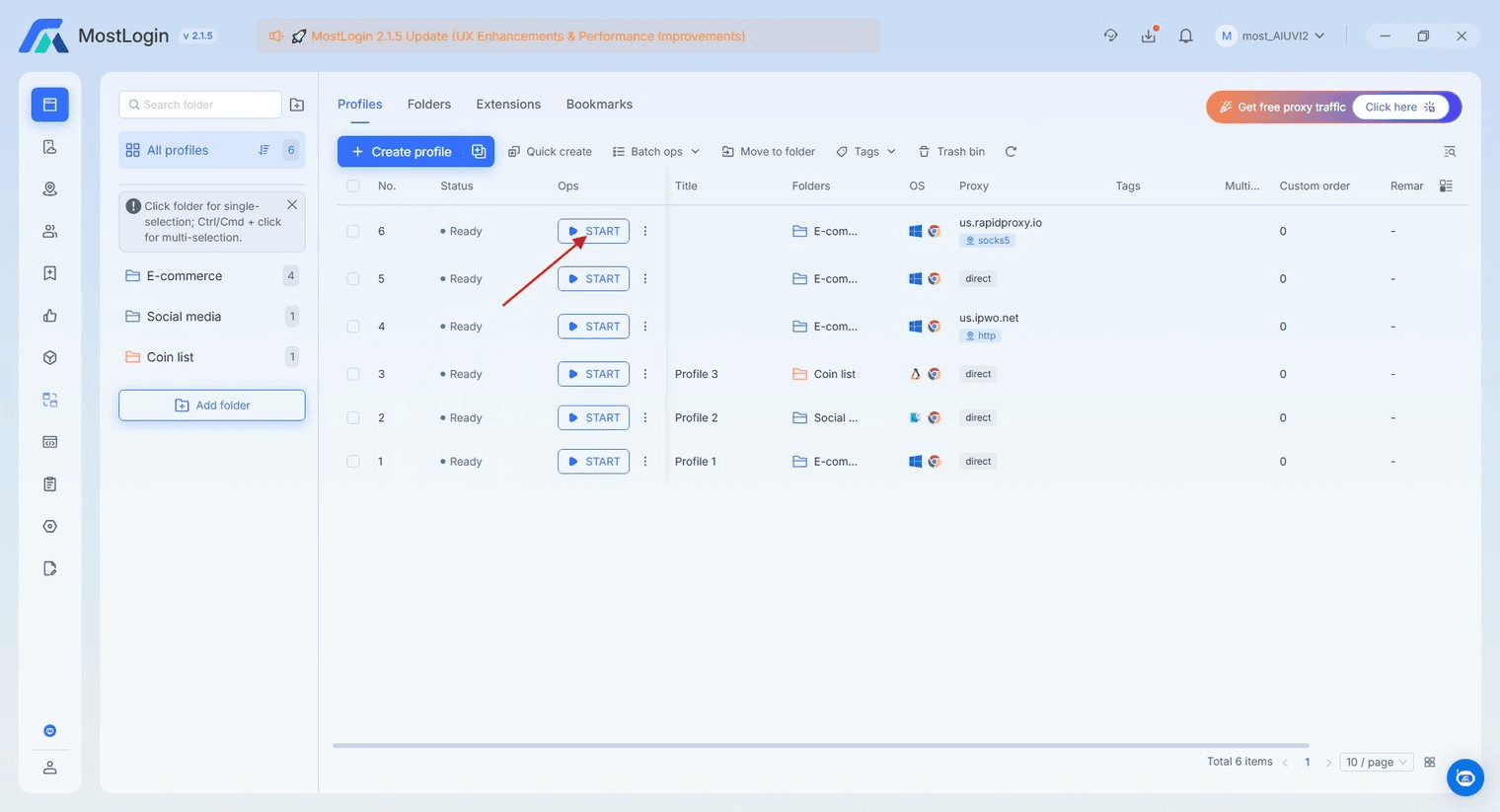
2. After launching your browser, you can check your IP information through websites such as IPinfo.
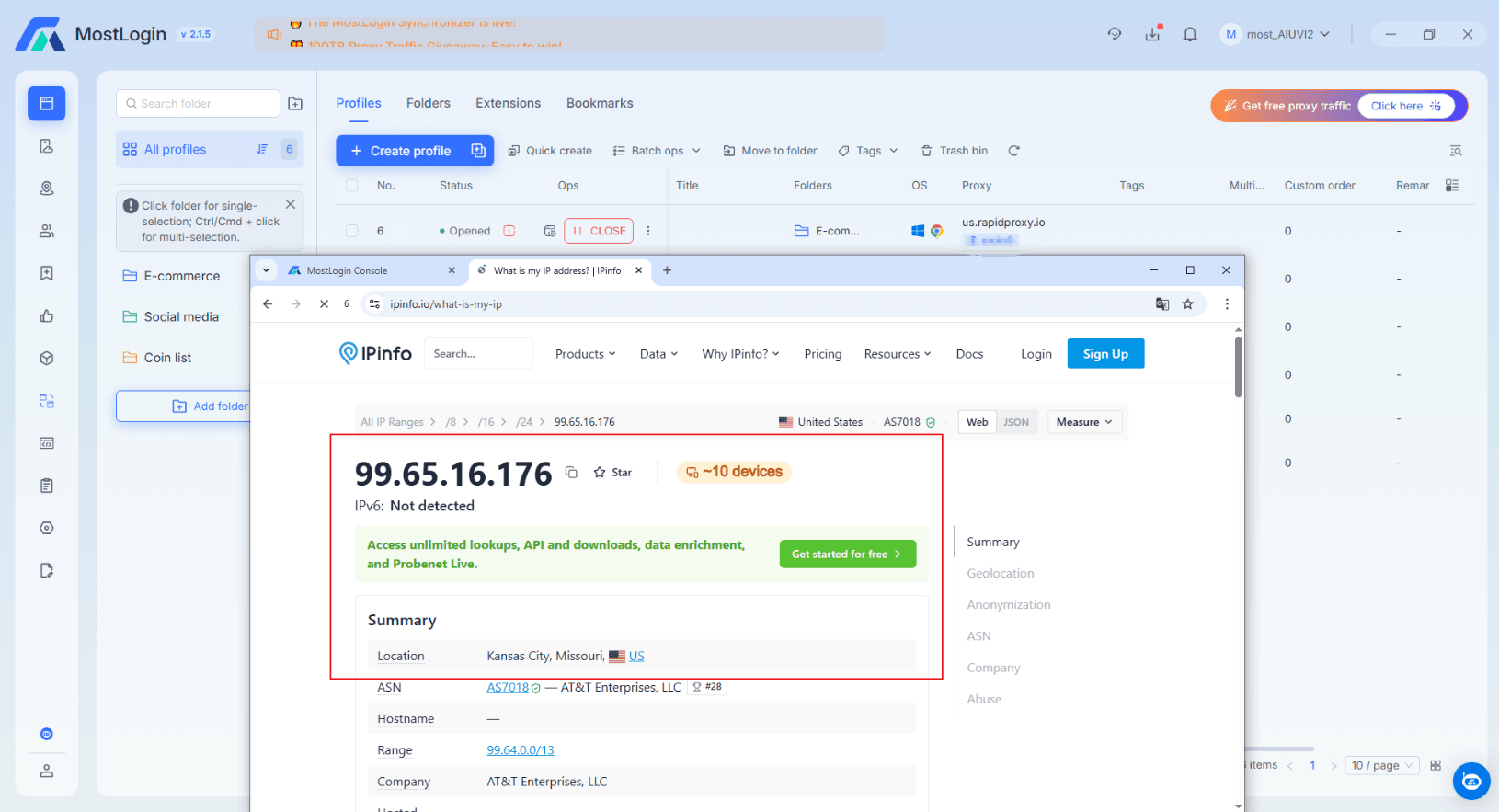
You are now ready to browse securely and anonymously with Rapidproxy in MostLogin.