If you often browse Q&A communities like Reddit and Quora, you've probably seen many people asking how to access TikTok on school or restricted networks. For students and individuals using fixed network environments, it can be quite challenging to use TikTok in such settings, as these special networks typically block access via firewalls.
So, what specific steps can you take to resolve this issue? Today, we'll give you a detailed guide on how to use TikTok on school or restricted networks in 2026!
Why is TikTok Restricted in These Environments?
On School Networks:
There are several common reasons why TikTok is restricted on school networks, such as the following:
Focus Management for Learning: Short-form video content is highly fragmented, and schools believe it may disrupt classroom discipline and learning efficiency, hence the block.
Bandwidth and Network Pressure: TikTok's video traffic consumes significant bandwidth, which can easily affect the stability of teaching systems or internal school networks during peak hours.
Content Compliance Management Challenges: Schools are responsible for the online environments used by minors, and platforms host a wide range of content, making it difficult for schools to manage.
Unified Network Policies: Many campus networks use off-the-shelf firewall or content filtering solutions, where TikTok is typically included in the default restricted list.
On Other Restricted Networks
Compared to school networks, other restricted networks usually have more reasons for imposing restrictions, but they all boil down to management and control:
Corporate or Office Networks: To prevent employee distraction, reduce work efficiency, and mitigate potential data security risks.
Public WiFi (Airports, Libraries, Cafés): To restrict high-bandwidth applications and ensure a better network experience for more users.
Country or Region-Level Networks: Restrictions are influenced by policies, regulations, or platform compliance requirements, and are considered systematic blocks.
Home or Parental Control Networks: Voluntary restrictions on short-video platforms for time management or content control purposes.
Although the scenarios differ, the end result for users is the same—TikTok becomes inaccessible.
How Do Schools or Restricted Networks Block TikTok?
To determine whether restrictions can be bypassed, we first need to understand how these restrictions are implemented. Common methods are mainly network-based, such as the following:
IP Blocking: Directly cutting off connections to TikTok servers, which is the most basic and earliest method.
Domain Name (DNS) Blocking: When a device attempts to resolve TikTok's domain name, the network returns an error result, preventing the page from loading.
SNI/HTTPS Traffic Identification: Even if communication content is encrypted, firewalls can still identify the target of access through handshake information and then intercept it.
Deep Packet Inspection (DPI): Analyzing traffic characteristics to identify specific applications or services.
These restriction methods are generally used in combination, which is why relying on a single method is often ineffective.
What Are the Differences in TikTok Restrictions Across Different Network Environments?
The level and methods of TikTok restrictions vary across different network environments. They can generally be categorized as follows:
School WiFi: Restrictions are usually the strictest, with both the web version and app often blocked simultaneously.
Corporate Networks: Tend to restrict the app, while the web version may still be accessible in some cases, especially since many companies have marketing departments that need it.
Public WiFi: Restrictions are primarily based on traffic control and stability, with relatively simple blocking rules that can be bypassed easily.
Country or Region-Level Restrictions: These are systematic blocks, which are the most difficult to bypass and carry a higher risk of detection if attempted.
Parental Control Networks: Rules are typically configured on routers, and there are various methods to bypass them.
If we want to bypass restrictions in practice, we first need to determine the type of network restriction in place, which is generally more effective than blindly trying various methods.
Is There a Difference Between Restrictions on the Web Version vs. the App?
The difference is quite significant. The web version of TikTok is accessed via a browser and uses traffic patterns similar to regular web requests, so it is not a key target for interception in some network environments. In contrast, the app uses more fixed protocols and server structures, making it easier for firewalls to identify and block directly. This is why many users encounter situations where the web version loads but the app keeps buffering, or vice versa.
Specific manifestations of web version restrictions include the page loading but the video area continuously spinning, the homepage opening but no videos playing, or repeated login page redirects and captcha loading failures. To users, it may seem like network instability, but in reality, key resource requests are being intercepted.
When the app is restricted, users can usually open it but get stuck on the splash screen, or the homepage occasionally refreshes a few videos before stopping loading. Alternatively, videos may play but users cannot like, comment, or access live streams. These issues are generally not caused by account abnormalities, but by firewalls blocking some of the app's communication functions.
We can use these restriction patterns to troubleshoot which version is being blocked on our network, making it easier to choose the appropriate bypass method.
Can We Actually Bypass TikTok Restrictions?
The answer is yes, provided that the method matches the type of restriction in place. Many old methods no longer work in 2026, and most current solutions have clear scope limitations and may fail in certain cases. Without understanding how the network restricts TikTok, bypassing the restrictions can be time-consuming and labor-intensive.
Why Do Many Online Methods Fail to Work in 2026?
Many popular tutorials are several years old, such as using free VPNs, modifying Hosts files, or installing outdated browser extensions. While these methods may have worked at the time, they are now either easily detected or have significant stability and security issues. In particular, the IP resources of free VPNs have been flagged, so TikTok often rejects access from these IPs directly, rendering many old methods ineffective.
Feasible Methods to Bypass TikTok Network Restrictions in 2026
In 2026, there are several proven effective methods, which we will explain in detail below:
1. High-Quality Proxy or VPN Services
This method bypasses IP or regional restrictions by changing the traffic exit point. It is currently the most common and easily understood approach, suitable for school WiFi and some corporate networks with relatively high success rates. However, in more strictly restricted environments, users may encounter issues such as being connected but unable to load content, being able to scroll videos but unable to log in to accounts, etc.
For example, the VPN shows a successful connection but TikTok still fails to load; users can scroll videos but cannot log in; or videos play but features like comments and live streams are unavailable. These issues are not necessarily caused by the tool itself, but by the VPN traffic characteristics being identified and intercepted.
2. Switch to Mobile Data or Personal Hotspot
In many school environments, TikTok is only blocked on campus WiFi, while mobile carrier networks remain unrestricted. In such cases, simply turning off WiFi and using the phone's 4G/5G data or enabling a personal hotspot allows direct access to TikTok.
This method can bypass network restrictions in nearly 90% of schools, as it uses an independent network outside the school's system. However, its drawbacks are obvious: it consumes a lot of personal data and may violate school usage policies in classrooms or specific scenarios.
3. Change DNS Settings (Suitable for Networks with Basic Restrictions)
Some schools or organizations use DNS-level filtering to restrict access by blocking the resolution of domain names like tiktok.com. In such cases, switching the device's DNS server to public DNS (e.g., Google DNS or Cloudflare DNS) can sometimes restore access.
This method is simple to operate and does not require additional software installation, but its applicability is limited. If the network has deployed more advanced firewalls or traffic identification mechanisms, changing DNS alone is generally ineffective.
4. Use Web Proxies
If VPN installation is not allowed, or if using managed devices (such as school computers), web proxy services can be used to access the TikTok web version. These services relay requests through the browser, bypassing restrictions at multiple levels to some extent.
Its advantages include low usage barriers and no need for app installation, but its disadvantages are also prominent: slow video loading speeds, average stability, and limited support for login, interaction, and content uploading. It is more suitable for temporary browsing rather than long-term use.
5. Use an Anti-Detection Browser
For users who need stable access to the TikTok web version or want to use it regularly, we highly recommend using an anti-detection browser to solve this problem. Anti-detection browsers reduce the probability of being identified and restricted by creating independent browser fingerprint and network configurations for each session.
For example, by configuring independent IPs and relevant fingerprint settings in the MostLogin Browser, users can directly bypass most restrictions when accessing TikTok. Moreover, due to the configured settings, the access behavior appears more like that of a normal user, making it unlikely to be intercepted.
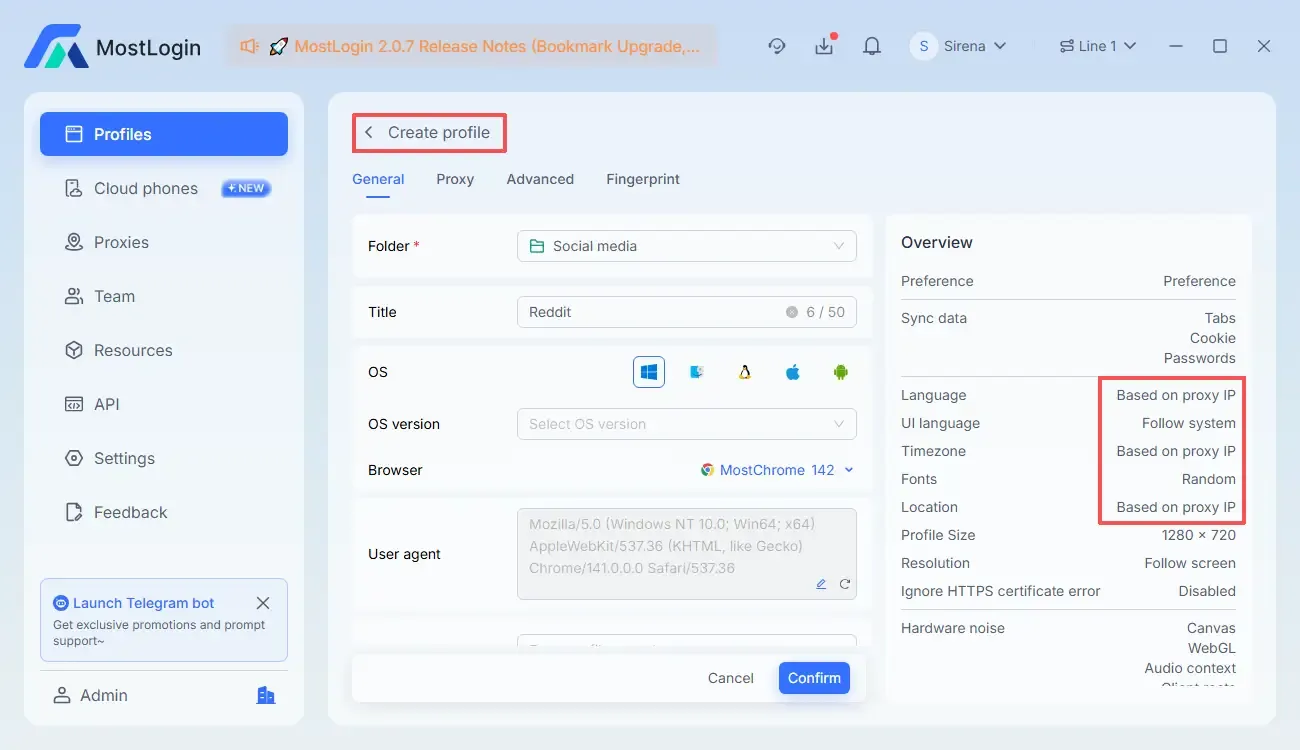
For firewalls and network administrators, this operation has a stealth effect. Each window in the MostLogin Anti-Detection Browser is independent, so without explicit labeling, it is almost impossible to detect that it is being used to access TikTok. Instead, it appears more like a tool to improve work or study efficiency.
How to Use MostLogin to Bypass TikTok Restrictions?
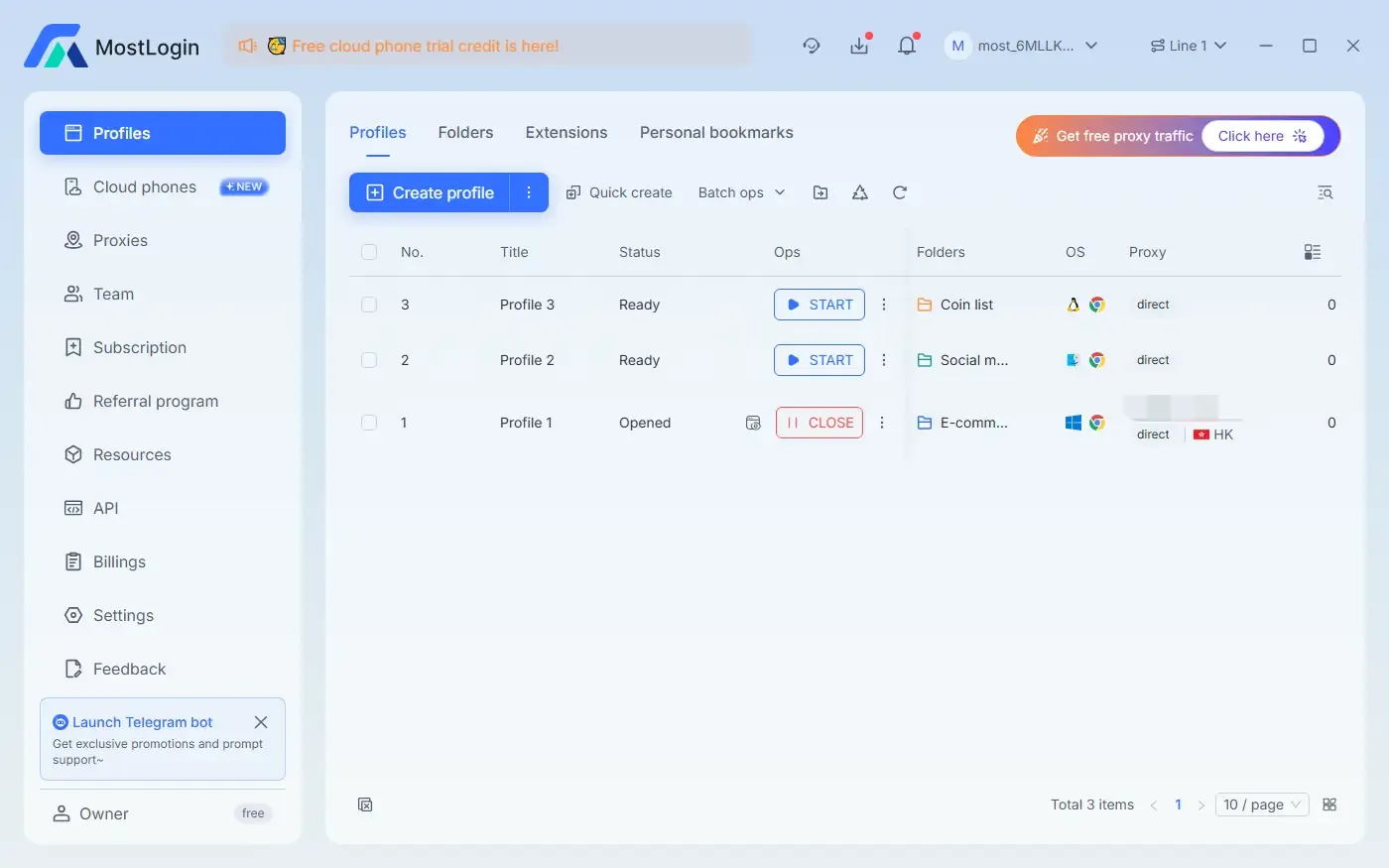
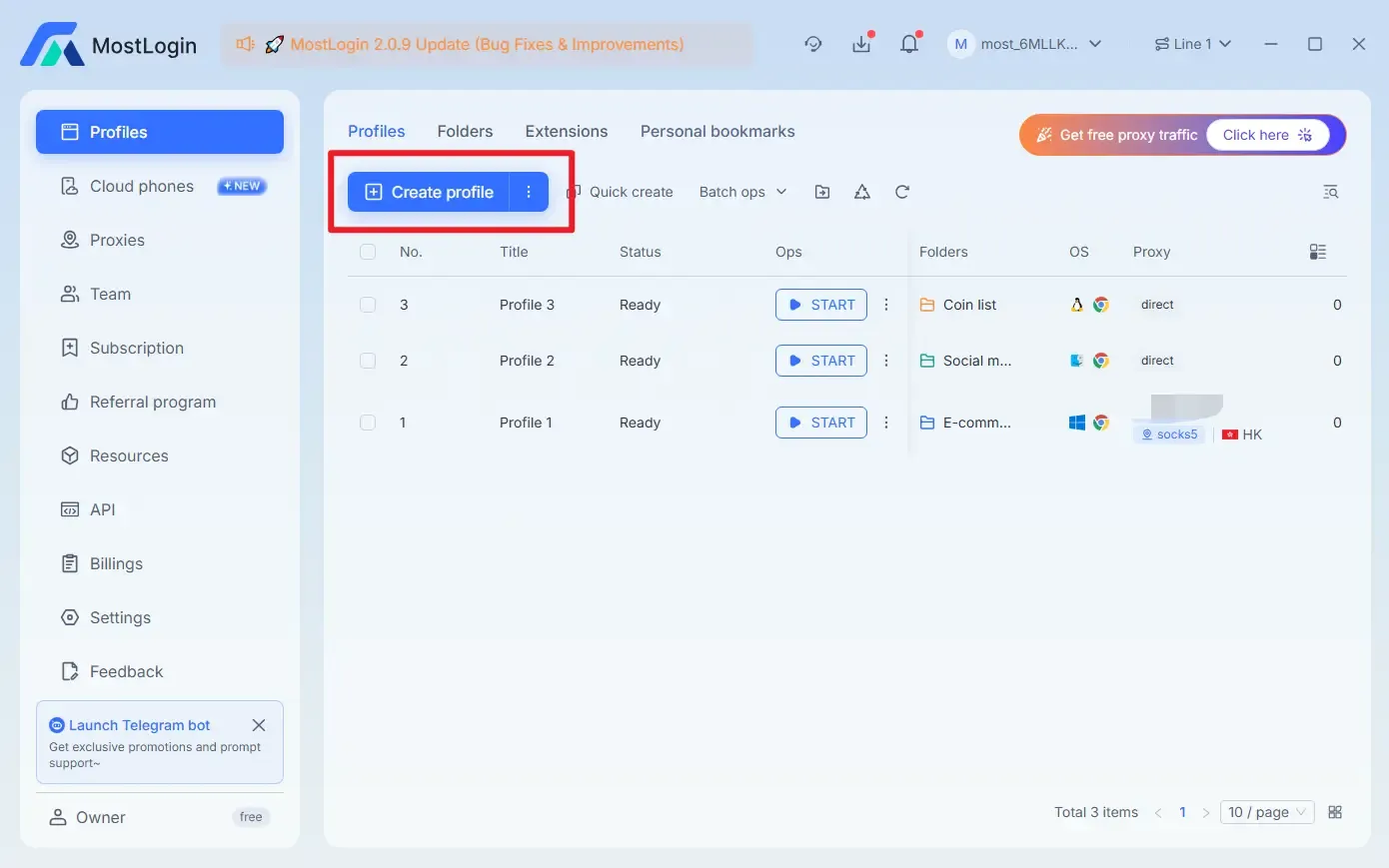
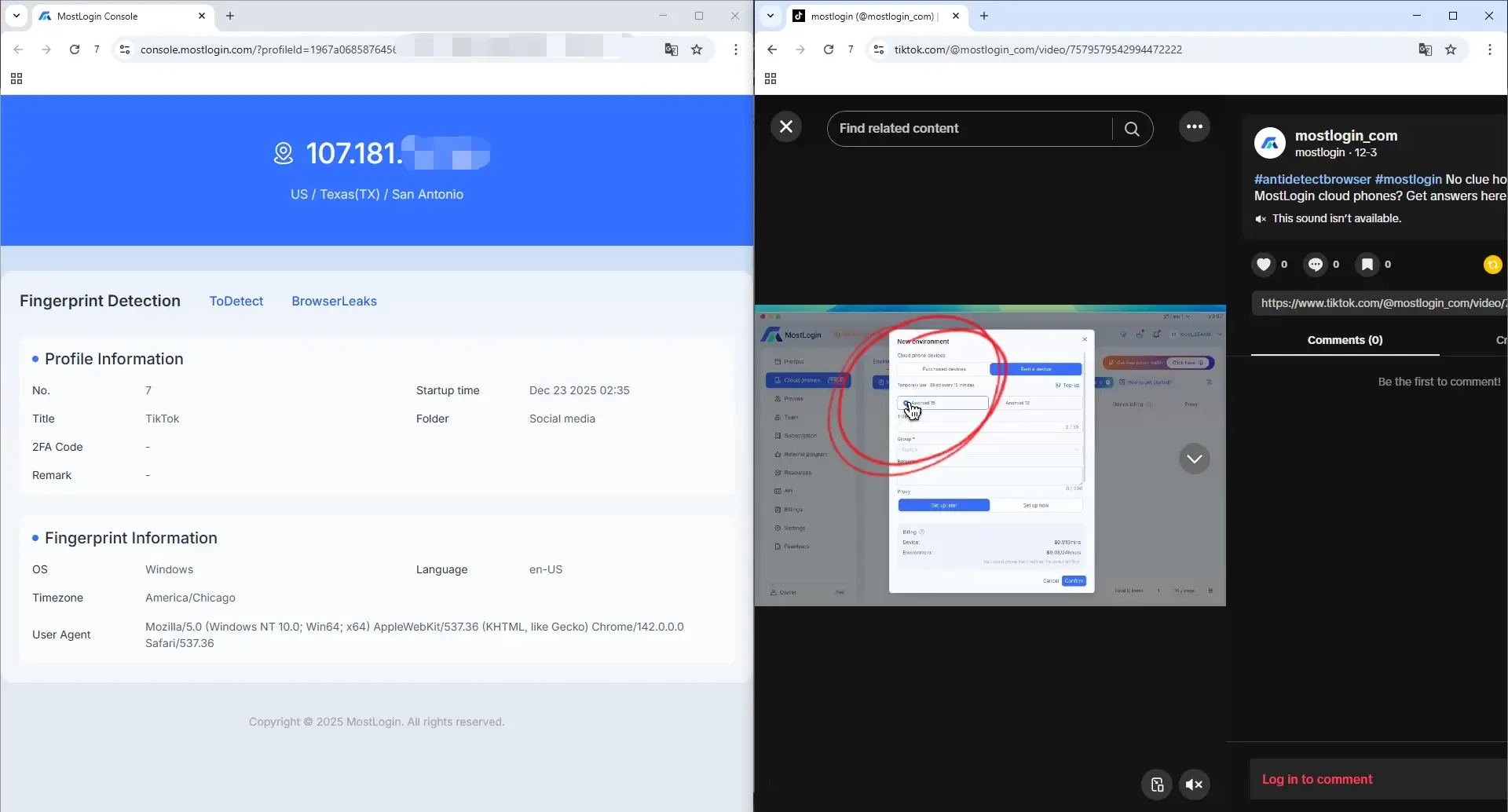
First, download, install, and launch MostLogin, then click the "Create Profile" button.
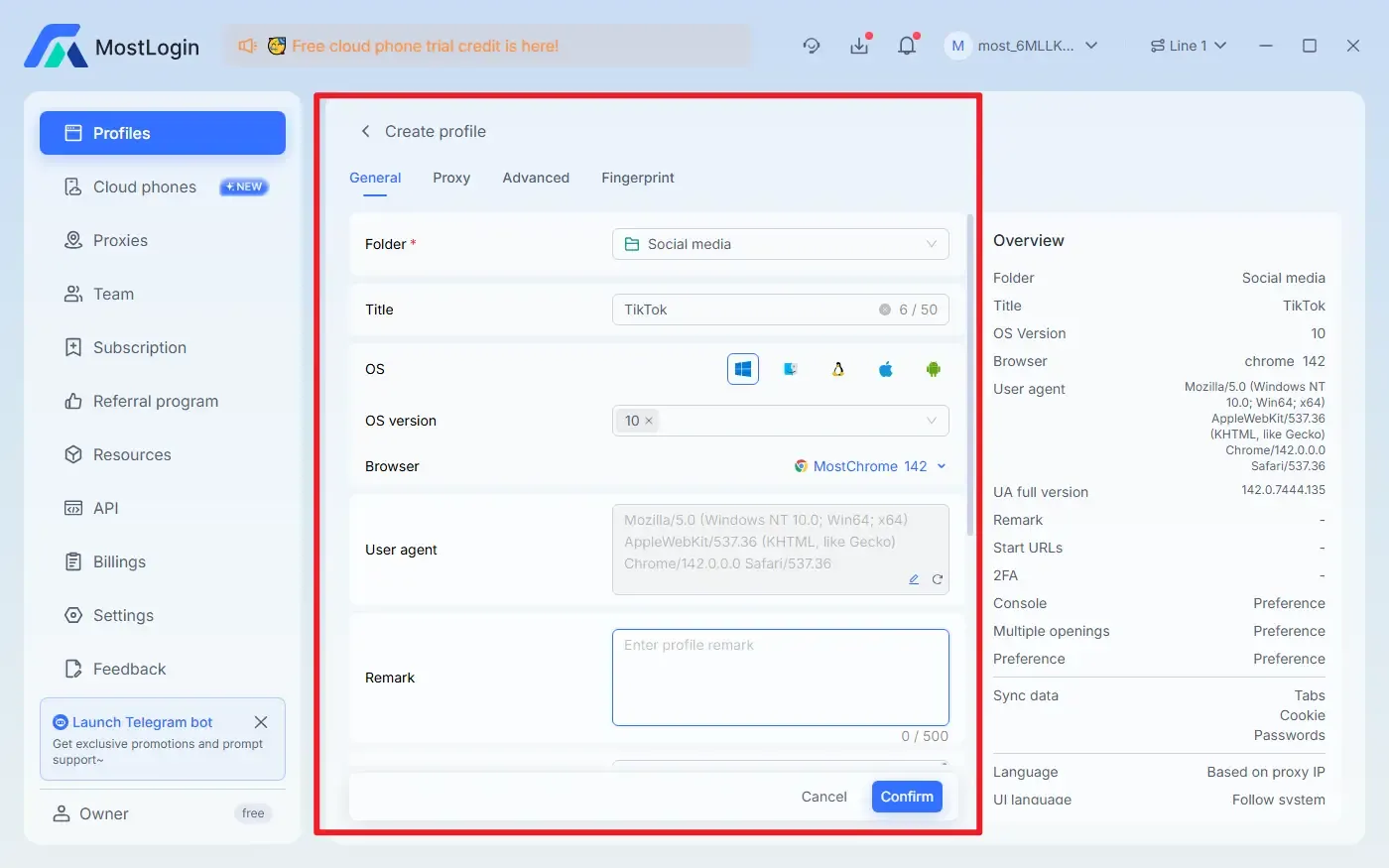
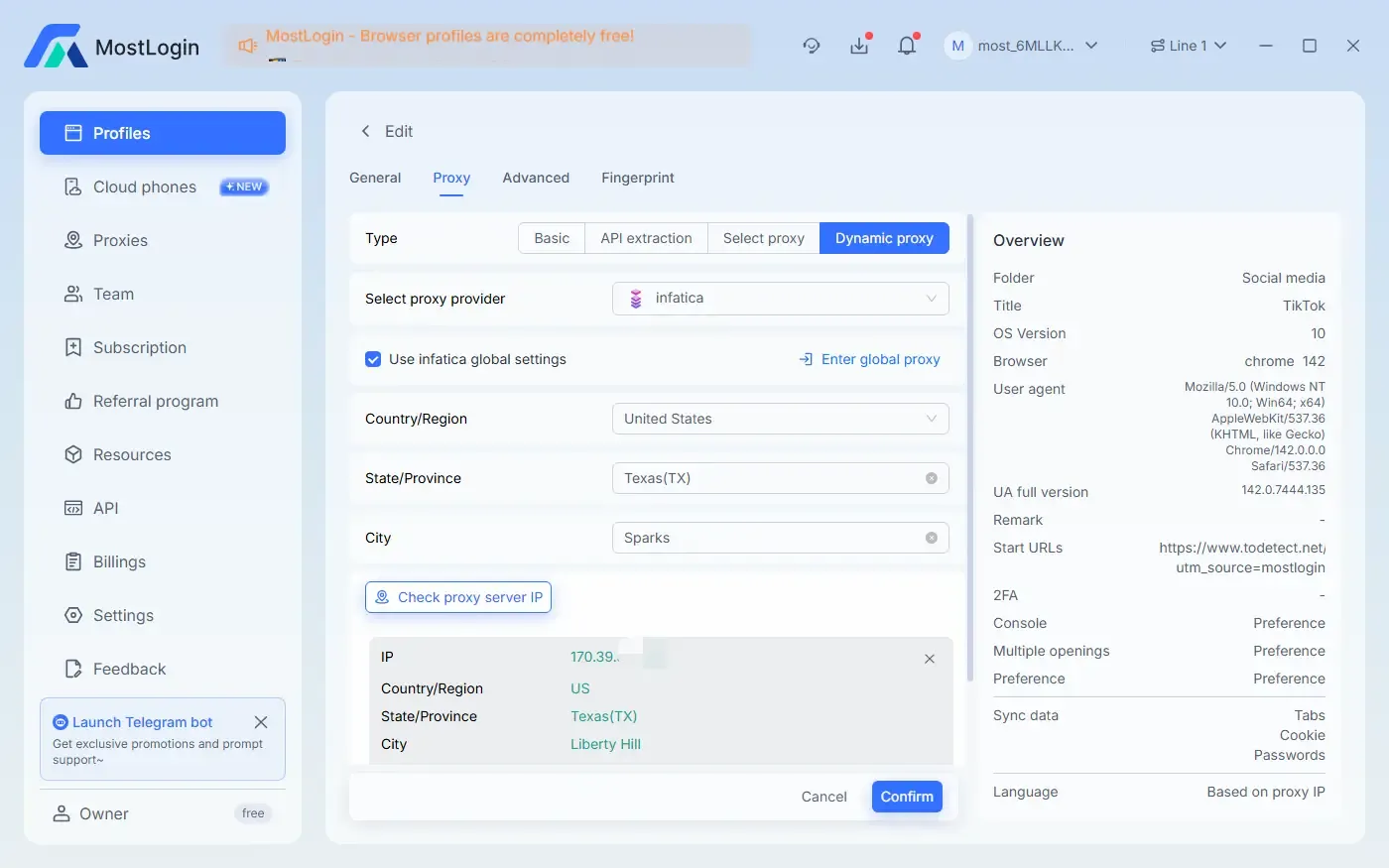
Fill in the "General" and "Proxy" information, then click the "Confirm" button to save the settings.
Select the browser profile you just created and click the "START" button.
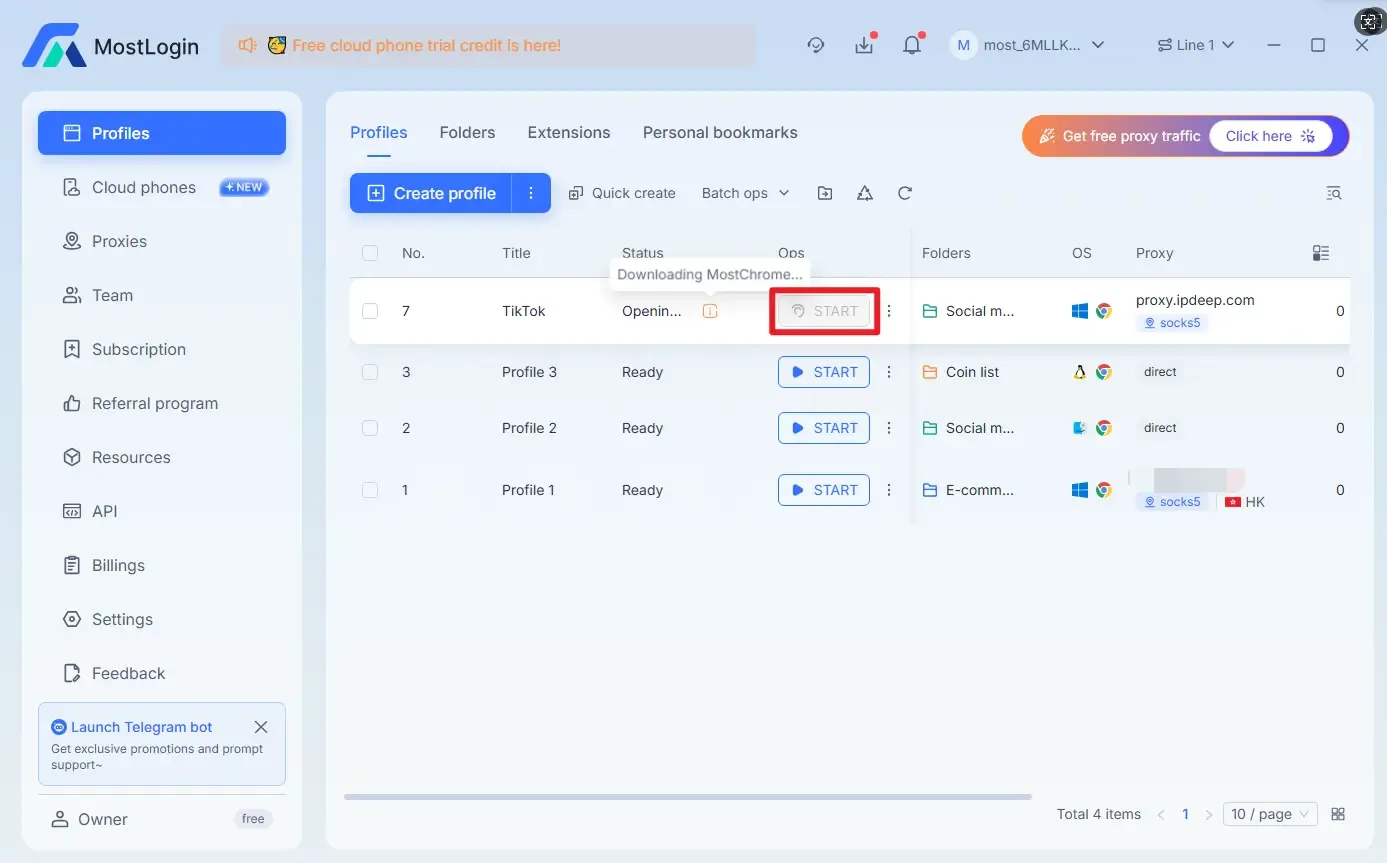
MostLogin will automatically launch the anti-detection browser with the configured settings, and you can now access TikTok normally.
For a more detailed installation guide, please refer to this article: "Complete Installation Guide for Anti-Detect Browser Beginners".
Is It Legal or Compliant to Use TikTok on School or Restricted Networks?
From a legal perspective, in most cases, this does not constitute illegal behavior, but rather a violation of the network usage policies of schools or organizations. The main risks stem from internal management regulations rather than legal liability. Using personal networks usually carries the lowest risk, while operating accounts on managed or public devices requires extra caution.
Are There Differences in TikTok Restrictions Across Different Devices?
In practical use, different devices do lead to varying experiences. iOS systems are more sensitive to network anomalies and offer relatively limited adjustability, while Android provides greater flexibility but with higher configuration complexity. On Windows or Mac, accessing the TikTok web version via a browser is often the most stable option. Anti-detection browsers like MostLogin, as explained in this article, essentially create a suitable environment for independent access, making them ideal for scenarios requiring stable login to the TikTok web version.
Conclusion
Using TikTok on school or restricted networks in 2026 requires consideration of multiple factors. To effectively resolve the issue, it is essential to first understand the reasons and specific types of network restrictions, then select a matching method. This approach not only increases the success rate but also ensures greater stability.
We have two additional articles on solutions for using TikTok on school or restricted networks, covering more detailed directions and expanded content. For the school-specific guide, see "How to Get TikTok at School Without Network Blocks ?". For a comprehensive guide covering schools and restricted networks, check out "How to Unblock TikTok at School or Work: Top 5 Best and Easiest Methods". We hope these help you solve more problems!
Frequently Asked Questions
How to Unblock TikTok in School and Work Environments?
First, determine whether the web version or app is blocked, then select the corresponding solution mentioned above.
Will Using These Methods to Bypass TikTok Restrictions Slow Down Internet Speed?
This largely depends on network quality; proper configuration can actually improve stability.
TikTok Suddenly Stopped Working—Will Switching Servers or Enabling Automatic Fault Handling Help?
It can be helpful when WiFi connectivity is unstable.
What Is the Pricing for the MostLogin Anti-Detection Browser?
Currently, it offers a "Pioneer Program." Specific features and pricing are subject to the latest official plan.
Will Bypassing TikTok Network Restrictions Lead to Account Bans by TikTok?
With normal usage and no excessive frequent environment switching, account bans are highly unlikely, as we are only bypassing network-level restrictions.
Best Anti-Detection Browser - MostLogin
The MostLogin Anti-Detection Browser helps users solve high-frequency problems such as multi-account management, environment isolation, and account risk control.
For operational questions, please refer to the Official Help Documentation